Category: Vue.js

Here you’ll find articles about the Vue.js framework & Vue Templates – a free, open-source, and progressive JavaScript framework by Evan You.

  • 15+ JavaScript Calendar Libraries & Plugins You Must Check Out in 2024

    15+ JavaScript Calendar Libraries & Plugins You Must Check Out in 2024

    If you’re looking for a JavaScript Calendar Library or Plugin for your next project, we’re here to help you out. In this blog, you’ll find over 15 JavaScript Calendar Libraries / Plugins that you’ll save both your time and effort.

    Calendars are important in websites or web apps when it comes to picking up a date or organizing an event. We can see the usage of Calendars in various software like admin panels, booking & traveling apps, project management, etc. And, a poorly designed/organized calendar might harm your business in many ways. Therefore, we should give special attention to it while developing a website, web, or mobile app. At UI-lib, we integrate such kinds of Calendar plugins in our software & templates. (You can check them HERE)

    Best Calendar JavaScript Libraries

    The calendar libraries we’re displaying here used modern technologies & frameworks like React, Angular, Vue, Bootstrap, or jQuery. Some are easier in functionality, and some are more complex than others. We hope you find this catalog worthy of your time. Now, without further ado! Let’s jump straight into the listicle and grab the most suitable calendars for your upcoming project.

    1. Scheduler – JavaScript Online Calendar
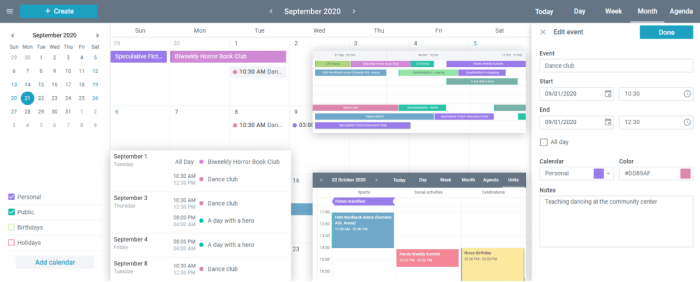
    Scheduler JavaScript Online Calendar

    The Scheduler is a classic JavaScript Calendar Widget for use in web app projects. It is a simple calendar with numerous display modes, including full screen, compact, agenda view, daily, week, month view modes, and more.

    You can quickly add new events to this scheduler by dragging and dropping, as well as utilizing popular hotkeys such as Ctrl-C, Ctrl-X, and Ctrl-V. Moreover, you’ll be able to create and edit events that support recurring events, as well as change their color and channel.

    Details / Demo / Download

    2. Fullcalendar.io

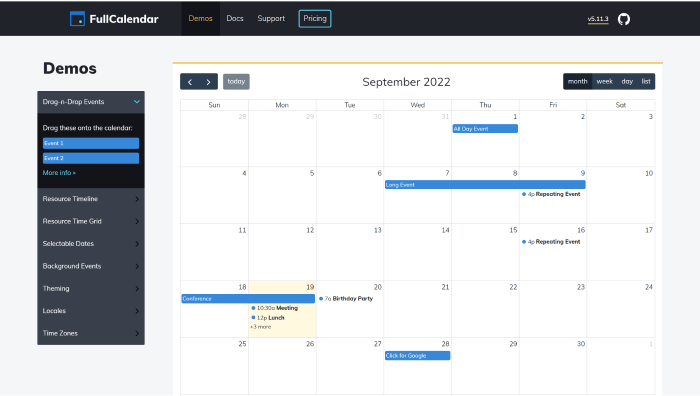
    Fullcalendar JavaScript Calendar Plugin

    Fullcalendar is an excellent option for people who know what they want. There are no specific step-by-step instructions describing how to achieve the aim. Only a general Getting Started Guide and Documentation Page.

    The library is easily customizable and has a wide range of components. The website, demos, and documentation give the appearance of a sophisticated product that you wouldn’t be afraid to use. Also, this allows you to plan resources and mark occurrences. There is also a timeline view and several themes. The documentation for development in React, Vue, and Angular is a valuable component of this framework.

    Details / Demo / Download

    3. MobiScroll – Modern JavaScript Event Calendar
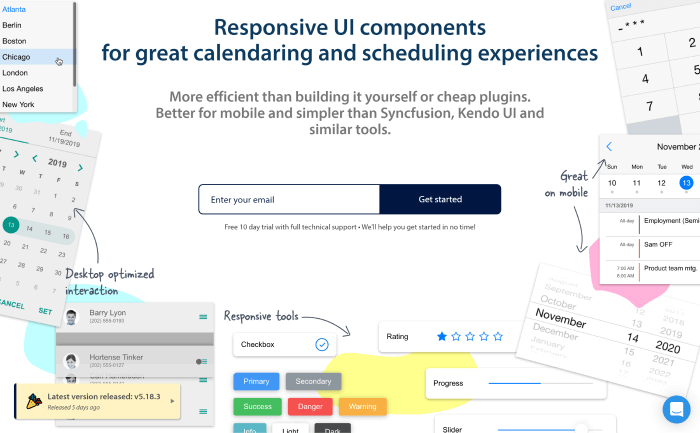
    MobiScroll - Responsive UI components
for calendaring and scheduling

    Mobiscroll is another JavaScript Calendar library for calendaring and scheduling, date and time selection. Also, there are tools for creating a great user experience, such as pop-ups, form components, various pickers for edit dialogs, etc.

    Moreover, it supports a scheduler with a time grid for managing the selection and execution of multiple tasks. It is super customizable, and in the Agenda view, you can easily list the events for any range grouped by days.

    Details / Demo / Download

    4. Color Calendar – Customizable JavaScript Calendar Library
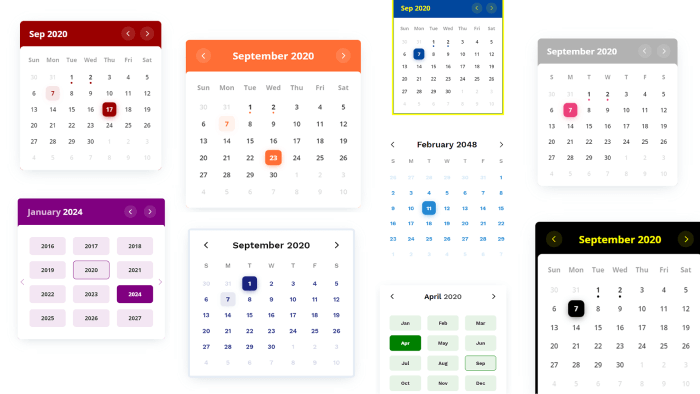
    The Color Calendar JavaScript library shows events on your calendar. It has two lovely themes, the basic and the glass theme. Without JavaScript, there are no other dependencies to it.

    Besides that, you can display your events in daily, monthly, and weekly calendar views. It is a fully customizable JS library with CSS variables, supplying options parameters while building a calendar or overriding CSS.

    Details / Demo / Download

    5. Webix JS Calendar and Time Selection UI Controls

    Webix JS Calendar and Time Selection UI Controls

    One of the most adaptable JavaScript calendar plugins that you can customize to meet specific needs is Webix. Users can choose from days, months, years, and precise times.

    It is simple to adapt to local conditions, including the local first day of the week. Also, it has several controls. There is another control for time management to improve the accuracy and usefulness of the time selection process.

    Details / Demo / Download

    6. Toast UI Calendar

    Toast UI

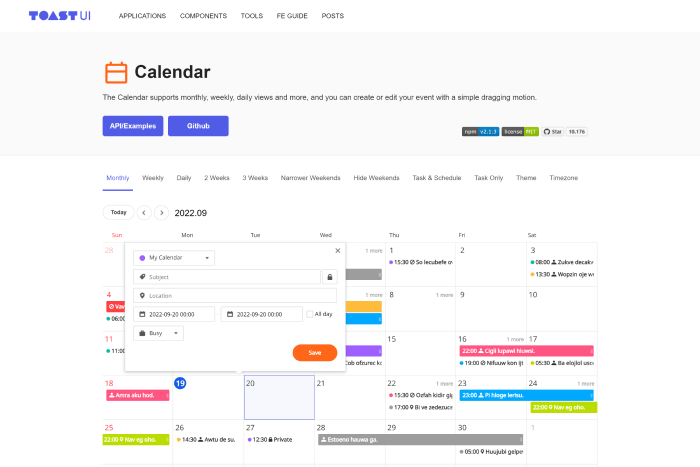
    Toast UI, aka TUI, is an open-source calendar library on JavaScript. You can download the packages directly from their GitHub website. It is available as Plain JavaScript, React, and Vue components.

    Speaking of features, it has many different view types, including monthly, weekly, daily, biweekly, etc. Moreover, you will have Default props, which allow you to effortlessly create and change tasks by adding various tags like ‘business,’ ‘family,’ ‘friend,’ ‘travel,’ and so on.

    Details / Demo / Download

    7. Calendar.js

    Calendar.js

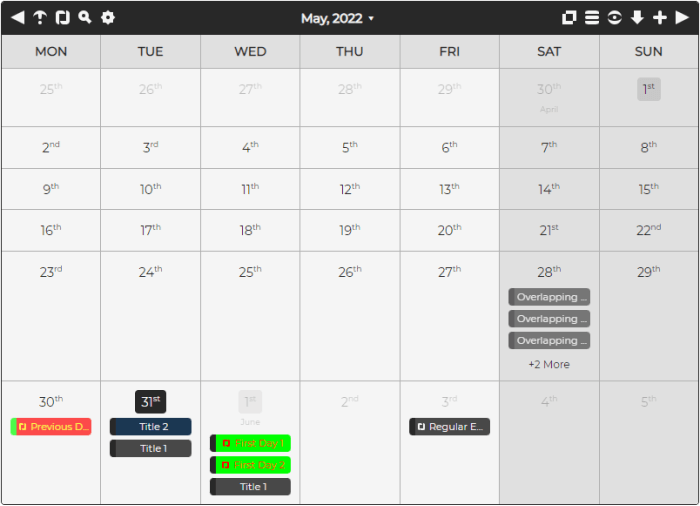
    Calendar.js is a drag-and-drop event calendar that works in all major browsers. With full-color customization, you can add, remove, and alter events. Moreover, it provides daily, monthly, weekly, and all event views, with all events easily dragged and dropped. It is fully CSS/SASS styled and works with the Bootstrap library.

    Details / Demo / Download

    8. DayPilot Lite

    DayPilot Lite

    DayPilot Lite is another open-source JavaScript calendar and scheduler library with user interface components. It will help you create calendars, scheduling, project management, and resource booking applications.

    If you want to create, move, and resize events with a simple drag-and-drop method, you should consider using DayPilot Lite. It includes an advanced date picker for quickly altering the calendar date by highlighting busy days, a free-hand range selection, CSS styling, week numbers, and many more features.

    Details / Demo / Download

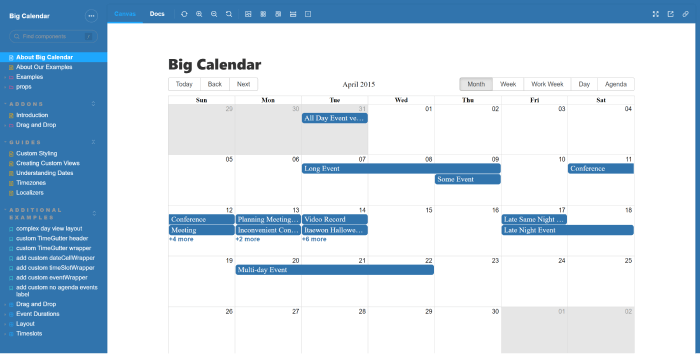
    9. React Big Calendar

    React Big Calendar

    React Big Calendar is a highly customizable React event calendar component. It is for current browsers (IE10+) and employs flexbox rather than the traditional tables-ception approach. Depending on your DateTime library preferences, it includes two alternatives for handling date formatting and culture localization. You can use the localizers Moment.js or Globalize.js.

    Furthermore, you may include the compiled CSS files and be up and running in no time. However, you may wish to customize Big Calendar to fit the rest of your application. So, you’ll get SASS files with Big Calendar. 

    Details / Demo / Download

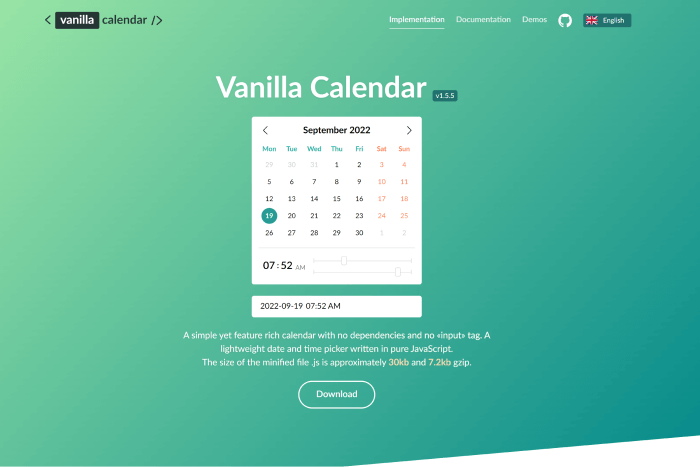
    10. Vanilla Calendar.js

    Vanilla Calendar.js

    Vanilla Calendar is a simple yet feature-rich JavaScript Calendar plugin that can be integrated with frameworks such as Vue, React, and Angular. It is a calendar plugin with small file size (30.4kb and 7.3kb gzip). Various calendar types are available here, including months, days, weeks, years, and more.

    You will also see the documentation that is quite simple to understand. Moreover, I t provides demos such as popup information about the day, disabled selection, date range, time management, multiple-choice days, and so on.

    Details / Demo / Download

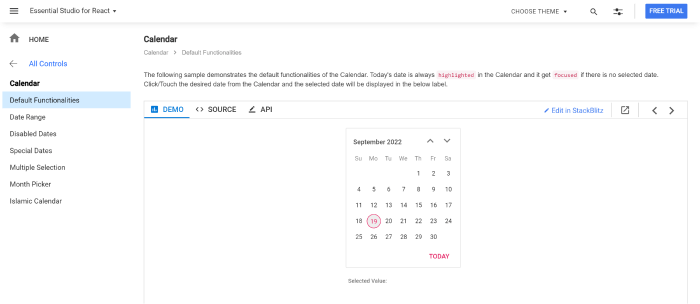
    11. Syncfusion React Calendar

    Syncfusion React Calendar

    The Syncfusion react calendar is a component that displays the date and weekdays. It offers month, year, and decade view choices to help you quickly find the appropriate date. It supports minimum, maximum, and disabled dates. Also, the product is portable and easily customizable.

    There are four distinct themes to pick from, including Material design. And the Calendar component gives you control over its design, allowing you to tailor it to your application’s needs.

    Details / Demo / Download

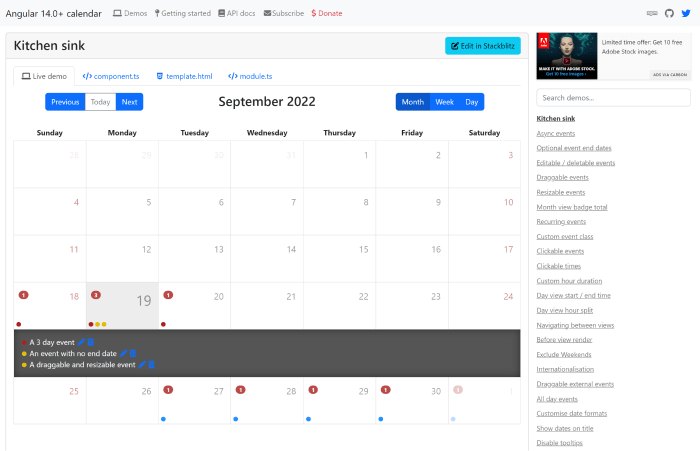
    12. Angular Calendar

    Angular Calendar

    A javascript plugin for Angular 6.0+ called the Angular Calendar can show events in a month, week, or day view. You can easily customize the template. Therefore, Instead of using components that don’t fit the project requirements, you can design your own. However, it is not a mobile-friendly calendar. So, if you want to make it mobile-friendly, you’ll have to work a bit.

    Details / Demo / Download

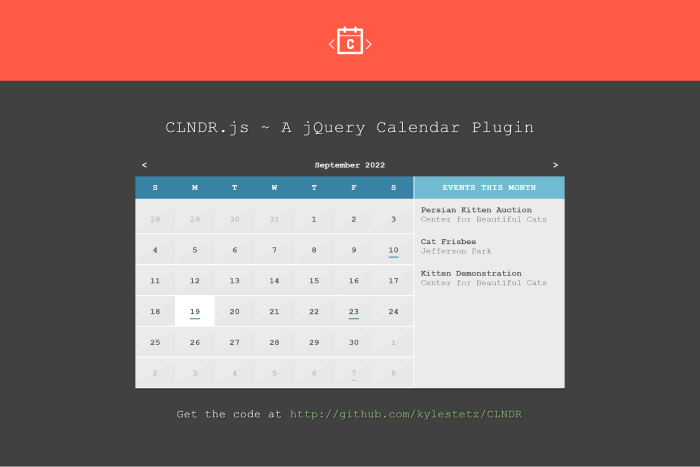
    13. CLNDR – A jQuery Calendar Plugin

    CLNDR

    Contrary to regular JavaScript calendar plugins, CLNDR.js is a jQuery plugin that doesn’t generate markup. It gives you information to use inside an Underscore.js HTML template that you supply. Because they provide us the option to choose where we want the data to go in our markup, HTML templates are ideal for this task.

    The documentation for this JavaScript Calendar plugin is available on the landing page. And it includes information on how to use it, how things operate, how to sort events and more.

    Details / Demo / Download

    14. DHTMLX – JavaScript Scheduler Event Calendar
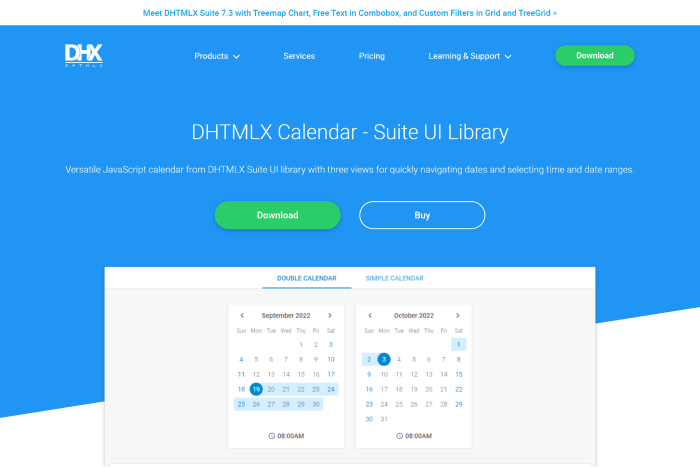
    DHTMLX

    DHTMLX is a JavaScript Scheduler Event Calendar.  If you only need a calendar, this is a good option. Here, you can find documentation for more details. Although a large number of div> containers required to make this scheduler function may initially be confusing, the general coding procedure is relatively better.

    Moreover, it provides you with a timeline view that enables you to differentiate between timelines from left to right and perceive events horizontally. Also, in all modes of the Timeline view, you can set a unique template for the cell content.

    Details / Demo / Download

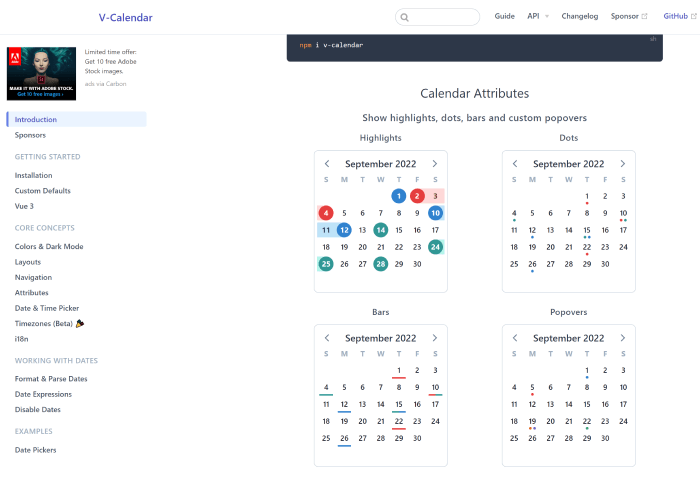
    15. V-calendar

    V-calendar

    V-Calendar – A lightweight Vue.js calendar plugin. There are different visual indicators, like date areas (highlighted), dots, bars, content styles, popovers for simple tooltips, and custom slot content. One object of each type may be present in any single attribute, which you can display for single dates, date ranges, or even complex date patterns.

    Details / Demo / Download

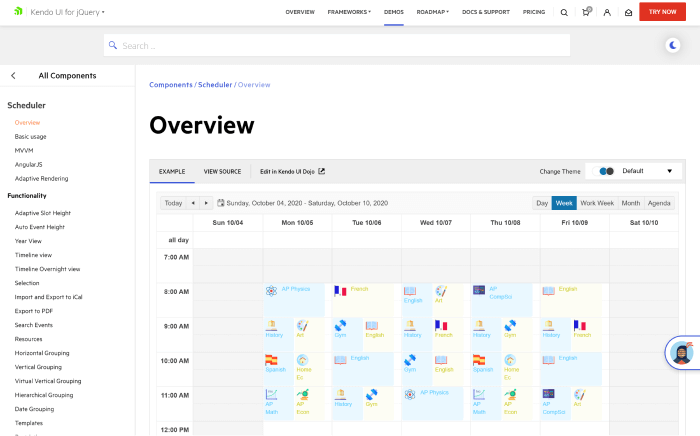
    16. Kendo UI Scheduler

    Kendo UI Scheduler

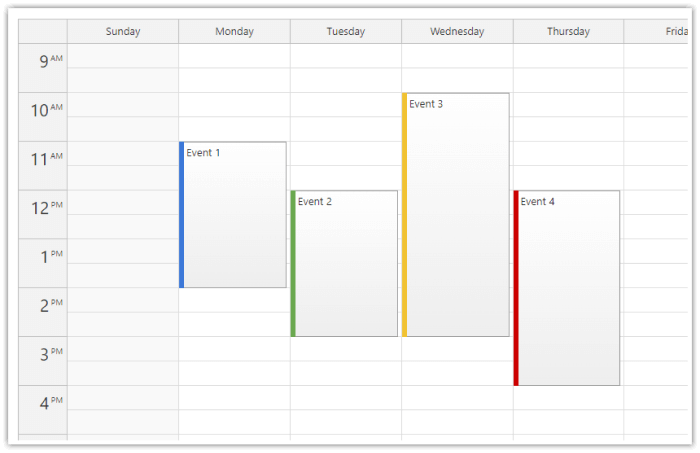
    Kendo UI – A modern JavaScript framework with many widgets and tools. It will only be a good option for a calendar if you also the rest of its components. And if you’re interested, then you can go through the documentation.

    Also, make sure to check out its Scheduler demos with code examples. In terms of coding, it won’t take long to create a fundamental scheduler and add some functionality. And although the default view is somewhat plain, it is simple to change.

    Details / Demo / Download

    Wrapping Up

    Your search for the top JavaScript Calendar Libraries and Plugins ends here. We tried our best to bring you only the best options available online. You’ve seen examples of free and paid calendar libraries and plugins. Some are distinctive and advanced, while others are simple and classic. There’s a mixture of everything. However, if you want a simple solution without any tech support and still want it to be easy to adapt, go with the free options.
    Similar Blog Posts

  • Top 18 Latest Bootstrap Vue Admin Templates (Free & Premium) in 2023

    Top 18 Latest Bootstrap Vue Admin Templates (Free & Premium) in 2023

    If you’re seeking the finest admin templates that use the well-known technologies Bootstrap and Vue, you’ve come to the right place. Here you’ll find the top 18 latest free and premium Bootstrap Vue Admin Templates for 2023.

    Best Bootstrap Vue Admin Templates

    1. Gull – Bootstrap Vue Laravel Admin Dashboard Template

    gull laravel bootstrap Vue admin dashboard template

    Gull – A next-generation Bootstrap Vue Admin Template with a ton of features and easy-to-customize options. Some of Gull’s out-of-the-box features include NO jQuery dependency, BootstrapVue Components, over 200 widgets, multiple charts, different layouts, light-dark modes, RTL, LTR support, etc.
    The template can be a good option for developers looking into creating cross-platform applications, web app backends, project management, accounting software, eCommerce backend, CMS, CRM, SASS, ERP, and other projects similar to that.

    Details / Download Live Preview

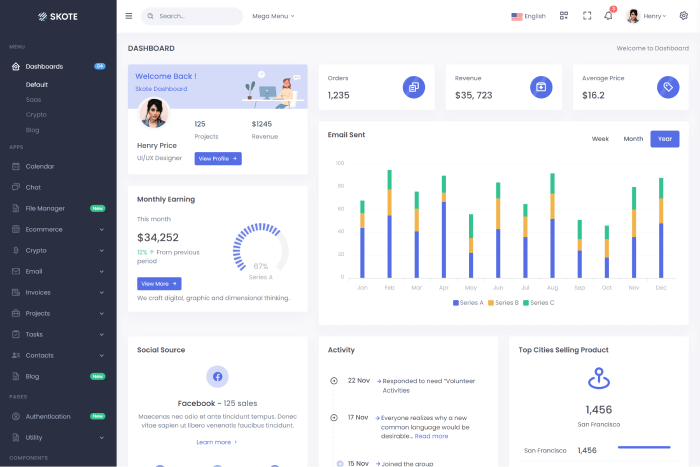
    2. Skote – Vuejs Admin & Dashboard Template + Sketch

    skote

    Skote is a high-end Laravel and VueJs admin template with developer-friendly code scripts. It uses the Vue CLI and Vuex component framework, supports several languages, has Firebase and backend authentication, and excludes jQuery. Along with reusable parts, the template also includes Sketch, Figma, and XD files.

    Additionally, the admin dashboard is simple and elegant with RTL choices and Dark and Light Layouts. You can create any kind of online application, including eCommerce, CRM, CMS, project management tools, Admin Panels, and SaaS-based interfaces.

    Details / Download Live Preview

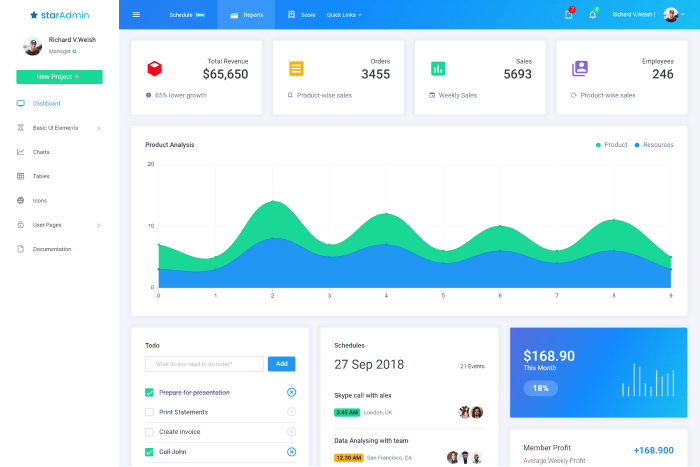
    3. Star Admin Vue (Free)

    star admin

    Star Admin Vue – A Vue Bootstrap admin template. It is built using the Bootstrap-Vue framework. Moreover, it is a fully mobile-first and responsive admin template that offers a solid framework for any Bootstrap + Vue.js project. Also, it is a free admin template that allows you to design better user interfaces for your admin panel that is highly configurable.

    Details / Download Live Preview

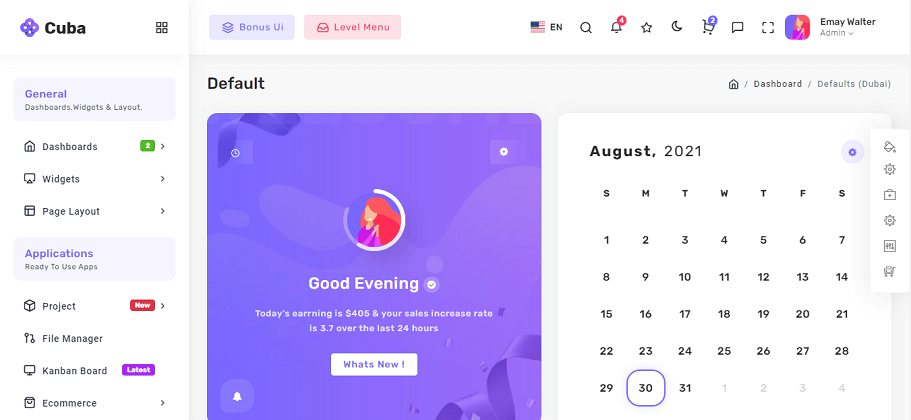
    4. Cuba – Admin Dashboard Template

    Cuba - Bootstrap Vue Admin Dashboard Template

    Cuba is a Vue Bootstrap admin template with jQuery. There are reusable UI Components that take advantage of the latest jQuery Plugins. Also, you can use the template for projects such as a CMS, CRM, or the backend of an app. There are also two dashboards, HTML with PUG, SASS style, color options, data tables, responsive layouts, light and dark themes, form wizards, chat apps, chart options, and much more.

    Details / Download Live Preview

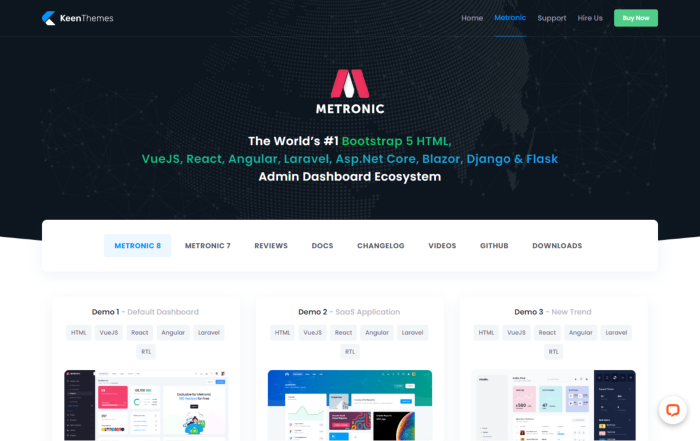
    5. Metronic – Admin Dashboard Theme

    Metronic - Admin Dashboard Theme

    Medtronic is one of the most updated admin templates with various modern technologies. It has multiple versions available, like Bootstrap HTML, VueJS, React, Angular, Asp.Net, Django, and Laravel. So, with the purchase, you are getting all technologies in one for your future admin panel projects.

    Along with the technologies, it offers features like 30+ top-notch layouts, UX-friendly Navigations, a ton of menu options, 20+ dashboards, rich data visualization, 12 useful apps, tech support, lifetime free updates, and more.

    Details / Download Live Preview

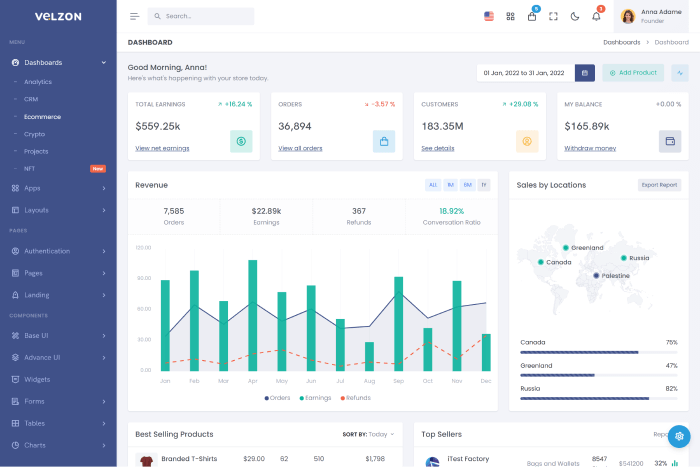
    6. Velzon – Admin & Dashboard Template

    Velzone - Vue Bootstrap Admin Template

    The Velzon admin template is available in many different technologies. As a result, there are numerous options to pick from in a single package. Moreover, it contains features such as RTL support (except Ajax, PHP, Symfony & Nodejs). The template includes seven demos and five layout types with many options.
    You will receive six dashboards, over 11 apps, light-dark modes, and Landing Pages for any projects. Also, there are 150 pages, more than 40 components, 60+ charts and widgets, fully responsive design, and more.

    Details / Download Live Preview

    7. VueStudio – Bootstrap 5 Admin Template

    VueStudio - Bootstrap 5 Admin Template

    VueStudio is one of the latest fully responsive Bootstrap 5 Vue 3 admin templates. It is based on the FLAT design style with a very clean and neat design. Moreover, it has over 30 styled plugins, 30+ unique pages, and a lot of reusable widgets. So, don’t forget to check out the template from the buttons below.

    Details / Download Live Preview

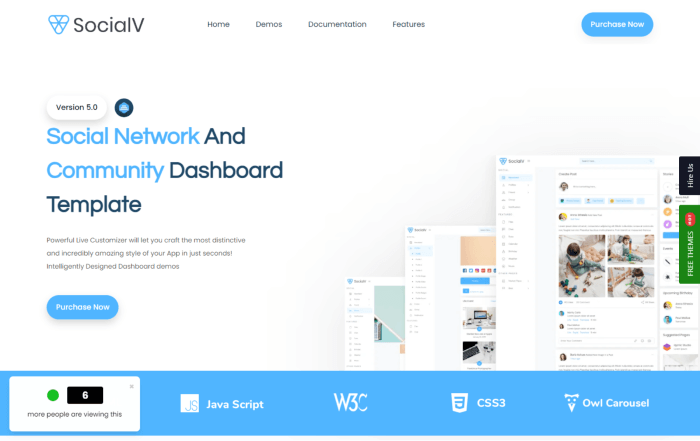
    8. SocialV 5.0 – Social Network & Community Admin Template

    SocialV 5.0 - Social Network & Community Admin Template

    SocialV is a pre-built social network and community dashboard template that is simple, clean, and modern. A site will look elegant with the template as it has a clean design with many more pre-builts features that are on their way.

    All popular web browsers, tablets, and smartphones are compatible with the template. Your design will look fantastic on any device. It is because every one of its pages is super responsive.

    Details / Download Live Preview

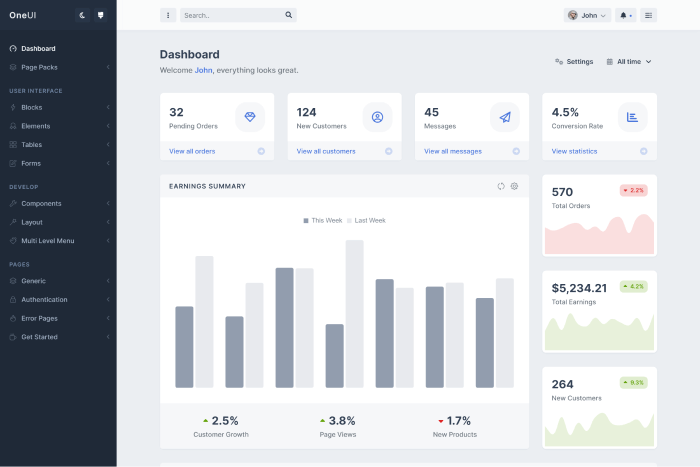
    9. OneUI

    OneUI is a UI framework and adaptable admin dashboard template. It is entirely modular, has special features, and can be used to develop your next brilliant concept. You can use the template to create the User Interface for a variety of projects, including web applications, backend websites, websites, custom admin panels, admin dashboards, CMS, CRM, or even portfolio, blog, and business websites.

    Details / Download Live Preview

    10. Yoda

    Yoda

    Yoda is a user-friendly admin template. If you’re a developer looking for all the required features, check out Yoda. Here, customization of the dashboard template is possible. The template is not only quick and simple to use, but it also meets high industry standards. With Yoda, you will have versatility because of its configurable feature. Its features include charts, several apps, a unique interface, RTL, color options, etc.

    Details / Download Live Preview

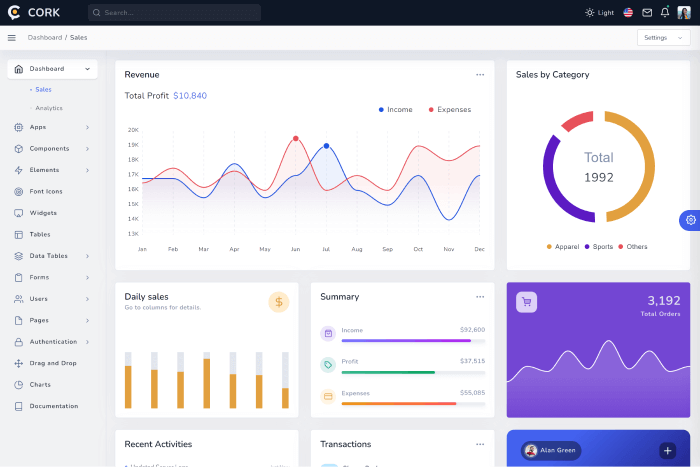
    11. Cork – Vue 3/2, Bootstrap 5/4 & Laravel Admin Dashboard Template

    cork

    Cork is a CRM admin dashboard template on Bootstrap 5 & Bootstrap Vue, and Sass. You can use the template for all kinds of back-end projects. The design of this template is 100% responsive and adapted to mobile devices of all sizes.

    The template comes with working apps to build your next back-end application. Also, it offers a variety of reusable components like buttons, maps, charts, widgets, forms, tables, and a bunch of elements you can include in your project.

    Details / Download Live Preview

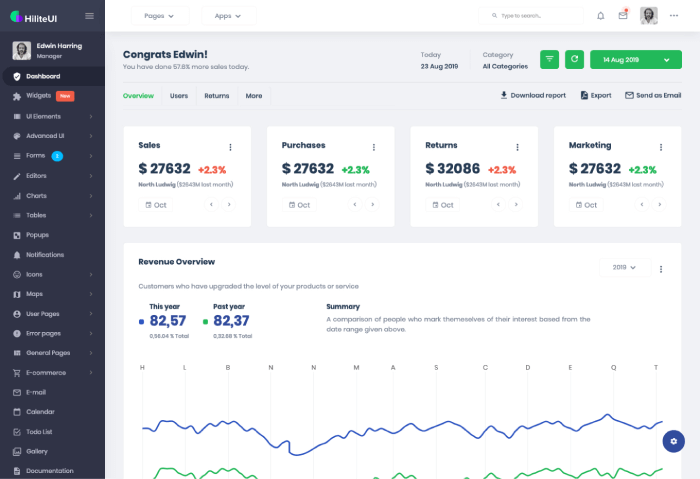
    12. HiliteUI

    HiliteUI

    HiliteUI is another user-friendly, feature-rich Admin Template that is well-responsive. It guarantees a great user experience on both mobile devices and desktops. The template is built using the Bootstrap framework, SASS, jQuery, HTML5, and CSS. Also, it has React, Angular, and Vue.js versions as well.

    Besides, it has some common features like UI elements, theme styles, color schemes, cross-browser compatibility, etc. You can use the template to create an admin dashboard, application backend, CRM, CMS, and other web applications.
    Details / Download Live Preview

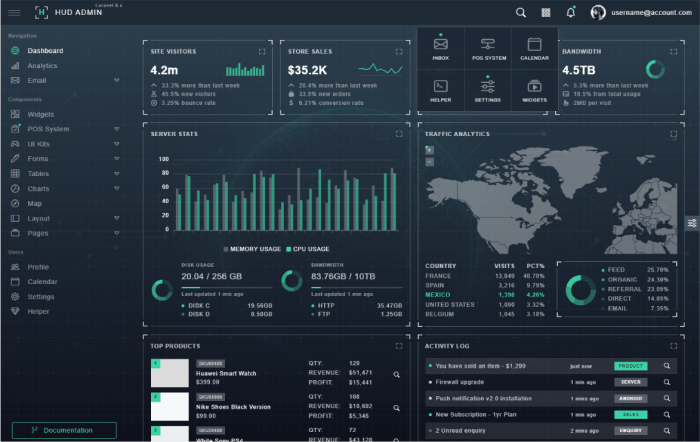
    13. HUD – Vue 3 Bootstrap 5 Admin Template

    HUD Laravel Bootstrap Admin Template

    Built on the well-known Bootstrap 5.2.0 framework, TypeScript, and Vue.js HUD is the first hud-style admin template. The HUD UI design is the inspiration for the design of HUD Admin, which has a sleek and elegant look. Moreover, it includes several external plugins, reusable widgets, and other crucial features. Therefore, be sure to look at this unique admin dashboard template.

    Details / Download Live Preview

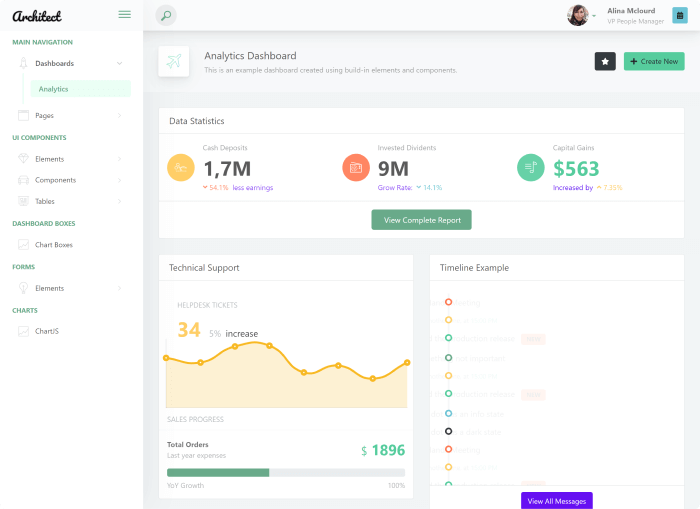
    14. ArchitectUI – Dashboard Vue (Free)

    ArchitectUI - Dashboard Vue (Free)

    ArchitectUI – A free Bootstrap Vue Admin template with nine unique dashboards, 15 Vue widgets, and more than 200 components. Setting up the design of your dashboard has never been easier than it is with ArchitectUI. The template offers a variety of layouts. You can select the layouts you like most.

    Moreover, it is entirely responsive, and the design quality is the same on screens of any size. Also, you can choose from ten color schemes that are available here.

    Details / Download Live Preview

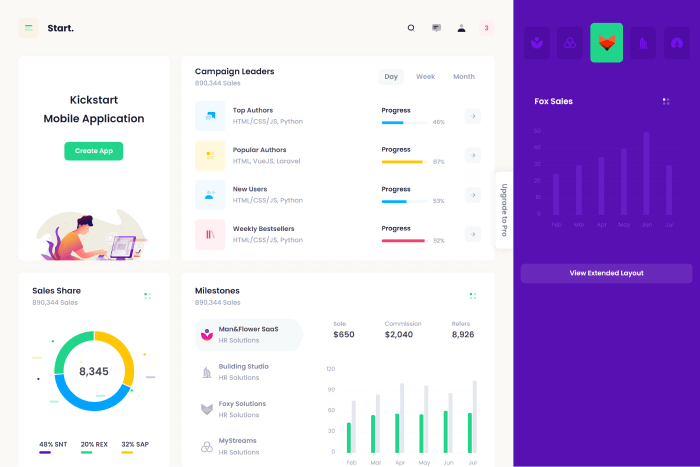
    15. Start Vue – Admin Dashboard Template (Free)

    Start Vue - Admin Dashboard Template (Free)

    Start Vue Free is a Vue.js 3 and Bootstrap 5 Admin and Dashboard theme. IT is jam-packed with plugin choices and uncountable UI elements. Moreover, it has an outstanding design, and its cutting-edge layout elements are tailored to work with every contemporary web application. The Vue Admin Template for bootstrap 5 is very customizable.

    Details / Download Live Preview

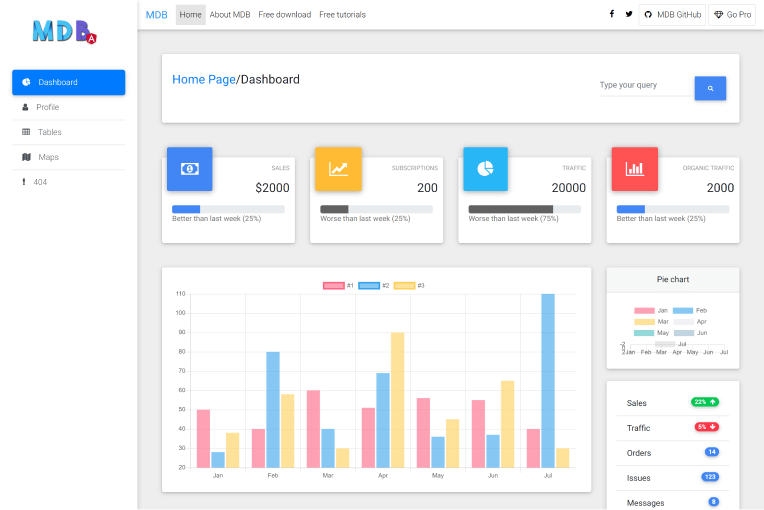
    16. MDB – Vue Admin Dashboard Template – VueJS & Material Design (Free)

    MDB - Vue Admin Dashboard Template – VueJS & Material Design (Free)

    MDB – Vue admin dashboard – A free template built using Bootstrap, Vue.js, and Material Design. It has several elements, various dashboard designs, and data presentations. And it is perfect for both private and professional use. There are more than 600 material icons, 400+ material UI elements, 74 CSS animations, and a lot more.
    Details / Download Live Preview

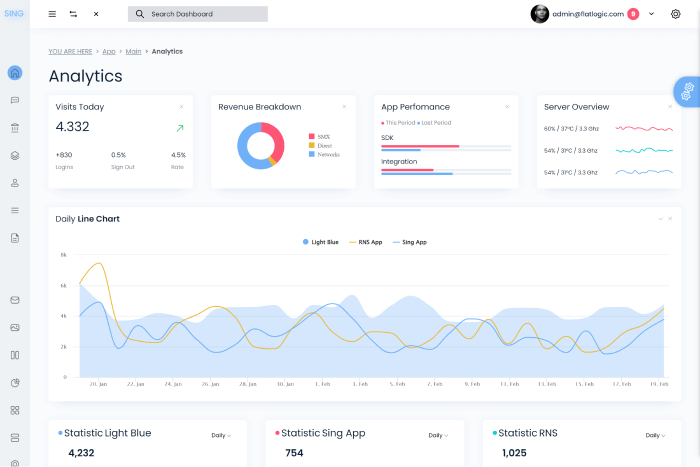
    17. Sing App Vue (Free)

    Sing App Vue (Free)

    Sing App Vue Dashboard is another free Bootstrap Vue admin template. You can easily utilize the template to build a dashboard using the latest Vue.js development stack, so you won’t have to learn everything from scratch!

    If you want to construct SASS, E-Commerce, CMS, or CRM platforms, here is a wonderful place to start. All necessary components are available for use. As a result, this Vue.js Admin Template GitHub may be the perfect option for you.

    Details / Download Live Preview

    18. Shreyu – Admin & Dashboard Template

    Shreyu - Admin & Dashboard Template

    Shreyu is an admin dashboard template made with Bootstrap 5. It offers customizable components, UI elements, application pages, and more. All browsers and devices are compatible with the template. Also, with the template, you can quickly create an online application. Besides, it is a good option for any modern web app, including dashboards, CRMs, CMSs, e-commerce panels, SASS-based user interfaces, etc.

    Details / Download Live Preview

    Similar Blog Posts

  • 8 Best Vue TypeScript Admin Templates in 2023 (Free & Premium)

    8 Best Vue TypeScript Admin Templates in 2023 (Free & Premium)

    Since there aren’t many options available, it can be challenging to find useful Vue TypeScript Admin Templates. So, today, we have come up with some of the best Vue TypeScript Admin Templates that have the potential to make your work days go easier.

    Without further ado! Let’s directly jump into the listicle and find out which ones are best suitable for your next Vue TypeScript Admin Projects.

    Top Vue TypScript Admin Templates (Free & Premium)

    The list you’re about to find out is in no particular order. So, feel free to check out and choose any templates you find useful for your project.

    1. Vuero – VueJS 3 Admin and Webapp UI Kit

    Vuero

    Vuero is a Vue TypeScript Admin Template with excellent UI design and code structure. You will have a wonderful time designing your admin app with the template. Furthermore, the template is built on a Vite.js development server, allowing you to modify it easily. It also manages the compilation of .vue files, SCSS, and Typescript code.

    It has 6 different dashboards, 230+ demonstrations, over 500 Vue components, various apps, well-documentation, the Bulma framework, responsive design, chart libraries, and much more. So, check out its awesomeness by clicking on the buttons below.

    Details / Download Live Preview

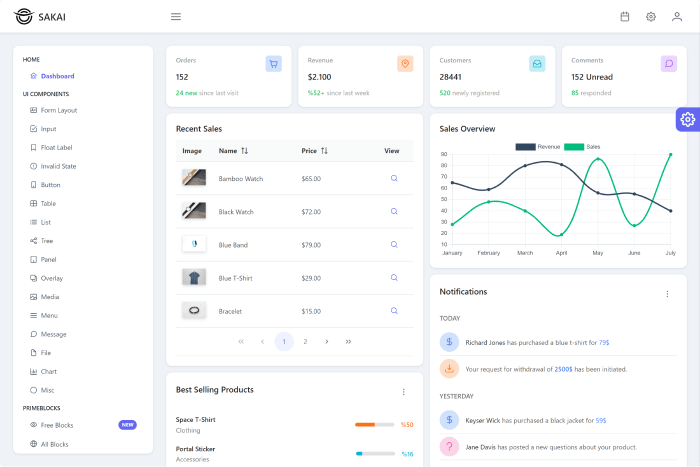
    2. Sakai – Vue 3 Nuxt 3 Admin Template (Open Source)

    Sakai

    The Sakai Admin template is a Vue TypeScript admin template that is open source and is built on the Vue CLI, Nuxt 3, TypeScript, and PrimeVue 3. It uses the free Saga, Arya, and Vela themes, which you can modify with any Prime Value theme, and layout colors from the Material UI, Tailwind, and Bootstrap.

    It has a single dashboard and multiple ready-to-use pages for common web apps such as CRUD, Timeline, landing, Login, error, Notfound, and others. Also, it includes over 15 components to make your app more usable, such as a form layout, input, table, list, tree view, panel, chart, and many more.

    Details / Download Live Preview

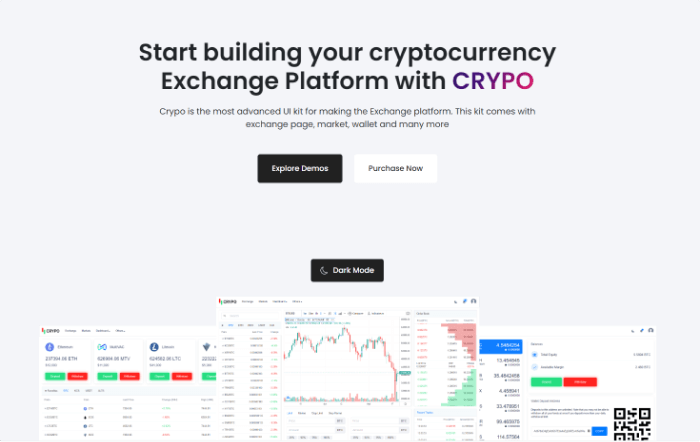
    3. Crypo

    Crypo

    CRYPO is a cryptocurrency trading dashboard built using Vue responsive bootstrap. This template’s main objective is to offer a lot of components. You can use these components for your next crypto trading website project. By default, here, you’ll find two themes: light and dark. And you can develop your own Crypto web app project if you’d like.

    Moreover, it has features like functional chart libraries, technical support, free lifetime update, trade history, market capitalization, and a lot more.

    Details / Download Live Preview

    4. Armour – Vue TypeScript Admin Template (Open Source)

    Armour - Vue TypeScript Admin Template (Free)

    Armour is a Vue TypeScript and Element UI Admin Template. It has several capabilities, including an integrated i18n solution, dynamic routes, permission authentication, conventional enterprise application templates, and many others.

    Mainly, it provides a single, unique dashboard with numerous practical cards, charts, and bar graphs. The admin template is multilingual and supports the following languages: English, Korean, Japanese, Chinese, and Italian. Besides, it supports four different table kinds and has more than 15 different pre-built, ready-to-use components. It also includes a draggable Kanban App.

    Details / Download Live Preview

    5. Vben – Vue TypeScript Minimal Admin Template (Open Source)

    Vben - Vue TypeScript Minimal Admin Template (Free)

    Vben is a free, open-source Vue TypeScript admin tool featuring the dashboards “Analysis” and “Workbench,” each of which is distinct. It has many features, including different charts, reports, and more. It has both light and dark themes and is highly customizable. You will also have access to customization choices, including the Navigation mode, the System theme, the Header theme, and many more.

    The template comes with Chinese documentation that you can easily translate to understand how to utilize the components and the admin template. Also, it has extensive information about icons, globalization, project specifications, and dark theme.

    Details / Download Live Preview

    6. Soybean – Vue TypeScript Admin Template (Open Source)

    Soybean - Vue TypeScript Admin Template (Free)

    Soybean – A unique back-end admin template built using Vue3, Vite3, TypeScript, NaiveUI, Pinia, and UnoCSS. There is a simple routing configuration and dynamic routing with the template. Also, it has features like two prebuilt dashboards, maps, films, charts, graphs, and more.

    Furthermore, you will have sites for managing roles, users, and routes. You’ll find chart libraries from outside sources like Echarts and AntV. These enhance the Admin template’s interactive charts.

    Details / Download Live Preview

    7. LQSong – Vue Element Admin Template (Open Source)

    LQSong - Vue Element Admin Template (Free)

    Admin Element Vue is another Vue TypeScript admin template.  It’s a complete solution that takes advantage of the most recent front-end technology, Vue3. Dynamic routing, permission checking, internationalization, mock data, and many other features are here.

    It includes a simple user interface (UI) and many functions and components. Chart libraries, multilingual support, page-level error handling, mock data, and lazy loading components are a few of its features.

    Details / Download Live Preview

    8. Vue 3.0 Admin Template (Open Source)

    Vue 3.0 Admin Template (Free)

    Admin Vue3.0 Template is a free Vue TypeScript admin template on GitHub. There are numerous features and elements in the template. Moreover, it has a unique dashboard with various charts and graphs. Also, it includes importing and exporting Excel, creating QR codes, using a calendar, exporting zip files, etc. It is a responsive admin template that is configurable. Therefore, don’t forget to check out.

    Details / Download Live Preview

    Similar Blog Posts

  • Best Vuejs Chart Libraries

    Best Vuejs Chart Libraries

    Vue.js is one of the most popular JavaScript frameworks in 2022. And, as we sell various templates with the framework, we often use different Charts in them. For this reason, today, we’re going to showcase some of the best Vue Chart Libraries you need to check out if you’re looking for Vue Charts. However, if you’re a React developer or would love to become one, be sure to check out our top picks for React Chart Libraries as well.

    So, without further ado, let’s see which chart libraries will be ideal for your next Vue.js project.

    Best Vue Chart Libraries

    Please note that the list below is in no particular order. Feel free to use any of these libraries. Enjoy!

    1. Vue Chart.js

    Vue Chart.js - Vue chart library

    Vue-chartjs is a simple and adaptable charting library for designers and developers. It is an HTML5 charting package with Vue.js-wrapper and vue-chartjs. This is a good option for you if you require charts that are ready to use right away! With chart.js, you may utilize (and combine) 8 different chart kinds, all of which have animation and are movable.

    More Details

    2. Vue Apexcharts

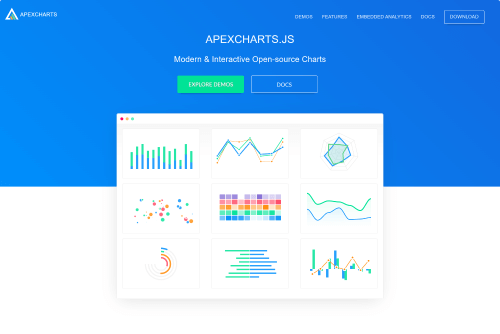
    Apexcharts - Vue Chart Library

    You may create interactive charts and visualizations using the open-source charting library ApexCharts. It includes some really intriguing features like built-in panning and zooming as well as a way to export your charts. Even though it’s not exactly a lightweight library, if you work with data-intensive visualizations, the longer loading time might be worthwhile. For their library, they provide an official Vue component!

    More Details

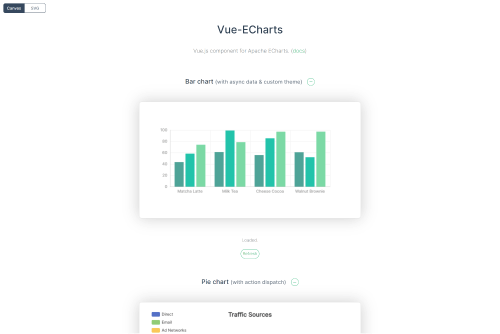
    3. Vue ECharts

    Vue EChart

    Vue ECharts is an adaptation of ECharts for Vue, an interactive charting toolkit that offers a variety of choices for data display. Along with bar and pie charts, you may also make more intricate charts like radar charts, maps, and polar plots.

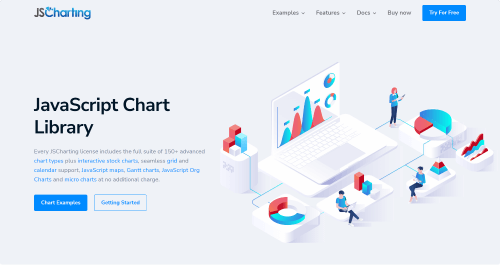
    4. JSCharting – Vue Chart Library

    JSCharting

    JSCharting has been creating data visualizations for 20 years. They have approximately 150 different types of charts in their charting library, including Gantt charts, org charts, financial charts, and maps. They provide an official Vue wrapper component (and also React). Look through their extensive portfolio to see examples of all chart types, smart annotations and labels, various layouts, dynamic charts, and interaction.

    More Details

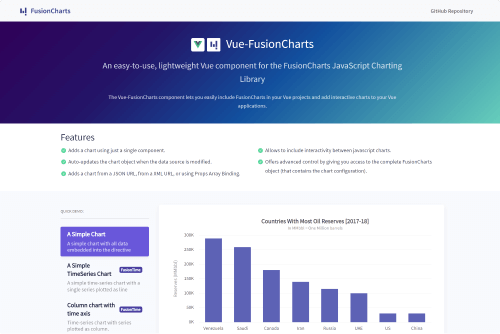
    5. Vue FusionCharts 

    Fusuincharts

    FusionCharts’ has 150 different chart types and 1000 different maps. These you can use in your Vue apps thanks to the official wrapper for the package. It is a charting library with charts that are user-friendly, responsive, and has a lot of features. Create animations, and interactive charts that can zoom, pan, update in real-time, and export right out of the box.

    More Details

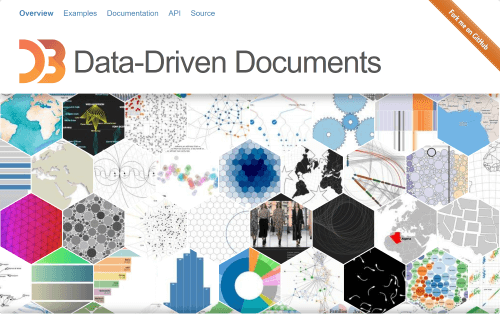
    6. D3

    D3

    D3 is a popular JavaScript package. It complies with all web standards. With this library, you can produce an endless number of charts.

    Besides, it has over 200 million downloads and 101 thousand reviews on GitHub. There is an external stylesheet, unique animations, and responsive charts, and it supports SVG. One benefit of utilizing the D3 is that it only needs HTML, SVG, and CSS to function.

    You won’t need any additional software or tools. Even with a high number of data points, it operates quickly.

    More Details

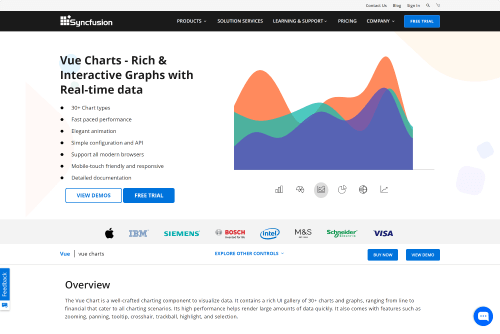
    7. Syncfusion Vue Charts

    syncfusion free vue chart

    From simple line charts to correlation diagrams or box plots, the Synfunsion chart library provides more than 30 interactive chart styles. The performance-optimized control supports real-time charts and lazy loading. Zooming and panning, tooltips, legends, annotations, and an automatic picture or PDF output are more features. To use the library, you’ll need a license. However, if you’re a solo developer or a small business, you can use Syncfusion’s Vue Charts for free!

    More Details

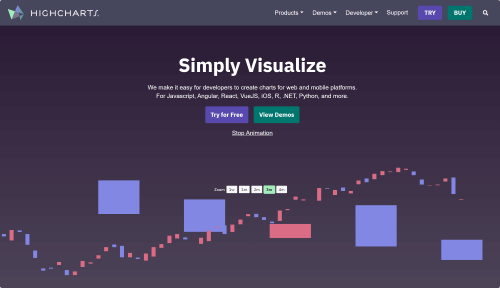
    8. Highcharts – Vue Chart Library

    highcharts - free vue chart library

    Highcharts are popular among business giants like Microsoft, Facebook, or IBM because they are flexible and easy to integrate into any CMS. They are in the industry for more than 12 years now. The library has an official Vue wrapper, which makes using them in your upcoming project simpler.

    More Details

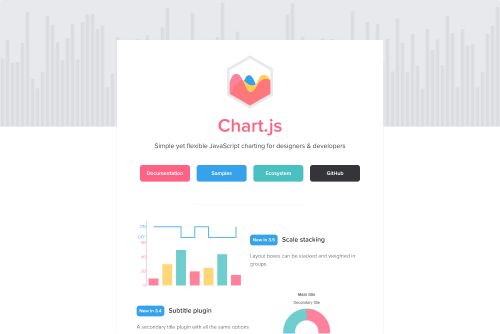
    9. Chart.js

    chart.js

    With 4.9K+ ratings on GitHub, Chart.js is one of the most robust and extensible Vue charting tools. Chart.js includes vue-chartjs. It implies that Chart.js must be installed as a dependency package.

    This will look simple to you if you are familiar with Chart.js. It only makes the Chart.js object visible and generates a wrapper that enables the application of custom logic, giving you the greatest degree of flexibility.

    More Details

    10. trading-vue-js – Vue Chart Library

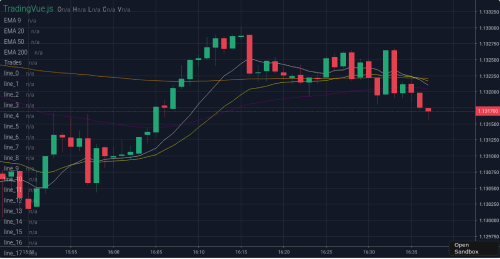
    trading vue js

    The Trading-vue-js library offers charts, such as the candlestick chart, to view trade datasets. Adding your indicators to a candlestick chart is simple. Moreover, it is open source, so you may change the color, add more attributes, or enhance the performance of the charts however you like. According to the documentation, it moves rather quickly up to three million data points.

    More Details

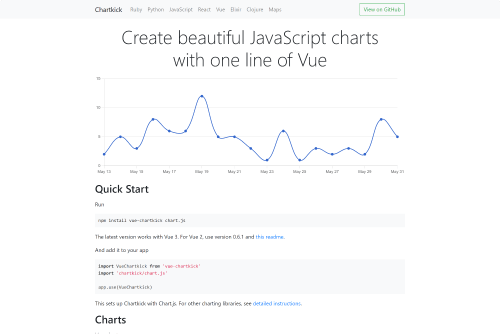
    11. vue-chartkick

    chartkick vue

    Chartkick Vue is an excellent Vue Chart library. If you want to create extraordinary JavaScript charts with one line of Vue, make sure to try out Chartkick. It supports both Vue 2 & 3 (latest) Versions. Moreover, it comes with a ton of chart variations including, an area chart, line chart, column chart, pie chart, bar chart, scatter chart, and more. The Chartkick Vue now has over 700 GitHub stars and 70+ forks.
    More Details

    Wrapping Up

    Your quest for the Top Vue Chart Libraries appears to be over at last. Deciding from among these free Vuejs Chart Libraries is challenging. If you adhere to your specifications, you should be able to quickly identify 3 to 4 chart library options that would be the greatest fit for your project.

    We wish you all the best and thank you for your time.

    Our Gumroad Profile

    Find the best Vue and React Datepicker Components here.

    Our Vue.js Templates

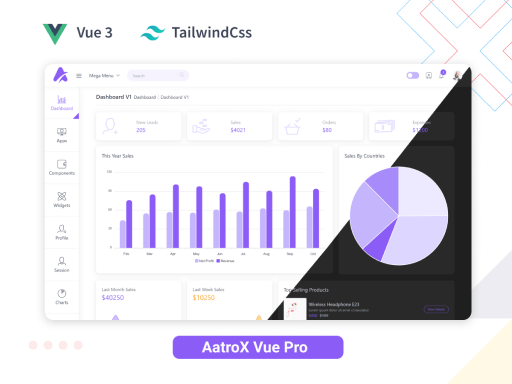
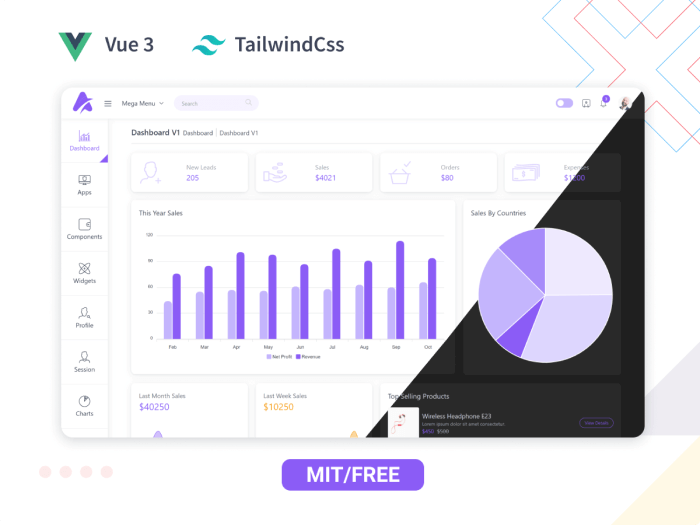
    Aatrox Vue – VueJS 3 & TailwindCSS Admin Dashboard 👌🥳

    aatrox vue tailwindcss admin

    Live Preview Details / Download Free Version

  • What is a POS System? How Does It Work? Get The Best POS System Here!

    What is a POS System? How Does It Work? Get The Best POS System Here!

    The point of sale, or POS, is where you deal with customers. It also goes by the name “Point of Purchase.” A POS System is almost definitely something you’ve encountered if you’ve ever gone shopping at a mall, online store, or grocery store. When you check out online, go to your checkout counter, or choose an item from your stand or booth, they are at the point of sale. Hardware and software are what enable a business to generate revenue.

    an image of a pos terminal

    So, if you have a retail business, having an efficient point of sale (pos) system can go a long way in making sure that all your operations are working together. Those retailers who spend the time and resources to implement such a system before they go into selling will surely reap its benefits.

    Without further ado! Let’s discuss how a POS System works.

    How Does A POS System Work?

    A POS system in simple terms is just a store’s cash register. But the POS of today is much more than that. It enables you to check out a customer from any location in addition to enabling your business to collect payments from customers and keep track of sales. You will need a POS app and an internet-capable gadget to make that happen.

    Despite being quite simple, the configuration can function in a variety of ways. The main factor is whether you sell exclusively online, only from a physical store, or simultaneously from both.

    A POS system goes through four steps, which are as follows:

    Step One: When shopping online, the customer first chooses their items, puts them into the cart, and then hits the checkout button. The customer brings the items to the counter or a salesperson in a physical store. The salesperson then scans the merchandise using a bar code scanner or a camera included in the item selling device.

    Step Two: The POS system determines the cost of the items in the following phase (including sales tax or discount – if any). The inventory count is then updated by the system to reflect those products as sold.

    Step Three: The third stage is when the customer completes the transaction by paying for the goods. In a physical store, a consumer has the option of paying with cash or a card. If it’s an online store, the customer uses a card or a mobile banking app to make a purchase. 

    Final Step: When the sale has finally been made formally, the payment is processed, and a digital or printed receipt is generated. The company then hands over or ships the goods to the customer.

    POS Hardware & POS Software

    If you run an online business, all your sales will be online, negating the need for POS equipment to facilitate payment processing. However, you might require a register and a credit card reader if you own a cafe or something like that. If you own a food truck, you might only need a phone or tablet to take orders.

    Here is a list of typical POS hardware and software types that might assist you in estimating the overall cost of your POS system. Remember that your business will determine what you require.

    POS System – Hardware VS Software

    POS HardwarePOS Software
    Register – Helps to calculate the money or process a customer transaction.Payment Processing – This function processes the transaction online like a Register in a physical store.
    Connected Device – A monitor, computer, or portable device like Tab or Mobile Phone.Inventory Management Software – It allows you to keep tabs on all of your items. Shows sales data, scarcity, level, etc.
    Credit Card Reader – This machine lets your customer pay securely. POS Reports – It shows you, how much your business is selling. A detailed report on sales.
    Cash Drawer – A safe spot to keep the cash payment safe. Employee Management – This is for your team management. Giving them various access to different tasks and showing how they are performing.
    Receipt Printer – A paper receipt showing detail about the purchase. CRM (Customer Relationship Management – You can view what your consumers purchased and when they made that purchase using the CRM tool.
    Bar Code Scanner – Reads the item and its details, shows the price and its stock level, etc. Online Receipts – This shows the purchase details and its history for your customer. And, it makes the processing of refunds easier.

    Now that you have a better understanding of the POS systems, you’re ready to discover the best POS solution for your company, regardless of what or where you sell.

    The Best Inventory Management with POS System & HRM! 👇🥳

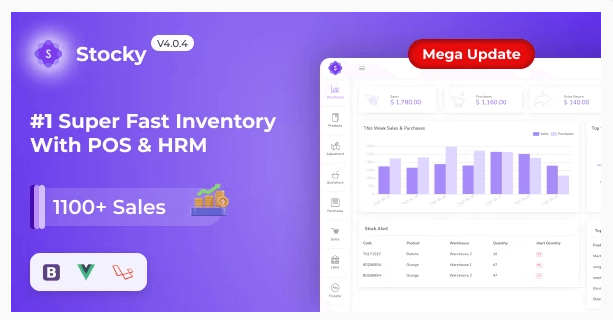
    Stocky – Inventory Management with POS & HRM by UI-Lib 😍

    Stocky - Inventory Management with POS System & HRM

    Details / Download Live Preview

    Stocky – One of the most popular Inventory Management systems, featuring Point of Sale (POS) and Human Resource Management capabilities (HRM). It handles inventory, sales, purchases, customers, invoices, payments, and human resources. And more regardless of time or location. Stocky is the ideal solution for managing inventory, purchases, and sales – all in one super responsive web application – whether you run a small or large business.

    Key Features 😮

    Stocky comes with a massive amount of excellent features out of the box, including:

    • Easy POS and Dynamic dashboard
    • Human Resouce Management System
    • Items, Adjustments, Transfer
    • Quotations, Sales, Purchases
    • Returns Customer & Supplier
    • Users, Customers, Suppliers
    • Currency, Units, Category, Backup
    • Payment Sales, Purchases
    • Payments Report
    • Overview & warehouse stock charts
    • Purchases & Sales report
    • Customers & suppliers’ reports
    • Product quantity alerts
    • Mail notification system added
    • Uses Structured And Customizable Sass Code
    • Integrated With Vuex, Vue Router
    • Dark Version Included
    • Multilingual 14 languages and more will be added soon
    • RTL Support Added
    • Pure Vue Js, No JQuery
    • Clean And Organized Code
    • Well Documented Code
    • Standard Folder Structure
    • 6 Months Support
    • Life Time Free Updates
    • etc.

    Other Essential Blog Posts

  • Best Vuejs UI Libraries

    Best Vuejs UI Libraries

    When developing any Vue-based user interface, using VueJS UI Frameworks will make it easier for you to work faster. VueJS UI Frameworks contain a ton of UI elements & components. And there are various VueJS UI frameworks available on the internet. To make it easier for you to choose the Vue UI Framework you need most, we have come up with 14 of the best VueJS UI Framework you must check out in 2022.

    We have a Vue3 freebie for you. Try it out! 👌🥳

    Live Preview Details / Download

    So, without further ado! Let us jump straight into the listicle and find the best suitable ones for your next project.

    Best VueJS UI Framework

    Note: The list you are about to find out below is in no particular order.

    1. Vuetify – VueJS UI Framework

    Vuetify - Vuejs UI Framework

    Vuetify is a well-known Vue UI Component Framework. It is based on Google’s Material Design, a popular design language. Cards, shapes, interactions, depth effects (lights and shadows), and other UI components are available in the framework.

    It can assist you in creating professional websites and application front-ends. You will not need any design experience to accomplish this. It will be simple to create web pages with all of the pre-made elements and components. Moreover, with Google product standards such as Gmail and Google Analytics.

    More Info

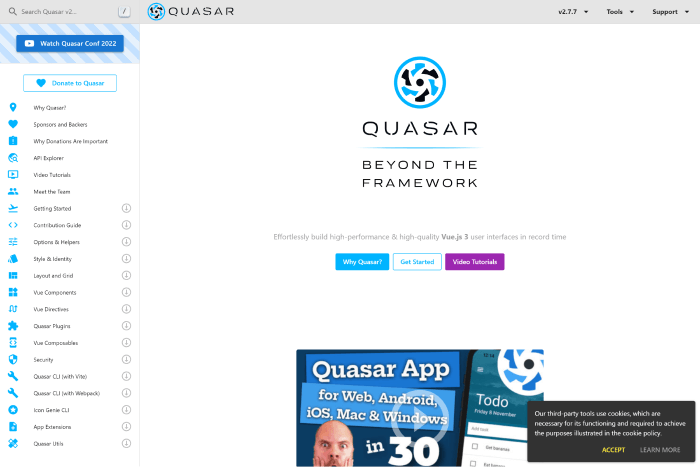
    2. Quasar – VueJS UI Framework

    Quaser - Vuejs UI Frameworks

    Quaser is a Vuejs framework for creating Vue-based user interfaces that focuses on performance. Despite this, the framework appears to be based on Material Design. However, You can customize its components and elements to match your design system. The Composables can inform you more about the Quasar API.

    The framework has a strong GitHub community and is active on Discord and Twitter. So, without much concern, you can dive into the framework and create any Vue app for web, mobile, or desktop.

    More Info

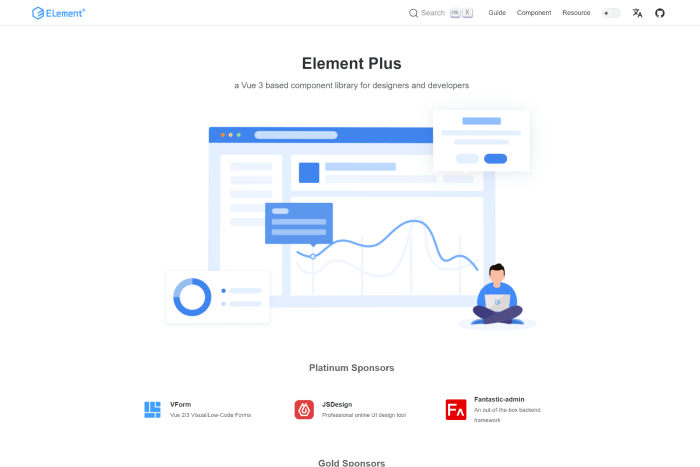
    3. Element Plus

    Element Plus - Vuejs UI Frameworks

    Element Plus is a Vue 3 UI framework with an extensive range of UI components. You can use Element Plus to create complex applications. It also provides date & time pickers, timelines, calendar elements, trees, etc. It offers easy animations and a framework-wide globalization system. And, it regularly gets updated as well.
    So, if you need to stay up to date with instant updates, this can be your go-to option. Besides, it is great with problem handling, high customizability through SCSS variables, and pluggable elements.
    More Info

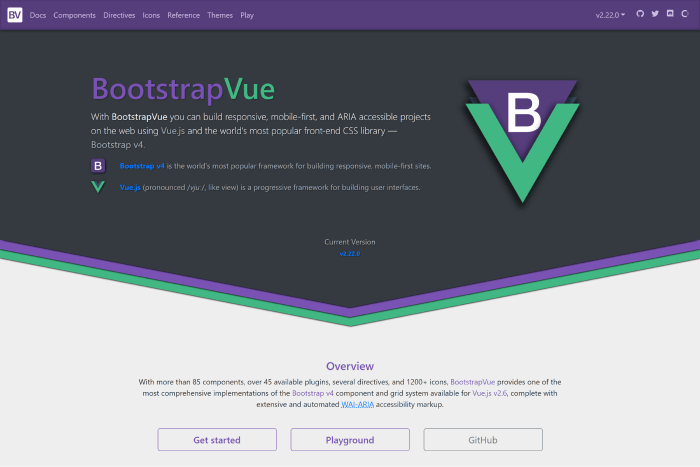
    4. Bootstrap Vue
    Bootstrap Vue

    Bootstrap Vue – A CSS library built using Bootstrap and Vue. You can use this library to create ARIA-compliant, mobile-first, and responsive web projects. The framework is simple to set up and understand. And it speeds up the development of your front-end applications.

    It has active community support on GitHub, and it will make you feel comfortable creating various UIs with it. There you will find numerous components, directives, icons, accessible plugins, and a lot more. Make sure to check out.

    More Info

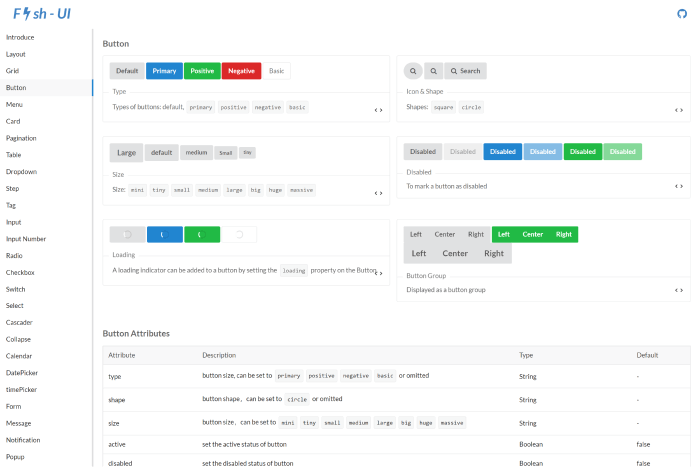
    5. Fish UI – VueJS UI Framework

    Fish UI Vuejs UI Frameworks

    Another excellent front-end web app using the Vue UI framework! The Fish UI framework is compatible with current browser environments and supports ES2015 and Webpack 2.0. It has very little to no documentation in this China-based library. However, its community is bustling enough to address all problems.

    The framework offers checkboxes, buttons, radio buttons, tags, backtops, dropdown menus, tables, pagination, cards, and more semantic CSS elements.

    GitHub More Info

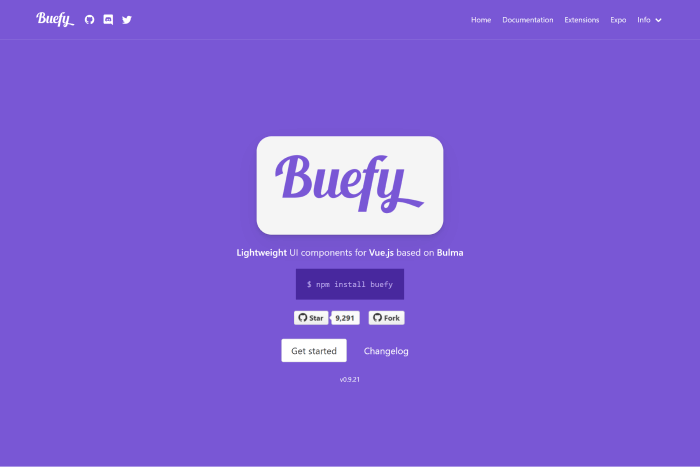
    6. Buefy

    Buefy

    Are familiar with Bulma? If you are, the framework called Buefy might be a good choice for you. This UI framework combines Bulma and Vue.js and helps you create beautiful applications with minimal code. Buefy is a highly customizable UI framework. Therefore, you can change its appearance, colors, sizing, and a lot more to match your requirements.

    For personalizing global variables that will be used throughout the entire program, Buefy uses Sass. This makes it a wonderful option for highly interactive online apps, as does the ability to incorporate dynamic elements like progress bars and sortable tables.

    More Info GitHub

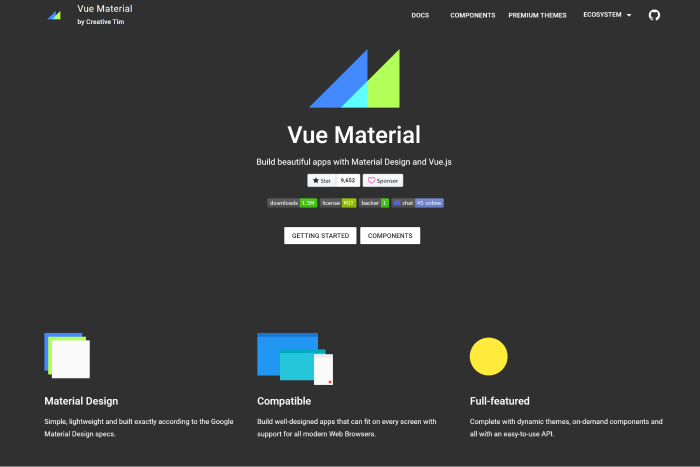
    7. Vue Material

    Vue Material

    Vue Material is a lightweight framework with Material Design. It is not as opinionated as other frameworks, although it adheres to the specifications of the letter. To create applications without the drawback of having to alter the library’s default styles, you must therefore make fewer design decisions.

    It offers better adaptability, portability, and simplicity of setup. With the framework,  you can start constructing right away because the framework has an advanced SPA boilerplate template based on Webpack. If you’re searching for reliability, portability, and simplicity with a framework, go for the Vue Material framework.

    More Info GitHub

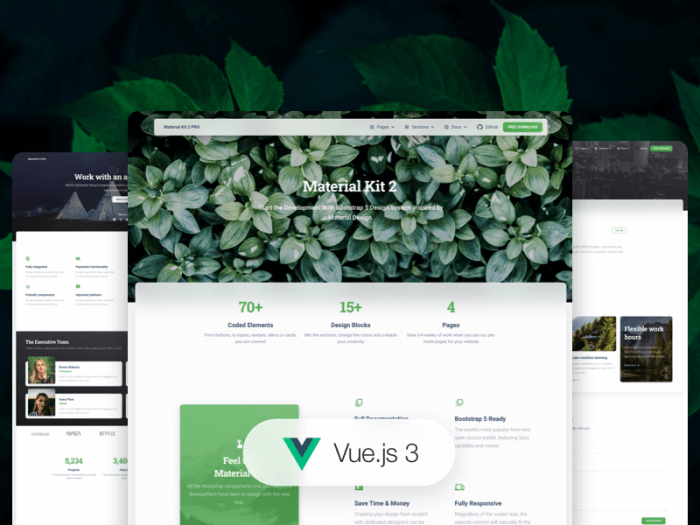
    8. Vue Material Kit

    Vue Material Kit

    Another framework that complies with the Material Design requirements is Vue Material Kit. Given that it is one of the newest in this group, its lack of widespread use is understandable. Because it is built on Material Package, a famous UI kit for converting Bootstrap 4, and 5 dashboards into slick-looking Material Design pages, we think it will gain better popularity. Your Vue work can move forward more quickly with the help of this UI kit’s many pre-defined pages and components!

    More Info

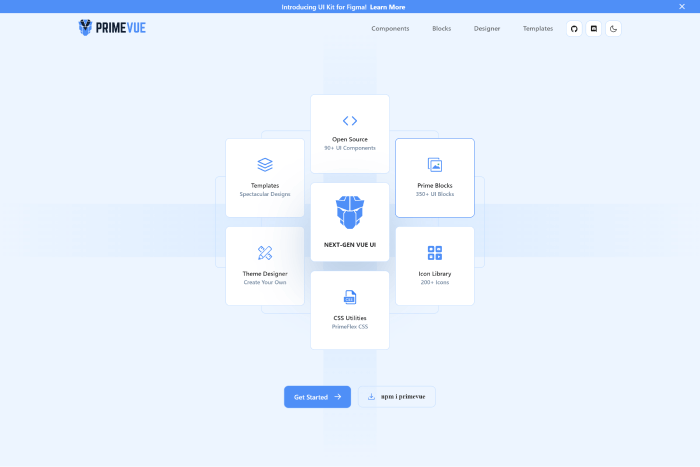
    9. PrimeVue

    Prime Vue - Vuejs UI Frameworks

    PrimeVue is an excellent example of a framework for creating complex, modern, and highly dynamic Vue applications. It includes components, ranging from tables and paginators to well-designed graph-based organization charts, that you can use for building interactive Vue applications.

    Because its components are for designing complex software applications, you can also use it to create user interfaces for enterprise software. It also explains why Fortune 500 companies such as Airbus, Ford, Intel, and others rely on the PrimeVue component library.

    More Info GitHub

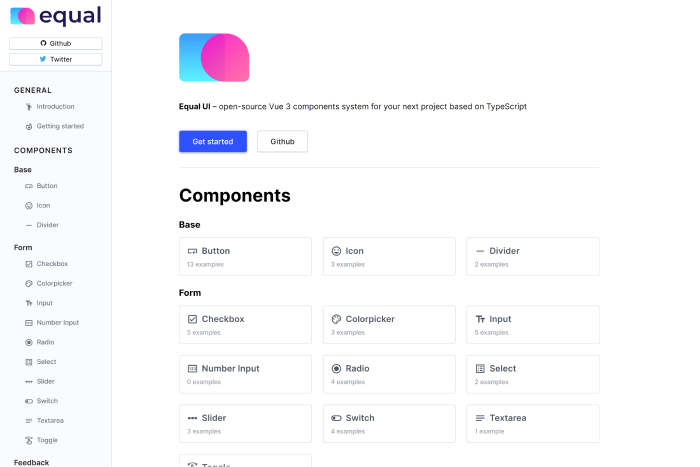
    10. Equal – VueJS UI Framework

    Equal

    Equal – A TypeScript Vue 3 UI component framework. It has a high capacity due to its simple documentation website and attractive components. Right now, it only offers an opinionated style that is more difficult to personalize than the other frameworks on our list. However, it has a great set of components that provides best-in-class Typography with superb performance and excellent animations.

    GitHub More Info

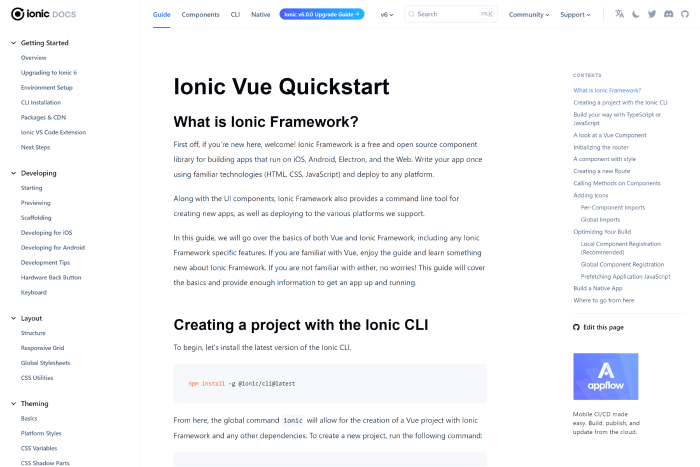
    11. Ionic Vue

    Ionic Vue - Vuejs UI Frameworks

    Ionic Vue focuses on the user experience for mobile devices. A large Slack channel with basic members, a wonderful community, enterprise support, and a lot of StackOverflow queries are all features of this beautiful framework.

    So you can utilize it whenever you require assistance. It is used by many large corporations because they the UI frameworks properly.

    More Info GitHub

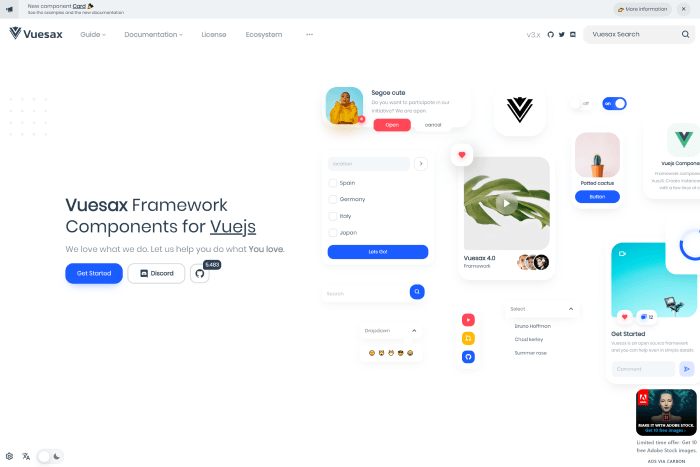
    12. Vuesax

    Vuesax

    The Vuesax UI framework always ensures a project’s front-end development is reliable and efficient. It offers a variety of adaptable components that you can quickly apply to the project and customize to your needs.

    The apps stand out from the competition thanks to the front end and the independent styling of components. The structure helps with brand marketing. It was made using a variety of frameworks, including JavaScript, Vue.js, TypeScript, Babel, and SASS.

    More Info GitHub

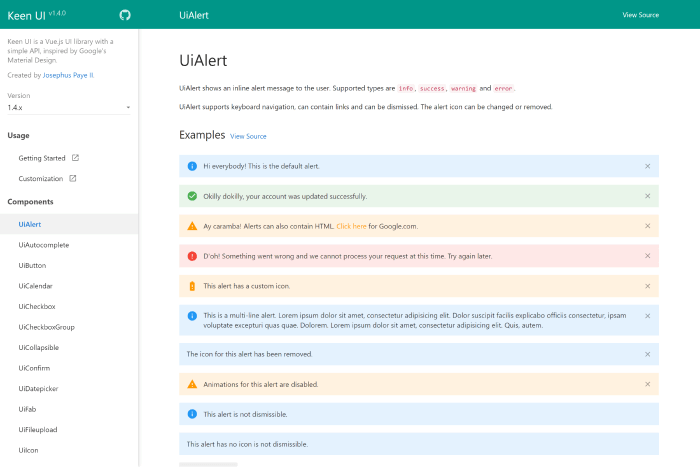
    Keen UI

    keen UI

    Keen UI – A Popular Vue framework with Material Design. It has well-written interactive elements that would otherwise need JavaScript to function. Because it lacks styling, you may easily integrate the framework with your current style or a free CSS framework.

    If you want a lightweight Material Design implementation without the added weight, give it a try.

    More Info GitHub

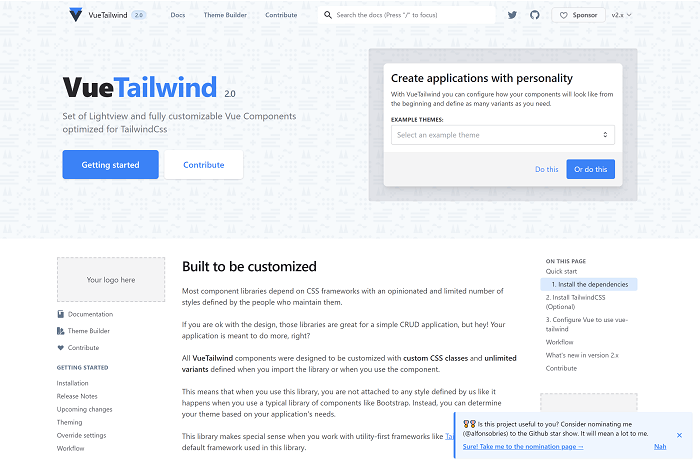
    VueTailwind

    VueTailwind

    An emerging front-end library called VueTailwind is built on the well-liked Tailwind CSS framework. Even while it’s still in development and might not be completely suitable for production-grade apps, it can be helpful if you’re working on a tiny Vue project and want to use Tailwind. Even though Tailwind CSS doesn’t often include pre-designed components, the VueTailwind component library does.

    VueTailwind creates these components using Tailwind’s utility classes. The majority of these elements were extracted from the Tailwind CSS documentation’s example code.

    More Info GitHub

    Similar Articles

  • Vuejs UI Component Libraries of 2023

    Vuejs UI Component Libraries of 2023

    Are you looking for VueJS UI Component Libraries? Don’t worry! Today we will present to you some of the most highly effective VueJS UI Component Libraries in 2022.

    In 2014, Evan You launched VueJS for the first time. He made it by combining all of the front-end best practices. Since then, VueJS growing more and more each year. For this reason, in this blog, we have gathered some of the best VueJS UI Component Libraries, which are the building blocks for all UI development.

    You can easily use these UI Component Libraries in your project. It will save you both your development cost and time. So, without further ado! Let’s find out what are the UI Component Libraries in this list. Read along!

    VueJS UI Kits And Component Libraries

    Please keep in mind that the list below is in no particular order.

    1. Mint UI

    Mint UI

    Mint UI is a Tailwind CSS UI Component library with mobile UI elements built on Vue. Easily create mobile-like apps with the UI component library using your usual front-end codes. These elements are similar to what users are used to with mobile applications. 

    Therefore, use Mint UI to build mobile-friendly web applications or mobile applications. It also takes advantage of the web view. The lightweight nature and contemporary appearance of the Mint UI are two of its main features. When the production settings are loaded, it is about 30 KB in weight. Therefore, it will be a good option for you to create mobile-like applications with an iOS look and feel.

    More Info / Download  GitHub

    2. Tailwind UI – UI Component Library

    Tailwind UI - UI Component Library for Vuejs

    The official Tailwind CSS UI Component library is called Tailwind UI. It supports HTML, React.js, and Vue.js. The Tailwind CSS core team produced this exquisitely crafted set of parts and templates. Therefore, no other starting points are better than this official Tailwind CSS UI component library.

    It features all the standard website elements, such as buttons, dropdowns, navigation bars, and modals. Also, there are some more sophisticated interactive elements, like Date Picker. These are all created with Tailwind CSS utility classes and vanilla JavaScript.

    More Info / Download

    3. Element

    Element vuejs ui component library

    The popular Vue UI component library Element has strong community support. Not just front-end developers can use the component library. It also provides a complete UI Kit. So, it is possible for you to begin using it if you work as a designer or product manager.

    The desktop user interfaces are for the UI component library. It does, however, have some responsive characteristics. Grids and element hiding dependent on window size are two examples of this. If you’re looking forward to using it, check out the internationalization guide. Try it out and create complex desktop UIs today.

    More Info / Download  GitHub

    4. CoreUI Vue

    CoreUI Vue

    CoreUI is a Vue component library that only creates admin templates. It was created with modern frameworks and tools like Bootstrap, Vue.js, and Sass. The framework’s over 100 components make it simple to create dashboards and user interfaces for administrative applications.

    Companies frequently underinvest in the look and feel of their dashboard applications, particularly when those applications are intended for internal users. There are no such excuses with CoreUI, as you can save countless hours of development time and start building functional and aesthetically pleasing dashboards right away.

    More Info / Download  GitHub

    5. Vue UI Kit

    Vue UI Kit

    Vue UI Kit is a Vue / Nuxt UI Kit based on the Vuetify material design component library. It offers more than 130 modules that you can mix and match to prototype and build landing pages, dashboards, and apps. Vue UI Kit contains multiple variations of headers and hero blocks, cards, stats, testimonial areas, pricing tables, and more. It is updated with Vue 3 and has a license that includes free updates.

    More Info / Download

    Wrapping Up

    Choosing a front-end framework that covers your needs can be a hard thing to do. You have to consider your team’s technical skills, the scope of the project, and how easy it will be to develop new features. In this list, we covered the best VueJS UI component libraries and discussed the advantages of each.

    Our VueJS Products

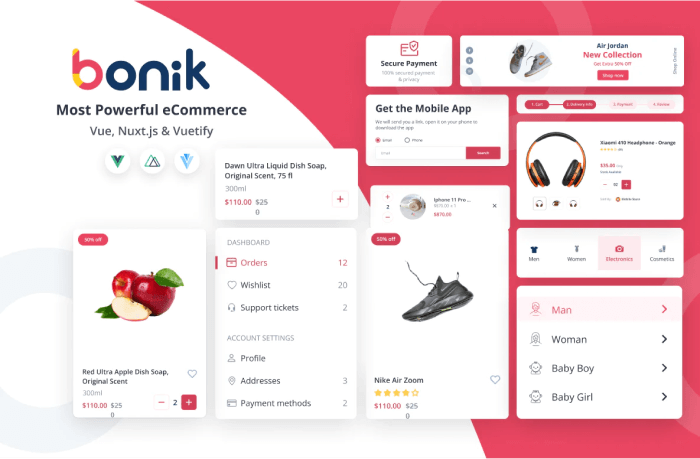
    bonik vue nuxtjs vuetify multipurpose ecommerce template

    Details / Download Live Preview

    Similar Blogs

  • What’s New in Nuxt 3 Release Candidate?

    What’s New in Nuxt 3 Release Candidate?

    Have you been wondering about the stable release of Nuxt 3 throughout the year? Your wait is almost over. On 19th April of 2022, Nuxt announced its release candidate stage for Nuxt 3 (Code Named “Mount Hope”). In this article, we’ll look at what’s new in the latest Nuxt 3 Release Candidate versions and how it can help you develop better web apps.

    Earlier, on October 12, 2021, after 16 months of hard work, Nuxt 3 announced its Beta version based on Vue 3, Vite & Nitro. And, since Beta, they are working day and night, to make it ready for a stable release. They have managed to merge over 1000 pull requests, more than 900 issues, and 2000+ commits.

    It is now June 20, 2022, and we’ve just received the information that its stable release is delayed to July. So far, we can see that it has a ton of features & updates. For those who don’t know or haven’t come across the last announcement of RC versions, we are here to help you. Let us find out whether or not Nuxt 3 will be able to gain traction as good as Vue.js in framework features. And, also let’s find out, will it be able to take the developer experience to a whole new level.

    Release Candidate – Big Updates

    Currently, Nuxt Release Candidate is in its 4th version. And, the version holds a lot of good stuff in it, which we’re going to find out just in a moment. The new features in Nuxt 3 Release Candidate not only help you to create a performant web application but also, it will support you with an amazing developing experience. Hop on!

    Nuxt 3 Release Candidate
    Image: Nuxt.js.org

    Vue 3 & TypeScript

    Vue 3 is now the new default, and it is generating better results in terms of performance, composition API, and TypeScript Support. So, you’ll have a fantastic Vue 3 experience with first-rate SSR support. Nuxt 3 has been completely rewritten in TypeScript. Therefore, it will give you some really useful shortcuts to ensure you have accurate type information while coding.

    Besides that, Nuxt will generate a TS configuration file (.nuxt/tsconfig.json) and a global types file (.nuxt/nuxt.d.ts). It is set to provide you with the full TypeScript experience with zero configuration. You will also be able to use the npx nuxi typecheck command. It manually checks your Nuxt application’s type. Also, you can enable build or development type-checking.

    Vite & Webpack

    For the default bundler in Next Apps, there is Vite. The Vite Community has done an amazing job. Another important factor is to keep the Webpack support. It is a mature build tool and can ease the migration for Nuxt 2 projects. Thus, it clarifies that Nuxt 3 officially supports both Vite & Webpack. Read more about how to use Webpack 5 in Nuxt 3 Projects.

    The Nuxt 3 project has created a unified plugin system called unjs/unplugin for build tools as part of their deep integration. It enables writing universal plugins that work in Rollup, Vite, and Webpack. The Nuxt community has prepared it as a builder agnostic framework for JavaScript’s perpetually evolving ecosystem.

    Furthermore, they successfully elevated vite-node and Webpack lazyCompilation. It has brought on-demand bundling for your Nuxt Application’s server bundle. Now, Nuxt will always start in seconds, no matter how large your app becomes.

    Nitro & UnJS

    Image: GitHub

    Nuxt 3 now has one major feature in it, called Nitro. It is the new server engine that makes Nuxt a powerful full stack and also a provider-agnostic framework. There are several reasons why Nitro has become a part of Nuxt 3.

    First of all, in Nuxt 2 there was a lack of robust server integration. Previously, Nuxt 3 has serverMiddleware. However, the serverMiddleware wasn’t good enough for developers’ experience. Secondly, the production server was not optimized for use in a lambda environment; boot time was slow and the install size was larger.

    The Nitro Server Engine provides cross-platform support for Node.js, browsers, service workers, etc. Also, it gives serverless support, and the API routes are internally powered by the unjs/h3 project. Other cool features include automatic code-splitting, hot module reloading, and granular control over how your pages render (hybrid mode).

    Explore all features of Nitro HERE and learn more about Unifiedjs.

    Auto Imports

    If you’re working on different frameworks at the same time, especially on a project with multiple directory structures, importing can be exhausting. On Nuxt 3, you don’t have to worry about that. With Nuxt 3, you won’t have to import statements anymore. It will automatically get imported by the Nitro engine. As they are based on a directory and naming structure, Nuxt now easily resolves this issue.

    Learn more about different Auto Imports in Nuxt 3 from HERE.

    File System Automation

    The File System Automation process started with the Pages Directory; each file is mapped to a route. And, Nuxt was the first front-end framework in the ecosystem to support dynamic & nested routes (vue-router). However, you can begin working on your project with just an app.vue file. In this case, Nuxt will use a minimal universal router instead, for an optimized bundle size. This can save you 28kB, which is 21% tinier.

    Also, in Nuxt 3, each of the files in the plugin directory will be automatically imported and they will run before creating the main component. (app.vue)

    The import won’t be necessary for components. Your templates will have access to every component inside. The final stage of the process involves Nuxt analyzing your code and only including the parts you really use in the bundle. Developers will have a wonderful experience thanks to this, and production will function at its best.

    Moreover, with the help of Vue 3 & Composition API, Nuxt built a new Composables Directory. It imports the Vue Composables automatically into your application.

    Apart from these, Nuxt 3 also has a new server directory with powerful features and a public directory (static) that serves all raw files. The server directory adds server routes and backend logic to your Vue app.

    Modules

    In programming, modules are the pieces of code that run in a particular order when a framework run in development mode or a project is built for production. Without adding unnecessary boilerplate to your project, the modules let you package, test, and distribute unique solutions as npm packages. They can supply runtime app templates, hook into your Nuxt builder’s lifecycle events, update the configuration, and take any other necessary customized actions.

    For better defaults, typings, and Nuxt version compatibility, they have recently updated the module syntax by using Nuxt Kit. Nuxt Kit is a group of tools that make working with the internals of the Nuxt platform simple.

    Documentation

    In the Beta version of Nuxt 3, the documentation was not good enough. Although it is still incomplete, now it is good enough for the developers who are familiar with Nuxt.js. However, if you’re new to Nuxt, then you should wait for its stable version.

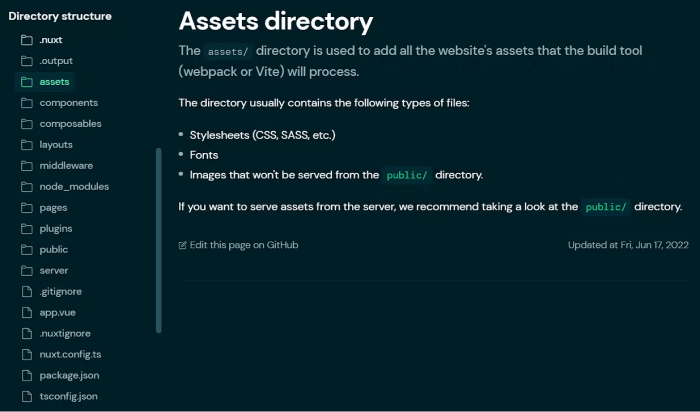
    directory structure nuxt 3 release candidate
    Image: Hashnode

    There are a few features that we found really worth checking out. One of them is how your directory structure should be and it gives info about that folder or file.

    Will Nuxt 3 Be Able To Gain Traction?

    Till now, these are the most mentionable features & updates of Nuxt 3. We have skipped a few other major features of the Nuxt 3 Release Candidate in this blog. It is because we think it will be more appropriate for us to determine the rest of the good and bad in this framework after its stable release.

    We strongly advise trying Nuxt 2 before utilizing the new version if you’re unfamiliar with Nuxt.js. However, because many repositories haven’t updated their packages to be compatible with Nuxt 3, folks who are experienced with Nuxt or have used it for a while avoid using it in large-scale programs. However, this will be an excellent chance for you to explore Nuxt 3 if you have a tiny application, such as a personal website, that has few dependencies.

    Finally, it’s time to ask the big question: will Nuxt 3 gain traction? The answer is yes! Because of the way Nuxt 3 has improved in recent months, we believe it will be worth our time and money to use this newer version of the framework.

    Thank you for your time. Happy coding!

    Our Vue Nuxt Product

    Bonik – Ultimate Ecommerce Pro Template – Vue.js, Nuxt.js, and Vuetify

    Image: Vuetify Store

    Live Preview Details / Download

    Blog Suggestions

  • Top 8 Nuxtjs Boilerplates You Should Check Out In 2022

    Top 8 Nuxtjs Boilerplates You Should Check Out In 2022

    Are you looking for Nuxt boilerplates? You’ll find all the great ones here. In this blog, we will learn and find out all the major Nuxtjs boilerplates that you definitely need to check out in 2022.

    nuxtjs boilerplate

    Click HERE to learn about what is a boilerplate, evaluation points, the benefits of using one, when to use it, and the basic differences between a boilerplate and a starter kit.

    Top Nuxtjs Boilerplates

    The list below which we are about to showcase to you does not follow any particular order.

    1. Front-End Boilerplates – Nuxtjs

    This boilerplate includes all the latest and relevant technologies. The boilerplate includes Vue, Nuxt, TypeScript, Express, Linting, SASS, BEM (Non-Strict) + BEMIT. Before you start with the template, download or clone the boilerplate and make sure to install all the dependencies.

    Install / Download GitHub

    2. Electron Nuxt Boilerplate

    It is a starter project boilerplate that combines Nuxtjs with Electron for rapid application development. The installation process requires Node Version 8 and an NPM version 4. Depending on the needs of your project, you may need to add additional modules to this boilerplate. You might want to include node-postgres to communicate with the PostgreSQL database, or material-ui to reuse react UI components.

    GitHub

    3. Nuxt CoreUI

    Nuxt CoreUI is an unofficial Nuxt + Core UI project. It is a free project that allows you to use it for any Nuxtjs project. To use this project first you must need to install NodeJS and Vue CLI on your local machine. The rest of the information is in the link below.

    GitHub

    4. Laranuxt – Laravel + Nuxtjs Boilerplate

    The Laranuxt is a Laravel and Nuxtjs open-source project. With the recent update, it now supports Nuxt v3. There are examples on GitHub that shows you examples of using Dark mode, authentication, and listing data. However, if you want Nuxt v2, you can visit this branch. It supports Laravel v9.7.0. Here, the API class provides helper functions to easily retrieve, update and remove data from your Laravel endpoints.

    GitHub

    5. Bolide – Nuxtjs Boilerplate

    Boilde is an amazing Nuxtjs template that is from the Nuxt.js starter template. By using this boilerplate you can save your time from “yarn install”-ing the same packages over and over again. Everything is already here in the boilerplate and it is ready to shoot off within seconds after the installation. Moreover, the Bolide boilerplate has features like SEO friendly, automatically choosing and installing CSS, and a lot more.

    GitHub

    6. GP Vue Nuxt Boilerplate

    Grabarz & Partner is a professional front-end boilerplate. It is for creating fast, robust, and adaptable web apps or sites using vuejs. If you want to QuickStart with this boilerplate, it is a suggestion that you use the VSCode Editor. To use the boilerplate, open the workspace with config.code-workspace. One can install all the necessary extensions via notification.

    GitHub

    7. Electron Nuxt – Nuxtjs Boilerplate

    Electron Nuxt is an Electron & Nuxt.js / Vue.js quick start boilerplate with vue-cli scaffolding, electron-builder, unit/e2e testing, vue-devtools. So, this is a boilerplate for making electron applications built with vue / nuxt. In the boilerplate, you will find things like auto-updating, ES6/ES7 compilation, typescript support, and more.

    GitHub

    8. Nuxt Headless

    Nuxt headless is a Nuxtjs + WordPress Rest API boilerplate. As it is boilerplate, it contains some defaults you may have to check out:

    • CORS – You should set this to work only on your website URL when in production or staging, work locally on your machine for dev.
    • Plugins and Theme – you can remove most of them. However, you’ll need ACF (a free version is OK) to make it work.

    GitHub

    Conclusion

    Finally, it appears that your search for good Nuxtjs boilerplates has come to an end. It is important to select the right boilerplate, especially for scaling, future maintenance of the app or website, configuration setup, and so on. We wish you all the best with your future Nuxt projects.

    Thank you for your time!

    You Might Also Like These Articles

    1. Nextjs vs Nuxtjs: Which One Should You Use?
    2. Best NuxtJS Templates
    3. VueJS Boilerplates That You Shouldn’t Miss
    4. Free VueJS Admin Templates
    5. VS Code Extensions for Vue That You Cannot Miss