Category: General

This archive is about general topics on programming, software, tech industries, and a lot more. Learn about the tech industry and various things related to it. Also, here you’ll find hundreds of listicles on the best templates or examples available on the internet.

  • 10 Amazing Free & Premium Bulma Templates for 2024

    10 Amazing Free & Premium Bulma Templates for 2024

    Bulma, as you may know, is a free, open-source CSS framework that provides ready-to-use front-end components that you can easily combine to create responsive web interfaces. In recent years, Bulma UI and UX kits and templates have grown in popularity, and startups have created numerous free and commercial versions of templates, dashboards, and kits. When you want to ensure that your landing page and web app are pixel-perfect and professional from top to bottom, make sure to try the Bulma templates & UI Kits.

    So, today, we’ll be looking at the 10 most amazing free & premium Bulma Templates for 2024 that you should definitely need to check out.

    Best Free & Premium Bulma Templates

    Please note that the list you’re about to find out below is in no particular order. Feel free to check out and buy any of these beautiful templates & UI kits.

    1. Shifter – Bulma Landing Page Template
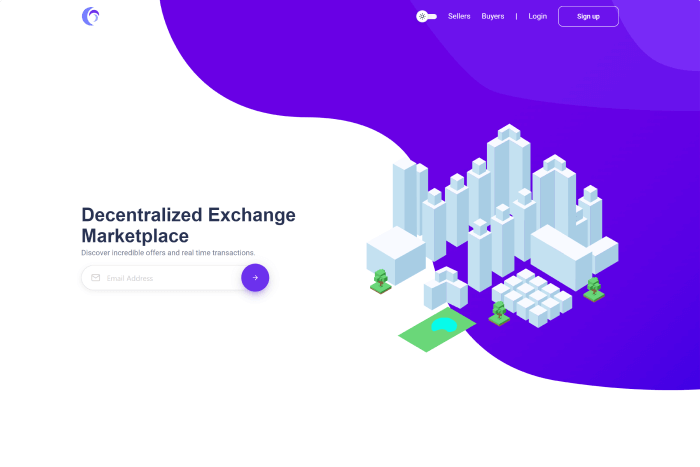
    Shifter - Bulma Landing Page Template

    Cssninja’s Shifter is a minimal and isometric Bulma landing page template. The style of this single-page Bulma template is appealing because you can utilize both the dark and bright versions by switching the button on and off.

    Moreover, it is also a developer-friendly single-page template that allows you to construct a new one in a matter of minutes or rework the theme from the ground up. The template comes with an isometric design, Crypto images, and iconography.

    Details / Download Live Preview

    2. Listkit – Multipurpose Alpine JS and Bulma Listing UI Kit
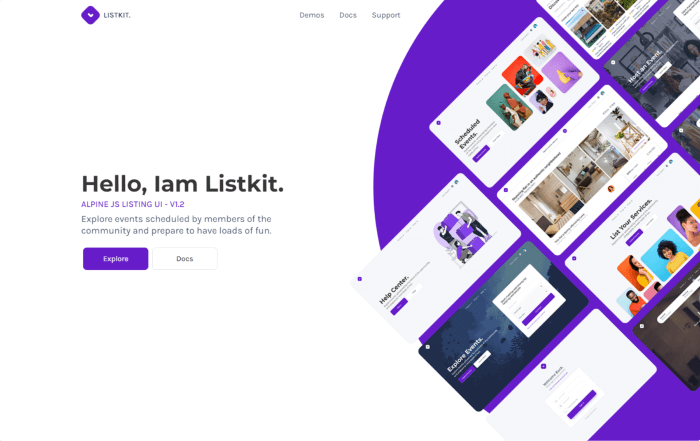
    Listkit - Multipurpose Alpine JS and Bulma Listing UI Kit

    Listkit is a fantastic Alpine JS Bulma listing UI Kit. It includes ready-to-use pages to help you start creating your application quickly. Also, there’s a collection of additional features to assist you in creating new pages for your individual needs. Everything you need to start creating your dream web app is here, including pages, forms, layouts, sections, and much more. 

    Some of its features include,

    • 40+ demo pages
    • Alpine JS v3.x
    • Dependency management
    • Heavy Gulp configuration
    • Hot Reloading
    • Graphic assets
    • All variables are customizable

    Details / Download Live Preview

    3. Nephos – Modern Bulma Ecommerce Frontend
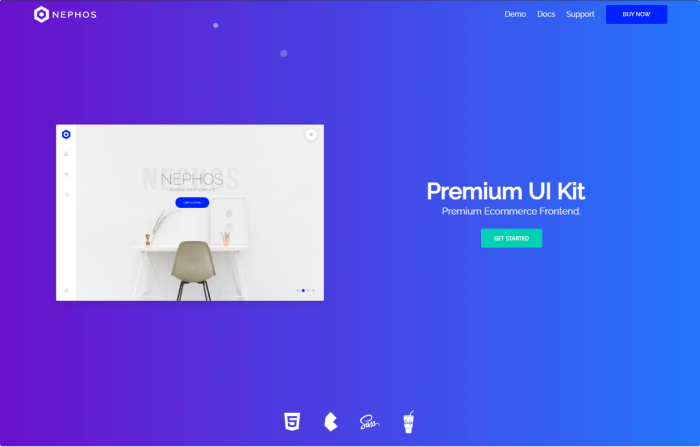
    Nephos - Modern Bulma Ecommerce Frontend

    Nephos is a complete Bulma Ecommerce Frontend Kit. It offers ready pages for ecommerce applications and additional elements for creating new pages. 

    Moreover, it is an excellent alternative if you want to experiment with something other than the designs and code of Bootstrap. Bulma is a flexible CSS framework that is small and simple to use. The kit contains products, grids, an account page, a cart, checkout, and more. 

    A few of its cool features are, 

    • 28 demo pages
    • Heavy Gulp configuration
    • Dependency management
    • Development server
    • Hot Reloading
    • Graphic assets
    • All variables are customizable
    • 06 pre-built themes

    Details / Download Live Preview

    4. Krypton – CryptoCurrency Bulma Theme (Free)
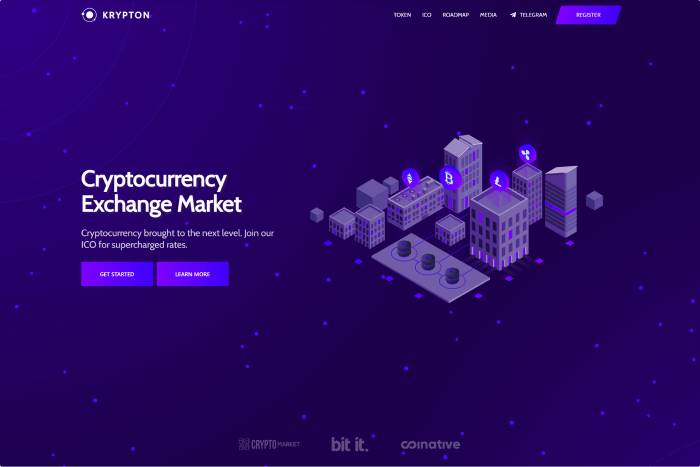
    Krypton - CryptoCurrency Bulma Theme (Free)

    Krypton is a single page or landing page Bulma template. The MIT license is a core aspect of Krypton. So, it is free to use. Also, it has npm and gulp, in addition to Bulma, and gets regular updates. Even though it is an open-source template, the developer keeps the issue up to date regularly. Thus, without hesitation, you can consider trying it out.

    Details / Download Live Preview

    5. Dashkit – Bulma Dashboard Template
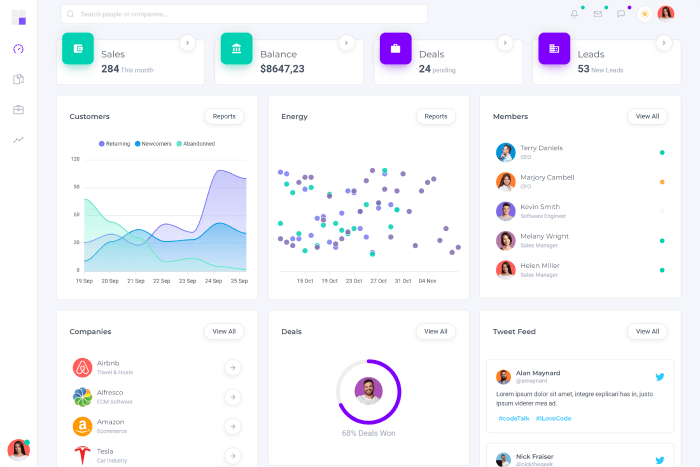
    Dashkit

    Dashkit – A Bulma admin dashboard template with numerous features.  You can apply it for as many various purposes as you can. Therefore, you can consider it a one-stop remedy for your dashboard issue.

    Key features:

    • 33 Demo pages
    • Solid UI layouts made by hand
    • Skills for theming and modular coding
    • Reusable devices

    Details / Download Live Preview

    6. Drive – Bulma Services & Gallary Template
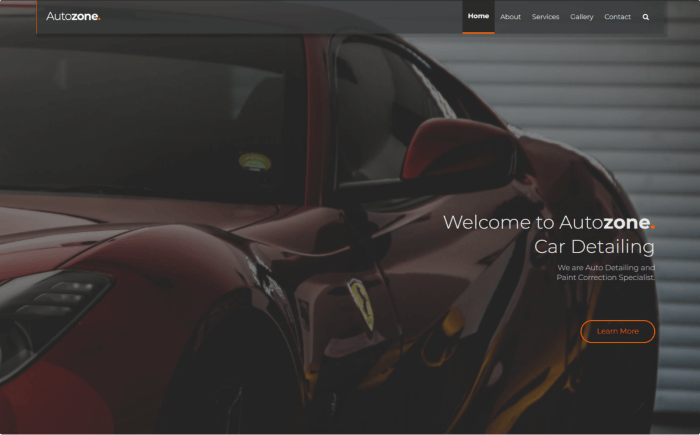
    Drive - Bulma Services & Gallary Template

    This magnificent Bulma landing page template from Bulmastyle is called Autozone. And it is an automobile landing page template. Each menu has a unique set of pages. However, Autozone looks amazing in its entirety. The template is distinctive and eye-catching because of its black backdrop and pictures. With this template, you can provide services associated with cars. In addition to the standard features, you have complete freedom to modify this theme.

    Details / Download Live Preview

    7. Huro – Multipurpose Bulma Admin and Webapp UI Kit
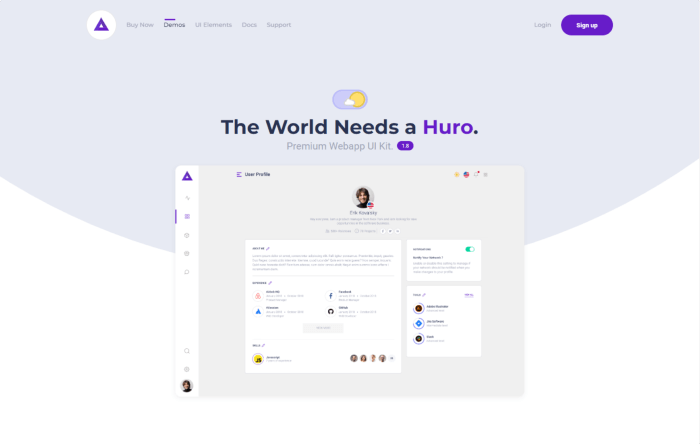
    Huro - Multipurpose Admin and Webapp UI Kit

    Huro is a Bulma Multipurpose Admin and Webapp UI Kit that provides a dashboard & ready pages. Moreover, it has several other elements for building new pages. Also, it is a Flexbox CSS framework that is small and simple to use.

    It’s a mobile-first grid that is adaptable and ideal for mobile devices. Furthermore, some other adaptable mixins and modifiers are naturally available. The template provides many theming options, a flexible core, and an attractive beginning.

    • More than 250 demo pages
    • Heavy Gulp configuration
    • Dependency management
    • Development server
    • Hot Reloading
    • Graphic assets
    • All variables are customizable
    • Native Dark Mode

    Details / Download Live Preview

    8. Kross – Free Portfolio Bulma Template

    The Kross Bulma template is a free template for Creative Portfolio. It has a beautiful home page. Moreover, it offers every element you require to create a portfolio website. Using Bulma, this theme has been made entirely responsive and is appropriate for all screen sizes. It is best for creative professionals like designers, artists, developers, etc.

    Details / Download Live Preview

    9. Bulkit – Bulma Saas Landing Pages
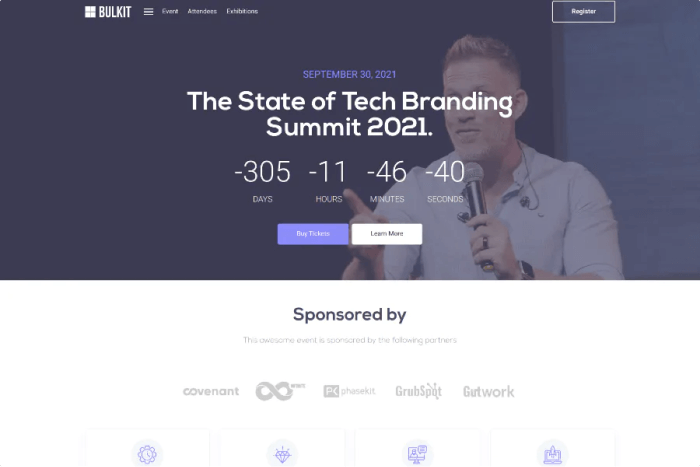
    Bullkit – A popular template for startups and businesses for software and SaaS goods. It includes various customizable and reusable components for a wide range of applications, more than 160 demo pages, and more. Also, you can combine them with other elements and customize them easily.

    The incredible collection of components that Bulkit offers, including buttons, forms, modals, and many others, are essential to any project. There is everything you require to launch a unique website. Note that Bulkit is not a WordPress theme.

    Details / Download Live Preview

    10. Friendkit – Bulma Social Media UI Kit
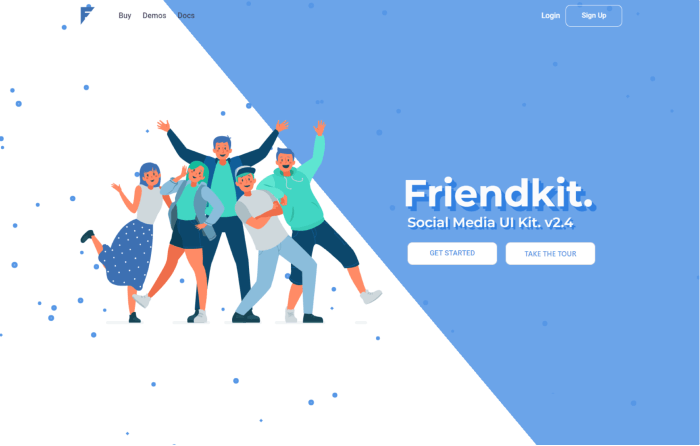
    Friendkit - Social Media UI Kit

    Friendkit – A Bulma template for developers who want to kickstart their social web application UI. It is built on top of the Bulma CSS framework and provides a simple and lean user interface with several dispersed micro-interactions. Moreover, it offers many useful components like buttons, forms, modals, uploaders, and much more available in Friendkit. There is everything you require to launch a fantastic app. 

    Details / Download Live Preview
    Our Free React Admin Templates

    More Blog Posts

  • 10+ Best Django Admin Templates in 2024

    10+ Best Django Admin Templates in 2024

    Are you looking for some of the best Django admin templates for your web project’s backend? This is the place to look for them! In this blog post, we will highlight some of the most significant Django admin templates that you should look at in 2024.

    What is Django?

    Django is an open-source Python framework that allows for the faster creation of secure and dependable websites’ backend. In comparison to other backend web frameworks, Django is easy to learn. It takes care of a lot of the headaches associated with web development. Most significantly, it enables developers to concentrate solely on the creation of your program without having to worry about the rest.

    Top Django Admin Dashboard Templates

    And, now without further ado! Let’s get right on the list and discover which ones are most appropriate for your upcoming Django project.

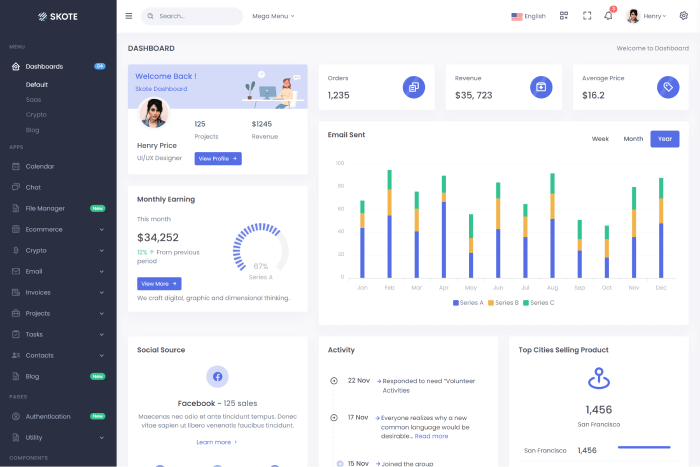
    1. Skote – HTML & Django Admin Dashboard Template

    skote

    Skote is a premium Python Django admin dashboard template with developer-friendly code, seven alternative styles, and multi-language support. The template also includes Sketch, Figma, and XD files.

    Moreover, it is a stunning, clean, and basic admin template with Dark, Light, and RTL choices. You can create any web application, such as a SaaS-based interface, eCommerce, Crypto, CRM, CMS, project management apps, Admin Panels, etc.

    Details / Download Live Preview
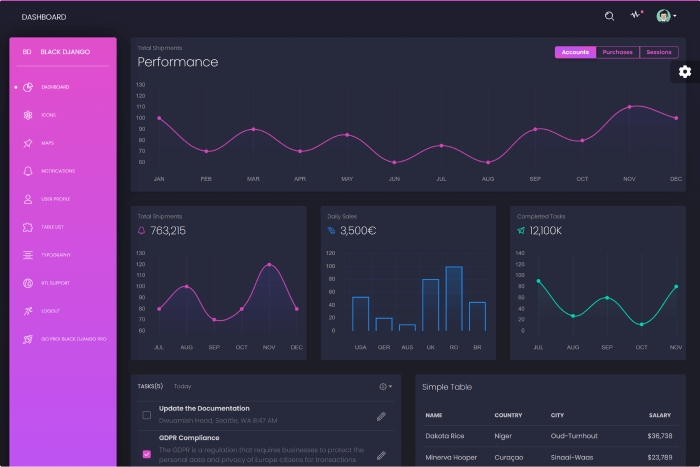
    2. Black Dashboard Django (Free)

    Black Dashboard Django (Free)

    Black Dashboard Django is a feature-rich free admin dashboard design with over 16 separate components and plenty of color possibilities. The SASS files allow you to edit thousands of possible combinations. Going from prototype to fully functional code will save you significant time.  It comes in two forms: Dark Mode and Light Mode.

    Try the Black Dashboard if you need a solution to organize and view data about your business. It blends eye-catching colors, large cards, text, and images. Moreover, it includes all the plugins you might need within a project and documentation on how to get started.

    Details / Download Live Preview
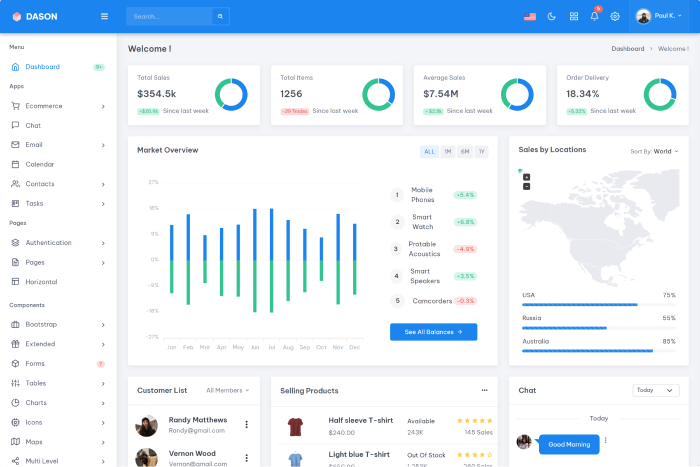
    3. Dason – Django Admin & Dashboard Template

    Dason - Django Admin & Dashboard Template

    Dason is a Python Django admin template with Bootstrap 5. It has multi-language support and a developer-friendly code base. Also, there’s a starter kit available to help you launch your project quickly.

    Seven different layouts with RTL compatibility are available, along with dark and light settings. Any web application can be made, including admin panels, project management software, eCommerce, CRM, and SaaS-based interfaces. Your team will work more quickly and spend less time and money on development.

    Details / Download Live Preview
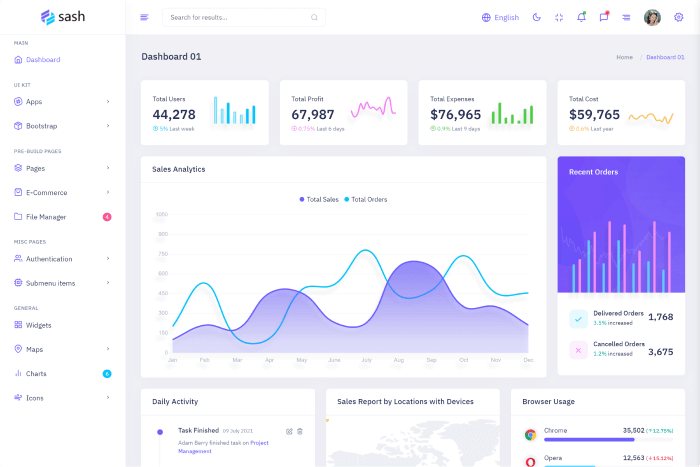
    4. Sash – Django Admin & Dashboard Template

    Sash – Django Admin & Dashboard Template

    Sash Django is another premium admin template with comprehensive documentation, a code base, and a plethora of functionality. To construct a well-structured dashboard, you must start fresh with this Django admin template and a lot of coding, but with the template, you can modify your dashboard quickly and easily. And, to satisfy the clients, they build their templates with great detail.

    Some of its features include Bootstrap 5, LTR, RTL, multi-language support, two types of menus, 50+ plugins, six types of charts, ten types of icons, an invoice page, and more.

    Details / Download Live Preview
    5. SB Admin Lite – Django Template (Free)

    SB Admin Template Free

    SB Admin Lite is an open-source Django dashboard template with minimum features but is highly functional. The template offers a simple dashboard with various parts, layouts, authentication and error pages, charts, and tables. You can download and use it without a penny to learn more about Django-based admin dashboards.

    Details / Download Live Preview
    6. Dayone – Django Admin & Dashboard Template

    Dayone

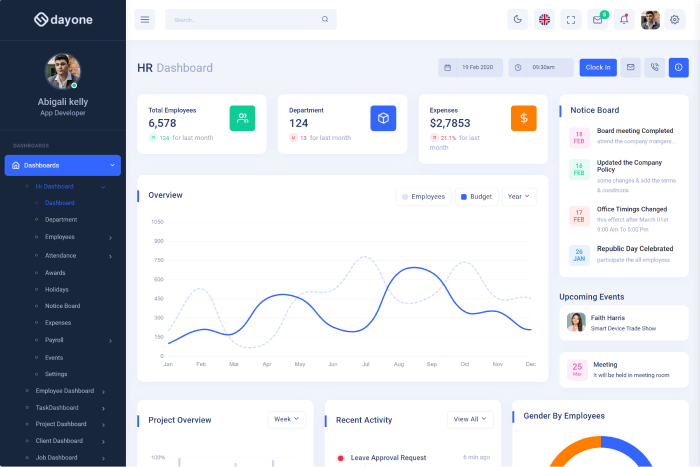
    Dayone is an SCSS & CSS admin dashboard template with Django Bootstrap 5. It has more than 70 plugins. Plus, seven pre-built Dashboard templates are available. There are admin and super admin settings pages too. It comes in light and dark modes, and the design is responsive. It is simple to personalize and make your own.

    Details / Download Live Preview
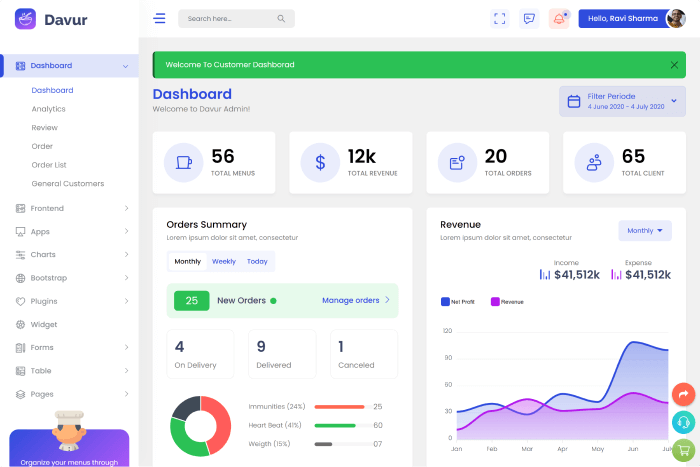
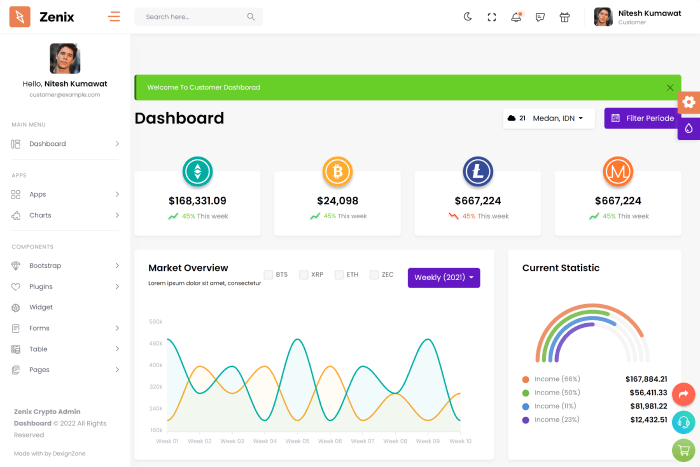
    7. Zenix – Crypto Django Admin Dashboard

    Zenix - Crypto Django Admin Dashboard

    Zenix is a Crypto-based Bootstrap 5, Python Django admin template that comes with a ton of features. It contains over 60 HTML pages, 8+ demos, 6+ menu styles, various color skins, light & dark themes, SEO optimized, blazingly fast performance, cross-browser compatibility, flexible layouts, and so on. Make sure to check out Zenix and create your dream Crypto admin project.

    Details / Download Live Preview
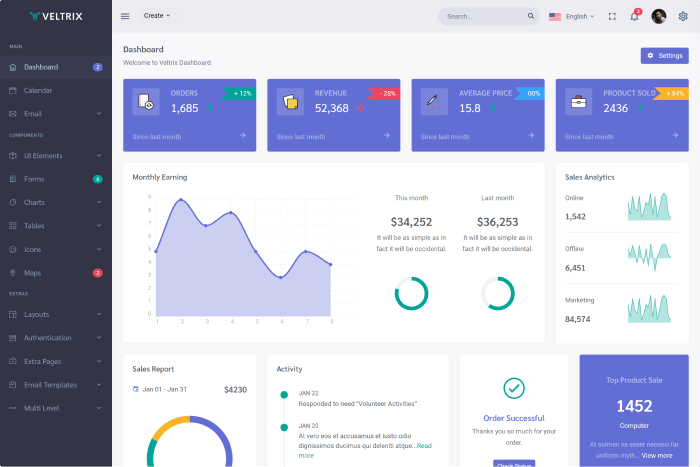
    8. Veltrix – Django Admin & Dashboard Template

    Veltrix

    Veltrix is a simple and minimalist Django admin template with 12 different layouts, Bootstrap 5, Dark and Light modes, and RTL support. You can build online applications using the template, such as SaaS interfaces, eCommerce, CRM, CMS, project management tools, and admin panels. Furthermore, it will accelerate teamwork and reduce time and expense spent on development.

    Details / Download Live Preview
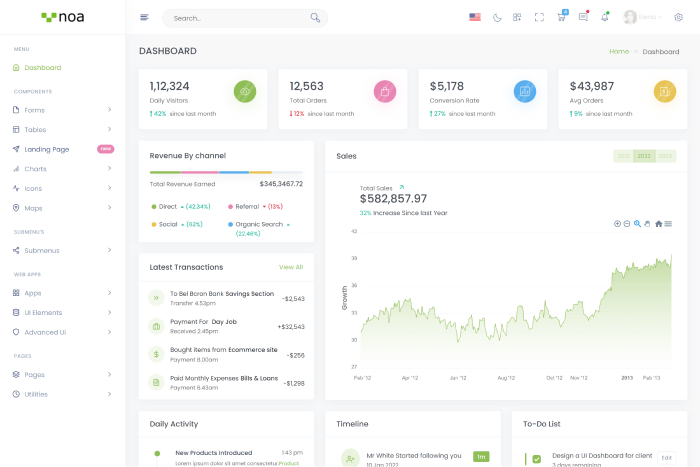
    9. NOA – Django Admin & Dashboard Template

    noa

    NOA is a Django Bootstrap 5 admin template with a modern and clean look. It has Light and Dark modes, widgets, charts, several layouts, over 50 plugins, Google fonts, varied icons, two menu styles, and more features. You can create any form of Django web admin program, such as a SaaS-based Django User interface (UI). You may also use it to create admin panels.

    Details / Download Live Preview
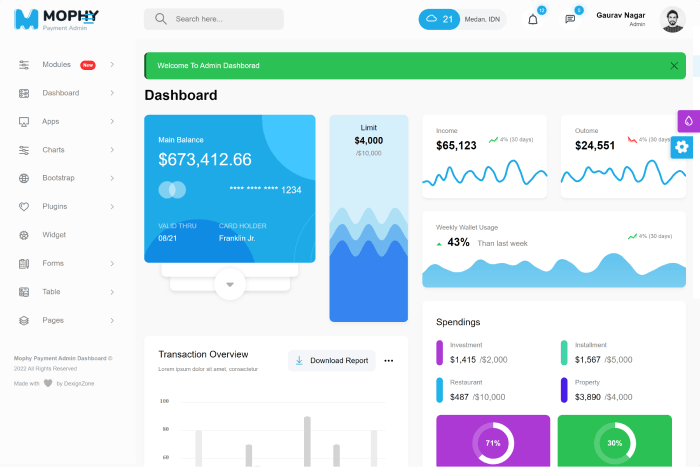
    10. Mophy – Payment Django Admin Dashboard Template

    Mophy - Payment Django Admin Dashboard Template

    The Morphy Payment Admin Dashboard version is built using Python Django, Bootstrap, CSS3, & Sass. It offers ready Django functionalities like user module, group module, permissions, password reset, and login/register. Also, it is a major browser-compatible template with a responsive design.

    And the template offers some more amazing features such as Owl Carousel, Mobile Nav, Font Awesome, 60+ inner pages, magnific popup, ready shop pages, charts, widgets, retina ready, flaticon, W3C validator, etc.

    Details / Download Live Preview
    11. Davur – Restaurant Django Admin Dashboard + FrontEnd

    Davur - Restaurant Django Admin Dashboard + FrontEnd

    Morphy, the previously mentioned admin template, is comparable to Davur. It includes everything from the earlier admin template. And it is a Restaurant admin dashboard template with Front-End and Django features.

    The template holds features like multiple dashboard layouts, fully functional pages, front-end pages, inner pages, W3C validator, Owl Carousel, Mobile Nav, Font Awesome, 60+ inner pages, magnific popup, ready store pages, charts, widgets, retina ready, flaticon, and so on.

    Details / Download Live Preview
    Wrapping Up

    There is currently a multitude of Django admin templates available in the marketplace. Because it is new and modern, it will be in high demand sooner or later. We’ve created a list of some of the available Django admin templates so you don’t have to look everywhere. We hope you enjoy this collection.

    Similar Blog Posts

  • Top 7 Svelte Templates You Should Check out in 2024

    Top 7 Svelte Templates You Should Check out in 2024

    If you are a developer looking for the new Svelte template. Look no further! In this blog post, we will showcase to you some of the most considerable Svelte templates that you must check out in 2024.

    Best Svelte Templates

    So, without further ado! Let’s jump directly into the listicle and find out the best suitable ones for your next Svelte project.

    1. Skote – Svelte Admin & Dashboard Template

    skote

    Skote – A premium Svelte admin dashboard template with Bootstrap 5, firebaseand multi-language supports. It offers an amazing codebase, Sketch, Figma & XD files, and has No jQuery.

    Moreover, the template has both dark & light layouts, RTL support, responsive design, six different layouts, various widgets, components, applications, and more. If you are looking for an admin template to create your next web apps like Saas interface, eCommerce, CMS, CRM, PM app, and admin panel, Skote is a good option.  

    More Info / Download Live Preview

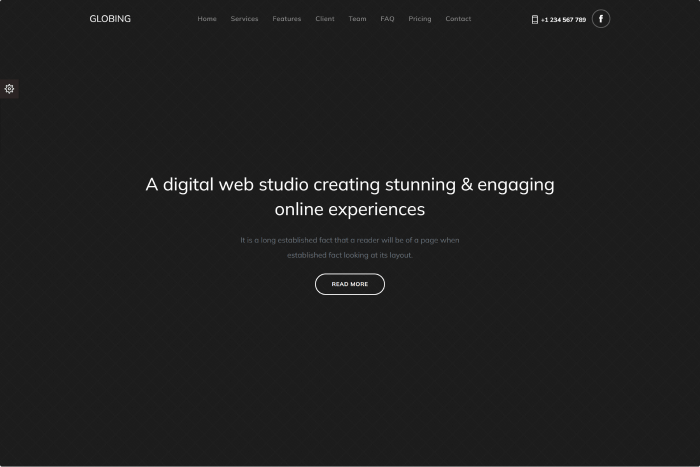
    2. Globing – Svelte Landing Page Template

    Globing - Svelte Landing Page Template

    Globing is a Responsive Bootstrap 5, Vite JavaScript Landing Page Template with Svelte Vite that comes in different layouts and is suitable for any device. It has several flexible and adaptable components. You may quickly tweak it thanks to the clean and well-commented code.

    Besides, it offers 12 different layouts, No jQuery dependency, numerous color options, clean code, easy customization, cross-browser support, and more.

    More Info / Download Live Preview
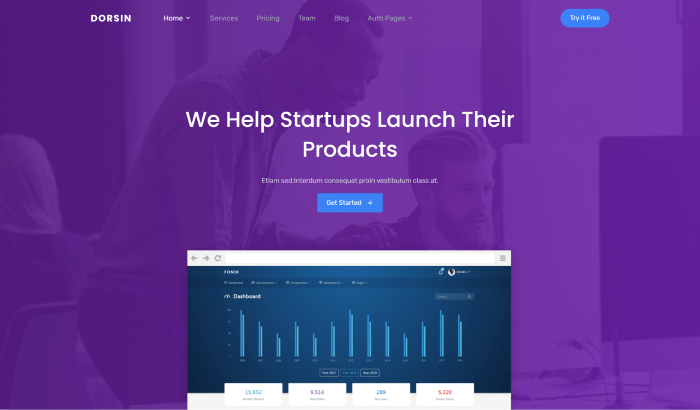
    3. Dorsin – Svelte Template Landing Page

    Dorsin

    Dorsin – Another responsive premium landing page template in the Svelte version with various layouts. It is a well-suitable template for any device and contains highly configurable components with a clean and well-documented codebase. Also, it allows you to customize the complete template with ease.

    So, it has nine different home page variations, No jQuery dependencies, font icons, unlimited color options, Google Fonts, cross-browser support, tech support, etc.

    More Info / Download Live Preview
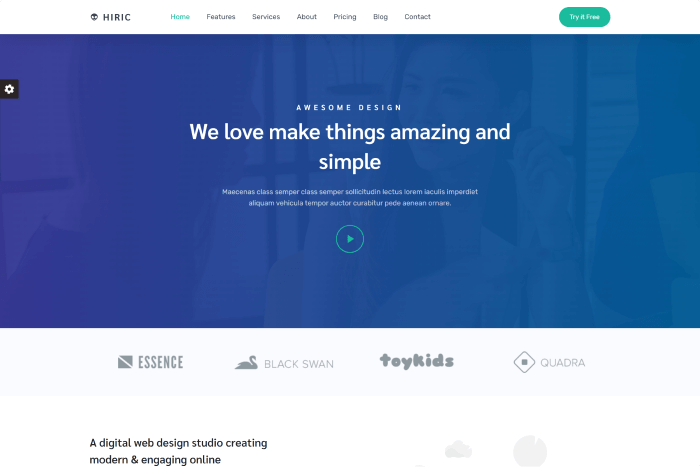
    4. Hiric – Svelte Landing Page Template

    Hiric - Svelte Landing Page Template

    The hiric app landing page is the ideal Svelte design for showcasing apps. It is simple to customize and has very little CSS code that is simple to comprehend, change, and use.

    The template is appropriate for anyone seeking an app like a creative app, landing page, mobile app showcase, app store, etc. It also has nine different home pages, no jQuery, a clean and modern design, documentation, technical support, and free upgrades, among other things.

    More Info / Download Live Preview
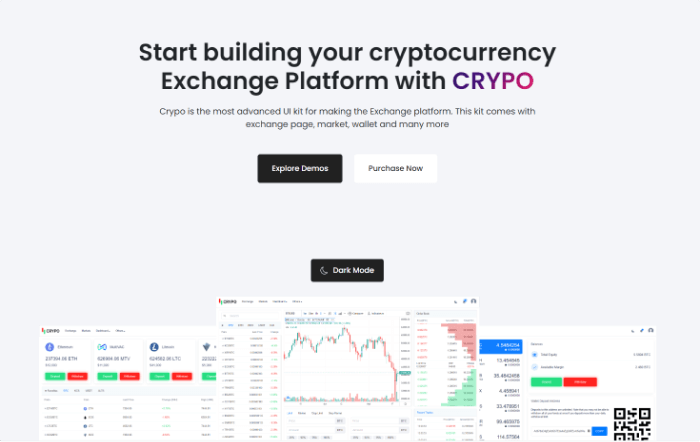
    5. Crypo – Cryptocurrency Trading Dashboard Svelte App

    Crypo - Cryptocurrency Trading Dashboard Svelte App

    CRYPO is a Svelte Bootstrap 5 responsive cryptocurrency trading dashboard. The template’s main aim is to provide a lot of well-coded components. You can use these components to build your next cryptocurrency or money exchange platform.

    Some of its key features are, 

    • Live Exchange
    • Charts
    • Deposit & Withdraw
    • Buy & Sell
    • Coin Listing
    • Light & Dark Version of Exchange
    • SCSS File
    • Login Registration Pages
    • W3C Validated Code
    • Modern Browser Support
    • Retina Ready
    • Manage Wallets
    • Market Capitalization
    • Trade History
    • Great Support 24/7

    etc.

    More Info / Download Live Preview

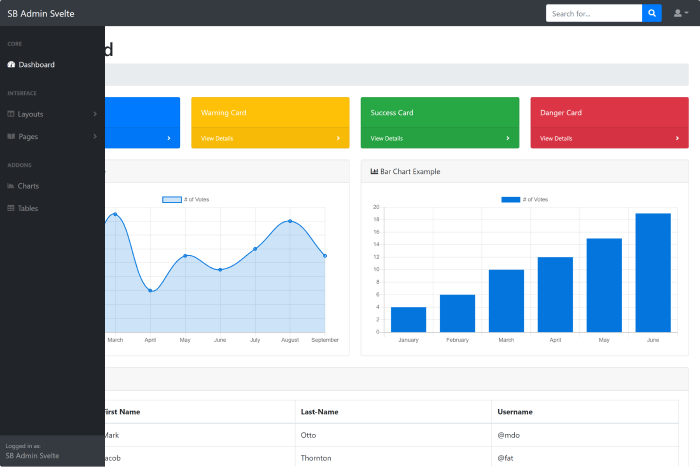
    6. SB Admin Svelte

    SB Admin Lite is an open-source admin template that is free & open-source. It’s made of Svelte and Sveltestrap. The template includes a simple dashboard with multiple components, layouts, authentication and error pages, charts, and tables, among other things. If you’re seeking a free template to learn more about ‘How Svelte Admin Dashboard Works,’ you may certainly download and run it.

    More Info / Download Live Preview
    7. Argon Dashboard Pro Svelte

    Argon Svelte is a stunning premium Bootstrap 4 dashboard. Throughout the HTML templates in the set, it expertly combines reusable HTML and modular CSS with modern styling and attractive markup. And it will astound you with its fantastic features and build tools, propelling your project to new heights.

    Furthermore, it provides several layouts, color options, light and dark themes, charts, widgets, programs, tech support, free updates, and much more.

    More Info / Download Live Preview
    Wrapping Up

    There aren’t many Svelte templates available right now. Although Svelte is not as popular as other frameworks, we can’t dismiss it entirely. Also, it is new and modern, therefore it will be in demand sooner or later. We’ve gathered some of the accessible svelte templates here so you don’t have to hunt everywhere. We hope you enjoy this selection.

    Similar Blog Posts

  • What is a POS System? How Does It Work? Get The Best POS System Here!

    What is a POS System? How Does It Work? Get The Best POS System Here!

    The point of sale, or POS, is where you deal with customers. It also goes by the name “Point of Purchase.” A POS System is almost definitely something you’ve encountered if you’ve ever gone shopping at a mall, online store, or grocery store. When you check out online, go to your checkout counter, or choose an item from your stand or booth, they are at the point of sale. Hardware and software are what enable a business to generate revenue.

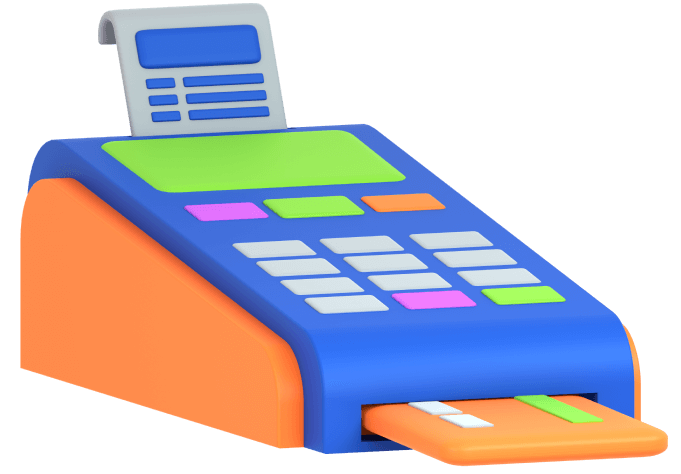
    an image of a pos terminal

    So, if you have a retail business, having an efficient point of sale (pos) system can go a long way in making sure that all your operations are working together. Those retailers who spend the time and resources to implement such a system before they go into selling will surely reap its benefits.

    Without further ado! Let’s discuss how a POS System works.

    How Does A POS System Work?

    A POS system in simple terms is just a store’s cash register. But the POS of today is much more than that. It enables you to check out a customer from any location in addition to enabling your business to collect payments from customers and keep track of sales. You will need a POS app and an internet-capable gadget to make that happen.

    Despite being quite simple, the configuration can function in a variety of ways. The main factor is whether you sell exclusively online, only from a physical store, or simultaneously from both.

    A POS system goes through four steps, which are as follows:

    Step One: When shopping online, the customer first chooses their items, puts them into the cart, and then hits the checkout button. The customer brings the items to the counter or a salesperson in a physical store. The salesperson then scans the merchandise using a bar code scanner or a camera included in the item selling device.

    Step Two: The POS system determines the cost of the items in the following phase (including sales tax or discount – if any). The inventory count is then updated by the system to reflect those products as sold.

    Step Three: The third stage is when the customer completes the transaction by paying for the goods. In a physical store, a consumer has the option of paying with cash or a card. If it’s an online store, the customer uses a card or a mobile banking app to make a purchase. 

    Final Step: When the sale has finally been made formally, the payment is processed, and a digital or printed receipt is generated. The company then hands over or ships the goods to the customer.

    POS Hardware & POS Software

    If you run an online business, all your sales will be online, negating the need for POS equipment to facilitate payment processing. However, you might require a register and a credit card reader if you own a cafe or something like that. If you own a food truck, you might only need a phone or tablet to take orders.

    Here is a list of typical POS hardware and software types that might assist you in estimating the overall cost of your POS system. Remember that your business will determine what you require.

    POS System – Hardware VS Software

    POS HardwarePOS Software
    Register – Helps to calculate the money or process a customer transaction.Payment Processing – This function processes the transaction online like a Register in a physical store.
    Connected Device – A monitor, computer, or portable device like Tab or Mobile Phone.Inventory Management Software – It allows you to keep tabs on all of your items. Shows sales data, scarcity, level, etc.
    Credit Card Reader – This machine lets your customer pay securely. POS Reports – It shows you, how much your business is selling. A detailed report on sales.
    Cash Drawer – A safe spot to keep the cash payment safe. Employee Management – This is for your team management. Giving them various access to different tasks and showing how they are performing.
    Receipt Printer – A paper receipt showing detail about the purchase. CRM (Customer Relationship Management – You can view what your consumers purchased and when they made that purchase using the CRM tool.
    Bar Code Scanner – Reads the item and its details, shows the price and its stock level, etc. Online Receipts – This shows the purchase details and its history for your customer. And, it makes the processing of refunds easier.

    Now that you have a better understanding of the POS systems, you’re ready to discover the best POS solution for your company, regardless of what or where you sell.

    The Best Inventory Management with POS System & HRM! 👇🥳

    Stocky – Inventory Management with POS & HRM by UI-Lib 😍

    Stocky - Inventory Management with POS System & HRM

    Details / Download Live Preview
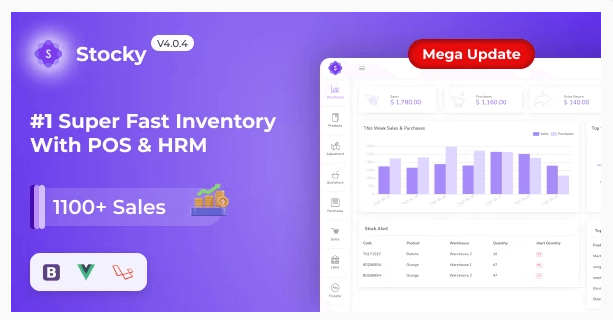
    Stocky – One of the most popular Inventory Management systems, featuring Point of Sale (POS) and Human Resource Management capabilities (HRM). It handles inventory, sales, purchases, customers, invoices, payments, and human resources. And more regardless of time or location. Stocky is the ideal solution for managing inventory, purchases, and sales – all in one super responsive web application – whether you run a small or large business.

    Key Features 😮

    Stocky comes with a massive amount of excellent features out of the box, including:

    • Easy POS and Dynamic dashboard
    • Human Resouce Management System
    • Items, Adjustments, Transfer
    • Quotations, Sales, Purchases
    • Returns Customer & Supplier
    • Users, Customers, Suppliers
    • Currency, Units, Category, Backup
    • Payment Sales, Purchases
    • Payments Report
    • Overview & warehouse stock charts
    • Purchases & Sales report
    • Customers & suppliers’ reports
    • Product quantity alerts
    • Mail notification system added
    • Uses Structured And Customizable Sass Code
    • Integrated With Vuex, Vue Router
    • Dark Version Included
    • Multilingual 14 languages and more will be added soon
    • RTL Support Added
    • Pure Vue Js, No JQuery
    • Clean And Organized Code
    • Well Documented Code
    • Standard Folder Structure
    • 6 Months Support
    • Life Time Free Updates
    • etc.

    Other Essential Blog Posts

  • How To Choose An Admin Template (In 5 Simple Steps)

    How To Choose An Admin Template (In 5 Simple Steps)

    For professionals, it may look like an easy task to choose an admin template, but we bet, for beginners, it is not. Developers often get confused about finding the right one. If you already have experience buying admin templates, you may have faced situations where you have purchased a template and did not receive proper support when needed.

    Also, there might have been cases of poor code standards, incorrect documentation, flexibility issues, etc. For that reason, we have decided to provide our visitors with the 5 simple steps by which they can easily decide on how to choose the right admin template.

    Best React Admin Template
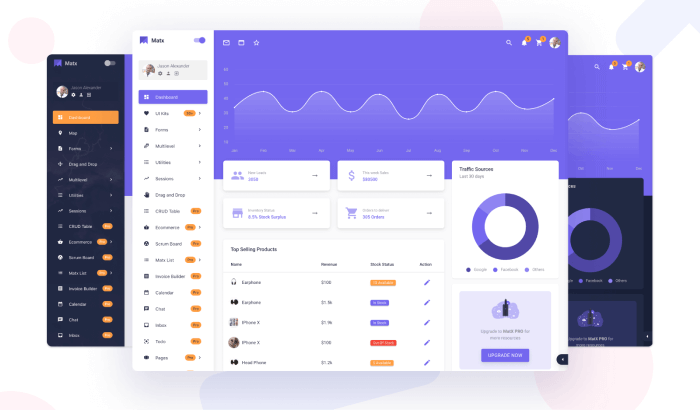
    MatX Pro – React Admin Template

    Now there are over 10 thousand admin templates on the internet. And these are available on different marketplaces such as ThemeForest, MUI Store, Vuetify Store, GetBootstrap, and more. Also, some unique marketplaces like UI-Lib are selling their themes, templates, design systems & full software on their website.

    However, among all these amazing marketplaces and their templates you might end up buying the wrong admin template. It is because everyone is trying so hard to make you believe that they have got everything you need. Also, you may forget to inspect everything properly.

    Remember that all templates have certain limitations, and it is difficult for someone to create a singular admin template with every possibility. Therefore, follow this step-by-step guide and find out which of those templates you should eliminate at first glance, and finally leave with the best suitable one.

    5 Steps To A Perfect Admin Template

    1. Technologies & Frameworks
    2. Design
    3. Features, Usage, Code Quality & Documentation
    4. Technical Support & Updates
    5. Cost, Reviews & Number of Downloads

    1. Technologies & Frameworks

    After defining your project requirements, the first step is to select the right technologies and frameworks. Technologies are programming languages that help you to communicate with machines. In the world, now there are over 300 programming languages.

    Through these languages, we can control and define the actions of machines. So, programming languages are the specific type of languages that help us write programs for machines. On the other hand, a framework in programming is a tool that provides ready-made components or solutions that are customized to speed up development.

    Your selection of the correct technology & framework mostly depends on the project requirements. At first, you have to be sure about your requirements, and based on those requirements, you will choose the technologies and frameworks with which you will run your program.

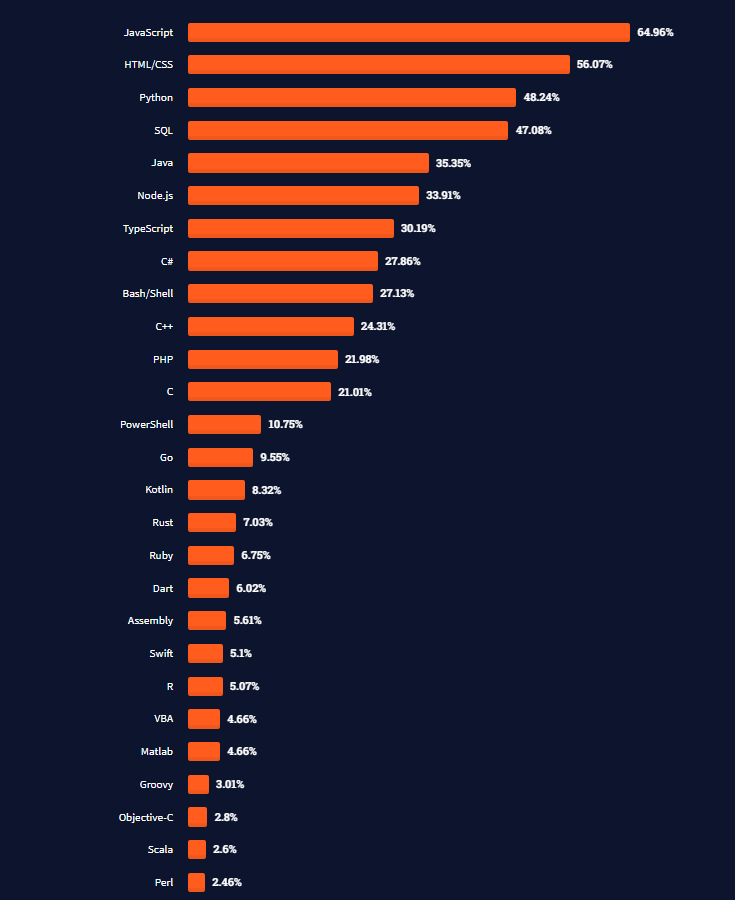
    Here’s a list of the most trending technologies according to Stack Overflow Survey 2021.

    stackoverflow programming language popularity survey 2021
    Source: Stack Overflow

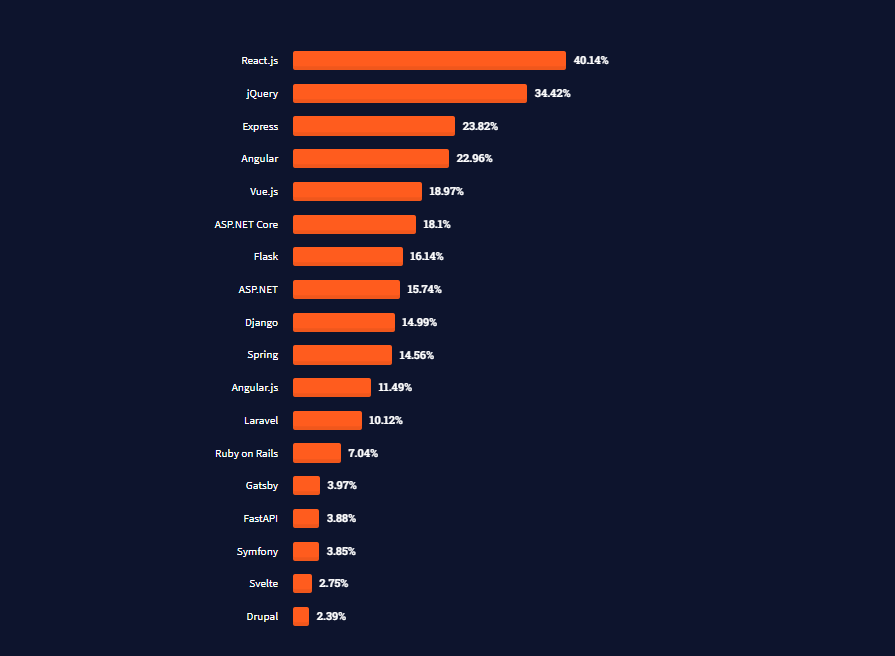
    Also, check out this list from Stack Overflow Survey 2021 that shows the most trending frameworks.

    trending programming frameworks list 2021
    Source: Stack Overflow

    Types of Frameworks

    In programming, a framework is a tool that provides pre-built components or solutions that may be changed to speed up development. A framework can incorporate a library, but it is characterized by the inversion of the control principle (IoC). There are a lot of frameworks available. Here are some trending ones you can consider while choosing an admin template.

    • Front End Frameworks – React, Vue, Angular, etc.
    • Server-Side Frameworks – Node.js, Laravel, etc.
    • Styling Frameworks – Bootstrap, TailwindCSS, Material UI, etc.

    JavaScript Frameworks

    For developing dynamic websites, JavaScript is the world’s most advanced and popular programming language. With JavaScript, you can edit the content on the document, control browsers, and more. When it comes to supporting browsers, JavaScript supports all the major ones. Moreover, in terms of the popularity and development of web applications and games, the language has no competition.

    Also, to make the development quicker, JavaScript has frameworks like Angular (Frontend + Backend), React.js, Vue.js, Gatsby.js, Node.js, etc. And, built on React, there is a framework called Next.js. Similarly, built on top of Vue.js there is Nuxt.js. Next.js & Nuxt.js are two great JavaScript frameworks. So, these are some of the most trending JavaScript Frameworks known to all.

    https://ui-lib.com/downloads/biponi-nextjs-ecommerce-cms/
    • Angular.JS – Front-end & Backend Javascript framework
    • React.JS – Front-end Javascript framework
    • Vue.JS – Front-end Javascript framework
    • Node.JS – Server-side Javascript framework

    However, if you want to use an alternative to JavaScript for the front end, you have TypeScript. You can go for that too. In some cases, you’ll find admin templates that are a mix of both JavaScript and TypeScript.

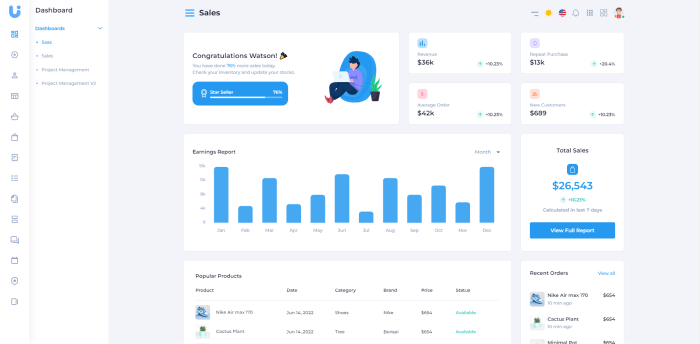
    Uko – Client & Admin Dashboard (JavaScript + TypeScript + MUI + Figma File)
    uko client & admin dashboard template
    Uko – Client & Admin Dashboard

    Live Preview Details / Download
    Other Frameworks

    To create an admin dashboard you’ll need different types of frameworks. There are frameworks like front-end frameworks like React.js, Angular, or Vue.js. Also, there are backend frameworks like Laravel, Node.js, and Styling frameworks like Bootstrap and Material UI. So, other than JavaScript there are frameworks for different purposes. For example, Laravel is for server-side backend development. Also, there are Bootstrap, Material UI, and TailwindCSS for styling the components inside a web application.

    Backend Framework

    Laravel is a framework known for its ability to help developers with authentication, routing, sessions, and caching. It is an open-source framework built using core PHP. PHP is the basic scripting language, on the other hand, Laravel is its full-structured framework. Both are great tools for making worthy web apps for the end-user.

    If you are comfortable with Core PHP and Advanced PHP and want to build a web application from the ground up, Laravel will save you time. If you’re eager to work with the Laravel framework, look at some samples of Laravel Admin Templates to see how you can apply them to your project.

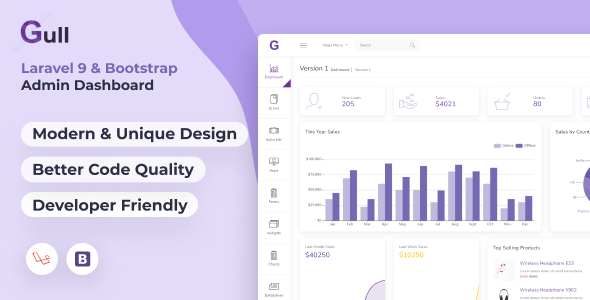
    Gull – Laravel & Bootstrap Admin Dashboard Template

    gull

    Live Preview Details / Download
    Styling Framework

    For styling the components in a web application, there are frameworks as I have mentioned above. Though all of them have one singular purpose, and that is to style the components. However, in terms of approach, they are different.

    For example, Bootstrap is a popular open-source styling framework for developing responsive web apps with HTML, CSS, and JavaScript. It has recently launched its 5th version. It is a framework to give you ease in developing highly responsive, easy-to-use, and super customizable web applications. So, for styling an admin template, you should keep an eye on that.

    Also, for styling, there are Material UI, TailwindCSS, etc. Choosing one of them depends on your preference. Most developers favor all of the frameworks mentioned above, and you can use them for your projects depending on their ability to perform and responsiveness.

    2. UI Design

    In the UI Design Stage, you select the type of UI Design you want in your dashboard at first. It will be the graphical layout of your web application. It includes everything the user interacts with inside the Dashboard. For example, buttons, texts, images, forms, menu & layouts, components, themes, pages, and more. It is the outlook of your web application.

    Selecting the UI Design of your dashboard is comparatively easy. First, you need to go through the demos that catch your attention. Checking the live demos will help you better understand how it will work. Check if it looks responsive. Being mobile-friendly doesn’t confirm responsiveness. Sometimes it happens that a design seems perfectly okay for multiple devices. But based on its usability and UX, you need to decide whether you should go for that particular template or not.

    Generally, there are 6 types of variation in the design of an admin template. We highly prefer to look out for Material Design and Clean & Minimal Design. Here are examples of different design approaches with hyperlinks to admin templates based on the category.

    3. Features, Usage, Code Quality, and Documentation

    The feature reflects a template’s functionality and ability to perform, which means the things you can do with the template. On the other hand, the code quality, documentation & changelog shows how easy it will be for a developer to use and understand the coding & files for implementing his work with the template.

    All of these three factors define the usage of an admin template. So, these are very crucial aspects when it comes to choosing the best template. Usually, authors reveal their folder structure and code quality in the documentation for user awareness.

    However, sometimes we see many admin templates have high code quality, but the page loading speed is poor. You should always avoid that kind of admin template. To see if the loading speed of an admin template is good enough or not, you can put its URL in the GTmetrics tool.

    Below are core features you need to check out while choosing an admin template.

    • Technologies & Frameworks
    • Responsiveness
    • Browser Support & Device Support
    • Scalability
    • RLT & Multilingual Support (If necessary)
    • Dark & Light themes
    • Applications & their built quality
    • Security
    • Customization & Integration

    4. Support & Updates

    After selecting an admin template, inspect all the sections and evaluate them based on your requirements. You can now step into the last two phases. The first point among the final two stages is its Support & Updates.

    The update includes the template’s most recent features. Also, this includes security patches and bug fixes. It assists you in determining whether or not the project is improving over time. It also makes an admin template more stable. The admin template you’ve chosen should be compatible with the most recent framework version. And it should have a minimum of one year with updates. Keep in mind that manually updating the template may break your entire project.

    Despite purchasing a perfect admin template, you may encounter some technical difficulties. Furthermore, you may be unable to comprehend the process of incorporating the codes into your project. In this case, the template provider’s support team will assist you in resolving the issues.

    If you are having difficulty understanding how the template works from the inside, the support team can guide you with that. Therefore, before purchasing an admin template, double-check the support policy.

    5. Cost, licenses, Reviews & Downloads

    Budget is a major concern when it comes to buying an admin template. A free template in most cases cannot compete with the premium ones. Premium admin templates are always rich with features and have a huge library of components. For beginner developers, a free admin template works as a guide, but for large-scale projects, we highly recommend you go for the premium ones.

    A premium license generally comes in two options, 1. Regular or Standard License, and 2. Extended or Developer License. An admin template with a regular license can cost you somewhere around $14 to 59$. However, if you find an admin template available in both free and premium versions, you should first try the free template and see how it performs. If the free version performs well, go for the premium version.

    So, first, set a budget for an admin template and purchase a regular license to find out how the premium version works. You should also carefully examine their customer reviews. The authenticity of an admin template is reflected in it its detail section. If it has lots of positive reviews, it is almost certainly worth using. Furthermore, the total number of downloads can help determine the product’s popularity.

    Wrapping Up

    Finally, it seems like your quest for how to choose an admin template has come to an end. Conducting research before buying an admin template is crucial for any project. If you overlook any of these points mentioned above, you may end up buying the wrong one. For these reasons, we believe that after considering all of the factors, you should consider purchasing a premium admin template. It is because a premium admin template typically has a high level of flexibility and scalability, as well as proper documentation, and provides excellent technical support.

    On UI-Lib, we create admin templates that take all of the above parameters into account and save you time to choose an admin template for your next web/app project.

    Thank you for your time!

    About Us

    At UI-Lib, we develop high-quality free & premium software, templates, design systems, and more. We’re all about delivering services that make a coder’s life easier.

    Similar Articles

  • Client Side Rendering vs Server Side Rendering – Explained

    Client Side Rendering vs Server Side Rendering – Explained

    In the web development industry, there are a lot of advanced rendering technologies which can give so much efficiency to web interactivity. And, these rendering options include Client-Side Rendering (CSR) and Server-Side Rendering (SSR). Here, we will be discussing Client Side Rendering vs Server Side Rendering. Also, we will explore their pros and cons, when to choose option A over B, and more.

    client side rendering vs server side rendering

    Client Side Rendering vs Server Side Rendering

    In the early stage of web development, a website was just a page with information and has no on-page interactions whatsoever. They were just static web pages that has no dynamic elements.

    Today, this is no longer a viable option. Now websites are the sales lead for most companies. So, to provide a great user experience, and rank top on search results, owners want their website to work flawlessly. They want to get dynamic content and display it right to attract their potential customers.

    However, beginner developers most often find themselves entangled in these rendering technologies. And, if you find yourself in the same place, the blog is just for you.

    Client Side Rendering (CSR)

    After JavaScript frameworks were first introduced into the web development industry, Client Side Rendering immediately became popular. By JavaScript frameworks, I mean frameworks like Angular, React.js, Vue.js, and so on.

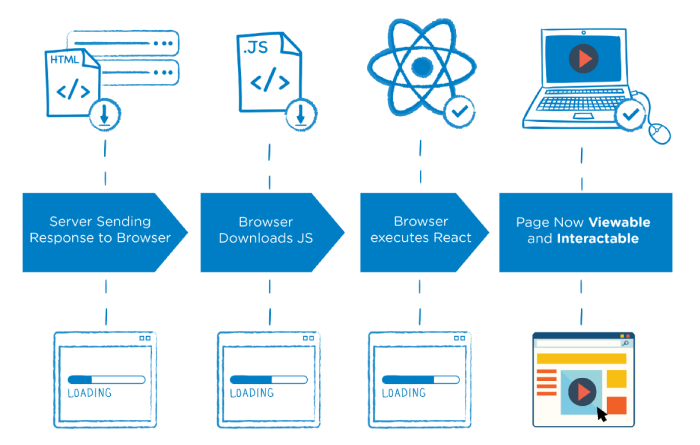
    When it comes to Client Side Rendering, JavaScript determines what is displayed on a web app’s page. The HTML documents in a CSR approach do not load all of the web content. Instead, there are JavaScript files that handle the website’s dynamic architecture. The CSR process mainly involves fetching and processing the data on the client browser. For that reason, it is called Client-Side Rendering.

    client side rendering - csr
    Image Source: Medium

    One great example can be a Single-page application (SPA). In a Single Page Application, each page is rendered on the client browser. The server only serves one single HTML document. Once the HTML is loaded, the JavaScript frameworks like React, Angular, or Vue will control the website’s DOM structure on the browser.

    In this case, each page will load from the data history as fetched by the framework’s API. Once the initial load is over, accessing a different route or reloading the page will be super fast.

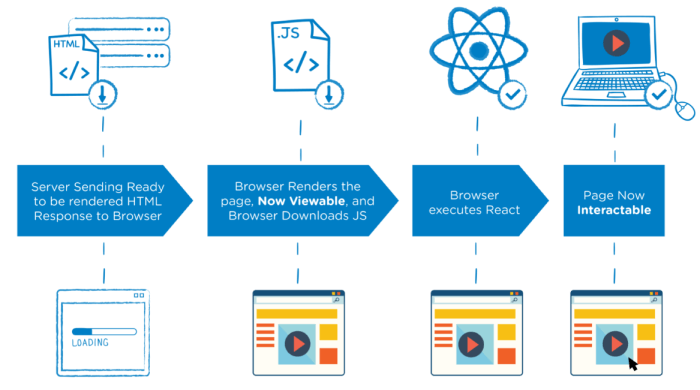
    What actually happens in Client Side Rendering (CSR)

    • Using the website address, the user sends a request to access the web content via a browser (link).
    • On the client’s first request for the website, the server serves the static files (CSS and HTML) to the client’s browser.
    • The HTML content will be downloaded first, followed by JavaScript. JavaScript is linked by these HTML files.
    •  When the user sees the loading symbols defined by the web developer, the loading process begins. 
    • The user cannot yet access the site.
    • After the browser downloads the JavaScript, the client’s browser generates content dynamically.
    • Finally, the web content becomes visible and the client can interact and navigate the site.

    Pros of CSR

    • Hosting – For CSR, you don’t need a web server. You can simply host your site with any Content Delivery Network (CDN) that comes in both free and premium forms. You can also use a static file host (eg. Amazon S3).
    • Speed – After the initial loading time, navigation will be super smooth and blazingly fast.
    • Server load – Once the data fetching is done, you can roam around from page to page without making the server roundtrip. Thus, it decreases the server load. It almost feels like a native application.
    • Rendering – The rendering performance is dependent on the client’s browser capabilities. So, in terms of managing requests, the server will not be at risk.
    • Memory – CSR has lower memory consumption on the server side.

    Cons of CSR

    • Loading Time – The browser loads the initial run-time data of the website to the client’s browser that’s why it takes a lot of time.
    • User experience – Users can get frustrated because of this loading time and leave your site.
    • Site indexing – When search engine robots crawl on a website CSR slows them down. These robots crawl and index an HTML file page first. So, while indexing, the robots can miss or partially miss the JavaScript content.
    • SEO – If the robots partially or completely miss indexing the JavaScript content, it will affect the Search Engine Optimization (SEO).
    • Meta tag – There will be only a single meta tag for all pages.

    When to use CSR

    • Large user base – CSR fits well for a large user base who are continuously accessing your web content. The content will be rendered once for every user request.
    • Complex UI & more dynamic content – It can be a good option if your application has a complex UI & a ton of dynamic content that is not dependent on SEO.
    • Hybrid web app – For hybrid web apps, CSR is a good option.

    Server Side Rendering (SSR)

    SSR is the most commonly used rendering solution. It is the opposite of Client Side Rendering (CSR). With SSR, the rendering process is conducted via the server. For that reason, we call it Server Side Rendering. When a user makes a request to the server, the server process the HTML, CSS, and JavaScript files on-demand. It then delivers the full page to the end user’s browser.

    server side rendering - ssr
    Image Source: Medium

    On the other side, Client Side Rendering is nothing like Server Side Rendering. In SSR, every following time the user takes action to visit another page, the rendering process shoots off again. It repeats the process every time you request a page. So, the browser is constantly making requests to the server. Thus, it becomes a heavy burden on the server side.

    What actually happens in Server Side Rendering (SSR)

    • A user makes a request for a specific webpage.
    • Then the server prepares an HTML page. It is done by fetching user-specific data.
    • After that, it sends the HTML page to the user’s machine over the internet.
    • Following the path, the browser construes the content and displays the page.
    • Finally, the web content comes to visibility. And, the user can now interact and navigate through the page.

    Pros of SSR

    • SEO – In terms of SEO, SSR is a great rendering option. It is so because each of the pages will be rendered on the website’s server independently. Eventually, it will increase your web page’s performance. By that, you will get enhanced web content rankings.
    • Site indexing – With SSR, the search engine robots will not by any chance miss content as they exist before the user receives it. They will get higher relevancy as the page content are more focused. This way the bots will be making proper indexing.
    • Loading time – Initially, it will take less time to load.
    • User experience – The faster initial loading time will give your visitors the first interaction comfort. Which is one of the most important aspects of generating high traffic.
    • Meta tag – You can use different meta tags for different pages.

    Cons of SSR

    • Server Load – In the SSR approach, for each page requests the server will receive a new request. After that, it will load the newly requested page. This puts a lot of pressure on the server side. If there are too many users who made a ton of requests at once the server might end up making connection errors.
    • Memory – It has high memory usage and high processing power on the server side.
    • Hosting – The process consumes unnecessary internet bandwidth and increases the hosting cost.
    • Page Load – The server has to render dynamic content repeatedly for that reason it increases the page load time.

    When to use SSR

    • High SEO Ranking – As every web page content is served independently. It is a great chance to catch up with social crawlers to target a high SEO ranking.
    • Small user base – SSR has an overall slow rendering speed. Therefore, it is best to use the SSR approach when you have a small user base.
    • Simple UI & less dynamic content – It is good for simple UI, few pages, less interactivity, and also less dynamic content.

    Wrapping Up

    Here, we talked about Client Side Rendering vs Server Side Rendering. Both of the approaches are perfect and scalable. It depends a lot on the kind of web application you want to build. For example, the UI, features, number of pages, content type, SEO & loading time, etc. We hope you found the blog helpful in understanding and deciding which approach best fits your web content.

    Thank you for reading!

    About Us

    At UI-Lib, we develop high-quality free & premium templates, design systems, full solutions, and more. Thus, we’re all about delivering services that make coders’ lives easier.

    Blog Suggestions

  • Best HRM and Project Management Software in 2022

    Best HRM and Project Management Software in 2022

    Are you a developer looking for HRM and Project Management Software? Look no further! In this blog, we will showcase to you some of the best HRM (Human Resource Management Software) and Project Management Software.

    HRM

    Any rising company’s success depends on having the appropriate human resource software (HRM Software). HRM software is the digital hub you need to support talent management needs and automate essential HR operations. operations such as time-tracking and payroll, benefits administration, and employee performance reviews, by acting as the system of record for all of your employee data.

    Now, let’s have a look at all of this amazing and useful software below. Please note that the following list is in no particular order. For a more thorough examination, click the ‘Details / Download’ option or the ‘Demo’ button for a live preview.

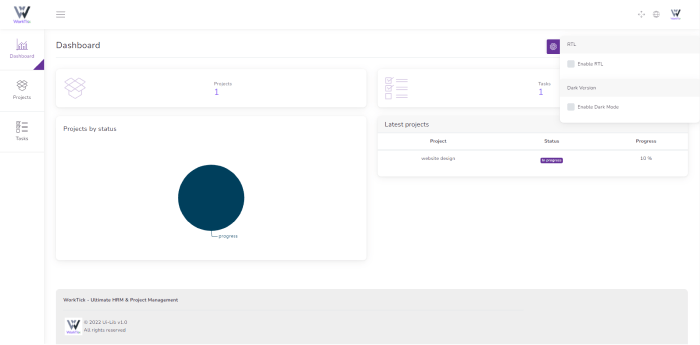
    WorkTick – Ultimate HRM and Project Management Software

    WorkTick HRM and Project Management Software

    WorkTick is an all-in-one Human Resource Management (HRM) and Project Management system. It is capable of collecting all of the necessary features for any business and much more. So, it’s a timely option for updating your HR personnel and streamlining the entire process. WorkTick makes it simple to manage your company, projects, and personnel.

    Here, every design element has been given careful consideration. The result is an application that we believe is incredibly user-friendly. The program provides a single point of contact for you. And, also your HR team to collaborate on projects. Find out more about this amazing product from the buttons below.

    Details / Download Live Preview
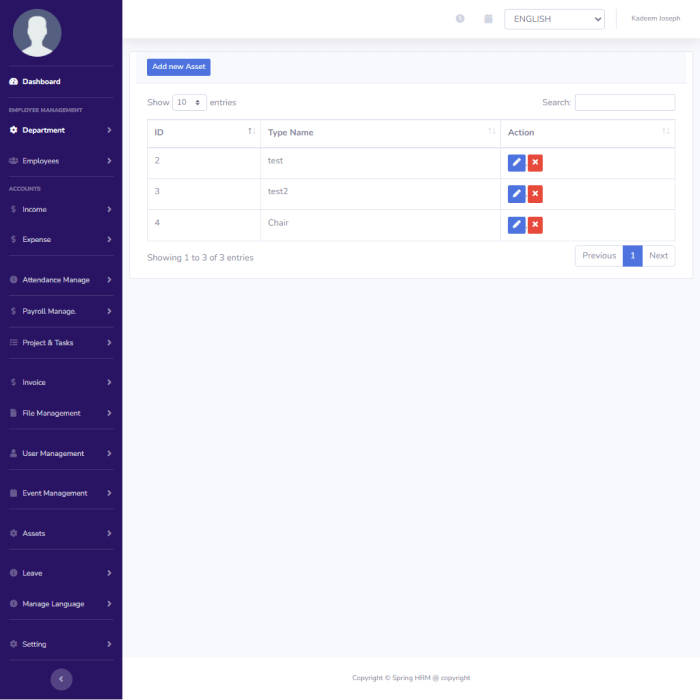
    Spring HRM – Human Resource Management (HRM) & Payroll Software

    Spring HRM - HRM & Payroll

    Spring HRM is a trustworthy, multilingual HRM & Payroll system. It helps organizations and employees to maintain effective relationships. Also, it becomes much easier and less time-consuming to keep track of employees’ attendance and everyday tasks.

    Moreover, from an easy-to-use admin interface, you can manage departments, workers, payroll, invoices, expenses, assets, events, and much more. This application is built with the new Laravel 7.2 Framework.

    Details / Download

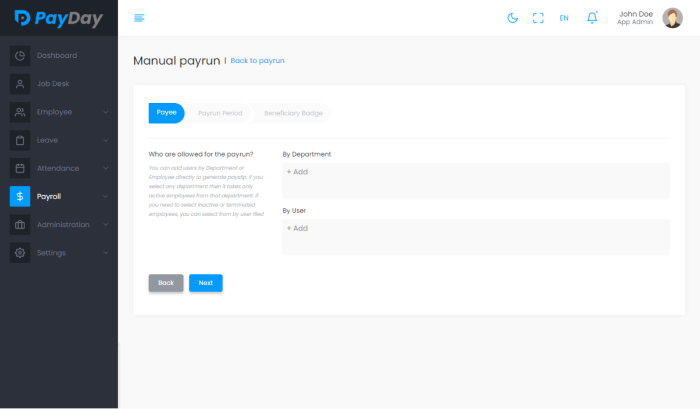
    PayDay – HRM Project Management Software

    PayDay Best HRM Software

    PayDay is a dynamic HRM solution. It helps an organization and its employees maintain effective relationships. Also,  keeping track of employees and their daily activities is much simpler and less time-consuming with the solution. 

    Employee and payroll management are the primary goals that assist in the best way possible.

    Details / Download Live Preview

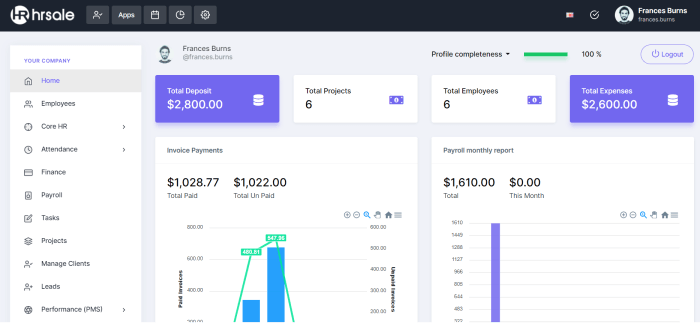
    HRSALE – The Ultimate HRM and Project Management Software

    HRSALE Best HRM Project Management Software

    HRSALE is a robust and cost-effective HR platform that ensures you get the most out of your employees and managers. It is a timely solution for upgrading and modernizing your HR team. To increase efficiency and combine personnel information into a single, intuitive HR system.

    Thus, get rid of the piles of paperwork and spreadsheets strewed about your office. Now, replace them with a stunning online person database complete with staff profiles. Make sure to check out the detail and demo links.

    Details / Download Live Preview
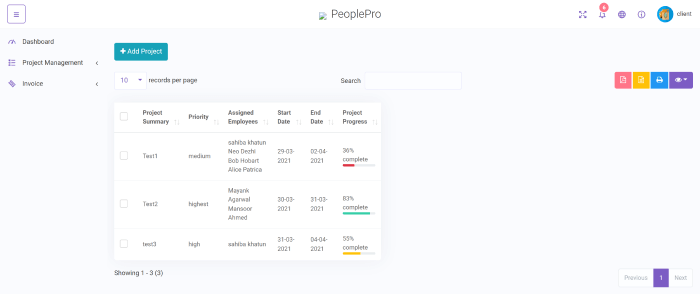
    PeoplePro – Human Resource Management Software

    PeoplePro

    PeoplePro is a robust HR management and payroll solution that is suitable for any business. From an easy-to-use admin interface, you can manage multiple organizations, departments, workers, projects, and much more. Moreover, the software can handle all of your HR-related activities, regardless of the size of your firm.

    Also, the software has features like IP-based attendance / general attendance, multilingual support, Seo-friendly, mobile-friendly, support ticket, user role permission, and more.

    Details / Download Live Preview
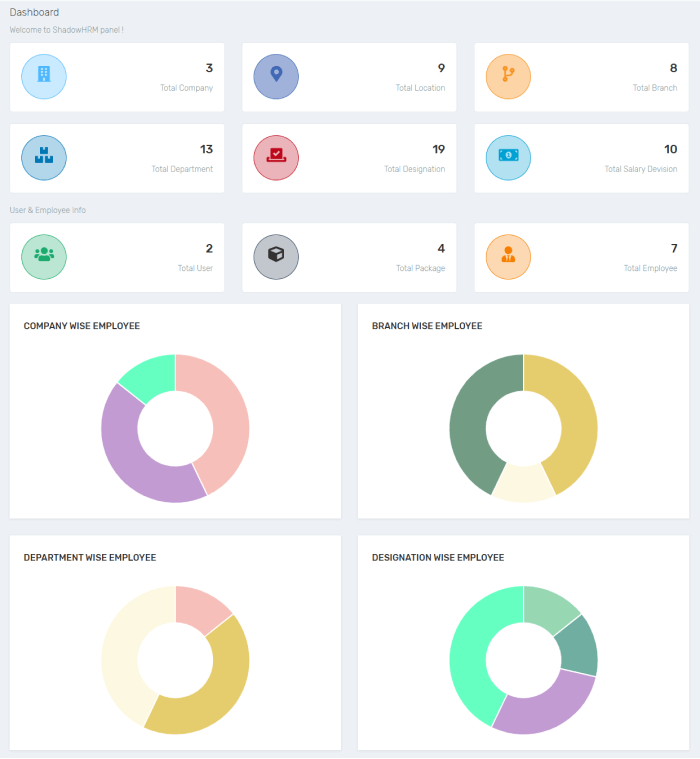
    ShadowHRM – Human Resource Management

    ShadowHRM

    ShadowHRM is a Human Resource Management Software that’s fairly simple to use and operate. You can manage all of those businesses from a single location. It’s a major hassle to manage all human resource management for business purposes. Also, it allows you to manage several companies while saving time.

    Most importantly, it can be used for a single or several businesses. You can create a firm, a location, a branch, a department, a classification, and an employee here, among other things. And keep track of things like daily attendance, salary awards, employee transfers/promotions, and more. You can print an attendance report and a salary report in PDF format.

    Details / Download Live Preview

    Wrapping Up

    Now, your search for the best HRM and Project Management Software seems to be over. You can quickly and easily use these HRM and Project Management Software. These solutions offer features that would take a programmer a huge amount of time to implement. Also, we know it is difficult for anyone to create perfect HRM Software with an excellent user experience and cutting-edge technology within a short period. Therefore, we hope these are going to assist/help you in growing your or your client’s business.

    Thank you for reading!

    More Articles

    1. Best React CryptoCurrency Templates
    2. React Landing Page Templates
    3. Vue.js Landing Page Templates
    4. Bootstrap Admin Template Free & Premium
    5. Best Cryptocurrency WordPress Themes
  • 10 Best Examples of Progressive Web Apps That Inspire

    10 Best Examples of Progressive Web Apps That Inspire

    Are you a web app developer looking for examples of progressive web apps (PWA) that inspire? Look no further! In this blog, we are going to look at the 10 best examples of progressive web apps that inspire. But first, let us provide you with some basic information about Progressive Web Apps aka PWA.

    designers making a progressive web app

    High-performing applications are critical to the success and profitability of any online venture. As a result, websites across industries are implementing a cutting-edge standard known as Progressive Web Apps to boost their productivity.

    Progressive Web Application

    Definition

    Progressive Web App creates websites that are indistinguishable from native mobile apps in terms of user experience. When smartphones first came out, they came with a slew of new features that weren’t available on the web, including offline mode, push notifications, cameras, geolocation, and more.

    designers discussing progressive web application

    The game, however, has changed in the 2020s. The web platform is on track to catch up to native apps shortly. It’s worth noting that the Twitter PWA works without a connection and can be installed similarly to a native app. It can communicate with the device, take pictures with the camera, and receive push notifications.

    Further Details

    Furthermore, the web provides far better distribution than app stores. And, it does not take a 30% cut of your revenue. Not to mention the fact that your app will run on iOS, Android, and the web using the same code.

    It’s easier than you might think to convert a website into a progressive web app. To begin, open the Chrome dev tool and run an audit on your site using the Lighthouse tool. It will tell you how well your site performs and what you need to change to be a PWA. The site must, at the very least, load quickly and be mobile-friendly.

    While the tab is open, a website usually runs on a single thread. Modern websites, on the other hand, can now register a service worker, which is simply a background script. Among other things, it can cache data, sync in the background, and listen for push notifications. The implementation is quite straightforward. We simply determine whether the browser supports this feature before registering a javascript file as the worker.

    You’ll find it activated in the application tab and chrome devtools once you’ve registered. From there, you can either write your code in the worker file or use a library like Workbox to take care of everything. You need to cache your Apps URL first. So that you can view them without an internet connection. In the application tab, you can look at the cache and other background services.
    The final step is to create a manifest.jason file that contains the app’s icons and other metadata. Once the requirements are full, you’ll be able to unlock the PWA achievement and Lighthouse. Also, your app will be able to be installed on most native devices. Additionally, it may be listed on Google Play or the Microsoft Store.

    Features of PWA

    • Functions on low-quality internet connections as well as offline.
    • Browser compatible and completely responsive
    • Push notifications, when used as part of a good messaging strategy.
    • They have an App-like interface.
    • You can easily share it via URL. And also, it does not necessitate complex installation.
    • Auto-update
    • Offers home screen icons without requiring the use of any online stores.
    • PWAs are served via HTTP, unauthorized users cannot access the content.

    Thus, PWAs function well with all browsers and are compatible with any device, irrespective of the screen size and other conditions. Mobile and tablet users will have the same experience. You can even use it on desktops if required without any issues.

    So, here is a collection of notable Progressive Web Apps examples to help you to start making your own.

    MakeMyTrip

    makemytrip progressive web apps

    The MakeMyTrip.com website is an excellent example of a PWA. The leading travel company in India receives approximately eight million visitors per month, with mobile traffic accounting for two-thirds of total traffic. As mobile became the most popular booking channel among MakeMyTrip customers, they created a PWA that resulted in a fast, dependable, and polished mobile-web experience.

    By reducing page-load times by 38%, the new PWA experience has tripled its conversion rate. MakeMyTrip increased user sessions by 160 percent and reduced bounce rate by 20 percent when compared to their previous mobile site.
    Pinterest

    pinterest progressive web apps

    Pinterest decided to create a PWA after discovering that their website was too slow. Only 1% of their visitors converted to signups or app downloads for iOS and Android. A PWA improved key performance indicators. Visitors spent 40% more time on Pinterest’s PWA than on the mobile website.

    Pinterest’s ad revenue rate increased by 44 percent, while user engagement increased by 60 percent. The Pinterest PWA only requires 150 KB of data storage, which is significantly less than the native Android (9.6MB) and iOS (56MB) apps.

    Twitter

    Twitter landing page

    Twitter‘s PWA debuted in 2017. Because 80 percent of their users were mobile, they needed to provide more engaging access while consuming less data – especially for visitors with a poor Internet connection. Twitter Lite, at 600 KB, is significantly smaller than the corresponding heavyweight Android app (23.5 MB).

    This PWA includes a prompt to “Add to Homescreen,” web push notifications, and temporary offline browsing. As a result, Twitter saw a 65% increase in pages per session, a 75% increase in Tweets sent, and a 20% decrease in bounce rate.
    Forbes

    forbes magazine landing page

    Forbes created a Progressive Web App (PWA) to rebrand their mobile experience. They needed a solution that was more responsive than their existing mobile website. The Forbes PWA now has a higher level of user engagement and personalization. Their card stories are based on the layout of Snapchat Stories, and the design has a new format.

    Forbes saw a 43 percent increase in sessions per user, a 20% increase in ad viewability, and a threefold increase in scroll depth with their new PWA.

    Trivago

    trivago home page

    Trivago, a travel app that finds the best hotel room prices, saw a 150 percent increase in engagement with their PWA. The new PWA is faster to load than the existing native app, and it includes push notifications and an offline mode.

    Customers can search for rooms using Trivago PWA by location, price, rating, and other criteria. Customers are also clicking on hotel offers twice as much as they were with the native app (97 percent increase).

    Uber

    uber landing page

    As the company appears in new markets, the Uber web was rebuilt from the ground up as a PWA to provide a booking experience comparable to the native mobile app. The PWA is great for riders on low-end devices that may not be compatible with the native Uber app. Because it is built around the concept of an app-like experience accessible on all modern browsers.

    Uber has enabled quick ride requests regardless of location, network speed, or device by bringing the native experience in a super-lightweight web app. The core app, which is only 50kB in size, loads in 3 seconds on 2G networks.

    Flipkart

    flipkart landing home page

    Flipkart, an Indian e-commerce website, increased conversions by 70% after launching a PWA. Because more than half of Flipkart users had a poor Internet connection, the company combined web and native app features to create an offline solution. This new app resulted in a 40% increase in re-engagement.

    Customers spent three times as much time on Flipkart Lite as they did on the native app. Furthermore, 60% of customers uninstalled the native app and returned to using the PWA. The Flipkart PWA only requires 100KB of data storage, which is 300 times less than the iOS application.

    Starbucks

    starbucks landing page

    Starbucks introduced its PWA to provide customers with fast, responsive performance. They developed an app-like solution with images, smooth animations, and offline access. Customers can customize their orders by browsing the menu and nutrition information. It is even if they do not have access to the Internet.

    Since the launch, Starbucks has reported a twofold increase in daily active users. Their PWA requires only 233 KB of storage space, whereas their heavyweight iOS mobile app requires 148 MB.

    Flipboard

    flipboard home page

    Flipboard is a social news app that allows you to curate headlines based on your personal preferences. With this in mind, the color red serves as an appropriate accent color for its web design and logo. It gives its users a sense of warmth, elegance, and personalization.

    It also encourages its audience to take action. You’ll also notice that the typography on this website is both powerful (capitalized texts) and sophisticated (serif font).

    BMW

    best progressive web apps example - bmw landing page

    The new BMW PWA provides users with a ‘wow’ experience. The high-resolution images and videos are the first thing that anyone notices and the website loads almost instantly with all of these features (4X times faster than the old site).

    Following the establishment of the PWA, their reports revealed even more impressive numbers: When compared to the old site, there was a 4X increase in people clicking from the homepage to a BMW sales site, a 50% increase in mobile users, and a 49% increase in site visits.

    Wrapping Up

    Finally, it seems that your search for the best examples of progressive web apps that inspire has come to an end. However, you can find a lot of other great examples of web apps that are amazing to know about. Various brands across the internet have set strong examples and eccentric results.

    All of the examples of the best progressive web apps shown above show that PWAs can be a great way to improve your company’s digital web presence. It is by providing an app-like user experience with fast loading, low data usage, and no downloads.

    Thank you for reading.

    More Articles

    1. Best React Landing Page Templates
    2. Best Web App Development Trends To Look Out For
    3. 14 Common Web Design Mistakes That Hurt SEO
    4. How to Make a High-Converting Landing Page
    5. 3 Simple Ways to Connect Gumroad with WordPress Site