Here you’ll find articles about the React framework & React Templates – a free & open-source JavaScript framework for front-end development by Facebook.
Are you a React Developer looking for some really useful VS Code Extensions? Don’t worry! Here, we are going to showcase to you some of the top VS Code Extensions for React that you must have in 2022.
VS Code is an abbreviation for Visual Studio Code, which is a lightning-fast source code editor. It supports hundreds of languages and allows you to be productive right away. To have a quick and easier development VS Code extensions are very essential. Thus, the list below is going to support you find the best route to successful project development.
Top VS Code Extensions for React
Here are some of the most essential extensions that will help you in your work with ReactJS. However, keep in mind that the list below is in no particular order.
Prettier – Code Formatted
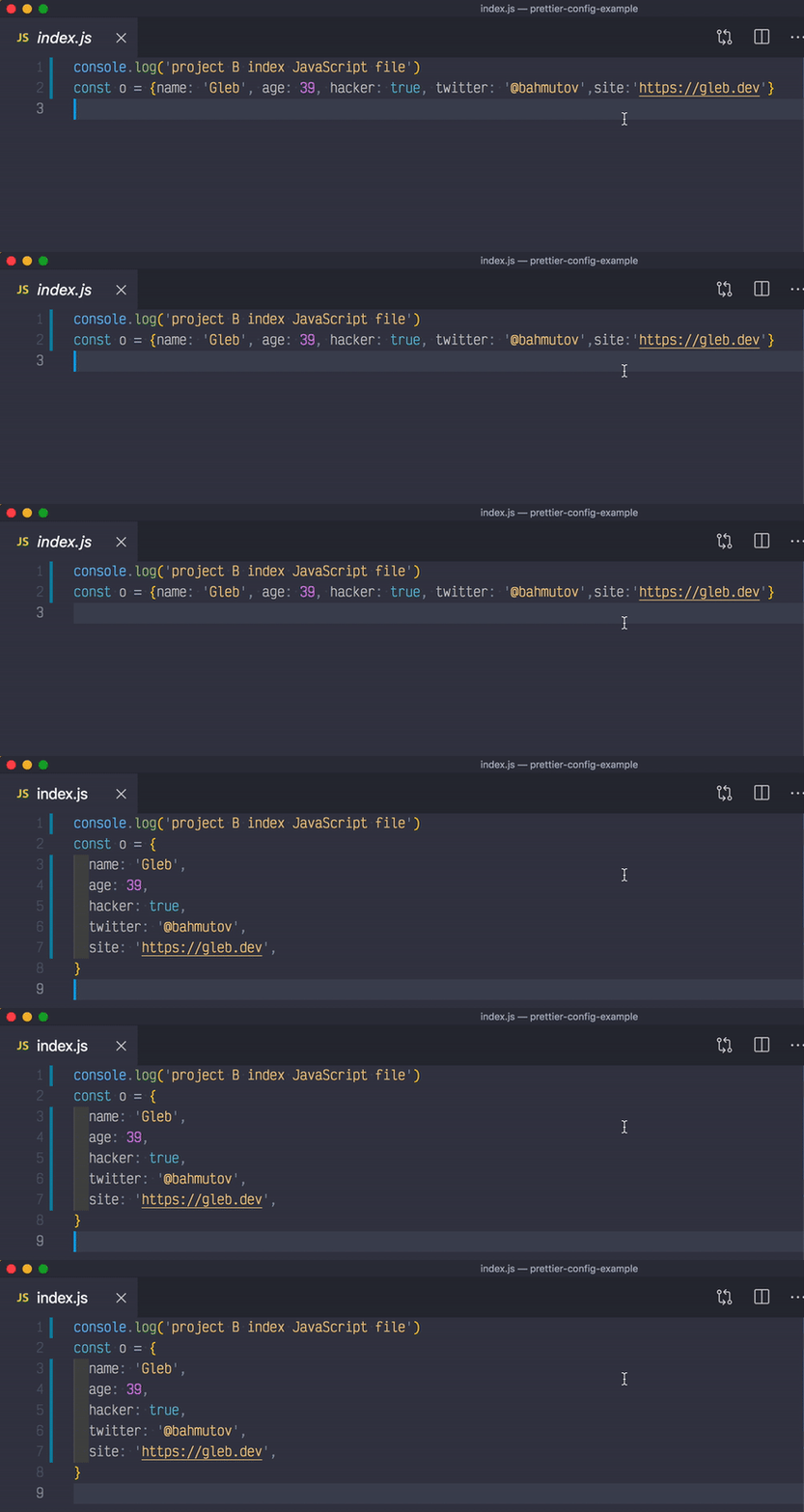
Prettier is a code formatter (opinionated). It enforces a consistent style by parsing your code and re-printing it with its own rules that take the maximum line length into account, wrapping code when necessary.
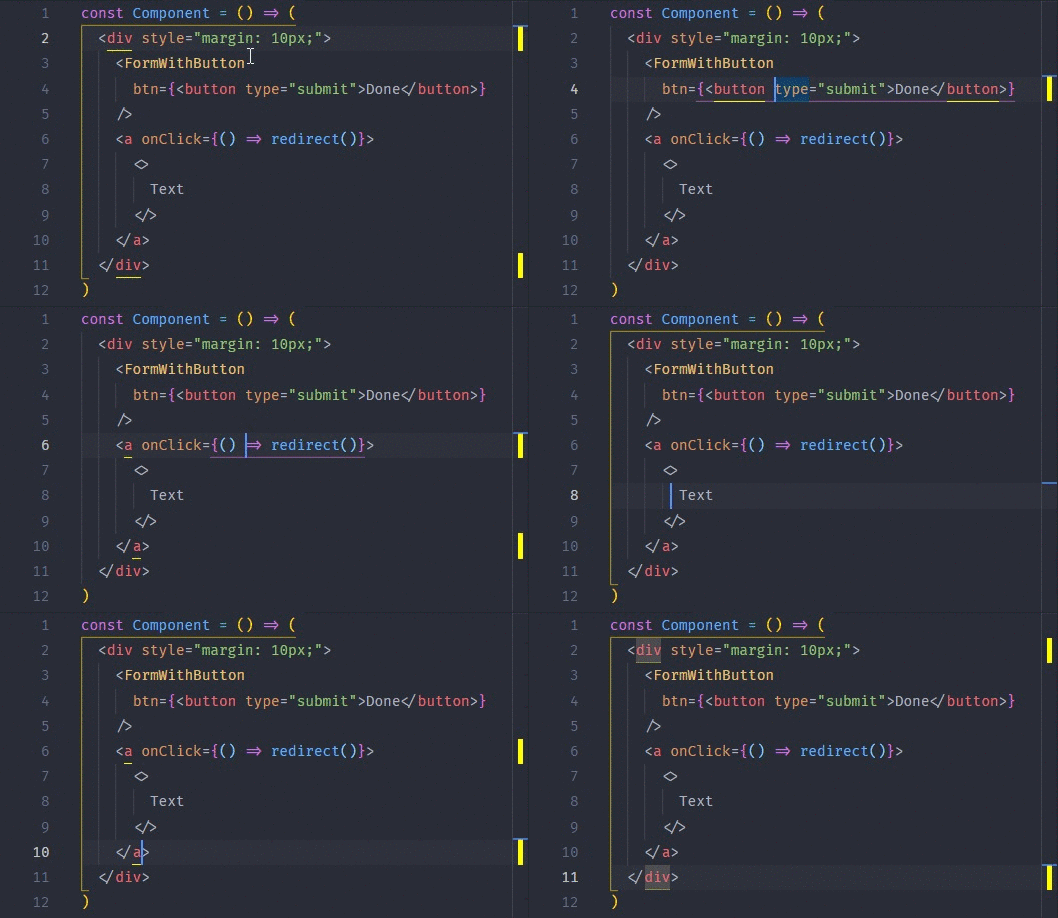
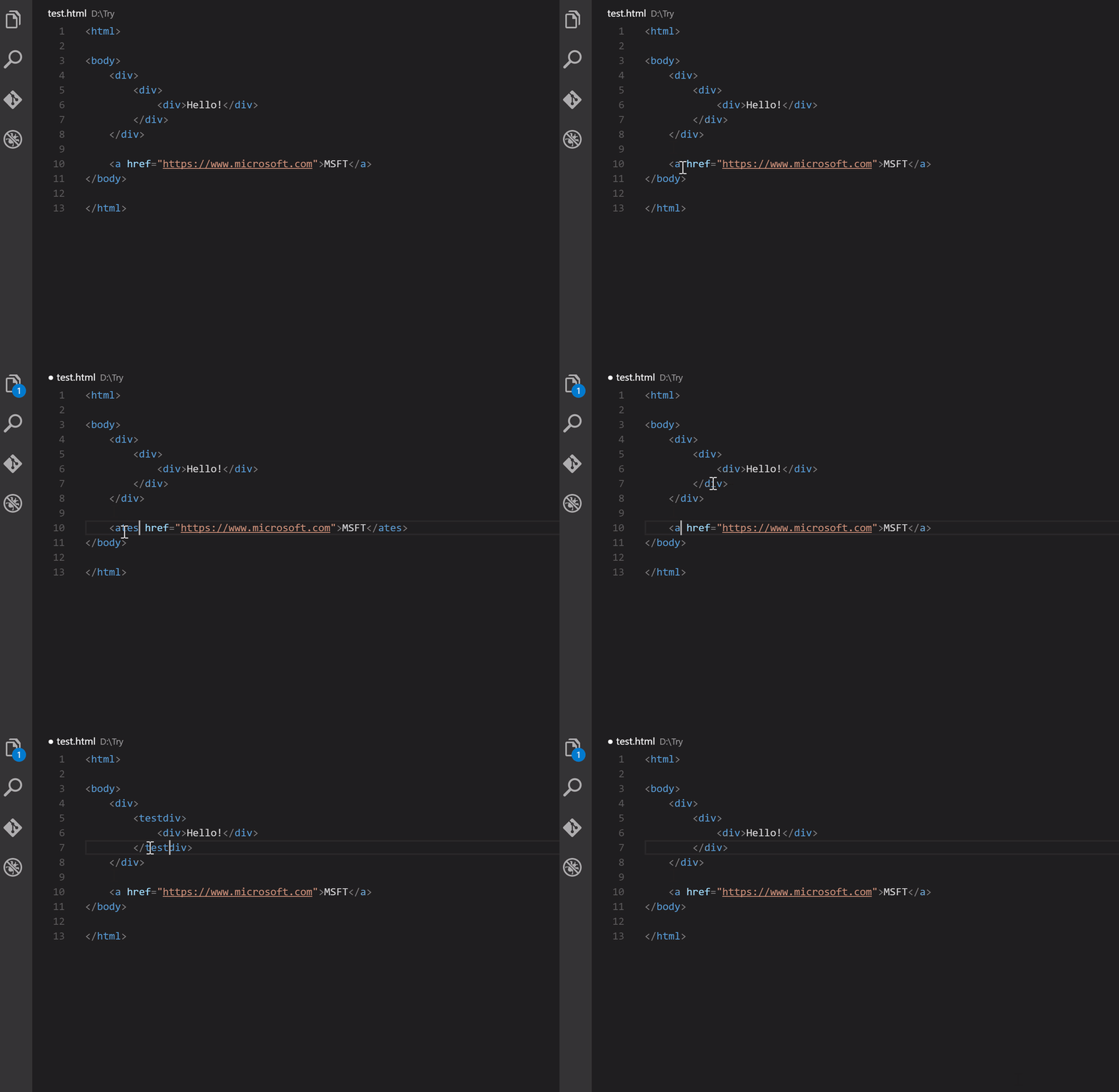
This extension highlights opening and/or closing tags that match. It also displays the path to tag in the status bar as an option. Even though VSCode includes some basic tag matching, it is just that. This extension will try to match tags anywhere: from tag attributes, inside of strings, any files, while also providing extensive styling options to customize how tags are highlighted.
ESLint analyzes your code statically to identify problems quickly. Most text editors include ESLint, and you can use it as part of your continuous integration pipeline.
It attempts to override user/workspace settings with settings found in .editorconfig files. There are no additional or vscode-specific files needed. As with any EditorConfig plugin, if root=true is not specified, EditorConfig will continue to look for a .editorconfig file outside of the project.
So there you have it: the top ten vs code extensions for React. I hope this article has assisted you in locating some of the best extensions for your React application development. These extensions can help you be more productive.
Are you looking for a one-of-a-kind React portfolio template? Look no further! Here, we will help you find by carefully curating the Top 25 React Portfolio Templates that are available on the internet.
A portfolio website acts as a mirror, reflecting your work and allowing people to admire or judge your abilities. Keeping your portfolio website up to date is always a good idea. People like to see that your skillset is growing over time.
React is currently one of the most popular and up-to-date front-end JavaScript libraries. Therefore, using React to build your portfolio website will demonstrate that you’re already up-to-date in terms of web development. Also, React’s SEO benefits and faster performance will have a great impact on visitors.
Best React Portfolio Template
React Portfolio Templates are commonly used for faster performance and especially among developers. If you’re a developer or looking for an example to suggest an approach to your client/developer, this will surely help you to find the right one. Please keep in mind that the list you’re about to explore is in no particular order.
Sandbox React landing pages offer a sleek and versatile site template, featuring Next.js, Bootstrap 5, and SASS for seamless setup. With 34 unique home pages, 130+ pre-made blocks, and 100+ coded pages, it caters to various purposes from business to portfolios. This SEO-ready, retina-ready design includes UI elements, modern portfolio layouts, and smooth-scroll one-page options. It also boasts responsive layouts, a mega menu, video support, and more. Create an impressive website easily and quickly to share your stories with the world.
PagePulse – Free React Landing page bundle by UI Lib
PagePulse is a sleek and customizable landing page template tailored for today’s SaaS and product-driven businesses. With its clean, minimalistic design, this template utilizes React Material UI and the Create React App, ensuring an efficient and smooth development process. The template’s modular structure breaks down each section into individual JSX and SCSS files, allowing for effortless customization and reuse of components to match your unique needs. Perfectly designed for modern applications, React Landing offers a professional and user-friendly solution to elevate your online presence.
Trydo is a creative agency and React portfolio template. It is a component-based and developer-friendly template with a modern approach & pure JavaScript and has NO jQuery. And, as it is built using React.js, therefore it takes less loading time.
The template includes 19+ home variations, and more variations are on the way. Moreover, it has React Icons, good documentation, google fonts, cross-browser support, inner pages, blog pages, and so on.
3. John – React Portfolio Template (Minimal Onepage)
John is a Single Page Minimal React Portfolio Template. The template used NO jQuery. You’ll find all the latest tools here. So, it will be easy for you to create some modern React Apps with it. Especially, the deployments are easy and its outputs are blazingly fast, and there’s firebase integration.
Moreover, the clean professional codes will make it worthy enough to work, and invest your time in customization. You will find a working contact form, responsive layouts, multiple blog pages, super documentation, a smooth transition effect, and so on.
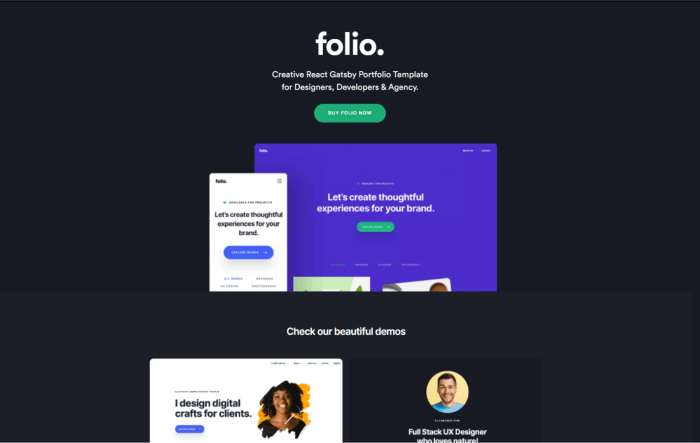
Folio Creative React Gatsby Portfolio Template is built using React, Gatsby Js, and Styled Components. Flant contains and makes no use of jQuery. Also, it has reusable react components. So, you can build multiple apps with standard components.
You can use these landing for your react app. Moreover, it has a super simple file management system to help you edit and deploy your portfolio website faster and better.
5. Unice – React Next Creative Agency and Portfolio Landing
Unice is a responsive multipurpose Next.js template. With the template, you will get tons of features with different essential pages. Create a personal resume or a food recipe website, Unice can do it all. Often we see that multipurpose templates have an average layout for every category. However, in terms of design and features, Unice stands out.
The template provides more than 30 portfolio layouts, over 25 blog layouts, 10+ header styles, and a lot more. Like the template John, Unice also used NO jQuery. Also, with the template, you will get fully responsive, SEO-optimized pages and a life update.
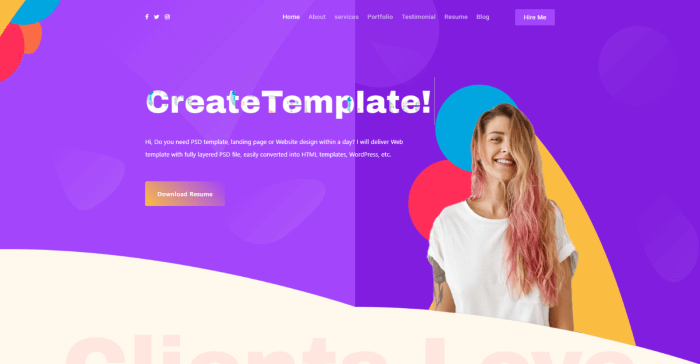
This is a simple SPA React Portfolio template for developers and designers. You can use it to show clients your work, testimonials, and other information.
Minimau is another outstanding React Minimal Portfolio Template. It is a multi-purpose template that is responsive. The eye-catching, pixel-perfect design is sure to catch everyone’s attention. In addition, Minimau is a creative and modern design that looks great and innovative. Meanwhile, its available 4 variations in color schemes will help you to ensure your website content looks visually stunning.
Dolio is a React JS Template for a variety of purposes. The template is ideal for designers, developers, freelancers, artists, illustrators, photographers, and others. In short, anyone who needs an appealing and efficient way to share their work and services with clients should definitely give it a shot. Check out the template by clicking the button below.
Bizkar is a Multi-Purpose Creative React Template. It is suitable especially for corporate and personal business websites, creative portfolios, landing pages, SEO, agency, marketing, consulting, start-up, portfolio showcases, and product service presentations.
Arlo is a multipurpose personal portfolio React template. It is a creative, minimal, and clean design. Also, it has all of the features of the portfolio and business website. Suitable for any portfolio, startup business, companies, agencies, etc. For those who need a professional way to showcase their projects, this can most certainly help. There are over 8 demo pages and many more cool features.
Retro is a simple React Bootstrap personal portfolio/CV/Resume website template with NO jQuery. Especially for those who want to build their portfolio site as a UI/UX designer or Developer. Also, it is in accordance with the current design trends. There are React, Bootstrap, and SaSS to help you easily create your dream website with efficiency. The code is well-organized, has few animations, and is simple to modify.
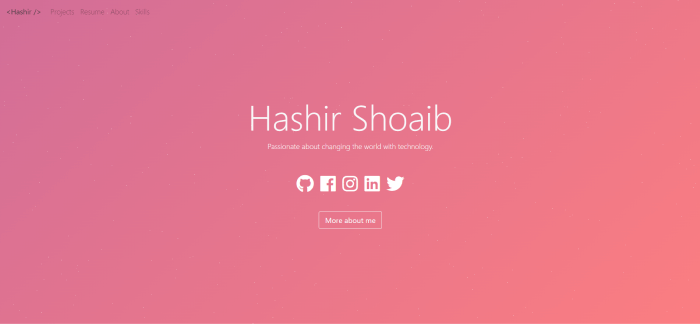
12. React Personal Portfolio Template by Hashir Shoaeb (Free)
It is a simple personal website/portfolio template built using React and Bootstrap. It has a very minimal yet interesting color-changing animation that anyone will feel comfortable looking into. Especially, it will be suitable for coders.
Agencio is a creative agency & portfolio React template with Reactstrap. It is a developer-friendly template with some really cool layouts and examples. Besides, it has a modern approach and a faster loading time. You can use the template for creative agencies, personal portfolios, digital agencies, businesses, startups, studio agencies, and more.
Palun is yet another excellent React Portfolio Template designed for a modern, freelance Designer, Web Developer, Corporate Person, or any other type of creative person who requires an online portfolio. Here, you’ll find a proper documentation folder to help you navigate the code.
Brook is another creative React JS multipurpose template. It is a useful and versatile template with more than 12 stunning homepages. For your website, you can use any of its template examples or mix content from different home pages.
Miro is a responsive one-page portfolio layout that can be used to show off your creativity. There are over 6 Home Pages Variants, Creative Portfolio, Transitions Page Animations. Furthermore, it allows you to edit the colors of elements of free will. Also, the template touches almost all common sectors that people commonly search for.
Tumho is a mobile-friendly React Template. It’s a modern template for a portfolio, resume website, and other similar purposes. It’s also a highly customizable template that looks great on tablets and mobile phones. They attempted to incorporate all of the best web development practices. So, now you can create a great website layout.
Deneb is a React JS Theme for Digital Agencies that was created with all types of agencies in mind. It adheres to W3C standards. Also, it provides good documentation. Moreover, it is very easy to use and has a lot of customization options. Therefore, you can easily edit and customize the files as you need.
Strada is a creative portfolio template for your agency or a resume. Bootstrap, ReactJS, SASS, and VanillaJS were used to create it. It combines a unique set of designs with smooth animations to give you the best experience.
Oxer is a responsive React portfolio template with Bootstrap. It is a simple design that can be very useful for you. Importantly, you can use it undoubtedly for any activity. Moreover, there is plenty of room for information and a design that can be an excellent choice. Now, if you want to present your activity on the internet with a contemporary approach. This item is built using the most recent React framework. So, you’re going to get a great result.
Livvic is a studio and portfolio ReactJS template. It is a template perfect for digital portfolios and commercial websites. Everyone who needs a quick and efficient solution to start an online digital portfolio or web studio business can use the template. Subsequently, it can make your business life a whole lot easier.
Apon is a unique portfolio template. You can use it for any kind of portfolio website. To name a few, Personal, Agency Photography portfolios, etc. The template includes all of the files needed to create your stunning website. Also, it is responsive on virtually any screen size. So, this way you can worry less about the interface. And, concentrate on what’s more important.
23. Bolby – React Personal Portfolio CV/Resume Template
Bolby is a React Bootstrap personal portfolio/CV/Resume website template. It is especially for those who want to build up their portfolio site. Also, it is in accordance with the current design trends. There you will find React, Bootstrap, and SaSS to easily help you to create your dream website with efficiency. The code has proper orientation and is easy to customize.
Follio also has a version that only uses ReactJS. It allows you to build a powerful Portfolio website. The Portfolio niche, Latest Portfolio, Service, Project, Team page, and blog page are all custom-made pages in the Template layout.
Most importantly, there is no doubt that the template will improve the appearance and appeal of your website to visitors. It includes high-quality React files. these files have good documentation and are appropriately named. Which makes it very simple to change any of the designs.
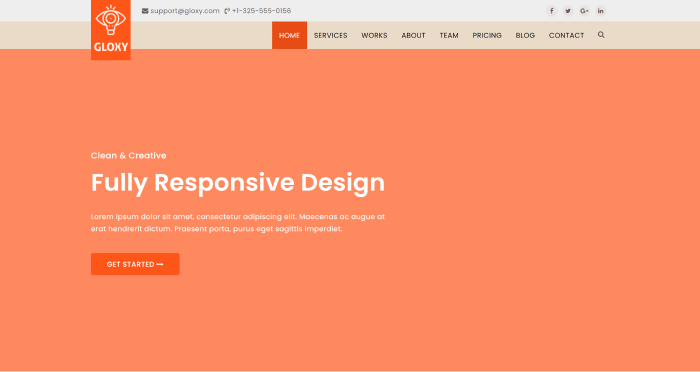
Gloxy is a new modern React Gatsby template for Creative Multipurpose Portfolio. The template includes four different homepage designs, as well as a blog and blog details pages. It looks beautifully stunning on all types of screens and devices including Windows, Mac, iOS, Android, etc. Make sure to have a look.
Tables are common in web applications. As there are so many free table libraries available, creating and styling a Reactjs table manually is not necessary. So, we’ve carefully chosen a list of the top ReactJS table libraries. We’ll go through all the benefits and drawbacks of each library. Also, we will learn all the installation processes and examples.
As React has such a large ecosystem, there are numerous third-party reactjs table libraries. So, let us look at some of the best Reactjs Table Libraries.
1. Material Table – Reactjs Table
In a React application, the material table is a powerful way to represent data in a table format. Moreover, the elements are styled by Material UI guidelines. It is one of the most popular open-source libraries in the React space and offers a variety of individual components. Depending on the complexity, we can use these components to tackle the styling. This library’s most recent version requires a minimum React version of 16.8.5.
Install the library in a React app from a terminal window and run the following commands to see it in action:
yarn add material-table @material-ui/core
Then include Material Icons. There are two approaches to this. The first method is to simply import the Material Icons font into the file using HTML. public/index.html:
Alternatively, you can install the @material-ui/icons package in the React app:
yarn add @material-ui/icons
The data provided to a React app in a real-world application comes from an external API. Inside the src/ directory, create a new file called data.js and add the following code snippet:
export const data = [
  {
    id: 1,
    title: 'The Hunger Games',
    authors: 'Suzanne Collins',
    num_pages: 374,
    rating: 4.33
  },
  {
    id: 2,
    title: 'Harry Potter and the Order of the Phoenix',
    authors: 'J.K. Rowling',
    num_pages: 870,
    rating: 4.48
  },
  {
    id: 3,
    title: 'To Kill a Mockingbird',
    authors: 'Harper Lee',
    num_pages: 324,
    rating: 4.27
  },
  {
    id: 4,
    title: 'Pride and Prejudice',
    authors: 'Jane Austen',
    num_pages: 279,
    rating: 4.25
  },
  {
    id: 5,
    title: 'Twilight',
    authors: 'Stephenie Meyer',
    num_pages: 498,
    rating: 3.58
  },
  {
    id: 6,
    title: 'The Book Thief',
    authors: 'Markus Zusak',
    num_pages: 552,
    rating: 4.36
  }
];
Then create a new file called MTable.js and import the material-table library and the array of dummy data:
import MaterialTable from 'material-table';
import { data } from '../data';
Since material-table is a React component, you can define a custom component like this:
The material-table library anticipates receiving two props. The prop data is used to display the data in a row format. The number of columns is defined by another prop columns . It is an array that expects the title of each column as the heading of the specific column and the original field:
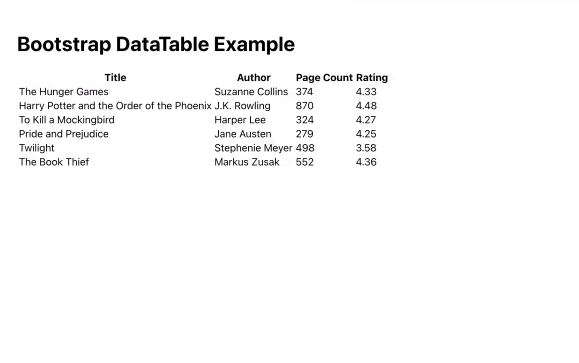
If you’re using Bootstrap-based UI components in your React app, react-react-bootstrap-table2 is a perfect match for displaying data tables and using the same design system. It has a cleaner design and a smaller bundle size, which eliminates the need to handle too much business logic.
To install it in a React app, run the following command from a terminal window:
yarn add react-bootstrap-table-next
Then, import the Bootstrap CSS library into the React app. This is usually done inside the App.js or index.js file:
Then, create a custom component file called BTable.js and import the component BootstrapTable from the react-bootstrap-table-next library.
import BootstrapTable from 'react-bootstrap-table-next';
import { data } from '../data';
Each data array field you want to display as an object is here as an array. The value of dataField reflects the actual field from the data array, while the text in each object represents the custom header name of each column:
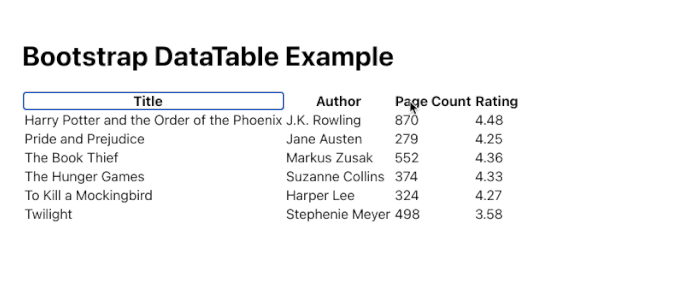
There are two methods for creating custom settings. The first is to provide fundamental capabilities such as sorting data in columns here, in this manner:
In the preceding code snippet, we add a third property sort with a boolean value of true to the data fields title and rating. This enables sorting in these two columns based on ascending and descending values.
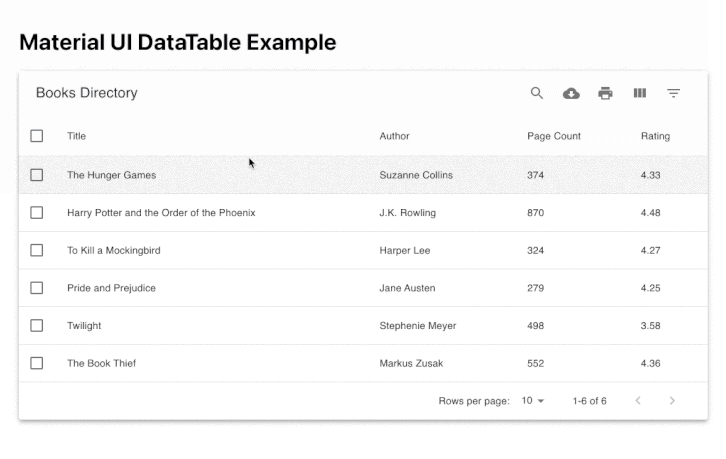
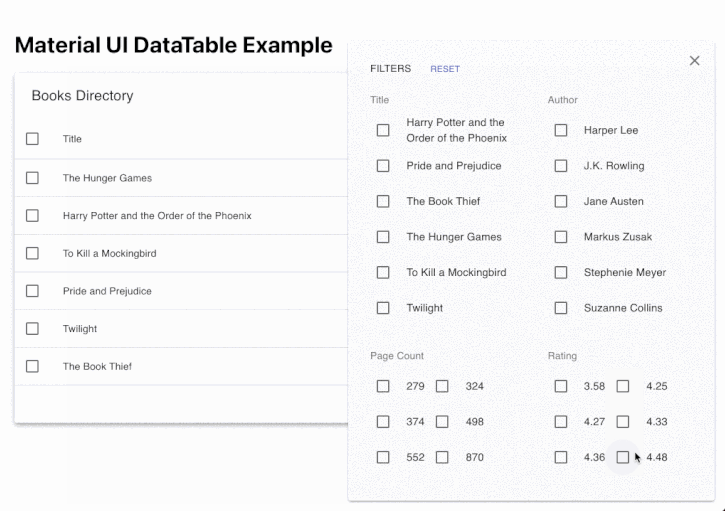
This list includes yet another Material UI-based data table component. If you’re using a Material UI-based design system in your React project, MUI-Datatables is a great way to represent data tables. Filtering, row selection, searching, exporting to CSV format, sorting, and other features are available.
To see it in action, install it in a React project first:
Then, in MUITable.js, create a custom component file and import the component frommui-datatables. Let’s use the same dummy data set to display the data inside the table component, so import it from thesrc/data.jsfile as well:
import MUIDataTable from 'mui-datatables';
import { data } from '../data';
columns are here as an array, and each field from the data array that you want to display as an object is here as an object. Each object’s label represents the column’s custom header name:
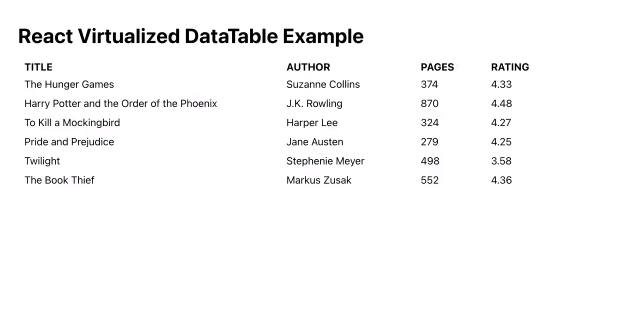
This is now a multi-purpose component library that supports large lists and tables of data. It supports simple table forms as well as grid, masonry, list, and collection formats for data tables. Because it supports a variety of formats and dynamic data lists, it is one of the most popular open-source component libraries on this list.
Install it in a React app by running the following command from a terminal window:
yarn add react-virtualized
Now you have to import react-virtualized/styles.css:
import { Column, Table } from 'react-virtualized';
import 'react-virtualized/styles.css';
import { data } from '../data';
The Column component shows each component. It accepts a label prop that projects the header title of the column. The dataKey prop represents the field in the data array and a custom value for width for each column:
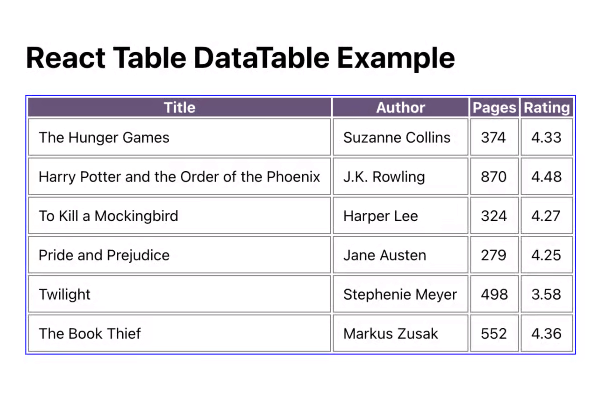
React Table is a small package that allows you to display data in a table format. It is a utility library rather than a table component library, as are the other libraries on this list.
To see it in action, first install it in a terminal window by typing the following command:
yarn add react-table
Then, name your custom component file RTTable.js. Because it supports React hooks, import the hook useTable from the the react-table library.
import BootstrapTable from 'react-bootstrap-table-next';
import { data } from '../data';
To define the structure of the columns of the table, add the following:
The accessor property has the same value as the key in the data array. To ensure that the array of data is recreated on every render, React Table library recommends the use of the useMemo hook.
Only when the memoized value is changed does React Table calculate the columns based on the data provided. After defining the columns and data array, pass them as arguments to the useTable hook to create a table instance.
These component libraries’ purpose is to provide a good development experience while allowing you to represent data in a table. Because of the development costs, some of the integrations these libraries provide are difficult to establish from scratch. Therefore, we’ve gone over all of the steps you’ll need to take to put them into action. With these items, we conclude this blog post on Best React Table Libraries.
If you want to avoid making a project from scratch yet want to have a blazingly fast spectacular outcome, NextJS templates are here for you. In this blog, we have carefully selected all high-quality NextJS templates for your web app project.
Here, you’ll find a wide variety of pages, layouts, and other reusable components. These will help you to start working on other essential things quickly. If you want, you can stick to the default settings. However, you may also go above and beyond to make changes to fulfill your choice and requirements.
Every Nextjs template is completely customizable. So, you know it’ll work for your project. And, we already know about NextJS’s recent popularity which fits well with all the trending technologies.
Biponi – Next.js Ecommerce CMS (Full Software)
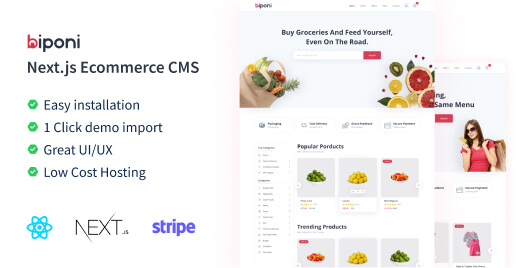
Biponi is a Next.js eCommerce CMS with a lot of functionality. It is a complete solution for those who are looking for a Client Management System for your dream eCommerce company. Your clients will most likely have a nice shopping experience. Moreover, you can easily install it for free on Vercel or Heroku.
Bazar Pro – Multipurpose React Nextjs eCommerce Template
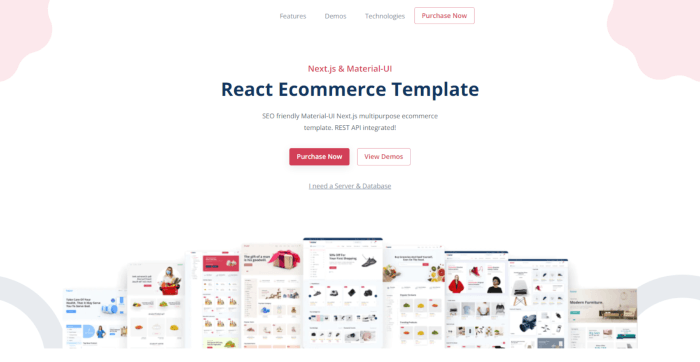
Bazar Pro is a professional, mobile-friendly, and server-side rendered versatile eCommerce template. Without a doubt, Bazar Pro Multipurpose eCommerce is the ideal option for your business. For starters, it has a neat and well-organized codebase. Second, it can provide a simple-to-set-up interface.
As a result, you’ll find it easy to comprehend the framework. Also, it has Material, UI which is a popular React User Interface library. With Bazar Pro Multipurpose eCommerce, you may create your online store.
Bonik – React Next JS Multipurpose eCommerce Template
For your online store, the Bonik React Multipurpose eCommerce Template may be the perfect option. To begin with, the template is designed to provide speedier performance, excellent code quality, and SEO-friendly. Second, to improve performance, we have used ‘Styled Components’ and made ‘Custom Components.’
The ‘Styled Component’ allows you to easily change the look of the entire website. This template also includes four different shop demos and a variety of inner pages, user accounts, and multi-vendor support.
Neemo SEO Marketing & IT Agency React NextJS Template
Neemo will undoubtedly contain essential information for creating an SEO and IT agency website. Neemo’s primary features include elegance and resourcefulness.
Neemo can work with all modern devices, web browsers, SEO, and load quickly. Also, It contains two different home pages, each with a different number of internal pages. The template has everything for a jump-start.
Tuam – Office Space & Property Rental React Nextjs Template
Tuam is an amazing template for office space, renting, etc. If you’re beginning a new project, make sure you have enough web space to promote it. The template allows you to construct it without having to start from scratch. The template handles the majority of the work for you.
So, you can only concentrate on branding and personalizing it while leaving everything else alone. The website design already has a high wow factor, which saves you a lot of time and effort. There are several demos so that you can choose by your requirements. Most importantly, the template follows all the latest trends and regulations. Therefore, you can ensure a high-performing web app.
Haiper is a non-admin online banking and payment template. If you will call it specialty web design. If you need a visually appealing website for the financial industry, you can go with Haiper. It has a slew of fantastic features and functionality. Also, there are four distinct home pages with a slew of other inner layouts. Moreover, the elements are also fully changeable. So, you can boundlessly create a strong website.
Furthermore, there are Font Awesome icons, Google fonts, a back-to-top button, animations, and other special effects. Last but not least, its eye-catching design will grab everyone’s attention right away. Thanks to Haiper, you’ll be able to enter the industry with a bang.
Taiker – React Next IT Startup & SEO Agency Template
Taiker is an excellent tool for any agency or company. It comes with nine and counting demos, all of which are eye-catching and useful. You can use the template as a landing page, as well as for promoting programs and products. Like the other Nextjs templates on our list, it is compatible with all major devices and web browsers, making it easy to use and lightweight.
The entire process of modifying Taiker is also a snap. Moreover, it includes a variety of internal page layouts, animations, a sticky header, a team area, video support, a store page, and pricing. It even has an RTL version and Stripe. With frequent upgrades, you can expect even more features to become available for you to use.
TripFinder is a React NextJS listing website template for Hotels. It works with all types of accommodation providers. To simplify, TripFinder is the finest option for you to create a hotel directory website. Moreover, the template includes everything from the main page to internal page layouts. And, because of its light experience, you can quickly adapt to its nature. Also, the multiple options will give you the freedom to customize and choose from the existing layouts.
Furthermore, you may utilize the search tool with Google maps, map markers, user profiles, sticky navigation, etc. Finally, to ensure a flawless sailing experience, you can also contact their support service and review the manuals.
Inst is a Nextjs template with a creative design. It can appeal to a wide range of users. You can have a seamless experience with its optimization strength with cutting-edge technologies. The template also has a dark and light mode, and other essential features.
Moreover, its structures are responsive, and it works flawlessly on any device. There are charts, calendars, to-do lists, Firebase CRUD, shop pages, and many more. If you are a beginner developer, the template and all the facilities that come with it will help you achieve fantastic outcomes.
With Crema React NextJS, you can easily create an admin panel and run it without hassle. You can have it all set and ready to rock and roll quickly with so many layouts, elements, and components at your disposal. The template provides you with ten navigation layouts, five apps, multiple color combinations, and many more.
Also, the template handles CRM, crypto, and analytics with different dashboards. Moreover, you’ll have three color options to choose from. It also works with a wide range of languages, including RTL. When you work with Crema, you can expect a quick turnaround that will move mountains. It is also available with MUI and Ant Design.
Jumpx is a Nextjs template for marketing firms and startups. To be very honest with you, after you change the layout, you can use Jumpx for something completely new. You get a set of five beginning demonstrations, including an RTL layout, as well as a slew of other features and benefits.
Jump-start your project using Jumpx today and see results right away. That’s to be expected from a tool as versatile and resourceful as this template. But first, take a look at the live preview demo to see all of the features and settings included in the bundle.
Not every Nextjs tool on this list is an admin template. For the admin panel template, Bariton is a good option. It can help you create an online presence for an IT or machine learning project. Also, the template contains a stylish home page and a variety of inner page layouts. Moreover, it includes a page for your upcoming events.
The template ensures a smooth execution thanks to the excellent documentation. There you will find smooth transitions, back-to-top buttons, floating menus, testimonials, and more. Also, you can even establish a blog and implement a content marketing plan to help your company develop exponentially.
Appion assists you in the creation of an effective landing page website. You should not miss the fantastic template if you want to organize things on the web. Especially for generating a good campaign. When working with Appion, any web developer will have a blast because the procedure will be a snap. There will be no more hard lifting or laborious jobs. Instead, delegate the heavy lifting to Appion while you concentrate on the final touches.
The bundle includes a variety of pre-made materials that you can mix and match. You’ll have no trouble tweaking this sleek and innovative Nextjs template to meet your exact specifications. Appion features a pixel-perfect design that adheres to current SEO best practices, as well as several reusable components and complete flexibility.
Pungent is another cool template with W3-valid source code. It has extensive documentation. it is easily customizable. If you face any issues regarding the template you can take help from its support team. Moreover, it includes special portfolio demos for Creative Agencies, SEO Marketing Agencies, Business Agencies, and more.
Raxr is a great React NextJS template for Data Science and Big Data Analytics startups. It’s for people and companies who wish to share their data-centric apps and services projects on the internet. It’s also appropriate for IT solution providers, software services, and other similar businesses. It has RTL support, a Dynamic Contact Form, and more.
Shoponix is a Nextjs eCommerce store template. It offers a full-featured admin panel in addition to the front-end for your convenience. You can easily mix and match the materials offered and have a finished product ready to roll out sooner rather than later. You can, of course, add your personal touch if you want to.
Stripe payment integration, six demos, Bootstrap, login, pagination, and more are just a few of Shoponix’s outstanding features. It’s also search engine friendly, light, and retina-ready. The tool’s code is well-commented for easy editing and customization. Fast and helpful support is also available to help you build your project even more smoothly.
Your search for the top Nextjs Templates is now complete. These templates include functionality that would take a programmer a long time to create on their own. We also understand that creating a beautiful landing page with an excellent user experience, SEO friendliness, and cutting-edge technology takes a significant amount of time and effort. As a result, we hope that they will help you or your client grow their business.
Thank you for visiting UI-Lib and reading this article! We appreciate it!
Now that we all are entering the realm of Web3, most developers have likely heard of cryptocurrency or may know a little about it. Today especially, if you are a React developer looking for React CryptoCurrency Templates. This blog is just for you.
Cryptocurrencies are gaining in popularity, and people are becoming more interested in this topic every day. As a result, having an informative website that tells your customers everything they want to know about this financial marvel is important. Therefore, rather than creating & coding designs for that website from scratch, downloading a suitable template will be much easier and time-saving.
For that reason, to give you a headstart, we have carefully handpicked 8 of theBest React CryptoCurrency Templates.
Best React CryptoCurrency Templates
Without further ado! Let’s jump in and explore the Best React CryptoCurrency Templates. Please keep in mind that the list below is in no particular order.
1. Novis – React Next CryptoCurrency & Blockchain template
Novis is a Cryptocurrency Startup Agency & Company designed and built with React Next.js. It is ideal for crypto trading startups, crypto listing agencies, ICO listing agencies, digital currency solution providers, and so on. ReactJS, Next.js, PostgreSQL, TypeScript, Bootstrap, and Sass were used to create the template.
Moreover, with the template you will get the latest live Rates of Cryptocurrencies, fetching, and values Calculator. The template comes in three different versions, 1. Static Next/React 2. Next/React with API Integration 3. TypeScript/React/Next. And guess what! It also has a Vue.js version available. Learn more about the template from the buttons below.
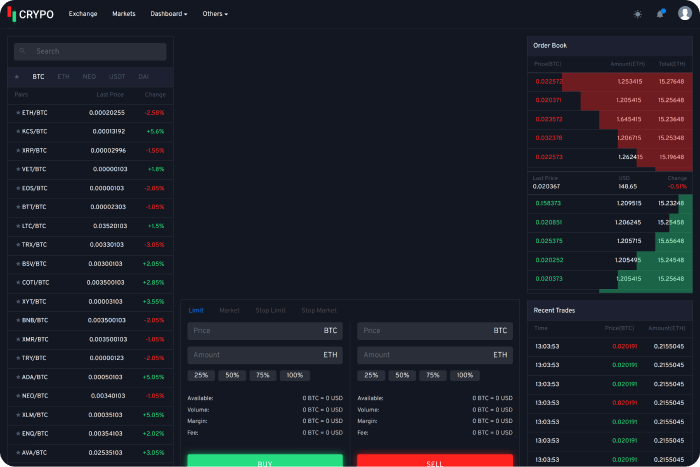
CRYPO is a cryptocurrency trading dashboard built with React and Bootstrap. The main goal of this template is to provide a large number of well-coded components. These components can be used to create your next cryptocurrency or money exchange platform. It contains two themes by default: light and dark. If you want, you can easily customize your own theme.
The template provides live exchange rate, deposit & withdraw, buy & sell, coin listing, manage wallet, market capitalization, and a lot of other essential features.
Tradio is a full-featured Cryptocurrency Exchange React App. There is no JQuery dependency, build with Saas. It includes a landing page, a dashboard, sign-in, sign-up, reset, OTP number, Privacy policy, Terms & Conditions pages, and more. And, it is completely responsive with packs of clean code.
ICOCryptik is a React Next Gatsby ICO and Cryptocurrency Landing Page. React, Next Js, Gatsby Js, and Styled Components are all included in Cryptik. With Cryptik, we set out to make the lives of developers easier. There isn’t any jQuery! Furthermore, they have used reusable react components and a modern mono repo architecture.
So, you can use the same components across multiple apps. You can use those components can in your react app. It’s super easy to set up, and they’ve included full Firebase integration. Importantly, you can use firebase to host your next app, as well as other hosts like ‘now.sh’ or the more popular ‘Gatsby cloud’.
Tokyland is an ICO landing page built in React. It’s for ICO presentations and new cryptocurrency coins, bitcoin mining websites, cryptocurrency exchange and trading, digital currencies, finance, and business consulting. It also has a fantastic landing page for an online digital payment system.
Given the public’s growing interest in cryptocurrencies and their increasing popularity, this template has all of the makings of a successful internet business for a mining hardware manufacturer or a new cryptocurrency project. Especially if you’re looking for a solution for a website that accepts payments in a variety of currencies.
Zenix is a React Redux CryptoCurrency Admin Dashboard template. It has powerful features and inclusions which make it stand out. Also, the template is super customizable and easily scalable.
It has core features like mobile slide nav, 60+ inner pages, W3C validator, Animate CSS, Shop Pages Ready, Retina Ready, RTL Ready, etc.
Howard is a React JS Crypto Currency Template. It is an ideal React template for digital currency exchange and business websites. Also, it is ideal for anyone looking for a quick and easy way to start an online crypto-currency business. You can make your business life a lot easier with it. Moreover, it is based on the most recent version of Bootstrap. All major browsers, including Firefox, Safari, and Chrome, are fully compatible with this React template.
There are 4+ Home Versions with 17+ Pages, all of which are fully responsive. This innovative and contemporary flat design offers limitless possibilities. Furthermore, It includes features such as Unique Slider Effects, 2 Footer Color Styles, Back to Top, Google Free Fonts, Font Awesome Icon, Blog Options, React Hooks, and No jQuery Requirement, among others.
You will be given ample opportunity to promote yourself and your services. It also offers merchants, the most recent news, pages (About Bitcoin, Merchants, Team Page, Wallet Page, login, Register, and Contact), a currency live chart, and a subscription for the most recent updates.
Coinland is a new React js ICO and cryptocurrency landing page designed for ICO presentations and new crypto coins, bitcoin mining websites, cryptocurrency exchange and trading, digital currencies, finances, and business consulting. It’s also an excellent landing page for a digital payment system that operates online.
Given the public’s growing interest in cryptocurrencies and their increasing popularity, this template has all of the makings of a successful internet business for a mining hardware manufacturer or a new cryptocurrency project. Especially if you’re looking for a solution for a website that accepts payments in a variety of currencies.
Finally, it seems like your search for the best React CryptoCurrency Templates has come to an end. React templates for CryptoCurrency apps make the development process a breeze. They provide functionality that would take a developer hours to design. And, it is a difficult task to create an eye-catching CryptoCurrency web app with great user experience and cutting-edge technology.
Many developers all over the world rely on ReactJS andReact Static Site Generators to create visually appealing websites. As a result, we’ve compiled a list of some of the best ReactJS Static Site Generators to assist you in this regard. Although, before we get into the list, let us first define what a Static Site Generator is, and the key benefits of using one.
What Is A Static Site Generator?
A static site generator (SSG) is essentially a tool for creating a static contentful website that makes your content easy to use. SSGs allow you to create HTML pages that are ready for an HTTP server without the need for server-side rendering. You can also develop your app in any programming language, such as JavaScript, Golang, or Ruby.
While dynamic sites are more commonly used than static sites, the alternative of using a headless CMS to generate and manage static sites has gained popularity. Particularly because many of the constraints that made developing a static site difficult no longer exist. This is where the static site generator comes in handy. A static website generator can help you create fast, visually appealing websites without the limitations that have previously troubled marketers and developers. So, you’re getting all the advantages of a Server-Side-Rendering (SSR) in SSG without the disadvantages.
Advantages Of Static Site Generators
Some of the advantages of SSG over CMS are listed below:
SEO Friendly
Fast Loading
Highly Secured
Very Reliable
High Scalability
Highly Flexible
No Back-End
Better Experience for Developers
Maintenance is Much Easier
Factors To Consider Before Choosing Your React SSG
You might get confused over which SSG to choose and which one is the right SSG for you? Well, the following are some of the factors you should analyze and consider before you pick yours react static site generators.
Now, you might wonder exactly which SSG should you choose or which one is right for you. For that, you need to understand and analyze the factors which are mentioned below.
Which features do you want for your website?
What kind of project would you like to create with SSG?
Is there a critical build-time and deploy-time for your website?
Who will be the users of your website?
Do you require community support?
You’ll be able to choose the best React static site generators once you’ve answered these questions.
If you are already working on React and NextJS-based eCommerce projects, then we have a perfect solution for you. Visit our Bazar Pro – Multipurpose eCommerce Template. It’s the most up-to-date, developer-friendly, and highly customizable eCommerce template available. For a feature-rich and easy-to-customize React NextJS eCommerce Template, look no further than the Bazar Pro.
Here, you will find a list of the finest Static Site Generators for React. It will guide you to find the most useful SSG based on the requirements that we have discussed earlier.
Although these are not the only static site generators for React they are the most popular ones. We considered some factors before curating these. For example, the fact that SSG is supported by large communities and a wealth of useful resources. Each of these React static site generators are also highly customizable. Furthermore, these ReactJS static site generators can be extended with plugins and extensions. These will allow you to meet the majority or all of your requirements.
Now, without further ado! Let’s jump into the collection of the best Static Site Generators for React. Please keep in mind that the list is in no particular order.
Hugo is a Golang-based static site generator. It’s essentially a website builder that uses HTML and CSS. It’s optimized for speed, ease of use, and customizability, just like Gatsby. It also creates a fully functional HTML website from a directory of content and templates. Hugo can assist you with any type of website that includes blogs, tumbles, and documents. It’s built to do just that.
It runs from any directory and relies on Markdown files with front matter for metadata. This is useful for shared hosts and other systems where you do not have access to a privileged account. Hugo also renders a typical moderately sized website in a fraction of a second. Each piece of content should render in around 1 millisecond, according to a good rule of thumb.
KeyFeatures
Great Theming
Easy Installation
Completely cross-platform
You can host your website anywhere
Less than 1 ms per page build times
Quickly renders changes with LiveReload while you’re developing
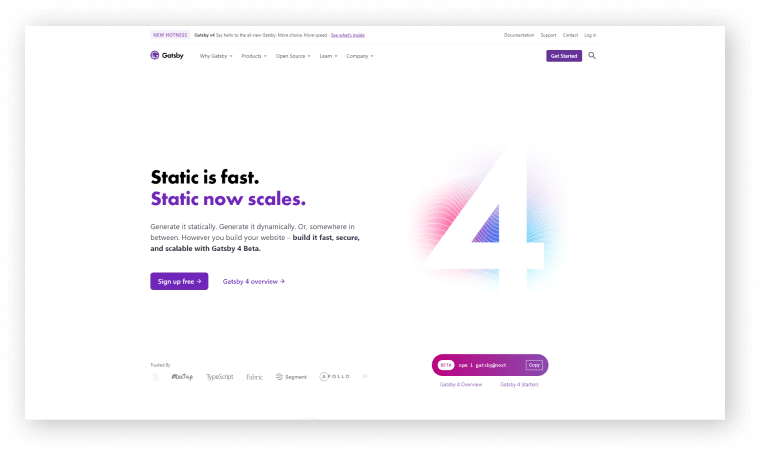
Gatsbyis one of the major Static Site Generators for React. It is an open-source & free framework for developers who want to create blazing-fast websites and apps. This SSG can combine all the control and scalability of dynamically rendered sites. And, with the speed of SSG, opens up new possibilities for modern web development.
This SSG is built on the React and GraphQL frameworks. It pulls data from various sources into your project with the help of GraphQL. Furthermore, it supports React’s component-driven development model. As a result, it can reuse components across multiple sites. This improves the consistency and speed of the process.
Gatsby also has a robust plugin ecosystem that can create progressive web apps. This rich data plugin ecosystem also allows a website to pull data from a variety of sources, such as headless CMSs, SaaS services, APIs, databases, file systems, and more. As a result, you can extend the static site generator’s functionality by using the plugin system.
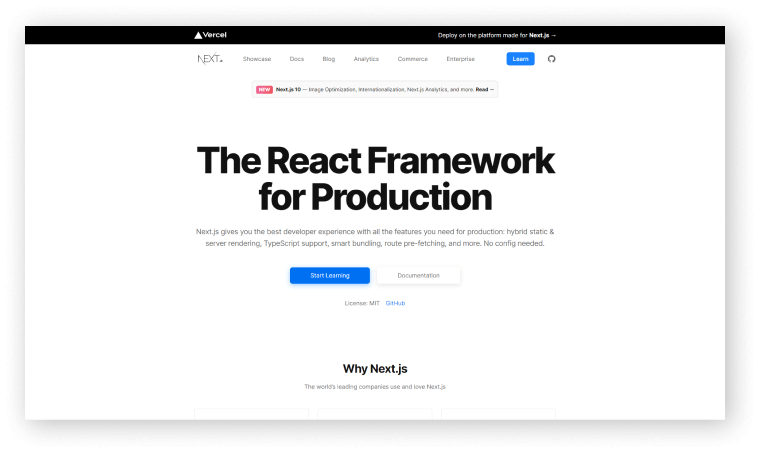
Next.js is another popular React Static Site Generator. If necessary, you can use server rendering for specific routes on your site, thanks to the NextJS framework. It is also capable of quickly previewing content. Before NextJS, the only comparable offering was Gatsby. It makes no difference where you get your information. In React applications, server rendering is simple, and no other SSG has this level of capability.
It also includes automatic code-splitting, simple client-side routing, a web pack-based dev environment, and support for any Node.js server implementation. it can also help you to build progressive web apps, server-rendered apps, and static websites, among other things.
Moreover, it allows you to define serverless functions as API endpoints. As a developer here you will get more control over building and deploying your applications.
React-Static is a progressive open-source SSG based on React and its ecosystem. It is fast, powerful, and lightweight. It is here for great performance, flexibility, and user/developer experience. Also, it resembles simplicity.
Docusaurus is simple to use and easy to install. This React static site generator also includes localization support. It is highly customizable and compatible with a variety of integrations. It also includes a variety of themes, search functions, and image optimization tools. As a result, you’ll have a one-of-a-kind website. Learn more by visiting their official site.
UmiJS is another React framework that has some amazing tools and plugins. The tools and plugins are for developers who are into making scalable applications. You can create highly customizable React applications by using this framework.
It is a routing-based framework that supports Next. js-style traditional routing as well as advanced routing features like routing-level on-demand loading. It supports both configuration and traditional routing, as well as dynamic routing, nested routing, and permission routing while maintaining functional completeness. From source code to finished products, its plugin system supports a variety of function extensions and business requirements.
With a complete plugin system that covers every life cycle from source code to building the product, the framework supports various functional extensions and business needs. As a result, UmiJS has evolved into a highly extensible solution for enterprise-class apps. It’s also one of the most popular React Static Site Generators.
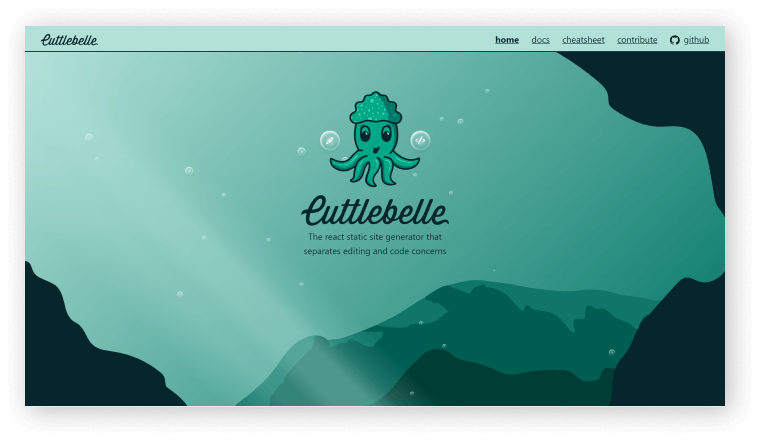
Cuttlebelle is a React-based static site generator with React-based layouts. It allows you to use a single partial layout per page and cleanly separates content from code. You can also extend Cuttlebelle with react components that take advantage of the npm ecosystem’s power.
Add React components for layouts. Also, you can just code components that are reused throughout your layouts to extend Cuttlebelle with React components. You can also use all of the npm ecosystem’s modules.
It’s incredibly simple to set up. All you have to do to make a static page with Cuttlebelle is create a layout for each part of the page and then put them together. As a result, it is one of the most effective React Static Site Generators.
Key Features
Multiple layouts
Clean separation
Easy templating
Modularize every page into partials
Wrapping Up
Finally, it seems that your search for the Best React Static Site Generators2022 has come to an end. With these SSGs, you easily create stunning and unique websites. And also for an SEO-friendly website, SSGs are a must. For a static site React and Vue is the two great options available where React is still dominating the sector. The SSGs here have specific and unique usefulness, so make sure you choose the right one that can save your ideas.
Thank you for reading the blog and feel free to share this informative content with others.
Are you looking for Nextjs boilerplates? look no further! All the essential nextjs boilerplates are here. In this blog, we will be looking at the top 15 Nextjs boilerplates you need to check out in 2024.
Boilerplates are open-source reusable codes for building different components. In programming, the term boilerplate has nothing to do with a boiler or plates. Rather, they are particular sections of code that repeat in various places with little to no changes. Thus, they save developers a ton of time and effort by writing a huge amount of code for different sections. And, if you want to save your time and money on a development project then be sure to explore boilerplates or boilerplate templates.
Now, let’s scroll down and find out some of the popular Nextjs boilerplates that are available in the open-source spaces.
Top Nextjs Boilerplates
Please remember, the list below is in no particular order. And, all of them have both pros & cons.
1. React Nextjs Boilerplate
The React Next boilerplate is a foundation for reducing the configuration of your projects with nextJS. It has got the best development practices and popular developer libraries. Currently, the template has 12 contributors and over 200 GitHub stars.
Crystallize is a fully-featured Nextjs / React eCommerce Boilerplate. To create high-converting online stores, combine rich marketing content with product information. JAMStack edge page generation is fully optimized for performance. They also have some more open-source storefronts that you can explore. Make sure to check out. Create eCommerce experiences that are rich in content. Content modeling freedom lays the groundwork for a successful content strategy.
Nextjs 12 is the most updated version of Nextjs, so far. And guess what! Next Simple Starter is an open-source, simple, and accessible PWA boilerplate with Nextjs and also Material UI (MUI). PWA stands for Progressive Web Application. Web applications that are built with HTML, CSS, and JavaScript are called PWA. Thus, Next Simple Starter will simply bolster your PWA-based projects.
The first is the boilerplate “Next Right Now.” It’s a ready-to-use boilerplate based on the Next.js framework. And this boilerplate includes a variety of presets that we can use to meet our needs, as well as the ability to add our customizations.
The RAN boilerplate, also known as React GraphQL and Next.js Toolkit, is a popular boilerplate with features such as hot-reloading for development, SEO readiness, performance first, ES6, CSS-in-JS, and eslint and prettier integration. Also, it comes with a command-line interface for quickly creating new pages.
Nextjs Hasura boilerplate is a simple boilerplate for building apps with Hasura & Nextjs. The template currently has 200 GitHub stars. And, six contributors shaped this project. The most important factor is that Hasura is very lightweight and provides you with instant realtime GraphQL APIs on a Postgres database. Thus, the combination of Hasura and Nextjs will have a big positive impact on your application.
The Next.js Starter boilerplate is a starter app for building web apps with Express, SASS/SCSS, Bootstrap, Reactstrap (Boostrap 4 for React), and the Ionicons icon set. Moreover, it has features like OAuth and Passport authentication, secure sessions with cookies and CSRF tokens, route handling, and more. Also, it focuses on providing all of the basic but necessary functionalities so that business logic can be added directly. Although the repository has been designated as an archive, it remains a useful boilerplate for beginners.
The Next Blog Firestore boilerplate is a template for creating blogs. Next.js is used for Server-Side Rendering (SSR), and the Firebase Firestore API is used to store and retrieve data. It also has a custom content management system (CMS) built with React, Mobx State Tree, and Styled Components that allows users to add, update, and delete content. Multi-language support, multi-author support, posts by tags and categories, featured posts, SEO, and integrated eslint and prettier are all included in the boilerplate.
The Next.js Redux Starter boilerplate is designed for creating more complex applications. It uses Redux to manage the state of the application, as well as Express and next-routes for dynamic routing, Styled Components for styling, and react-testing-library and lining for integrated unit testing.
With just basic knowledge of the web, Nextron boilerplate sets you up for creating amazing desktop apps. The boilerplate takes advantage of both Nextjs and Electon to do so. And, if you want to create a beautiful desktop application make sure to go to this link below. You’ll find some beautiful examples there.
The Next boilerplate helps you create a well-structured Next.js and TypeScript app. Due to the components and tools included in this, such as Next.js, TypeScript, Redux, Express.js, SASS/SCSS, Reverse Proxy, Babel, Eslint, and others, it provides a lot of features. Also, it comes with a built-in CLI tool to make creating new components easier. And, supports Docker for running our app in containers.
The Next.js MongoDB App boilerplate allows you to create full-featured serverless applications with Next.js and MongoDB. Authentication with passportjs, sessions, middlewares, and other features are also supported. Make sure to experience the boilerplate.
KNESTS includes a lot of technologies and features. For example, Docker / NodeJS/ Typescript / GraphQL / React / Material-UI, etc. It is a full-stack boilerplate. And, to use this boilerplate for running your application with Docker will be very easy.
Devii boilerplate is for creating a developer blog with all the coolest and minimalistic features inspired by Medium design. It includes a Markdown-based static site generator, hot reloading, automatic RSS feed generation, SEO, Google Analytics, Github-style formatting, and the ability to add new features. From a developer standpoint, this is definitely for you if you’re looking for a simple blogging website with markdown support.
This is an opinionated boilerplate for Nextjs, TailwindCSS, and ReScript projects. The template currently has over GitHub 300 stars and is licensed under Apache 2.0. And, all of the information you might need about this template is available at the GitHub link provided below. Make sure to check it out.
Lastly, we would like to say that, all of these boilerplates have some pros and cons. You can not say like ‘this or that is the best boilerplate’. Each of them has different purposes and works in different situations. So, be sure to find the perfect match with your project requirements. Thank you for reading.
Are you looking for React boilerplates? You’ll find all the great ones here. In this blog, we will learn and find out all the major React boilerplates that you should not miss in 2022. But first, for those who are unfamiliar with boilerplates, let us clarify a few points before diving into the best ones.
What is a boilerplate?
A boilerplate has nothing to do with a boiler or plate. Rather, it is a chunk of code that we can reuse a lot of times to repeat the process in particular sections. According to Wikipedia, “boilerplate is a section of code that is used interchangeably to provide this or that function”. Since developers go through a lot of code writing, boilerplate code saves their time and gives comfort.
To reap the benefits of a boilerplate, clone it in Git for your project’s needs. After that, use a hot reloading function to refresh code changes.
Difference between boilerplates & Starter kits
These are not well-defined terms. These terms are frequently used interchangeably. However, in our opinion, the Starter Kit is a larger package that is used only once per project, similar to the code generated by create-react-app. Whereas boilerplate is used for smaller tasks such as the files we create for a single redux action or component.
Rect boilerplate vs React boilerplate template
ReactBoilerplate
ReactBoilerplate Template
1. Open-Source development tool.
1. Free / Open-Source / Paid development tool.
2. Reduces the developing time.
2. Reduces the developing time.
3. Reusable parts of code.
3. Case Frame / Layout
4. Piece of writing, actual text, and images.
4. Parts/features like a CSS style sheet, color palette, etc.
Best React boilerplate?
Because developers’ preferences differ, there is no such thing as the best react boilerplate. You may have them based on their popularity but not any other way. Each boilerplate is useful for resolving various tasks. The topic is very similar to asking anyone which JS library is best for front-end development. React developers would vote for React, and Vue developers would defend Vue. Simple as that.
Evaluation Points
Clean code structure
Code splitting
Comments presence
Well documentation
Responsive navigation system
Server and client code for setup
Scalability
Easy testing tools
Support & maintaining options
Benefits
The most important benefits of using boilerplates are time savings and a short learning curve. Simply incorporating a code template rather than writing everything from scratch saves time. Furthermore, thanks to a specific frame scaffolding code, the designer may be able to see the code more clearly in the future.
However, every good thing has a drawback, so be aware that the downside of ready-made coding tools may be additional code maintenance and the need to navigate someone else’s code. Also, boilerplate commands may dump configuration information in the form of code. You’ll have to manually resolve bug lists, clean up a lot of code, and update the dependencies from the original repository.
When to use React boilerplate?
The use of React boilerplate depends on the size of your project. It is best to use boilerplates for light and responsive web apps. For long-term and time-consuming sites, it’s better to put effort into deep learning, DevOps toolchain, etc.
To be honest, there are a couple of hundred React boilerplates available on GitHub. So, for choosing a particular one or a few, you need to have a clear goal. For example, you will build an app using React, TypeScript, Redux, etc.
We’ve carefully handpicked 15 React boilerplates for different purposes. Please keep reading to unveil these great React boilerplates!
10 React Boilerplates
The list is in no particular order.
1. Gatsby Static
Gatsby is a fantastic boilerplate for building static websites or apps in React.js that are optimized for speed. It’s the ideal open-source framework for creating, say, a company’s e-commerce store. It has a starter kit gallery and provides the fastest outputs pre-rendered HTML and CSS to ensure the quickest load time. Learn about Gatsby with the official guide and a gallery of starter kits.
React Redux Universal is a boilerplate that includes react-router, redux, saga, webpack 3, jest with coverage, and enzyme. Its functionality allows you to perform actions on both the server and client sides. Redux eliminates boilerplate code and enables hot–reloading in the first place. Redux is suitable for multiple UI layers and has a robust ecosystem of addons to choose from.
To begin with, the Electron boilerplate has multiple entry points and a well-deserved reputation among coders, with 18.7k stars on GitHub. The three pillars of this boilerplate are hot reloading, incremental typing, and high code performance. Second, Electron allows you to switch between apps without having to refresh the page. It is compatible with electron-builder,TypeScript, eslint, webpack, and Babel.
One more efficient tool to equip your React app is react-slingshot. It is a starter kit / boilerplate with Babel, hot reloading, testing, lining, and a working example app built-in. Its advantages are the only npm start command to get started through any modern browser. It works with a bunch of common technologies like SASS, ESLint, React, Redux, React Router, and others. Make the fast and highly automated production build – by typing npm run build. Available for macOS, Linux, and Windows as well. Currently, it has 9.8k GitHub stars.
Every large JavaScript web app requires a common foundation: a configuration to build, run, test, and lint your code. kyt is a toolkit that encapsulates and manages web app configuration. kyt has a wide range of applications in programming and can be used as a dependency in any project. It’s a useful tool for creating dynamic web applications in Node.js.
With 28.2k stars on GitHub, React boilerplate is a solid and well-thought-out boilerplate in the Javascript UI Libraries. What’s on the inside? Redux, Mocha, Redux-Saga, Jest, React Router, PostCSS, reselect, some code generation scripts, and the super-rich component and font base are all included. They even allow for SEO indexing! That is more than enough to focus on app development and performance.
Razzle boilerplate is a tool that abstracts all of the complex configurations required to build single-page apps and server-side rendering apps into a single dependency. It has the same CSS setup as create-react-app and supports React, Preact, Reason-React, Vue, and Angular. While your app is running, type rs and press enter in the terminal to restart your server. Get started with Razzle right away.
Neutrino allows you to create js web apps without the need for an initial configuration file. It is frequently used as a helper in the development of various React and Node.js projects. Neutrino allows you to test, lint, and develop js projects using shared configuration presets and middleware. It is compatible with Jest and Karma for testing, ESLing for fine-tuning linting, various CLI tools, and other tools.
With 2k GitHub stars and over 350 forks, this boilerplate is one of the best chrome extension boilerplates for Reactjs projects. You’ll see a live example of this boilerplate from the link below. Webpack and react-transform are used in this boilerplate, as well as Redux. You can perform a hot reload by editing the Popup & Window & Inject page’s related files.
webpack-react-boilerplate is a React 16 and Webpack 4 boilerplate that uses babel 7. It utilizes the new webpack-dev-server, the react-hot-loader, and CSS-Modules. It is using the most recent versions of React, babel, jest, and enzyme. Click to see real-time server changes and also for more information on the technologies used.
Finally, it looks like your search for some good React boilerplates has come to an end. Choosing the right React boilerplate is very important. It is essential to choose the right one especially for scaling, maintaining the app or website in the future, setting up the configurations, and so on.
We wish you the best of luck with your next React-based project. Thank you for joining us!
We all know TypeScript is an amazing programming language. And we love it! But a lot of time developers still prefer to write codes and build their projects using JavaScript. Here at UI-Lib, we build templates and UI Kits for both personal and commercial purposes. And many of our UI Kits are developed with TypeScript. However, a large portion of our customers always wants JavaScript as source code.
So, to make our customers satisfied, we built a simple tool that easily converts the whole TypeScript project to a formatted readable JavaScript project.
How to Convert TypeScript Project to JavaScript
TypeScript is our main codebase and this is the source of everything. And from this source, beautiful and readable JavaScript will be generated. So, without further delay, let’s dive into the task and learn how this tool works. And learn how you can create one on your own.
Here,Babel is that magician who transforms TypeScript code to readable & editable JavaScript.
Create a folder called tools in your TypeScript project (which you’ll convert to JavaScript).
Create package.json or run npm init in tools folder and paste below content in package.json
Lastly, run this command. It will convert your whole project to JavaScript.
Run node convert or npm start to run the convert.js file.
Wrapping Up
We hope at this point, you’ll be able to convert your TypeScript Project to JavaScript. If you face a similar situation like us or just want to convert your TypeScript project to JavaScript then you can use this tool.
About Us
At UI-Lib, we develop fully hand-coded premium software. There are tons of templates, UI Kits, Design Systems & Management systems in our collection. And we made them with popular technologies like Angular, Vue, React, etc.