Author: Uttam Kumar Dash

  • 10 Web App Ideas for Small Businesses in 2022

    10 Web App Ideas for Small Businesses in 2022

    Are you a web developer looking for a new web app idea to start your startup career? Look no further! In this blog, we will be looking at the top 10 Web App Ideas for Small Businesses in 2022.

    Online startups are the newest way to break into the business world. And, it is also the way to make a difference/impact in the world. Web app ideas for small businesses can include everything from e-commerce websites to cryptocurrency trading platforms, and everything in between.

    Web App Ideas for Small Businesses

    This blog has the most up-to-date web app ideas for small businesses. Whether you’re launching a product-based or service-based app.

    Web App Ideas for Small Businesses

    “It’s not about ideas. It’s about making ideas happen.”

    – Scott Belsky

    So, knowing only ideas is insufficient to launch a successful business. Your success will be determined by your true grit. However, in order to be successful, firstly, you must find an idea for a business. For that reason, we are showcasing a list of the 10 most popular web app ideas in 2022 for you to consider for your next startup. You can create and sell templates based on these concepts as well.

    1. Online Pharmacies

    Online Pharmacies - web app idea

    Think about a web application that can deliver medicines directly to people’s homes. Today, there are 3436 online pharmacy companies worldwide, with many of them operating as independent platforms.

    Amazon entered the online pharmacy space last year. In one of its most significant moves, making it easier to order prescription medicines online.

    Other online pharmacies include GoodRx, Medexpress, and NetMeds.
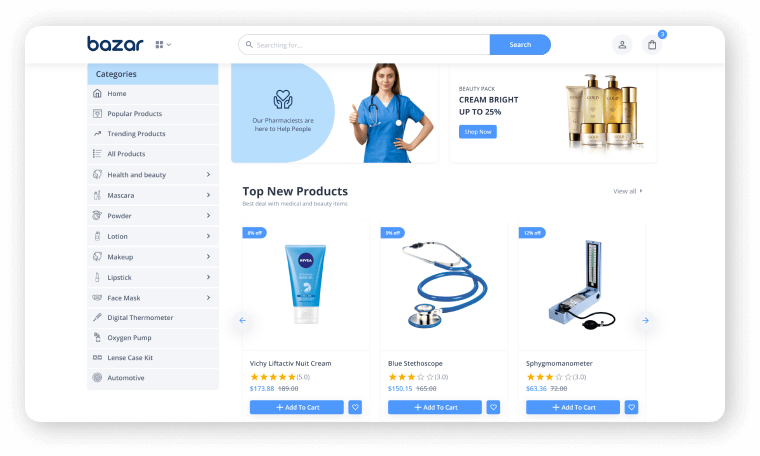
    bazar react online pharmacy ecommerce store

    Live Preview Details / Download

    If you want to create an eCommerce business, whether it is an online pharmacy or furniture, we have a perfect gift for you. Introducing you, Bazar Pro – Multipurpose eCommerce Template. It’s the most attractive, recent, developer-friendly, and highly customizable eCommerce template on the market. Also, it is a feature-rich and simple-to-customize platform eCommerce Template made with React NextJS.

    2. Accommodation Selection Service Providers

    Accommodation Selection Service Providers web app

    So, here’s our second web app idea choice ‘accommodation-selection-assistance website’. You can use the web app to connect travelers at a low cost. Beautiful accommodation providers from all over the world, and to make it easier for them to choose holiday homestays. One great example is Airbnb.

    Homefinder, Zillow, Realtor, Trulia, are also some fine web apps in this sector.

    3. Domain Hosting Provider

    Domain Hosting Provider - trending web app ideas

    This is another high-demand area, as people need websites regularly. On the internet, there are more than 1.5 billion websites. Finding the right domain for your website. And also a super-efficient hosting service provider is a common challenge for people.

    As a result, domain and hosting service providers enter the picture to help people. For purchasing new domains, GoDaddy is a well-known domain service provider. WordPress, BlueHost, and other hosting companies are among the options.

    4. Grocery Delivery Websites

    Grocery Delivery Websites

    This business concept was launched just a few years ago globally. And, it has proven to be a blessing for people during national lockdowns in several countries in 2020 and 2021.

    In recent years, big retail giants and even startups have entered this business space. It is to provide the convenience of shopping for necessities from the comfort of the customer’s home.

    Amazon Pantry, Walmart, Big Basket, and many other companies have recently begun to offer such personalized services to their customers.

    5. Food Delivery Web Apps

    Food Delivery Apps - web app idea

    Due to the increased demand for hot meals on wheels services. In cities and towns around the world, this web app project idea has proven to be a profitable business startup.

    Zomato and UberEats are two well-known startups in this category.
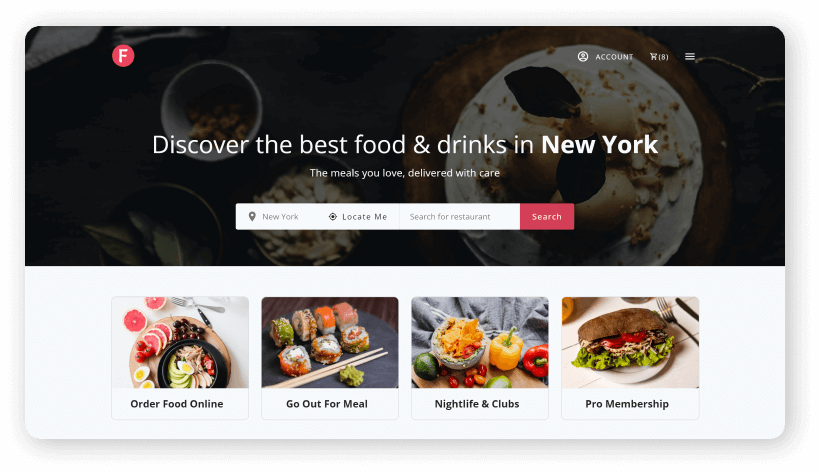
    FoodHub

    Live Preview Details / Download

    If you’re interested in creating a food delivery web application, you can definitely check out our Online Food Delivery Platform Template ‘Foodhub’. It has an extensive online ordering system that makes it ideal for products suited to any modern restaurant or food cart. Moreover, it will work smoothly on any device thanks to its fully responsive design. The template includes numerous useful features such as reviews, followers, bookmarks, order history, and so on.

    6. Utility Service Providers

    Utility service provider - web app ideas

    Customers can use these web apps to find furniture repairs, house cleaning services, and many other services.

    Based on this web development project concept, UrbanClap is a well-known company.

    7. Travel-Planning Web App

    travel planning web app ideas for small business

    There is a lot of planning, research, and budgeting that goes into purchasing a plane ticket. However, technology has the potential to replace manual plans and make life easier for travelers by providing excellent recommendations that match their interests and budget.

    A travel planning app would have a large user base.

    8. Project Management Website

    Project management website

    Large corporations, as well as smaller businesses, frequently require project management websites. PMP tools help with the management of offshore projects, tracking remote work, easing the work allocation process, assisting team members in collaborating and working in an organized manner, and budget allocation.

    This area has a lot of room for development and technological advancement, so it’s a great place to start a new web-based tool.

    Trello, Asana, and other well-known web-based PMP tools are examples.

    9. Email Marketing Site

    Email Marketing Site

    Another great website idea for starting your own business is this one. Businesses are always in need of decent automated email marketing web applications that can manage their email marketing campaigns on their behalf and help them generate leads as email marketing reaches its pinnacle.

    Mailchimp is a tool that already exists in this category.

    10. Used Goods Buying & Selling Platform

    Used Goods Buying & Selling Platform

    Used furniture, electronic goods, automobiles, and a variety of other products can now be sold and purchased using such platforms. For ease of business and transportation, such websites are designed to connect buyers and sellers locally or city-wide.

    OLX is a well-known web application in this category.
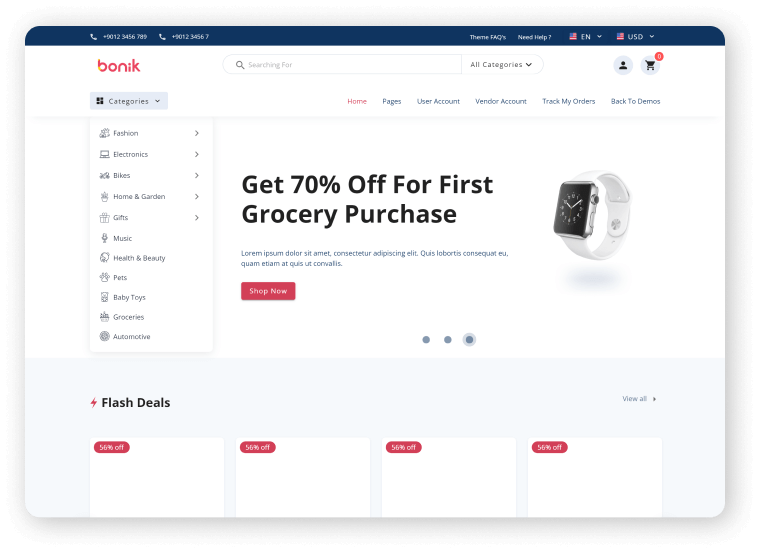
    bonik vue nuxt ecommerce

    Live Preview Details / Download

    We’ve got your back if you want to build an eCommerce platform. Introducing you Bonik – Vue NuxtJS Multipurpose eCommerce Template. It’s the market’s most recent, developer-friendly, and highly customizable eCommerce template. For a feature-rich and easy-to-customize eCommerce Template, look no further than the Bonik.

    Wrapping Up

    So, in this article, you came across a number of popular web development project ideas. E-commerce has progressed in tandem with advances in web development. People are launching various websites today to address a variety of global issues. As a result, hopefully, you can choose from the listicle above to start your own web app business.

    More Articles

    1. Web3 – The Decentralized Web of Future
    2. Best Web App Development Trends To Look Out For
    3. 14 Common Web Design Mistakes That Hurt SEO
    4. How to Make a High-Converting Landing Page
    5. 3 Simple Ways to Connect Gumroad with WordPress Site
  • 3 Simple Ways to Connect Gumroad with WordPress Site

    3 Simple Ways to Connect Gumroad with WordPress Site

    Are you looking for an easy solution to connect your Gumroad Page to your WordPress Site? Don’t look any further! In this blog, we will show you the top 3 simple ways to connect Gumroad with the WordPress site. But first, for those who are unfamiliar with Gumroad, let us define it simply.

    Gumroad is a platform where virtually anyone can sell almost anything. The process is pleasantly simple and transparent, with none of the headaches associated with some of the more popular platforms.

    There are more than 98,994 creators who have sold their works on this platform for over $500 million. These creators work in a variety of fields, including education, IT, music, sports, and comedy. On Gumroad, even dance and theater fans can find a home.

    Benefits of Gumroad

    Gumroad is one of the best tools for individuals and startups looking forward to selling their products directly to customers. It gives you the access to know and understand your customers better by providing data and analytics about the product’s sales.

    Buying and selling products are simple for both sides, especially for non-tech people. Most importantly, the payment method is straightforward to understand. You can also sell products for no cost and collect your customers’ email addresses as assets.

    We know that many sellers find it challenging to implement a personal payment method system on their websites. Gumroad helps you with that.

    However, there are drawbacks, such as a lack of options or features. Furthermore, selling services, which are sometimes necessary and directly related to product sales, is not an option. But, for the time being, let’s put these concerns aside and concentrate on the benefits of connecting Gumroad with your WordPress site.

    Benefits of Connecting Gumroad with Your WordPress Site

    WordPress websites are the best option for non-technical and even technical people who want to create a website quickly. They have no competitors in terms of design because thousands of designers create new designs for WordPress sites every single day. You can easily apply them to customize your WP site. According to Digitial.com, 35% of websites in the world today are WordPress websites.

    Moreover, WordPress also has Woocommerce for eCommerce websites. It works within WordPress to convert it into a very customizable and fully functional eCommerce site. Gumroad is fantastic, but it is limited in terms of customization. Therefore, to make your Gumroad page look the way you want it to, you must hire a developer.

    So, there is a constraint that you will face with Gumroad. If you integrate your Gumroad page with your WordPress or Woocommerce site, you can easily customize the design without any coding knowledge while also getting all of your products listed and structured in a proper user-friendly way. As a result, we can say that “Gumroad is good, but integrating the Gumroad page into your WordPress site is even better”.

    You can combine the two if you have your website and products on Gumroad. After that, you can add a link to your website from your Gumroad products page. Customers who visit your website can thus purchase products that are available on Gumroad directly from your website without having to go to Gumroad.

    A Gumroad page will appear when a customer clicks on a product link. They can then purchase the item or add it to their shopping cart. They can use different options if there is a selection option for them.

    Ways to Connect Gumroad with WordPress Site

    Now, let us examine how these methods function and compare them at the end of this blog post. It is to determine which one will be the best option for you.

    1. Gumpress By UI Lib

    Connect Gumroad with WordPress Site

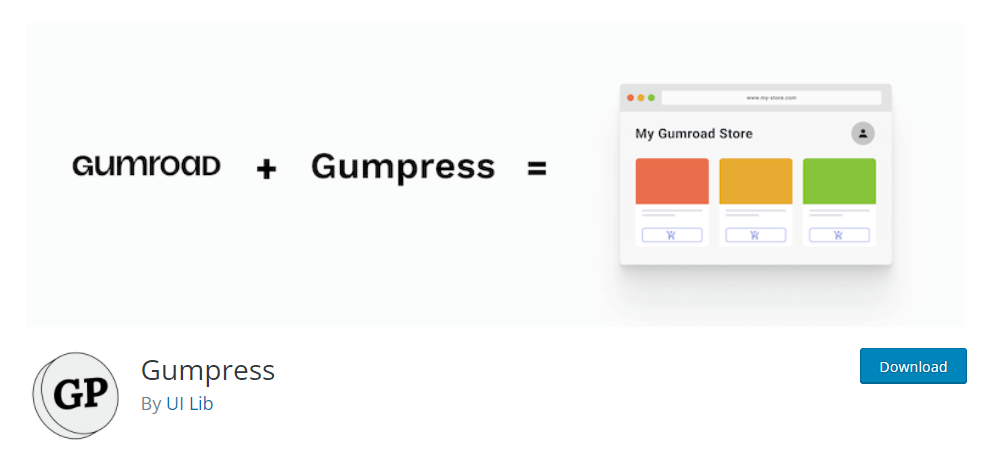
    Gumpress is a woocommerce extension that lets you import Gumroad products into your store. It allows you to create a customized gumroad storefront using any woocommerce theme.

    Customers can buy your gumroad products from your woocommerce store. Gumpress replaces woocommerce’s default buy button (checkout system) with the gumroad checkout popup.

    To update your Gumroad product, simply go to your WordPress admin panel and click “Sync Products” (product thumbnail, description, price, etc.). Furthermore, all of your products will be synced at the same time.

    Gumpress syncs your gumroad product versions with your woocommerce variable product. As a result, you will see a price range on your woocommerce single product page and shop page.

    Main Features

    • It Imports products from Gumroad
    • Integrate Gumroad checkout with Woocommerce
    • Varaible product support
    • Use any Woocommerce theme to build your Gumroad storefront
    • Compatible with Woocommerce shortcodes (Details in the link)

    Demo Details / Download

    2. Gumroad By Gumroad

    Connect Gumroad with WordPress Site

    Gumroad is the original plugin made by Gumroad for WordPress sites. The plugin lets you embed Gumroad into your website, using Gumroad’s overlay and embed widgets. If you have no coding experience no worries. It requires no coding skills. However, at the end of this blog, we will find out which one is comparatively better.

    Once you install the plugin to your WordPress site you don’t need to worry about a thing. It will automatically open the Gumroad Overlay. Means there will be a lightbox popup. If you want to know more about the plugin and how it works. make sure to watch this video. Also, you can use shortcodes. (You’ll find them in the details section)

    After activating the plugin you can see the full documentation in Settings > Gumroad. For FAQs and other details click the ‘Details / Download’ button below.

    Main Features

    • Lets you embed Gumroad into your website
    • It can appear both as a separate page and as a popup

    Details / Download

    3. Gumroad Shortcode By Zach Silveira

    This plugin uses Gumroad.com’s javascript modal view to integrate with them. It will include the JS required to load  Gumroad products using the shortcode on any page of your site after installation. This makes it simple to sell products on your  WordPress site using Gumroad.

    Main Features

    • Uses Gumroad.com’s JS modal view to integrate with them.

    Example:[gumroad url=”http://gum.co/tweets” title=”Specific Tweets Plugin”]

    Note: The URL link above represents the link to your product page, and the title represents the link’s title.

    Download

    Best Option?

    Three of these plugins are completely free. Gumpress, however, is the most effective of the three. It’s because there aren’t even any shortcodes to copy and paste. All you have to do is install the plugin and add the link to your Gumroad page to it. It will load your entire Gumroad page on your WordPress site using your current design. 

    You don’t have that option with the other two plugins. Zach Silveira’s Gumroad Shortcode hasn’t been tested with  WordPress’s most recent three major releases. As a result, there may be compatibility issues.

    Finally, the Gumroad plugin is not designed for Woocommerce sites. As a result, you now know which one to select. The  URL represents the link to your product page, and the title represents the link’s title.

    More Articles

    1. Web3 – The Decentralized Web of Future
    2. Best Web App Development Trends To Look Out For
    3. 14 Common Web Design Mistakes That Hurt SEO
    4. How to Make a High-Converting Landing Page
  • Best Web App Development Trends To Look Out For Going Into 2022

    Best Web App Development Trends To Look Out For Going Into 2022

    Are you a web app developer looking for all the web development trends that are thriving this year? You’ve come to the right place! In this blog, we’ll take a look at the top web app development trends in 2022.

    best web app development trends

    Every year, the website development market shifts slightly in its approach. And, if you look closely, you’ll notice that it’s becoming increasingly difficult for some businesses to survive in this competitive market. As a result, those who follow trends to provide a better user experience will survive in the field. You must create strong web products and incorporate the most effective features into them.

    As a result, to save you time and effort, we have compiled a list of web app development trends by analyzing market demands in various IT fields.

    Many of these trends we can find on the internet. These are likely to become much more common in the coming years. Let us take a look at the top ten web app development trends in 2022.

    Progressive Web Apps (PWAs)

    Progressive Web Apps (PWAs)

    Progressive web apps (PWAs) in their most recent iteration will eventually replace web apps for good, even though this is not a new trend for 2022. PWAs (Progressive Web Apps) speed up the loading of websites. You can also use offline apps like Google Maps. PWAs have already been used by companies such as Starbucks, Uber, Pinterest, and Twitter to improve user experience.

    The mobile phone is now the most common way to access the internet. Smartphones and tablets are for a wide range of online activities. As a result, it’s critical to rewrite web applications as PWAs. It can help the provider save money on development and provide seamless maintenance.

    PWAs will be written in HTML, CSS, JavaScript, React, or Angular by 2022.

    Dark Mode Standardization

    Low-light & Dark looking websites have become increasingly popular in recent years. Dark mode user interfaces (UIs) will continue to be on websites and apps in 2022. According to studies, at least 8 out of 10 users prefer to use dark mode whenever possible.

    This Mode has already been implemented on big apps like Facebook and Twitter. And depending on the choice, these apps make it simple to switch between the two modes. Now, that is available on a variety of other web applications. It is very simple to switch between the two modes in those apps. We can assume that by 2022, this option will be in almost every application.

    AI Chatbots

    AI ChatBots Web app development trends

    AI chatbots are here to become even more sophisticated in 2022. Leveraging machine learning, natural language processing, and information retrieval techniques to meet the needs of users and match their behavior. AI Chatbots can collect data, respond to frequently asked questions, and resolve other issues. So, it allows customers to have a seamless digital experience with a business.

    Many well-known B2C companies already use AI chatbots to assist their customers. According to Forbes, marketers’ use of AI grew by 190 percent between 2018 and 2020. Many of them operate through Facebook Messenger, Whatsapp, and Skype rather than traditional chatbots. In 2022, we can expect more businesses to embrace AI chatbots.

    Single-Page Applications

    Through single-page applications (SPAs) in the visitor’s browser, there will load a single HTML page. And, there will be dynamically up-to-date content as one needs without refreshing the page. Giant companies like Google, Facebook and Twitter, and others embrace SPAs. In Fact, SPAs are the most significant recent trends in the development industry.

    SPAs consume less server space and provide information to users efficiently on a single page without the need to navigate around, in addition to being cost-effective and relatively easy to create thanks to the popular AngularJS framework. Because of these benefits, SPAs are in a win-win situation for both developers and site visitors. As online consumers demand faster and simpler app experiences, we can expect the SPA trend to continue into 2022.

    Mobile-friendly Development

    Mobile-friendly Development

    Mobile devices cover 50% of the global web traffic. Therefore, if your web app isn’t mobile device friendly, you’ll miss out on half of that traffic. This year, being ‘mobile friendly’ entails biometric identification (fingerprint, voice), geolocation, one-click ordering, better user experience through data, etc.

    Optimized Voice Search

    Optimized Voice Search

    Voice Search is first introduced in the tech market by Google. Also, Alexa and Siri are Amazon’s and Apple’s AI-based voice assistants. These are the most high-rated tools for Voice Search. Recently, research has shown that by 2022, 55% of modern households will have voice assistance.

    Accelerated Mobile Pages

    Accelerated mobile pages (AMP) were introduced by Google in 2015. It is to provide mobile users with lightning-fast digital experiences. Google’s AMP can help improve core business metrics such as the number of conversions on web pages, in addition to providing seamless user experiences and decreasing bounce rates.

    Although AMP usage declining since 2020, it remains the most popular mobile technology. With 35 percent of websites using mobile technologies and more than half of the top 10,000 websites using it.

    Serverless Architecture

    Serverless Architechture

    The search for technology that can help reduce system overloading, data loss, and development costs has been ongoing. This search resulted in the development of serverless technology.

    Moreover, serverless architecture is based on cloud technology and enables users to run code for virtually any application or backend service with no administration. And, there is no need to provision, manage, or upgrade servers. Amazon, Google, and Microsoft are the most prominent companies that use and provide serverless architecture.

    According to forecasts, the global serverless architecture market will grow from $7.6 billion in 2020 to $21.1 billion by 2025. It means that more companies are likely to enter this market in 2021 and beyond.

    Motion UI

    Motion UI

    The users today expect digital experiences that are not only faster and more mobile-friendly, but also richer and more interactive. Therefore, Motion UI has become so popular. It is a front-end framework that enables developers to build fully responsive websites and mobile apps. Also, it uses predefined motions in native apps. Make an element slide, transition, spin, bounce, and do other things.

    Native Cybersecurity

    native Cybersecurity

    One of the most pressing concerns for 2022 is cybersecurity, which is the practice of protecting data, networks, and computers from unauthorized access. Every business, regardless of size, is vulnerable. In June 2021, for example, hackers were able to scrape the accounts of 700 million LinkedIn users in order to obtain personal information such as full names, emails, and phone numbers.

    Because of the alarming rise in cybercrime, website development has evolved to make it easier to safeguard company and customer data. Already, there has been a shift toward application-based multi-factor authentication, such as Google Authenticator, patch management, and Security Operation Centers (SOC).

    Beyond monitoring tools and analytics checkpoints, we’ll see a continued rise in non-traditional methods to improve cybersecurity. And, because it is compatible with all web technologies and can be added anywhere on a website, Motion UI has had a significant impact on the industry since 2018.

    However, thanks to the SASS libraries’ technology. Now, it has become more accessible. As a result, it will be one of the most important web development trends in 2022.

    Wrapping Up

    Finally, web development evolves in response to the needs and expectations of online users. Many of these trends are focusing on improving the user experience on mobile devices. And, others may be focusing on improving the user experience for smart wearables or devices we haven’t seen yet. Keeping up with web development trends can help you ensure that your website attracts and delights your visitors on a consistent basis.

    You Might Also Like These Articles

    1. Convert TypeScript Project to JavaScript
    2. Top 15 Best Open Source React Chart Libraries
    3. Top 15 Free Best React Date Picker Components to use
    4. TypeScript & JavaScript – Which One to Choose?
    5. Best Free Tailwind CSS UI Kits and Components
    6. Web3 – The Decentralized Web of Future
    7. React Boilerplates You Should Not Miss
    8. 15 Nextjs Boilerplates You Need To Check Out
  • 14 Common Web Design Mistakes That Hurt SEO

    14 Common Web Design Mistakes That Hurt SEO

    If you want to avoid the common web design mistakes that hurt SEO. Then you’re on the right page. Here, we’re going to go over all of the 14 common web design mistakes that can ruin your website’s SEO.

    Common Web Design Mistakes

    Many designers and web development teams create error-ridden, user-unfriendly websites. Websites that harm their company’s design integrity and overall user experience. And, any value found even in the best SEO is harmed.

    Marketers who are especially observant should be aware of features such as navigation flow, layout design, page load speed, responsiveness, content length, and curation (as well as canonical meta directives). These elements ensure a higher level of quality throughout all phases of website development. And, addressing these aspects throughout the website’s life cycle from strategy to coding, content generation, custom graphics, and imagery. It is one of the most important steps in ensuring that internal quality matches external excellence.

    All Common Web Design Mistakes That Hurt SEO

    Excellent online design is essential. However, you must also have your infrastructure in place. The website should be fast and responsive, as well as have high search engine rankings. Here are a few web design tips to help you increase traffic and conversion rates. Now, without further ado! Let us find out what are common web design mistakes actually can ruin your search engine optimization.

    Page Load Speed

    Common Web Design Mistakes

    Now, the world of online users expects a quick and simple web browsing experience. Even the web is evolving from web 2.0 to web 3.0. This, however, is a completely separate topic. By stating the problem as a ‘quick and easy web experience,’ we arrive at the 3-second rule. The three-second rule should be used as frequently as possible to keep users from leaving your website.

    As we all know, web design entails both programming and design. So, by programming the site according to some specific rules, we can make it load in 3 seconds or less. Here’s a HubSpot blog post that will help you improve your site’s loading time right away.

    Text Inside Images

    Common Web Design Mistakes

    Contents in interactive formats are important. Contents such as images, audio, and video, perform exceptionally well in terms of engaging your visitors. While search engine spiders can identify content by looking for keyword phrases within headings and body copy, they cannot see images or videos embedded on a webpage.

    As a result, you should never include your most important information in images. While a creative header image will make your webpage look amazing, it will have no effect on SEO value.

    Mobile Responsive

    Common Web Design Mistakes

    Did you know that there are approximately 275 million smartphone users in the United States alone? This represents a sizable pool of potential customers who may visit your website via mobile phones and tablets. Over half of adult smartphone users use their mobile devices to conduct a local search. As a result, if your site isn’t mobile-friendly, you’ll be losing traffic (and customers) from this important source.

    That is why Google has recently introduced “Mobile-First Indexing.” This new algorithm prioritizes a website’s mobile version for indexing and search engine ranking. Because of mobile-first indexing, if a website is not optimized for mobile, it will have a more difficult time ranking on Google.

    Not only that, but mobile-friendly sites are 5 times more likely to keep visitors interested due to fast page loads and intuitive design.

    Find Information

    Find Information

    Good navigation is an integral part of a great user experience. But the trick is to keep it as simple as possible. You have to let visitors easily find what they are or they should be looking for. It will most effectively help to convert. This is also essential for your SEO. The structure formation of your site influences how search engines understand it.

    Solid internal linking between relevant pages keeps the users engaged on your site. Also, it helps the Bots (Google Bots) to understand where the majority of the traffic takes place. So, eventually, this increases the SEO value of the page you manage.

    H1 Tag and Header Tags

    H1 Tag and Header Tags

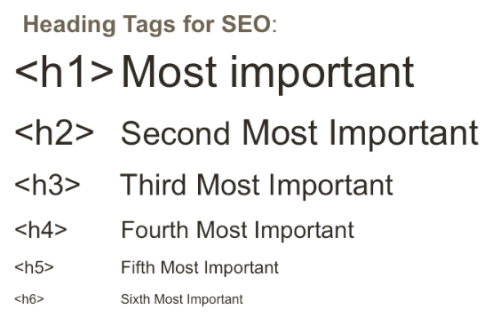
    While headings are important for helping readers navigate your website’s content, they are also essential for good technical SEO. H1 tags inform search engine bots and website visitors about the contents of a page, so they must accurately summarize the contents.

    Header tags (h1-h6) make content scanning much easier. It becomes clearer to search engines what topics and sub-topics are covered on a page. Headings help readers quickly identify the most important parts of the content by breaking up long text strings.

    These factors tell Google how user-friendly your website is, which helps it rank higher. H-tags also make it easier for users with limited abilities to access and consume content on your site. In search engine rankings, accessibility is a significant factor.

    404 Page

    404 page - Common Web Design Mistakes

    The presence of numerous broken links on the page is another website error that irritates customers. Broken links are pages that no longer exist and return 404 errors. If a visitor to your site clicks on a link and is redirected to a 404 error page, they will leave immediately and never return. Similarly, websites with a high number of 404 errors are less likely to rank highly in search results.

    Favicon

    Favicon - Web Design Mistakes

    Favicon is another most crucial thing in web development. When you open multiple tabs on a browser, the icons you see are the symbols of that company. It comes along with the webpage’s title. Mostly they are logos from those companies. The title page is no longer visible when a user opens multiple tabs. It is the only mark that distinguishes one web page from the other.

    So, if the Favicon is missing, users will be unable to identify your website. As a result, it will be hard for them to return. Finally, it can increase the bounce rate.

    Disruptive Pop-Ups

    Disruptive Pop-Ups

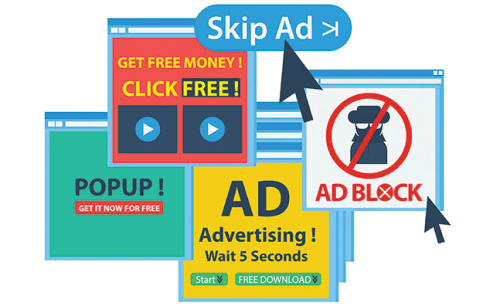
    When you use pop-ups correctly, it can increase email subscribers by up to 1,375% percent. The issue arises when your pop-ups annoy and interrupt your visitors. Sites with annoying pop-ups, according to Google, will struggle to rank high in the SERPs. What is the solution? Create popups that your audience will enjoy.

    They may never love them, so at the very least, create high-converting pop-ups that will not irritate them. You can, for example, schedule a pop-up to appear after a visitor has spent at least 30 seconds on your site. Alternatively, after a user has scrolled halfway down your page. Another thing you can do is make delectable pop-ups.

    Alt Text In Images

    Alt text In Images

    Setting alt text for images is critical for SEO and a key contributing factor in search engine rankings. As we’ve already mentioned. Alt tags give search engine crawlers context for what an image is showing. And, allowing them to properly index the image.

    Infinite Scroll

    Infinite Scroll

    Google’s Martin Spitt stated that Google Bots do not scroll through a site’s pages. So, if you implement a poor infinite scrolling system, this will affect your site’s SEO. As Google can not scroll through pages, it will index your site differently than you expect. It only indexes what is available on the display.

    Bots will crawl that new content if the infinite scrolling increases the viewport. However, they will only do it once. It’s unlikely that you’ll be SEO-friendly if you have a lot of content that needs to load via infinite scrolling. Lastly, if you have a lot of content that requires ‘infinite scrolling’ to load, it’s probably not SEO-friendly.

    Thin Content

    Thin Content - Website Mistake

    Your website serves as your storefront. This means you should decorate it so that visitors are drawn to it and understand exactly what you have to offer. You should also optimize it for keywords so that people can find you. To ensure that you kill two birds with one stone? Avoid using thin content. Here are three indicators of stale content.

    1. Having no Service/Product Pages means giving up the chance to rank for relevant keywords.

    2. Having one keyword per page is a great idea. This means that each page will feature only one product or service. Make it simple for Google to understand the purpose of each of your web pages. You should be rewarded with increased SERP visibility.

    3. When working on your product pages, don’t just scratch the surface. Fill them with a keyword-targeted, high-quality copy. Also, make sure the content you’re writing is compelling enough to convert visitors into paying customers.

    Insufficient White Space

    Insufficient White Space - Web Design Mistake

    The area of the web page that it occupies is known as white space. To make all items visible and give consumers time to absorb all available information, there must be enough white space. White space allows the user to focus on each component without being distracted, improving readability and their focus on the main goal and services provided.

    Inadequate Typography

    Inadequate Typography

    Another common design mistake is the type of text style on the website. We call it typography. There are several factors that go into deciding the font style for a website. And, some of them you can find below.

    • Make sure the font is readable. It should not be overly ornate or uninteresting.
    • For font families, Serif and Sans-serif are very common. The font family used in headings and subordinate paragraphs should not be the same.
    • The top two font styles are used on a sleek and modern website. Many font styles used on websites are clumsy and distracting.

    Homepage With Carousels

    Homepage with Carousel banner

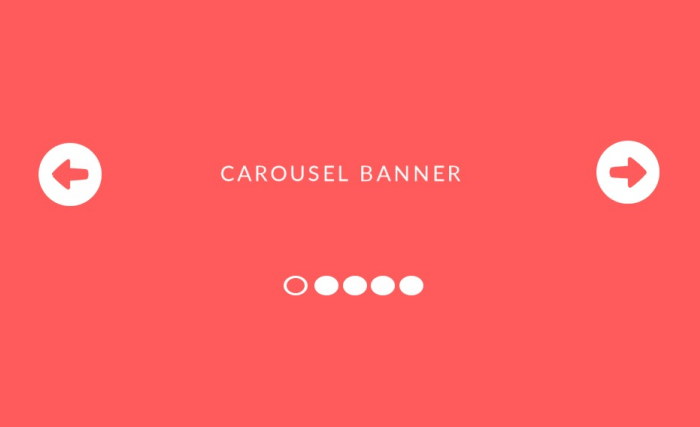
    Another common website design mistake to avoid is having carousels of slides that rotate automatically on the homepage. Moving carousels frustrate customers and direct you away from your conversion goals by diverting their attention away from the website’s core objective.

    Wrapping Up

    Finally, it seems like your search for all the common web design mistakes that hurt SEO has come to an end. Without SEO, it is impossible to imagine a successful website. A website needs a visually appealing design and SEO friendliness to ensure all the factors to attract and retain customers and convert them into loyal customers.

    So, to achieve that, the web design team and SEO team should both work together. Without proper cooperation, it is not possible to make a website successful. A group of experienced designers, developers, SEO, and digital marketers can ensure that the final result is perfect, just as you wanted.

    Thank you for your patience. ❤

    Hello, nice people! 🙋‍♂️ This is a gift from us to you. You can easily create a high-converting landing page with this free HTML5 template.

    EGRET - HTML5 Website Template

    Egret Free HTML5 Landing Page

    The Egret landing page is a one-page product landing page. You can use it as a portfolio or a landing page for a product. To make Egret we used HTML5, CSS3, and JQuery Animations. It has a responsive design and well-organized codes.

    Key Features

    • Multiple Colors
    • Card Style
    • Mail Chip Support
    • Ajax Contact Form
    • JQuery Animations
    • Responsive Layout

    You Might Also Like These Articles

    1. Convert TypeScript Project to JavaScript
    2. Top 15 Best Open Source React Chart Libraries
    3. Top 15 Free Best React Date Picker Components to use
    4. TypeScript & JavaScript – Which One to Choose?
    5. Best Free Tailwind CSS UI Kits and Components
    6. Web3 – The Decentralized Web of Future
    7. React Boilerplates You Should Not Miss
    8. 15 Nextjs Boilerplates You Need To Check Out
  • Best Vuejs Static Site Generators in 2022

    Best Vuejs Static Site Generators in 2022

    If you’re looking for the best Vuejs Static Site Generators, you’ve come to the right place. The great ones are right in front of you. We’ll go over the top four Vue.js frameworks for static site generation in this blog post. 

    After Reactjs, Vuejs is now the most popular choice for web application development. In recent years, the demand for Vuejs has gained an immense number. So, the framework expanded its reach to SSGs.

    Vuejs is used in a variety of frameworks, similar to how frameworks such as Gatsby and NextJS use React. Choosing the right one, on the other hand, is difficult. That is why we are introducing you to the best Vuejs frameworks with a detailed comparison. So you can find your ideal match.

    One more thing, in our, ‘Top React Static Site Generators‘ blog, we have provided all information about ‘What is a Static Site Generator?‘, ‘Advantages of a Static Site Generator‘, ‘ Factors To Consider Before Choosing Your React SSG‘, etc. So, if you are looking for those questions & answers. Make sure to go through that blog.

    Bonik React Nextjs Multipurpose eCommerce Template

    We have a perfect solution for you if you are already working on Vue and NuxtJS-based eCommerce projects. Visit our Bonik – Multipurpose eCommerce Template for more information. It’s the most recent, developer-friendly, and highly customizable eCommerce template on the market. Look no further than the Bonik for a feature-rich and simple-to-customize Vue NuxtJS eCommerce Template.

    Nuxt.js — Vue.js Static Site Generator

    Nuxt.js - Static Site Generator

    Visit Website

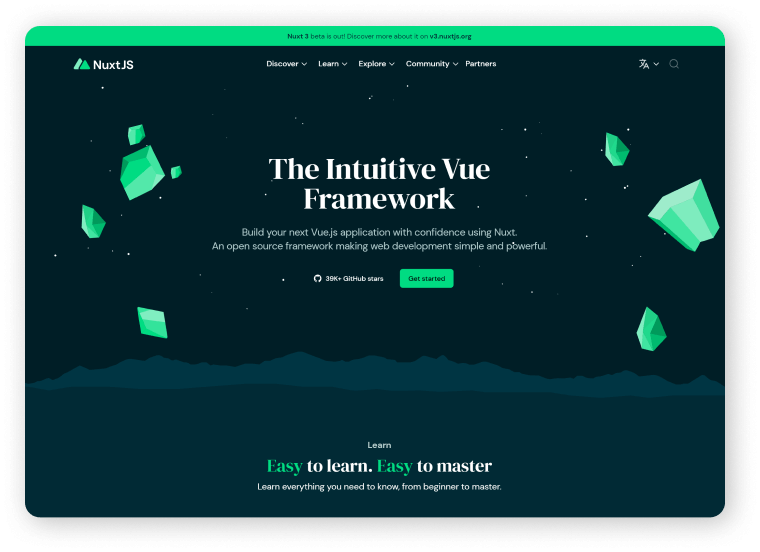
    Nuxt.js is the first on our list. It is an open-source, high-level framework built on top of Vue.js. Nuxt.js makes web development easier by abstracting client-server distribution details.

    It has a strong modular architecture and over 50 different modules. These modules will include built-in support for incorporating PWA features as well as standard functionalities such as Google Analytics into your application. The Nuxt generate command is one of Nuxt.js’s most powerful features.

    According to the statistics for Nuxt.js, it has over 32000 stars and more than 280 contributors. Nuxt.js has been used by companies such as GitLab, NESPRESSO, and UBISOFT.

    Advantages

    • Faster runtime
    • Fast development
    • Optimization support
    • Server-side rendering
    • Well-define project structure
    • Serverless static site generation
    • code splitting (Automated)

    Disadvantages

    • Issues regarding the ease of debugging
    • Using custom libraries is a bit challenging
    • Large community but still behind Gatsby and Next.js

    Saber — Vuejs Static Site Generator

    Saber Vue Static Site Generator

    Visit Website

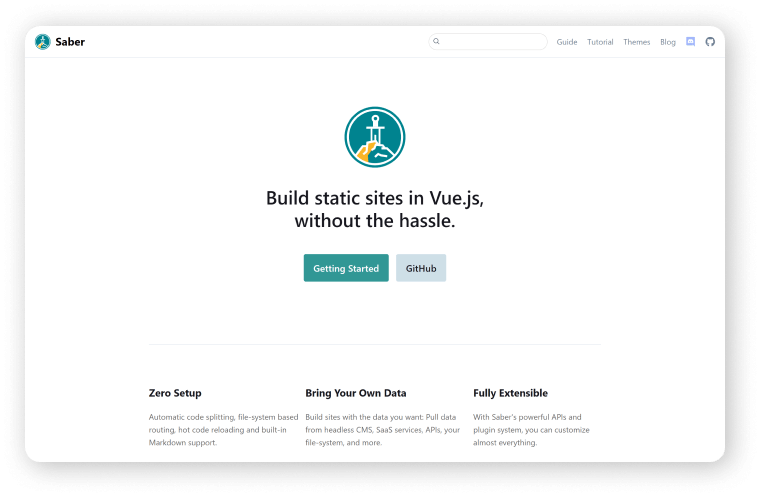
    Saber.js is yet another static site generator with a plethora of built-in features to experiment with. It is, like Gatsby and Gridsome, allows you to create static websites with whatever data you want. You can extract data from various files. You won’t have to worry about GraphQL with Saber.

    Moreover, it is highly extensible and uses its file system as the routing API (similar to Nuxt.js). Although it currently only supports Vue.js, the Saber team intends to add support for React in the future.

    Advantages

    • Support i18n
    • Hot code reloading
    • Code splitting (Automated)
    • Routing is file system based
    • Markdown support (built-in)

    Disadvantages

    • No CLI
    • Beta version

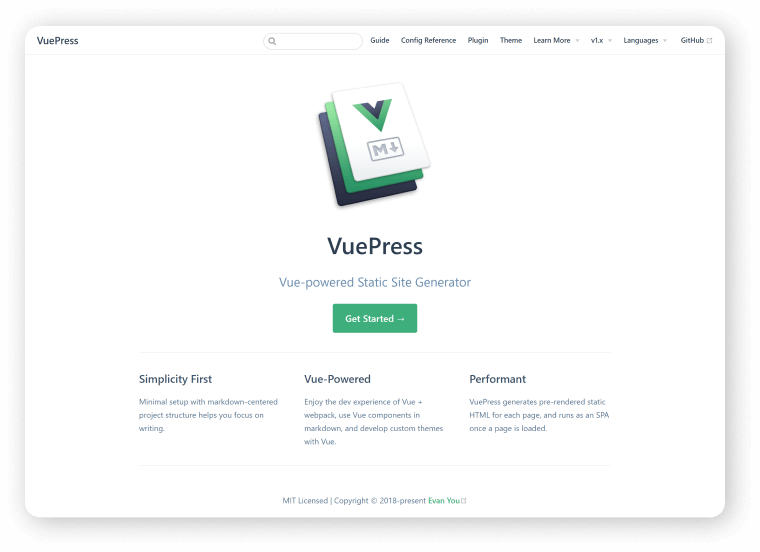
    VuePress — Vue.js Static Site Generator

    Static Site Generator - VuePress

    Visit Website

    VuePress is another Vue.js static site generator that was originally designed as a document generation system. However, it was a static file generator after the release of version 1.x. Each page in VuePress is a markdown file. And, when the page is loaded, it is rendered into an HTML page and acts as a single-page application.

    VuePress has two major parts, according to their official documentation. The first one is a Static site generator with a Vue.js-based theme system. And the second one is a plugin API to add global-level functionality and a default theme.

    When we compare VuePress to Nuxt.js, we can see that Nuxt.js can do almost everything that VuePress can. According to GitHub statistics, VuePress has over 17800 stars and 340+ contributors in its repository. Companies such as FinTech Consortium, IADC, and Directus use it as well.

    Advantages

    • SEO friendly
    • Better loading performance
    • Provide built-in markdown extensions
    • Handle markdown to HTML conversion by default
    • Powerful plugins for searching, PWA features, Google analytics, etc.

    Disadvantages

    • Nuxt.js, for example, is relatively new and has yet to gain traction
    • Most shared hosting providers do not have VuePress installed

    Gridsome — Vuejs Static Site Generator

    Gridsome - Static Site Generators

    Visit Website

    Gridsome is third on our list, and it is here for creating lightning-fast static websites. It is like Gatsby in React, which is a data-driven framework. It obtains content from sources via a GraphQL layer and then dynamically generates pages from it.

    According to Gridsome’s GitHub statistics, it has only 7000 stars and a few hundred contributors. Gridsome also brings some unique features to the table in order to compete with others.

    Advantages

    • PWA ready
    • SEO friendly
    • Great plugins
    • Hot reloading
    • Code-splitting
    • Automatic routing
    • Asset optimization
    • Progressive images
    • Well-defined structure
    • Easy local development setup

    Disadvantages

    • You need basic knowledge of GraphQL
    • Comparatively new and not established yet like Nuxt.js, VuePress.

    Wrapping Up

    When it came to static site generators, React was the clear winner, dominating the market. Vue.js, on the other hand, was able to change that situation with the fantastic frameworks we discussed earlier. Furthermore, some of them have posed a serious threat to React-based frameworks.

    In terms of behavior, Gatsby and Gridsome appear to be very similar. Gridsome has also been able to keep pace with Gatsby in terms of performance, learning curve, community size, and so on.

    Let’s contrast Vue.js-based static site generators with React-based static site generators. We can see that frameworks such as Nuxt.js, VuePress, and Gridsome can compete with Gatsby and NextJS. Nuxt.js and VuePress, however, come out on top when comparing the above four frameworks based on their GitHub and npmtrends statistics.

    You Might Also Like These Articles

    1. Top React Static Site Generators in 2022
    2. Convert TypeScript Project to JavaScript
    3. Top 15 Best Open Source React Chart Libraries
    4. Top 15 Free Best React Date Picker Components to use
    5. TypeScript & JavaScript – Which One to Choose in
    6. Best Free Tailwind CSS UI Kits and Components in
    7. Web3 – The Decentralized Web of Future
    8. React Boilerplates You Should Not Miss
    9. 15 Nextjs Boilerplates You Need To Check Out
  • Top React Static Site Generators in 2022

    Top React Static Site Generators in 2022

    Many developers all over the world rely on ReactJS and React Static Site Generators to create visually appealing websites. As a result, we’ve compiled a list of some of the best ReactJS Static Site Generators to assist you in this regard. Although, before we get into the list, let us first define what a  Static Site Generator is, and the key benefits of using one.

    What Is A Static Site Generator?

    A static site generator (SSG) is essentially a tool for creating a static contentful website that makes your content easy to use. SSGs allow you to create HTML pages that are ready for an HTTP server without the need for server-side rendering. You can also develop your app in any programming language, such as JavaScript, Golang, or Ruby.

    While dynamic sites are more commonly used than static sites, the alternative of using a headless CMS to generate and manage static sites has gained popularity. Particularly because many of the constraints that made developing a static site difficult no longer exist. This is where the static site generator comes in handy. A static website generator can help you create fast, visually appealing websites without the limitations that have previously troubled marketers and developers. So, you’re getting all the advantages of a Server-Side-Rendering (SSR) in SSG without the disadvantages.

    Advantages Of Static Site Generators

    Some of the advantages of SSG over CMS are listed below:

    • SEO Friendly
    • Fast Loading
    • Highly Secured
    • Very Reliable
    • High Scalability
    • Highly Flexible
    • No Back-End
    • Better Experience for Developers
    • Maintenance is Much Easier

    Factors To Consider Before Choosing Your React SSG

    You might get confused over which SSG to choose and which one is the right SSG for you? Well, the following are some of the factors you should analyze and consider before you pick yours react static site generators.

    Now, you might wonder exactly which SSG should you choose or which one is right for you. For that, you need to understand and analyze the factors which are mentioned below.

    • Which features do you want for your website?
    • What kind of project would you like to create with SSG?
    • Is there a critical build-time and deploy-time for your website?
    • Who will be the users of your website?
    • Do you require community support?

    You’ll be able to choose the best React static site generators once you’ve answered these questions.

    Bazar Pro React static site

    If you are already working on React and NextJS-based eCommerce projects, then we have a perfect solution for you. Visit our Bazar Pro – Multipurpose eCommerce Template. It’s the most up-to-date, developer-friendly, and highly customizable eCommerce template available. For a feature-rich and easy-to-customize React NextJS eCommerce Template, look no further than the Bazar Pro.

    Demo Download

    The Best React Static Site Generators in 2022

    Here, you will find a list of the finest Static Site Generators for React. It will guide you to find the most useful SSG based on the requirements that we have discussed earlier.

    Although these are not the only static site generators for React they are the most popular ones. We considered some factors before curating these. For example, the fact that SSG is supported by large communities and a wealth of useful resources. Each of these React static site generators are also highly customizable. Furthermore, these ReactJS static site generators can be extended with plugins and extensions. These will allow you to meet the majority or all of your requirements.

    Now, without further ado! Let’s jump into the collection of the best Static Site Generators for React. Please keep in mind that the list is in no particular order.

    Hugo

    React Static Site Generator Hugo

    Hugo is a Golang-based static site generator. It’s essentially a website builder that uses HTML and CSS. It’s optimized for speed, ease of use, and customizability, just like Gatsby. It also creates a fully functional HTML website from a directory of content and templates. Hugo can assist you with any type of website that includes blogs, tumbles, and documents. It’s built to do just that.

    It runs from any directory and relies on Markdown files with front matter for metadata. This is useful for shared hosts and other systems where you do not have access to a privileged account. Hugo also renders a typical moderately sized website in a fraction of a second. Each piece of content should render in around 1 millisecond, according to a good rule of thumb.

    Key Features

    • Great Theming
    • Easy Installation
    • Completely cross-platform
    • You can host your website anywhere
    • Less than 1 ms per page build times
    • Quickly renders changes with LiveReload while you’re developing

    Gatsby

    Gatsby React Static Site generator

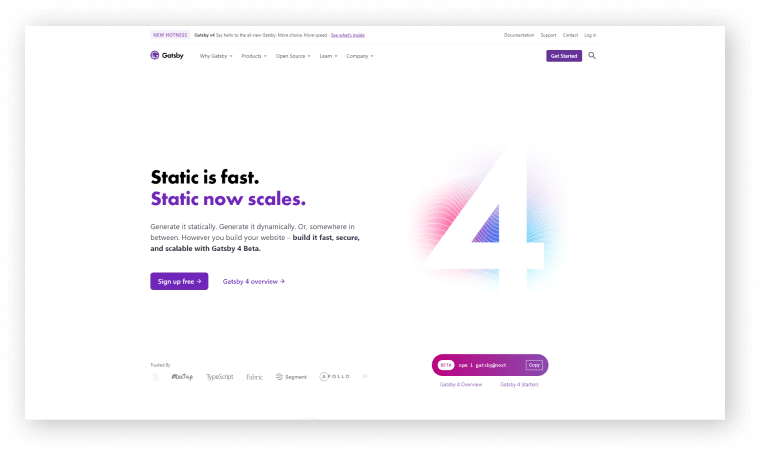
    Gatsby is one of the major Static Site Generators for React. It is an open-source & free framework for developers who want to create blazing-fast websites and apps. This SSG can combine all the control and scalability of dynamically rendered sites. And, with the speed of SSG, opens up new possibilities for modern web development.

    This SSG is built on the React and GraphQL frameworks. It pulls data from various sources into your project with the help of GraphQL. Furthermore, it supports React’s component-driven development model. As a result, it can reuse components across multiple sites. This improves the consistency and speed of the process.

    Gatsby also has a robust plugin ecosystem that can create progressive web apps. This rich data plugin ecosystem also allows a website to pull data from a variety of sources, such as headless CMSs, SaaS services, APIs, databases, file systems, and more. As a result, you can extend the static site generator’s functionality by using the plugin system.

    Key Features

    • Security
    • Scalability
    • Well documented
    • Inlining of critical assets
    • Blazingly fast performance
    • Image optimization and lazy loading
    • Assets are intelligently preloaded
    • Effective code splitting

    NextJS

    Nextjs React Static Site Generator

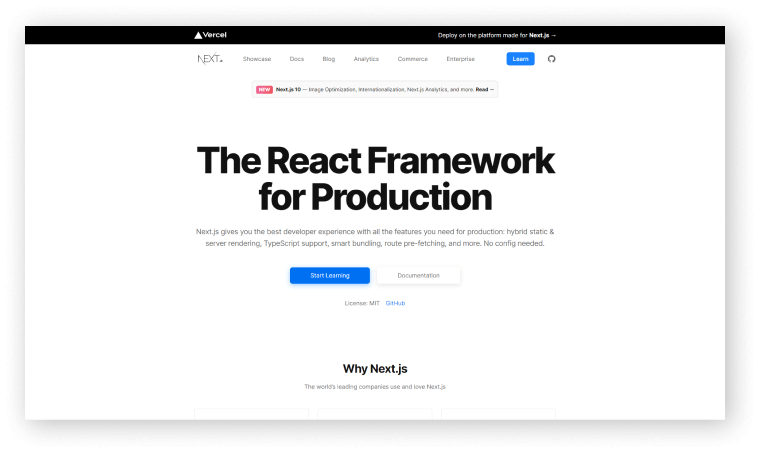
    Next.js is another popular React Static Site Generator. If necessary, you can use server rendering for specific routes on your site, thanks to the NextJS framework. It is also capable of quickly previewing content. Before NextJS, the only comparable offering was Gatsby. It makes no difference where you get your information. In React applications, server rendering is simple, and no other SSG has this level of capability.

    It also includes automatic code-splitting, simple client-side routing, a web pack-based dev environment, and support for any Node.js server implementation. it can also help you to build progressive web apps, server-rendered apps, and static websites, among other things.

    Moreover, it allows you to define serverless functions as API endpoints. As a developer here you will get more control over building and deploying your applications.

    Key Features

    • Faster Builds
    • Better Refresh
    • Zero configuration
    • Better Accessibility
    • Built-in CSS Support
    • Great & Faster Startup
    • Incremental Static Regeneration
    • Automatic Webfont Optimization
    • More Flexible Redirects and Rewrites

    React Static

    React Static - Static Site Generator

    React-Static is a progressive open-source SSG based on React and its ecosystem. It is fast, powerful, and lightweight. It is here for great performance, flexibility, and user/developer experience. Also, it resembles simplicity.

    Key Features

    • Faster builds
    • Mobile-ready
    • SEO Friendly
    • React-centric
    • Data Agnostic
    • Fully React Based
    • Better performance
    • Automatic code and data splitting
    • Instant page views and navigation
    • Painless project setup and migration

    Docusaurus

    Docusaurus - React Static Site Generator

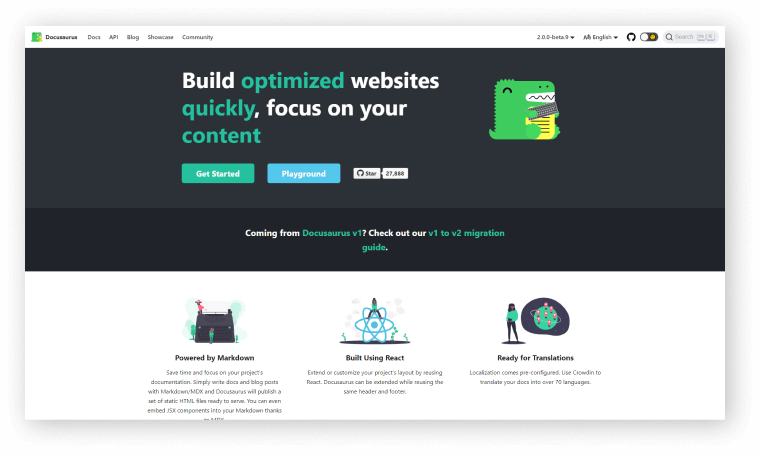
    Docusaurus is simple to use and easy to install. This React static site generator also includes localization support. It is highly customizable and compatible with a variety of integrations. It also includes a variety of themes, search functions, and image optimization tools. As a result, you’ll have a one-of-a-kind website. Learn more by visiting their official site.

    Key Features

    • Translations
    • Algolia documentation
    • Markdown – MDX powered
    • Support users on all versions of your project

    UmiJS

    UmiJS

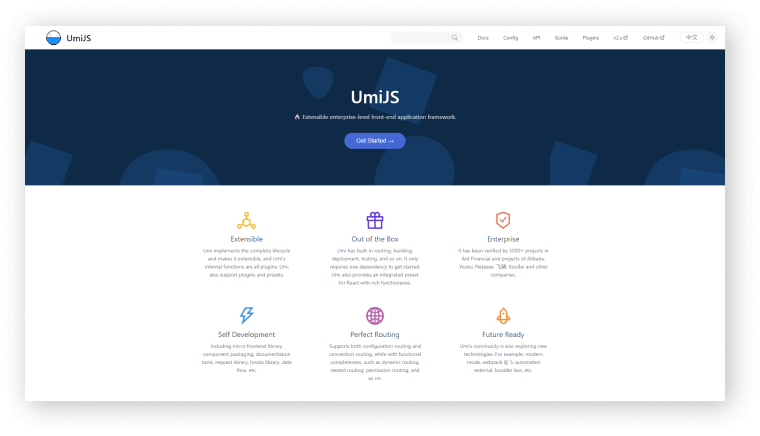
    UmiJS is another React framework that has some amazing tools and plugins. The tools and plugins are for developers who are into making scalable applications. You can create highly customizable React applications by using this framework.

    It is a routing-based framework that supports Next. js-style traditional routing as well as advanced routing features like routing-level on-demand loading. It supports both configuration and traditional routing, as well as dynamic routing, nested routing, and permission routing while maintaining functional completeness. From source code to finished products, its plugin system supports a variety of function extensions and business requirements.
    With a complete plugin system that covers every life cycle from source code to building the product, the framework supports various functional extensions and business needs. As a result, UmiJS has evolved into a highly extensible solution for enterprise-class apps. It’s also one of the most popular React Static Site Generators.

    Key Features

    • PWA support
    • Similar to Next.js
    • High performance
    • Support for static export
    • Route-level code splitting
    • Supports configured routing
    • Full-featured routing conventions
    • Built-in support for ReactJS and its ecosystem
    • Support TypeScript, including d.ts definition and umi test
    • Polyfill solution, add JS and CSS polyfill with targets config, lowest to IE9
    • The plugin system covers every lifecycle from source code to production
    • Fast development startup, including dll support with configuration, and so on

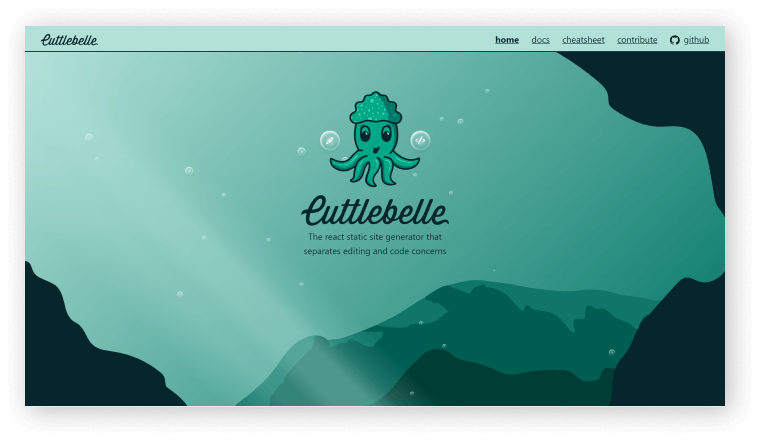
    Cuttlebelle

    Cuttlebelle - React

    Cuttlebelle is a React-based static site generator with React-based layouts. It allows you to use a single partial layout per page and cleanly separates content from code. You can also extend Cuttlebelle with react components that take advantage of the npm ecosystem’s power.

    Add React components for layouts. Also, you can just code components that are reused throughout your layouts to extend Cuttlebelle with React components. You can also use all of the npm ecosystem’s modules.

    It’s incredibly simple to set up. All you have to do to make a static page with Cuttlebelle is create a layout for each part of the page and then put them together. As a result, it is one of the most effective React Static Site Generators.

    Key Features

    • Multiple layouts
    • Clean separation
    • Easy templating
    • Modularize every page into partials

    Wrapping Up

    Finally, it seems that your search for the Best React Static Site Generators 2022 has come to an end. With these SSGs, you easily create stunning and unique websites. And also for an SEO-friendly website, SSGs are a must. For a static site React and Vue is the two great options available where React is still dominating the sector. The SSGs here have specific and unique usefulness, so make sure you choose the right one that can save your ideas.

    Thank you for reading the blog and feel free to share this informative content with others.

    You Might Also Like These Articles

    1. Convert TypeScript Project to JavaScript
    2. Top 15 Best Open Source React Chart Libraries
    3. Top 15 Free Best React Date Picker Components to use
    4. TypeScript & JavaScript – Which One to Choose
    5. Best Free Tailwind CSS UI Kits and Components
    6. Web3 – The Decentralized Web of Future
    7. React Boilerplates You Should Not Miss
    8. 15 Nextjs Boilerplates You Need To Check Out
  • Top 10+ Best CMS Admin Templates (Free & Premium)

    Top 10+ Best CMS Admin Templates (Free & Premium)

    Are you looking for the best CMS Admin Templates? Look no further! Here are the 10+ best CMS Admin Templates that we’ve carefully curated just for you. But before we start looking at the collection. Let us learn a thing or two about the CMS and its different advantages first.

    What Is CMS?

    If you look at the statistics, now there are nearly 2 billion existing websites of which 56 percent depends on the CMS. CMS stands for Content Management System. Content management is a system with which we can create, manage and modify digital content. In a content management system or software, we can store digital content, and manage them. Digital content such as digital documents and records of the database does get stored in CMS.

    There are two types of use for them. One is enterprise content management (ECM) and another one is web content management (WCM).

    Generally, the CMS has two crucial components. The first one is a content management application for front-end users. And the second one is called content delivery application (CDA) which is for content compilation and upgrading content or data on the website (backend).

    Features of CMS

    By using CMS you can build and manage your site. It can help you to grow your business over time. You can gather all of your content in a structured way with a CMS and also your team members can collaborate with you to support the system. This also allows for quick and easy updates. As well as templates and extensions to personalize your site.

    • search engine optimization-friendly URLs
    • Revision features
    • Format management
    • Intuitive indexing, search, and retrieval
    • Integrated and online help, including discussion boards
    • group-based permission systems and security and many more.

    Key Considerations When Choosing a CMS Template

    • User Interface
    • Plugins & Themes Support
    • Customizability

    Advantages CMS

    • Ease of use
    • Easy to scale
    • Accessible from anywhere
    • Allows multiple users
    • Easy to search for information
    • Easy to manage content
    • Instant content updates
    • Easy to update

    Hello Devs! This is the best Nextjs eCommerce CMS (full software) available on the internet.

    Make sure to check out. 👇😎

    https://ui-lib.com/downloads/biponi-nextjs-ecommerce-cms/

    Best CMS Admin Templates

    The following is a list of CMS administration templates. Each of the templates listed here has all of the necessary features and components for a CMS. Now, let’s begin the collection. The list is in no particular order.

    MatX React Dashboard Pro

    matx react admin dashboard pro

    MatX is made with React, Redux, and Material UI. You’ll get all the premium features and dedicated support here and a large collection of useful components and ready-to-use web apps. This extensive collection of React components provides users with numerous options. The template can be used for admin panels, project management, CMS, CRM, web and mobile application backends, etc.

    Developing a web app can be a time-consuming and complicated process. As a result, its creators addressed the issue by offering a complete design system rather than just a set of layouts. However, the template is also available in a free version. As a result, you have the option of verifying the potential of this product before purchasing it. It has a free version too.
    Demo Download Free Version

    Chameleon – Premium Bootstrap 4 Admin Dashboard Template

    CMS admin template

    Chameleon is a top-notch modern Bootstrap 4 WebApp & admin template. It is built with Html and contains all necessary components. This template’s design is very elegant, and the codes are very well organized and clean.

    There are three pre-built templates with a well-organized folder structure. In addition, the templates have very clean and well-commented code. Not only that, but it has two distinct niche dashboards, 500 pages, over 50 advance cards, over 100 components, and much more. And guess what else? It has RTL support, unique menu layouts, and advanced cards. Last but not least, a tremendous amount of help.

    Demo Download Free version

    Free Angular Material Dashboard

    CMS admin template

    Another one from the collection of CMS Admin Template free download is Angular Material Dashboard. It is an open-source angular material admin template. It is based on Angular Material design. Besides, it is easy to build responsive, fast-loading, and flawless – navigating applications. Furthermore, you can use this dashboard to build any web applications, for example, SASS, project management tools, CMS, data visualization apps, etc.

    Demo Download

    Sing App Vue Dashboard

    Sign App Vue CMS admin template

    Sing App is the next app on the list. This Vue Dashboard was created using Vue JS 2.5.2 and Bootstrap 4. Furthermore, it includes Well-designed Typography, Advanced Forms, and Extensive Documentation. Notifications, Icons, Charts, and Google Maps are also available. It is one of the most effective templates for CMS projects.

    This Vue template is a good choice if you want to build SASS, E-Commerce, CMS, or CRM platforms because it has many other useful features. Furthermore, all necessary components are available for use.

    Demo Download Premium Version

    Spica Free Bootstrap Admin Template

    Spica - CMS admin template

    Spica is a bootstrap template for the admin panel which is completely free and open-source. It contains a data representation option for users. There is a large pack of features and components. Also, you can find features as separate pages for login, lock screen, and register. The template has multiple purposes. It comes with a stylish, modern, and intuitive look. You can take this as one of the best free CMS admin templates from this listing.

    It is also beneficial for both simple and complex web development projects. This template can be used to create any type of web application. You can, for example, create CMS, CRM, fitness apps, banking apps, educational apps, and so on.

    Demo Download

    LaraAdmin

    lara Admin - CMS admin template

    LaraAdmin is a Laravel CMS admin dashboard that is open source. This Laravel CMS Admin template can be used as a Laravel Admin Backend, Data Management Tool, or CRM boilerplate. It also includes features such as Advanced CRUD Generation, Module Manager, Backups, and many more.

    Demo Download

    ArchitectUI (Free)

    ArchitectUI - CMS admin template

    ArchitectUI is a free version of the ArchitectUI React Pro Template that was created with create-react-app, Bootstrap 4, and Webpack. Also, it includes 9+ fully coded dashboard designs, 150+ components, and 200+ layout/color variations. You will also have enough elements, widgets, and components to cover a wide range of scenarios for personal projects or apps.

    Moreover, it employs a variety of color schemes to allow you to personalize the sidebar, header, footer, and main content. And each theme comes with 10+ predefined color schemes, giving you plenty of options when it comes to setting up the color scheme. Furthermore, because it is retina-ready, it works and looks great on any screen size.

    Demo Download Pro version

    React – Free Reduction Admin Template

    Reduction - React CMS admin template

    If you’re looking for a dashboard template for your next app project, check out these free and premium React templates we’ve gathered here. Now, this is an It’s a free admin template with React Bootstrap 4. There are numerous components, such as cards, charts, and widgets, all of which are ready to perform their functions.

    Create-react-app is the foundation for this free React template. As a result, React Reduction incorporates all of the tool’s incredible features. The template should ideally include modern and colorful elements. These are suitable for any application in which they are used. React Reduction also includes a basic Google Analytics integration.

    Demo Download

    Xtreme – Bootstrap Admin Lite (Free)

    Xtreme Bootstrap

    If you have the right plugins, elements, charts, and widgets, you can create a feature-rich, high-performance web app in days. The responsive quality of this template adds flair because it can adapt to any screen of your choice, providing a seamless experience. Another appealing feature is the availability of tons of amazing font options, which can completely transform your applications.

    Xtreme Admin Lite is a great option for CMS. This template can definitely let you add your creative touch to it. With a number of configurations and customization options available. You can create stunning websites and applications with the template.

    Demo Download Pro Version

    Purple – Free Admin Template

    Purple Free Admin Template

    Purple is a Bootstrap admin template. Components, elements, and features abound in this template. It has a distinguishable and elegant design style. There’s also a lovely color scheme for the users to browse. After viewing the documentation and demos, they will undoubtedly fall in love with the template. A well-commented and clean codebase can be found here. As a result, even novices will be able to understand.

    It also comes with a slew of features that meet your needs. It isn’t, however, overburdened with features you’ll never use. It’s a multipurpose template that’s ideal for creating admin panels, e-commerce systems, project management systems, content management systems, and CRM.

    Demo Download Pro Version

    Sleek – Dashboard Bootstrap 4 Admin Dashboard

    Sleek Dashboard 4 Admin

    Sleek Dashboard is a free Bootstrap 4 admin dashboard template and user interface kit. It is a very powerful bootstrap admin dashboard that enables you to create products such as admin panels, content management systems, and CRMs.

    Demo Download

    Conclusion

    Finally, you can see, here is the collection of the CMS Admin Templates. Each of these templates has a unique and amazing feature required for CMS.

    CMS is critical to the development of a website. It enables users to collaborate on the creating, editing, and production of digital content. Such as web pages, blog posts, and other types of digital content. Additionally, the CMS helps in the management of overall digital experiences. Experience such as email, mobile apps, social media, websites, etc.

    Using the CMS admin template will save you a significant amount of time. And, you can also modify them to meet your specific needs. As a result, selecting the best CMS admin panel is critical.

    You Might Also Like These Articles

    1. Convert TypeScript Project to JavaScript
    2. Top 15 Best Open Source React Chart Libraries
    3. Top 15 Free Best React Date Picker Components to use
    4. TypeScript & JavaScript – Which One to Choose
    5. Best Free Tailwind CSS UI Kits and Components
    6. Web3 – The Decentralized Web of Future
    7. Why & How to Get Started with Open-Source Software?
    8. React Boilerplates You Should Not Miss
    9. 15 Nextjs Boilerplates You Need To Check Out
  • Top 10 Free Figma Wireframe Kits for Web/App Designers in 2022

    Top 10 Free Figma Wireframe Kits for Web/App Designers in 2022

    Are you a beginner web or app designer looking for some useful Free Figma Wireframe Kits to help you complete your work more quickly and smoothly? Don’t look any further! We’ve hand-picked some of the best Free Wireframe Kits for Figma-based Web/APP Designers. But first, please explain what a wireframe is.

    What is a Wireframe Kit?

    A wireframe is referred to as the skeleton of a website or app. We create a basic layout of a website or app before we begin developing it. It must be straightforward in its approach because it will direct the user’s journey flow on this website or application. It’s more of a solution for our web or app development projects.

    As a result, when you use a ready-made wireframe, you will find it much easier to give your ideas shape. A form from which you can begin your development journey. Simple elements such as headlines, copy, body, CTAs, photos, and so on are included in a wireframe.

    Now, without further ado, let’s get into the meat of the matter. The list that follows is not in any particular order. So, make an informed decision and view the live demos before downloading them. However, because they are all free, you don’t have to worry about downloading and working with multiple Wireframes at the same time.

    1. Figma Wireframe Kit (Free)

    Figma Wireframe Kit (Free)

    This Figma wireframe kit contains a plethora of UI elements, sections, and components for quick prototyping. These low-fidelity wireframing templates are intended for brainstorming and planning your designs. This kit is here to help you save time during your creative process if you want to speed up your wireframing in Figma.

    To build your layouts, use a Bootstrap grid and premade, editable components to create fast, modern, responsive prototypes. You’ll save hundreds of hours while delighting your customers. Templates are included, and you may use them in your projects without restriction!

    Link

    2. Wireframe Kit

    Wireframe Kit

    This wireframe kit will help you speed up your workflow. This kit is for you if you’re at an early stage of your project and want to sketch out a quick rough idea of what goes where without getting into the nitty-gritty polished details. Complete with components for frequently used items, UI controls, and browser windows, as well as styles that are simple to update.

    Link

    3. Ironhack Wireframe Kit

    Ironhack Wireframe Kit

    Ironhack is a great Figma Wireframe Kit for you to start as a UI/UX designer. There are a good amount of useful bits and pieces, interface components, and UI elements. It will help you quickly convey ideas and create a design. And lastly, test them. So, have a great journey with Ironhack.

    Link

    4. Contra

    contra wireframe kit

    Contra is a starter wireframe kit for prototyping and designing your idea quickly. It has over 150 components and 50 ready-to-use mobile screens in its library. With the help of its style guide, you can easily create new components and screens.

    Link

    5. Simple Wireframe Kit

    SImple wireframe kit

    Because sometimes all you need are some boxes, buttons, and form elements, that is the reason this simple Wireframe Kit is here. Use the light and dark boxes to arrange your content. No specifics are permitted! To change the appearance of your wireframe, use color styles. It now also employs variants and auto layout.

    Link

    6. Mobile Wireframe UI Kit

    mobile wireframe kit

    The mobile wireframe kit is a collection of commonly used system components that can be used to quickly mock up your mobile (phone) ideas before investing in the full design. Before you build, use it to share ideas, iterate, prototype, and gain buy-in.

    For more info and updates check out the description from the button below.

    Link

    7. VanillaFrame

    Vanillaframe

    VanillaFrame is a straightforward kit for creating wireframes. To begin designing, I tried to only include the most essential elements. It contains 9 Color Styles, Icons by “Feather Icons” (Only the essentials), Placeholder Images, Square Images, Circular Images, avatars, and more are all included. Text styles, button styles, and inputs are also available.

    Link

    8. Wirefigma

    Wirefigma

    Design websites and applications more quickly so you can focus on what matters most: your ideas. They made a few changes recently. It has the following features: 1. Supports auto layout. 2. Text styles and 3. Variants They also added new components to it, giving it a completely new look.

    Link

    9. Mobile wireframing kit

    wireframing kit

    A straightforward kit that includes only what you need to create clear wireframes. All common components are included, with a platform-agnostic design that keeps the focus on your structure.

    Link

    10. Sketchy Wireframes

    sketchy

    A simple toolkit for creating mockups of apps and websites. Allow yourself to be free of pixel perfection and quickly mock up your ideas with this kit. Create anything by assembling your components from the provided primitives (lines and rectangles).

    Link

    Wrapping Up

    Finally, we’d like to point out that each of these Figma wireframe kits has its own set of advantages and disadvantages. You can’t say things like “this is the best Wireframe kit” or “that is the best Wireframe kit.” Simply put, you should download everything you require. Each one serves a different purpose and is useful in different circumstances. As a result, make certain to find the ideal match for your project’s requirements. Thank you for taking the time to read this.

    You Might Also Like This Free Product from UI-LIb

  • How to Make a High-Converting Landing Page in 2022? – With Examples

    How to Make a High-Converting Landing Page in 2022? – With Examples

    If you are a developer who wants to create a high converting landing page, you’re in the right place. Here, we will explain all the essential secrets to making a landing page that generates a high conversion rate.

    High Converting Landing Page

    Don’t get us wrong, we all adore visually appealing landing pages. The way the colors contrast to attract attention; the eye-catching custom photography and animation. Also, the elegant use of negative space and rule-of-three layouts. These things seriously keep us awake at night.

    At UI-Lib, we understand that a landing page is more than just its appearance. We want a page that will not embarrass you when you show it to your Chief Marketing Officer (CMO). One with which you can, you know, build a campaign. What we want is a landing page that converts.

    What Is a Landing Page?

    A landing page is a single web page where a visitor first lands after clicking on a website’s link. It is created for marketing or advertising. A landing page can be your homepage or another page within your taxonomy. Whereas a web page can have multiple objectives, a landing page focuses on a single goal or objective. It is also referred to as a call to action (CTA). As a result, if it is a high converting landing page, it will aid in the growth of your business or marketing.

    People frequently become perplexed when deciding between a landing page and a homepage or another page found through a search engine.

    It all boils down to how they discovered your page and why it exists in the first place. People frequently discover homepages through social media. Whereas landing pages are frequently discovered organically, through the use of keywords and high-ranking search results.

    A landing page is typically promoted using Google Adwords or another service of a similar nature. And it exists for only one reason: to convert. Again, if you set it up to increase conversions, this can be your homepage. There are numerous examples where a landing page can carry two goals in a single simple design.

    We will get to all of these topics but before that let’s discuss all the benefits of having a good landing page.

    Benefits of An Effective Landing Page

    Aside from high conversion rates, effective landing pages have a few other advantages.

    Promoting an Upcoming Product or Sale

    When promoting an upcoming product or sale, emphasize one specific sale or marketing goal to increase conversion. It also allows you to isolate and track the success of a particular product, goal, or set of keywords.

    Makes the Buying or Subscribing Process More Efficient

    A high converting landing page simply serves as a conduit. It is for moving visitors further down the sales funnel. People find your CTA right away on the landing page, rather than stumbling across, and proceed to subscribe, sign up, buy, or join.

    Getting SEO Ranking

    A landing page is specifically designed to meet the targeted set of keywords. You can also promote them by using Google Adwords. Also, there are other boosting methods that you need to pay for. In both ways, you can achieve your product or business promotion. You can set up methods by which people who search for similar products will end up on your landing page or home page.

    What Makes a High-Converting Landing Page?

    Though we know that different people have different demands and tastes. So, it will be wrong to think that some equation will drag everyone on your site. However, it becomes clear over time that nearly all successful landing pages focused on some common elements. Those are our priorities.

    Imagery

    The primary image or video on your landing page is the first thing visitors will notice. So make it interesting. Show your product or service in action. Show how it works, and make it simple for people to imagine themselves reaping the benefits.

    Call to action

    Your primary conversion metric is your call to action (CTA). It is the one thing you want visitors to do on your page. Make sure your CTA is both visible and compelling. Both from the designer’s point of view and copy perspective. And, it will be best for you to remove any secondary links, including site navigation. Navigation that may cause someone to leave your page before converting through your CTA.

    Value proposition, header, and subhead

    Why should website visitors respond to your call to action? Use your headline and subheadline to clearly state the benefits of your offer and how you differ from your competitors.

    Outline features and benefits

    People must understand what your product or service does, but they are much more likely to convert if they understand the benefits they will receive if they follow through on your CTA. Benefits-oriented messaging (as demonstrated in some examples) is one of the most effective ways to increase conversions.

    Testimonials, Social Proof

    A business needs to showcase social proof from people who have already satisfied with that business’s products and services. if your new visitor sees that there are already people who visited the page, took products or services and they are satisfied with the company. It will give you a quick boost than those who do not showcase testimonials or any form of social proof.

    Page Load Speed

    Time is money, money is time. We’ve all heard the adage. This is also obviously true in this case. According to statistics, nearly 70% of consumers believe that page loading speed has a significant impact on their willingness to purchase a product. Furthermore, 46% of customers will never return to that slow-loading website because of their previous experience.

    Ecommerce sites with the highest conversion rates fully load in less than two seconds. And, another statistic revealed that each additional second of loading time reduces a website’s conversion rate by 5%.

    Mobile Responsive

    Currently, mobile devices account for 46.54 percent of all web visits. As a result, it accounts for nearly half of all online website visitors. You can attract those visitors by ensuring that your website and landing page are completely mobile-friendly. Visitors will immediately leave your site if the landing page is not mobile-friendly.

    Contact Information

    Make sure your phone number and/or email button are in the header when optimizing your landing page. This could be a hassle for visitors to scroll down and look for your contact info. Within 2-3 seconds you have to grab your visitor’s attention. Otherwise, you will lose these leads. Another important aspect is your email should be in a button form. This way the bots cannot scrape the info and spam your inbox.

    Incentive

    From a psychological point of view, most of the time people feel comfortable giving something from their side when in return they get something. So, giving free useful stuff such as useful video tutorials, e-book, long guides, webinars, etc. is a great way for lead generation. In that way, you can easily ask for a visitor’s email address, and they will happily give that to you.

    Guarantee

    People do not want to spend dollars online on an unknown site for a product without quality assurance or a money-back guarantee. The legal security and the feeling that if anything goes wrong with the product we will at least get our money back or the company will pay for the return shipping gives us comfort. This secured feeling gives them the willingness to spend money on something online.

    Therefore, always try to focus on removing the risk from the sale. It will surely improve the sales rate.

    No Navigation Links

    Always avoid using competing links and even internal links on your landing page. It will distract the customer from the goal. Keep focusing on a singular objective. If you need to put multiple objectives then wisely separate them.

    Lack of distraction

    You need to keep the landing page as simple as possible. It’s because people prefer to focus on a single goal at a single point in time. As a result, using too many elements may divert page visitors’ attention away from the call to action. As a result, you should concentrate on creating a clean page with contrasting colors for the background and buttons.

    Also, avoid using unnecessary menus, sidebars, and so on. Also, keep the language simple; everyone should be able to understand what is being said. Keep it short and to the point.

    Examples of High Converting Landing Pages

    Here, we’ve gathered a few examples with hints about some of the most popular websites with high converting landing pages. By observing these examples you will get a basic idea of how to make one of these high converting landing pages. Though it is not that easy to make something like this. However, if you keep patience and focus on every aspect that we’ve discussed earlier, you can become a diamond.

    College Board – High Converitng Landing Page

    college board high converting landing page

    Industry: Education

    Conversion Rate: 77.38%

    High-Converting Hint: Set an expiry date on your call to action.

    Website

    Design by Reese – High Converting Landing Page

    Design by Reese high converting landing page

    Industry: eCommerce Business

    Conversion Rate: 65.00%

    High-Converting Hint: Focus on your targeted audiences’ current problems. Give a specific, highly leveraged free solution in return for their email address.
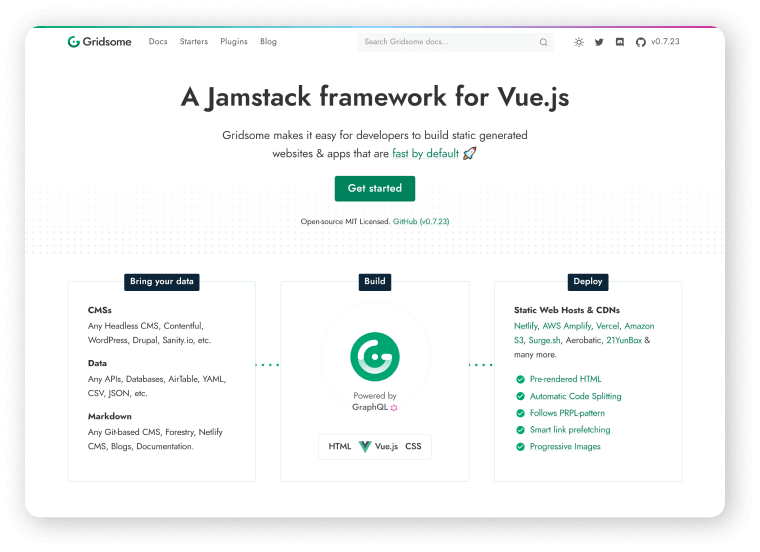
    Website

    Simply Business – High Converting landing Page

    Simply business high converting landing page

    Industry: Insurance

    Conversion Rate: 62.26%

    High-Converting Hint: Present complicated products in an uncomplicated way.

    Website

    onX – High Converting Landing Page

    onX

    Industry: Navigation

    Conversion Rate: 61.15%

    High-Converting Hint: Match visitor search intent in written and visual content.

    Website

    Later – High Converting Landing Page

    later

    Industry: Social Media

    Conversion Rate: 57.92%

    High-Converting Hint: Maintain conversion scent and balance your incentives.

    Website

    Summing Up

    According to the findings, on average, only five to ten people from a hundred convert into leads. So, if you’re still creating boring landing pages with confusing messages. You should take a pause and rethink the issue. This process will help you to save a lot of your working time, effort, and money.
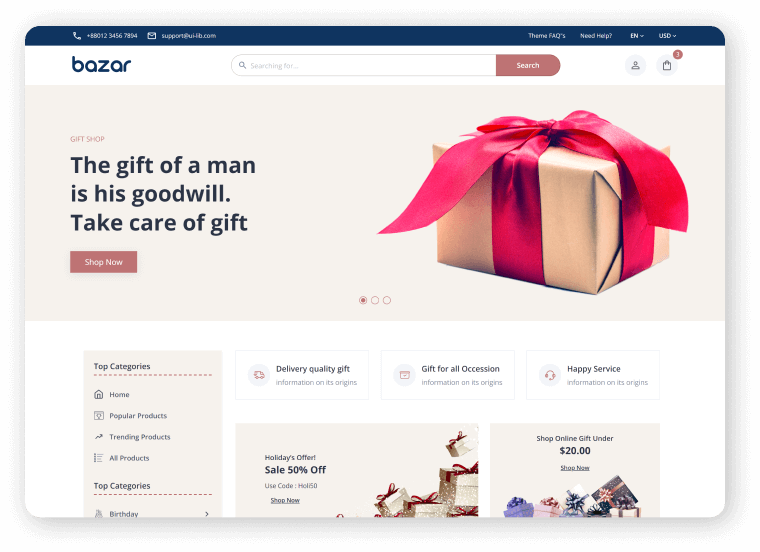
    Please keep in mind, you need to put in the effort to understand the details, concepts, and tricks of creating a great landing page and then apply them to your design. Test your designs through these parameters that we have covered earlier and keep updating your landing page with time, trend and demand. Thank you!

    Hey good people! 🙋‍♂️ Here’s a present from us to you. 👇 With this free HTML5 template, you can easily create a high-converting landing page. 🤩

    Egret Free HTML5 Landing Page

    Egret is a product landing page that is only one page long. It can also be used as a portfolio or a product landing page. Egret was created using HTML5, CSS3, and JQuery Animations. It has a responsive design and well-organized code.

    Key Features

    • Multiple Colors
    • Card Style
    • Mail Chip Support
    • Ajax Contact Form
    • JQuery Animations
    • Responsive Layout

    You Might Also Like These Articles

    1. Convert TypeScript Project to JavaScript
    2. Top 15 Best Open Source React Chart Libraries for 2021
    3. Top 15 Free Best React Date Picker Components to use in 2021
    4. TypeScript & JavaScript – Which One to Choose in 2021?
    5. Best Free Tailwind CSS UI Kits and Components in 2022
    6. Web3 – The Decentralized Web of Future
    7. Why & How to Get Started with Open-Source Software?
    8. React Boilerplates You Should Not Miss
    9. 15 Nextjs Boilerplates You Need To Check Out