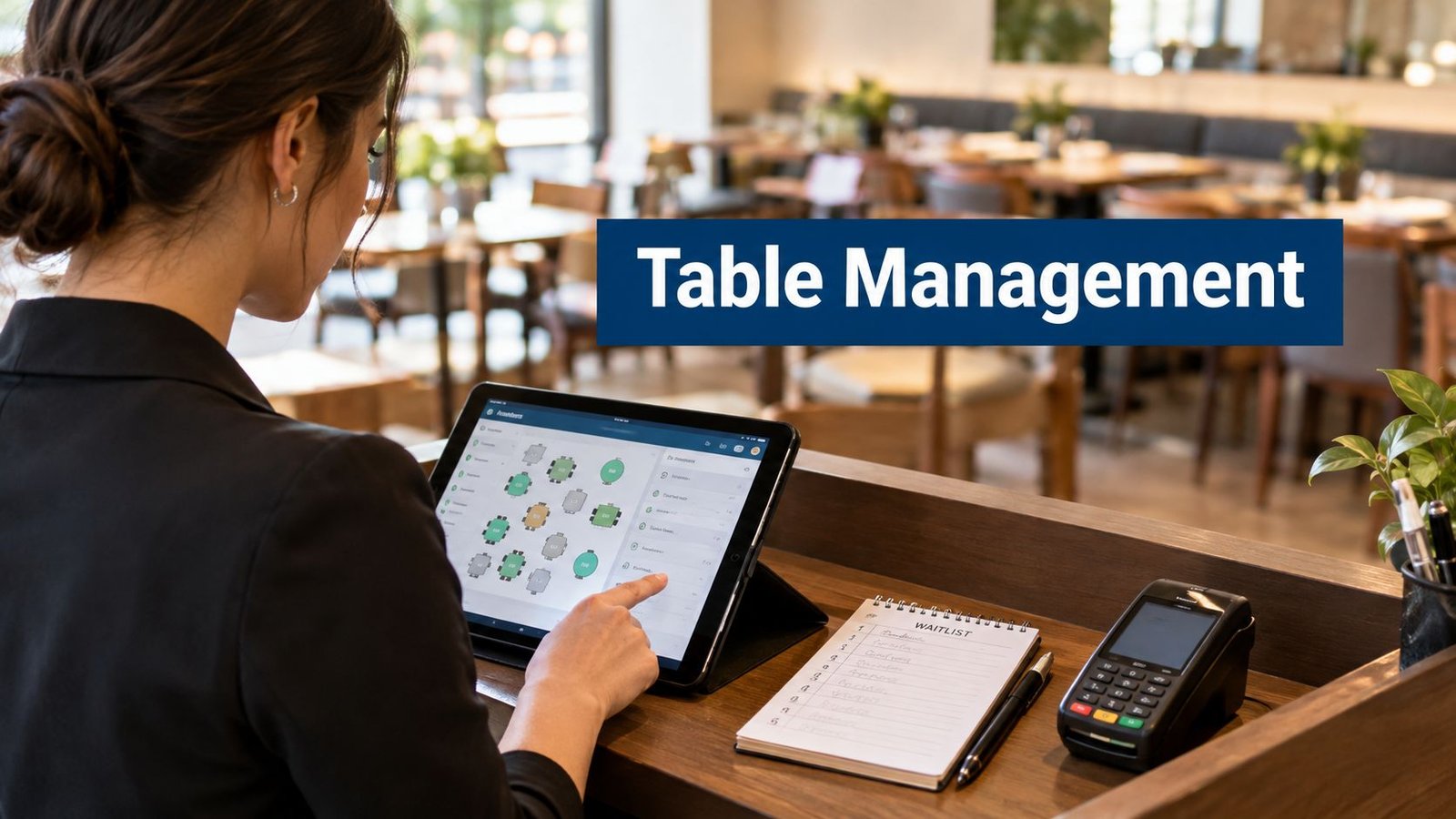
A busy Friday starts with three problems arriving at once. A walk-in is waiting by the door, a reservation is late, and a table has just been cleared but still needs resetting. The host needs to know whether that table can take the next party, whether the late booking still has a usable window, and whether the POS already shows the previous check as closed.
That's where table management software for restaurants earns its place. The useful systems keep the seating map, waitlist, reservation book, and POS aligned closely enough that the host can make a decision without checking three screens. The weak ones create a new delay, especially when a table changes status in one system but not another.
This comparison looks at ten tools from the host stand outward. The test is practical: how clearly each system handles seating maps, how quickly staff can work a waitlist, how cleanly it hands information to the POS, and what the operator really gives up through subscriptions, marketplace fees, limited plans, or technical overhead.
Table of Contents
- 1. Restaurant POS and Kitchen Display Software, Resto
- 2. OpenTable for Restaurants
- 3. Resy OS
- 4. SevenRooms
- 5. Tock
- 6. Yelp Guest Manager
- 7. Toast Tables
- 8. TouchBistro Reservations
- 9. Eat App
- 10. Hostme
- Top 10 Restaurant Table Management Systems Comparison
- Matching a Table Tool to How Your Floor Actually Runs
1. Restaurant POS and Kitchen Display Software, Resto
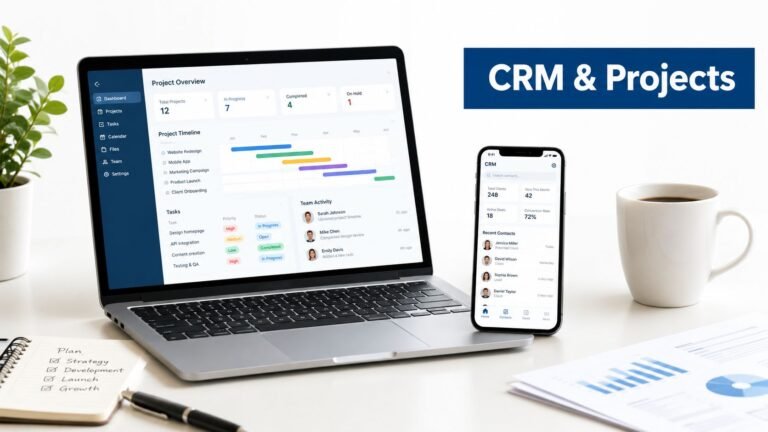
Resto is the unusual option in this list because it combines table management, POS, and kitchen display workflows in one self-hosted application. A host can open a table, move a party, merge tables, or split a bill while the order remains connected to the correct service context. That matters during a full dinner service, when a party changes seats or two reservations need to share a larger table.
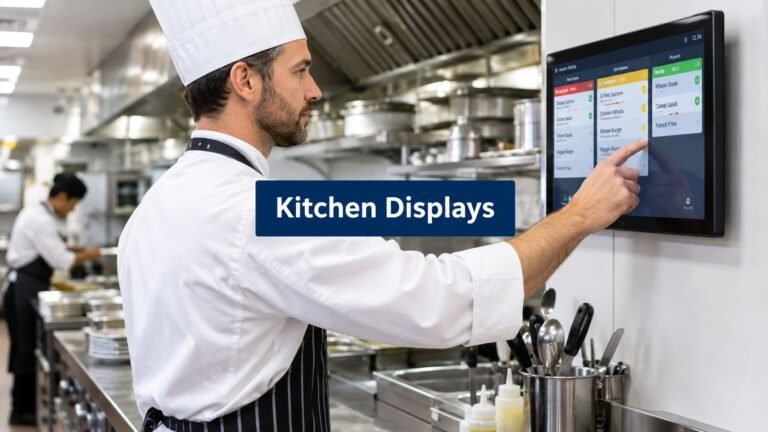
The floor plan is only useful if it reflects what the kitchen and checkout teams see. Resto connects table assignment with table sessions, waiter mobile service, recipe-based inventory, delivery, reservations, and walk-in waitlists. It also supports table QR codes for menu access and ordering, which can reduce repeated trips to the host or service team when the operating model suits it. The product details are available on the Resto restaurant POS and EPOS platform, and operators comparing checkout systems can also use this guide to POS and EPOS for wider context.
Where Resto works well
The strongest advantage is cost predictability and control. Resto is sold with a one-time licence, lifetime updates, and unencrypted source code. There are no recurring per-terminal or per-seat licence fees described in the product plan. The system can run on standard shared hosting and supports branches, staff, tables, and terminals for multi-location operations.
That setup suits an independent restaurant that wants one operational database rather than a reservation tool sitting beside a separate POS and KDS. It also suits an operator that needs to retain control of reservation, waitlist, table, sales, and inventory data.
Practical rule: A self-hosted system is only simpler if someone owns backups, updates, permissions, and recovery testing.
The trade-off at the host stand
Self-hosting brings responsibility. Installation and server management require technical work, unless the operator buys the optional installation or managed hosting service. The licence includes six months of support, while ongoing support or custom integrations may require additional purchases or internal development.
Resto is the best fit here for operators who value an integrated stack and predictable licensing more than a fully managed SaaS experience. It's less suitable for a restaurant that wants a vendor to handle every infrastructure decision without internal involvement.
2. OpenTable for Restaurants
OpenTable is strongest when the restaurant needs reservation management plus diner acquisition. At the host stand, its mature floor-plan and shift tools give staff a familiar way to view bookings, assign tables, manage sections, and work through a waitlist. Core and Pro plans provide the fuller table-management experience, while the basic option has more limited control.
The marketplace can be useful for filling demand that wouldn't otherwise reach the restaurant. That benefit changes the economics, though. Marketplace bookings can carry cover fees, so the operator needs to separate the value of discovery from the cost of each acquired party. A restaurant that already has strong direct demand may see less value than one trying to attract new diners.
What the host team gets
OpenTable handles reservations, waitlist activity, auto-seating functions, guest profiles, and feedback in one environment. A host can work from a consolidated view rather than maintaining a paper list beside a booking calendar. Its floor-plan workflow is mature enough for busy shifts, provided the restaurant configures sections, table combinations, and turn expectations carefully.
The limitation is that the system is primarily a front-of-house and acquisition platform, not a complete restaurant operating system. The POS handoff depends on the available integration and the POS already in use. Confirm whether guest notes, table status, reservation changes, and seated-party information move both ways before signing.
Cost and feature gap
The main pricing risk is cover-based marketplace cost. The basic plan also lacks the full table-management feature set that many operators expect from this category. OpenTable is a sensible choice when discovery is part of the growth plan. It's harder to justify as the only system when the restaurant wants ownership of the whole guest relationship and a tightly unified POS workflow.
See the current OpenTable restaurant plans before comparing quotes, because plan boundaries matter more than the brand name.
3. Resy OS
Resy OS is built around the rhythm of full-service dining. Its floor-plan editor uses drag-and-drop seating, which helps the host move a reservation onto the correct table without treating the map like a static diagram. The unified list for reservations and walk-ins is particularly useful when the door gets busy and the next available table depends on both groups.
The system's strength is pacing. Operators can set turn times and pacing rules by floor plan or section, so the booking book can reflect how different parts of the room run. That's more practical than applying one dining duration across a terrace, bar area, dining room, and private space.
Service pacing versus simple booking
Resy's seating tools are designed to reduce over-seating. Auto-assignment can suggest a table, while the host still makes the final call when a party is late, a table needs resetting, or a guest has a specific request. That balance matters because software can expose an overlap, but it can't negotiate with a party that's still enjoying a special occasion.
The waitlist workflow is clear enough for walk-in pressure, although the quality of the experience depends on how well staff maintain table status. If servers don't close out the operational state promptly, the host is still working from bad information.
The best pacing rule is one the host can override quickly and explain later.
The commercial question
Resy doesn't publish public pricing for its plans, so the operator needs a written quote that separates software, onboarding, integrations, and any other charges. Its diner marketplace may also be smaller than OpenTable's in some cities, which means discovery value varies by local market.
Resy OS is a good fit for a full-service restaurant that cares about pacing and a clean host workflow. Review the Resy restaurant platform with your own floor plan, not a generic demo layout.
4. SevenRooms
SevenRooms is less about a basic reservation calendar and more about guest intelligence around the table. The host can see reservations, waitlist entries, table status, guest notes, and CRM information in one operating environment. For a premium concept or multi-unit group, that context can shape how the team welcomes a returning guest, handles preferences, or follows up after a visit.
Its auto-seating tools are designed to balance covers and turns. That can help a busy room, but algorithms need rules that match the restaurant's service style. If the configuration prioritizes theoretical capacity over realistic kitchen pacing, the host inherits the problem when several tables fire together.
Strong data, heavier setup
SevenRooms' main advantage is first-party guest data and segmentation. The restaurant can use profiles and marketing automation for retention and upsell rather than treating every reservation as an isolated booking. Reputation management and broad integrations extend the platform beyond the host stand.
The downside is complexity. A single-location operator with a straightforward dining room may pay for features the team rarely opens. More configuration also means more implementation work. The operator should decide who owns floor-plan rules, guest-profile standards, consent settings, and integration monitoring before launch.
POS handoff and data ownership
The POS connection is central to the value proposition. Ask to see the exact flow from reservation to seating to check close. Confirm which guest details reach the POS, whether spend history returns to the profile, and what happens when an integration is delayed.
SevenRooms makes sense for operators who will actively use CRM and guest marketing. It's less compelling when the only requirement is a clear map and a simple waitlist. Explore the SevenRooms restaurant platform and request a workflow demonstration using the restaurant's real sections.
5. Tock
Tock is designed for restaurants where a reservation is more than a promise to hold a table. Tasting menus, prepaid events, deposits, and ticketed experiences all need different controls from a casual walk-in dinner. At the host stand, the useful distinction is whether the system can show not only who is arriving, but also what has already been paid, reserved, or committed.
The floor-plan and service-management tools support ordinary reservations and waitlists, while event tools handle experiences with a defined schedule. That makes Tock a strong option when the restaurant's calendar includes special services rather than only standard table bookings.
Where prepaid workflows help
Prepayment and deposits can reduce exposure to no-shows and give the restaurant better control over high-demand services. The independent 2026 reservation index recorded a 2.33% average no-show rate across 3,768,761 advance reservations at 2,417 restaurants. It also recorded a 0.80% no-show rate for reservations with no-show protection, compared with 2.47% where no payment requirement was used, an approximately 68% relative reduction. Those figures come from participating venues, not a universal industry average, but they show why payment policy belongs in the table-management discussion. See the reservation no-show benchmark for the methodology and limitations.
Tock's listed prepaid-experience fees are 2% to 3%, so operators should calculate that cost against the value of deposits, reduced risk, and smoother event planning.
The cost of extra structure
A restaurant that rarely runs prepaids may find Tock's workflow heavier than necessary. Staff need clear rules for refunds, transfers, late arrivals, and guests who booked different experiences. The POS handoff also deserves a live test, especially when deposits and final checks are settled through different stages.
Tock is a good fit for experience-led dining. It's less attractive for a simple neighborhood dining room that mainly needs a flexible waitlist and a quick seating map. Review the Tock pricing and plan details before assuming prepaid features automatically improve the operation.
6. Yelp Guest Manager
Yelp Guest Manager puts the host stand on an iPad and combines reservations, waitlist activity, table status, and guest messaging. The practical win is two-way texting. Staff can tell waiting guests when their table is approaching without keeping everyone clustered near the entrance.
The platform also distributes reservations through Yelp, Google, and Apple Maps. That gives the restaurant more booking surfaces without requiring separate manual calendars. The risk is familiar across channel-heavy setups: every extra channel needs reliable synchronization, clear ownership of table inventory, and an audit trail when a booking changes.
A simple walk-in workflow
The digital waitlist and optional kiosk suit restaurants with a steady flow of walk-ins. A guest can join remotely or at the venue, receive updates, and wait away from the door. The host still needs a fast way to mark a table as being cleaned, ready, held, or seated. If those states are buried in the interface, messaging only makes the queue look more organized than it really is.
The optional AI phone assistant can answer calls, handle common questions, and accept bookings. That may reduce interruptions, but it shouldn't be allowed to make promises the floor plan can't support. Review how the assistant handles unusual party sizes, accessibility requests, late arrivals, and closed sections.
Where it falls short
Yelp Guest Manager is lighter than CRM-centric platforms such as SevenRooms. Analytics and guest-history depth may not satisfy a group that wants detailed marketing segmentation. Pricing and bundles aren't fully public and can change, so get a current quote that includes messaging, kiosk use, phone features, and integrations.
The platform is worth considering for a restaurant that values consumer reach and a simple iPad setup. See the Yelp Guest Manager platform and ask to test a booking change from an external channel through to the host view and POS.
7. Toast Tables
Toast Tables makes the most sense when Toast already runs the restaurant's POS. The value is the handoff. Guest notes and history can appear on Toast POS devices, so servers and managers don't have to reconstruct the party's context from a separate reservation screen.
At the host stand, the product covers reservations, waitlists, and table management. Reserve with Google support extends the booking path, while the Tables and Tables Plus tiers divide the feature set. Online waitlist tools sit in the higher tier, so the plan distinction can affect a busy walk-in operation.
Native connection, narrower choice
A native POS relationship can remove vendor sprawl. The host seats the party, the server sees the relevant information on the Toast device, and the check remains inside the same ecosystem. That's cleaner than relying on a third-party integration that may sync only part of the guest or table record.
The trade-off is dependency. Toast Tables delivers its best value when Toast is already the POS. Buying it as a standalone table-management decision may force the restaurant toward a broader vendor commitment than it intended.
Integration test: Change a reservation, seat the party, move the table, and close the check. Watch which details update at each step.
Pricing and plan boundaries
Toast doesn't publish pricing for Tables, so the quote needs to identify the tier, online waitlist capability, implementation costs, hardware requirements, and any broader Toast contract terms. Operators comparing it with other POS ecosystems can also review Toast alternatives from UI Lib.
Toast Tables is a logical choice for an existing Toast customer that wants a unified front-of-house workflow. It's a weaker fit for an operator deliberately separating POS and guest-management vendors.
8. TouchBistro Reservations
TouchBistro Reservations is aimed at operators already using TouchBistro POS and wanting the reservation book, waitlist, floor plan, and table status inside the same environment. The host can work through online bookings, guest messages, and table flow without asking servers to maintain a separate operational record.
The POS connection is the main reason to consider it. When the reservation platform and POS share information, the team spends less time matching names, tables, and checks manually. Card holds and cancellation-policy support also give the restaurant tools for controlling no-show exposure without forcing every booking into a prepaid event model.
Predictable pricing has limits
TouchBistro promotes a flat monthly approach without per-cover fees. That can make costs easier to forecast than a marketplace model, especially for a venue with steady booking volume. Public pricing information is fragmented across its sales material, however, so an operator still needs a complete written quote.
The product is most convincing for a TouchBistro customer. A restaurant on another POS should compare the switching cost, data migration, hardware implications, and support arrangements before treating the reservation module as a standalone purchase.
Test the table flow
The demo should use the actual floor plan. Have the host seat a reservation, move the party, mark a table unavailable, add a walk-in, and send a cancellation message. Then check whether the POS reflects the correct table and guest context.
TouchBistro Reservations is a sensible ecosystem choice for independent full-service restaurants already committed to TouchBistro. It's less attractive when the restaurant wants a POS-neutral platform. Visit the TouchBistro Reservations product page and ask the vendor to show every charge connected to the complete workflow.
9. Eat App
Eat App focuses on reservations, waitlists, table management, guest communications, and CRM without trying to become the restaurant's POS. That separation can be useful. The operator keeps the transaction system it trusts while giving the host team a more capable front-of-house layer.
The interface covers floor-plan seating, pacing, online reservations, automated confirmations, and multi-location reporting. For the host, the important question is whether the map remains quick to edit during service. A polished map that takes several steps to change is still a problem when a party arrives early and the assigned table is not ready.
A practical middle ground
Eat App is positioned as a lower-entry option with public, tiered pricing. That transparency makes it easier to compare the cost of CRM, messaging, locations, and automation before a sales conversation. Advanced messaging volume and other features may require higher tiers, so the entry plan shouldn't be treated as the full operating specification.
The product's consumer marketplace presence is smaller than OpenTable, Resy, or Tock in some U.S. markets. That isn't necessarily a weakness for a restaurant generating demand through its own website, social channels, and direct relationships. It does matter if marketplace discovery is a core acquisition strategy.
The POS boundary
Because Eat App sits beside the POS, integration quality decides whether it saves time or creates reconciliation work. Test reservation creation, guest notes, seating, table changes, and check closure with the exact POS in use. Confirm what happens when a staff member edits a party in one system while another channel is still open.
Eat App is a strong candidate for independents and groups that want a modern host workflow, CRM, and automation without moving to an enterprise suite. Review the Eat App restaurant platform and price the features the host team will use every shift, not the longest feature list.
10. Hostme
Hostme gives independents a configurable reservation, waitlist, and table-management system with more control over statuses, branding, pacing, and workflows than a basic booking widget. That configurability can help a restaurant reflect its actual operation. The host can distinguish tables that are free, being cleaned, held, blocked, or ready instead of forcing every situation into a generic available or unavailable state.
Two-way SMS supports remote waitlist communication, while kiosk and multi-unit features extend the system beyond a single door. AI-assisted seating can suggest assignments, but the value depends on whether staff can reject or revise the suggestion without slowing the line.
Good control without marketplace dependence
Hostme is aimed at operators that want feature depth and transparent U.S. pricing without relying heavily on marketplace fees. The trade-off is demand generation. Its consumer marketplace is smaller, so the restaurant needs its own booking channels, local visibility, and repeat-guest strategy.
Some advanced branding features are gated to higher tiers. That matters for groups that want separate booking experiences or heavily customized guest communications. Get the tier and feature limits in writing before building marketing pages around them.
Watch the configuration burden
Granular workflows are useful only when the team can learn them. Too many statuses, rules, or automated messages can make a host's screen harder to read during a rush. Keep the setup close to the decisions staff make, then add complexity only when a real operating problem justifies it.
Hostme is a good fit for an independent restaurant that values control, customization, and two-way waitlist communication. Operators comparing it with other self-managed options can also see Square alternatives from UI Lib. Visit the Hostme restaurant platform and test the system with a late reservation, a blocked table, a joined table, and a walk-in party.
Top 10 Restaurant Table Management Systems Comparison
| Product | Core features | UX / Quality (★) | Value & Pricing (💰) | Target (👥) | Unique selling points (✨ / 🏆) |
|---|---|---|---|---|---|
| Resto (UI Lib) | POS · KDS · table mgmt · recipe inventory · online ordering · waiter mobile | ★★★★ | 💰 One‑time licence · lifetime updates · 6‑mo support | 👥 Independents, multi‑site ops, privacy‑focused | ✨ Self‑hosted + unencrypted source · 🏆 cost predictability & data custody |
| OpenTable (Core/Pro) | Reservations · waitlist · floor‑plan · guest profiles · marketplace | ★★★★ | 💰 Cover fees on marketplace · tiered plans | 👥 Restaurants seeking broad discovery | ✨ Largest diner network · 🏆 high new‑guest acquisition |
| Resy OS | Reservations · waitlist · drag‑drop floor‑plan · pacing/turn logic | ★★★★ | 💰 Quote‑based pricing | 👥 Full‑service dining, host‑stand centric | ✨ Advanced pacing/turn logic · backed by Amex |
| SevenRooms | Reservations · waitlist · table status · deep CRM & marketing | ★★★★★ | 💰 Premium / higher cost | 👥 Multi‑unit & premium concepts | ✨ First‑party guest data + marketing · 🏆 retention & upsell |
| Tock | Reservations · waitlist · events · prepaid/ticketing · reporting | ★★★★ | 💰 Transparent plans · prepay fees (≈2–3%) on events | 👥 Tasting menus, ticketed events, high‑no‑show risk | ✨ Built‑in prepaid/ticket workflows · 🏆 reduces no‑shows |
| Yelp Guest Manager | Reservations · waitlist · iPad host · distro to Yelp/Google/Apple | ★★★★ | 💰 Variable / bundle pricing | 👥 Venues wanting local discovery via Yelp/Maps | ✨ Strong consumer reach · optional AI phone assistant |
| Toast Tables | Reservations · waitlist · table mgmt · native Toast POS sync | ★★★★ | 💰 Quote‑based; best value with Toast POS | 👥 Restaurants already on Toast POS | ✨ Tight FOH↔POS integration · single‑vendor stack |
| TouchBistro Reservations | Reservations · waitlist · POS integration · card holds | ★★★★ | 💰 Flat monthly (no per‑cover fees) | 👥 TouchBistro users; operators wanting predictable costs | ✨ Predictable subscription pricing · POS reporting sync |
| Eat App | Reservations · waitlist · automated messaging · basic CRM · multi‑loc | ★★★★ | 💰 Clear tiered public pricing · good entry value | 👥 Independents & small groups wanting CRM + value | ✨ Modern UI · transparent pricing |
| Hostme | Reservations · waitlist · floor‑plan · AI seating · kiosk & branding | ★★★★ | 💰 Competitive transparent pricing | 👥 Independents wanting customization & AI seating | ✨ AI‑aided seating · granular workflow & branding configs |
Matching a Table Tool to How Your Floor Actually Runs
The best table management software restaurant choice starts with the floor, not the product page. Map every area the host manages, including the dining room, bar, terrace, private room, and any tables that can be joined or split. Then describe the service pattern accurately. A reservation-led tasting room needs different pacing and payment controls from a walk-in-heavy neighborhood restaurant.
Your POS should be the next decision point. If Toast, TouchBistro, or another ecosystem already handles ordering and payments reliably, its native table product may remove enough reconciliation work to justify staying inside that stack. If the current POS is weak, a standalone reservation platform may improve the host stand while leaving the kitchen and checkout workflow fragmented. Resto takes the opposite approach by combining POS, KDS, table management, reservations, waitlists, inventory, delivery, and online ordering in a self-hosted application.
Marketplace demand also changes the answer. OpenTable, Resy, Yelp Guest Manager, Tock, and other platforms can help bring bookings through external channels, but those channels introduce commercial fees, data questions, or synchronization points. A restaurant should know whether it's buying software, diner acquisition, or both. Those are different purchases, even when one vendor sells them together.
Pricing disclosure deserves its own test. Ask each vendor for the complete operating cost in writing, including licence or subscription fees, marketplace charges, prepaid-experience fees, messaging, onboarding, integrations, hardware, support, and renewal terms. A low entry price isn't useful if the feature needed for online waitlists or POS synchronization sits in a higher tier.
Resilience is just as important as features. Restaurants reportedly use four to five separate systems for core operations, which increases the chance of duplicate entry and conflicting table states, as discussed in this restaurant technology tools overview. Ask what happens during an internet outage, whether staff can seat and serve guests offline, how changes reconcile later, and whether you can export reservation, waitlist, seating-history, and guest data with its context intact.
Run a live test with the host team before committing. Use a real floor plan and simulate a cleared table, a late reservation, an early arrival, a table move, a waitlist text, a joined party, and a closed check. Watch for the moments when staff leave the main screen, repeat data entry, or ask a manager for help. Those delays matter more than a long feature list.
Finally, measure the result without rewarding speed alone. Track turn time, no-shows, wait abandonment, guest complaints, labor minutes per cover, and revenue per available seat hour where those measures fit your operation. Faster seating isn't automatically better if the kitchen gets overloaded or staff rush guests. Use the system to expose uncertainty, then let an experienced host override the algorithm and record why.
A reliable table tool should make the next decision clearer, not hide the trade-off. If retention is part of the plan, connect the reservation record to a loyalty platform for restaurants only after the table, guest, and POS data remain consistent.
Before signing, run the trial or demo for a full week of realistic waitlist and seating tests. Confirm every price, integration boundary, export right, backup responsibility, and support term in writing. The right system is the one your host can operate under pressure and your business can still control when the service is over.
UI Lib offers Resto, a self-hosted restaurant system that connects POS, KDS, table sessions, reservations, waitlists, inventory, and ordering under one licence. If you want table management with data control and predictable software costs, visit UI Lib and test the available demos before choosing your stack.