It’s Friday night, a table wants to change a main after the drinks have gone through, and another party is waiting to split its bill. Your manager is standing at the till, looking for a button that ought to be obvious. If you’re choosing POS software for restaurant service, start with that moment, not a vendor’s feature grid.
A suitable system should let your staff handle the meal as it happens. A poor fit makes them translate normal restaurant requests into checkout workarounds. Resto is UI Lib’s own restaurant POS, so it appears in this guide with its limits stated as plainly as its strengths.
Table of Contents
- What a Restaurant POS Has to Handle
- Why a Restaurant Till Is Not a Retail Till
- The Buyer’s Checklist Before You Demo Anything
- How Resto Covers Each Point on the Checklist
- Buying Once Versus Paying Every Month
- What a Restaurant POS Does Not Do for You
- Putting It Together and Choosing Well
What a Restaurant POS Has to Handle
A four-top sits down. The server sends drinks to the bar, enters starters and mains, and holds the mains until the table is ready. A guest changes a side, another adds a preparation note, and the kitchen needs the revised instructions without receiving the whole meal again.
At the end, the guests pay with separate cards and leave a tip. Nothing about that service is unusual. Yet it asks far more of a till than selecting products, taking payment, and printing a receipt.
The restaurant check stays open while service develops. Staff need to know which table owns it, who’s serving it, what has reached the kitchen, and what remains unpaid. The distinction between ordinary checkout and table-service workflows is reflected in restaurant-specific table management requirements.
Start with the handoffs
The most useful buying question isn’t whether the software has lots of features. It’s whether the next person receives the right information.
- Server to kitchen: Do preparation notes reach the correct station?
- Server to cashier: Can someone else settle the check without rebuilding it?
- Kitchen to floor: Can staff distinguish an order being prepared from one ready to serve?
- Shift to manager: Can the manager explain the sale, refund, and payment afterward?
For the production side, the dedicated guide to kitchen display system software is a useful companion. Keep the buying decision focused on those handoffs rather than screen layouts alone.
A convincing demo should resemble your dining room, including the awkward requests, not just a clean sale.
Keep technology in its place
If you’re also exploring broader technology ideas, see what MODERN LYFE recommends. Use that as a separate perspective, not evidence that a particular till suits your restaurant.
The recommendation here is straightforward: put service fit first, operating responsibility second, and licence cost alongside both. If you’ve already shortlisted software, stop collecting features and start asking the vendor to demonstrate complete meals.
Why a Restaurant Till Is Not a Retail Till
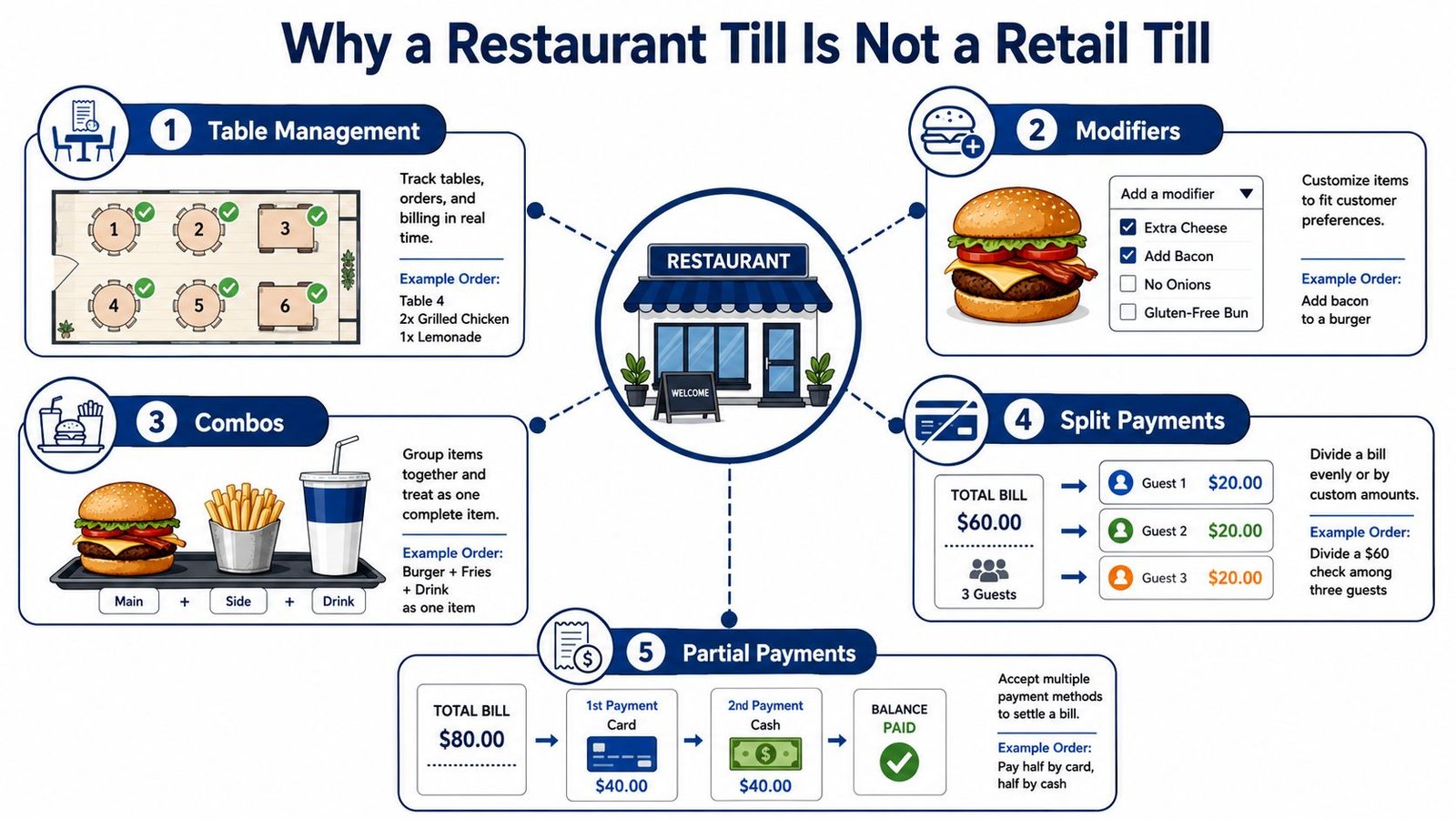
A retail checkout usually closes a basket. A restaurant till manages an ongoing relationship between guests, servers, kitchen stations, and payments. These are the capabilities to insist on seeing before calling a system suitable for table service.
Tables and order detail
Tables need more than a label on a receipt. A check should belong to a table and a server, with seat-level detail where your service requires it. When a server hands over a section, the incoming colleague needs to understand the open checks without asking guests to repeat their orders.
Modifiers are equally important. Enter a burger with no onions, extra bacon, and a different side. Check that the selected options carry the correct charges and remain attached to the item wherever staff see it.
Combos add another layer. A main, side, and drink may be sold as a bundle, but the kitchen and bar still need their own preparation instructions. A drink upgrade must change the price without making staff dismantle the meal and enter separate products.
Don’t accept a free-text note as a substitute for every structured option. Notes have their place, especially for unusual requests, but repeatable choices should be easy to select and inspect.
Timing and settlement
Coursing controls when food is prepared. Staff should be able to enter the meal once, send starters, and fire selected mains later. Ask what happens when a guest changes an item that has already been sent, because that’s where a tidy demonstration can fall apart.
Splitting a bill and taking a partial payment are related, but different:
| Guest request | What to demonstrate |
|---|---|
| Each guest pays for their own food | Split by seat or selected items |
| Guests divide the total differently | Allocate specific amounts |
| A guest pays some cash, then uses a card | Apply successive tenders correctly |
| A payment includes a tip | Keep the payment, balance, and gratuity clear |
Finally, station routing should send the steak to the grill, chips to the fry station, and drinks to the bar while retaining the parent order. This isn’t just printing the same ticket on several devices.
A system missing these functions forces staff to invent procedures around it. For a simple counter selling packaged goods, a retail-oriented tool can be the better fit. For staged dining service, those shortcuts become a training burden and a source of customer-visible mistakes.
The Buyer’s Checklist Before You Demo Anything
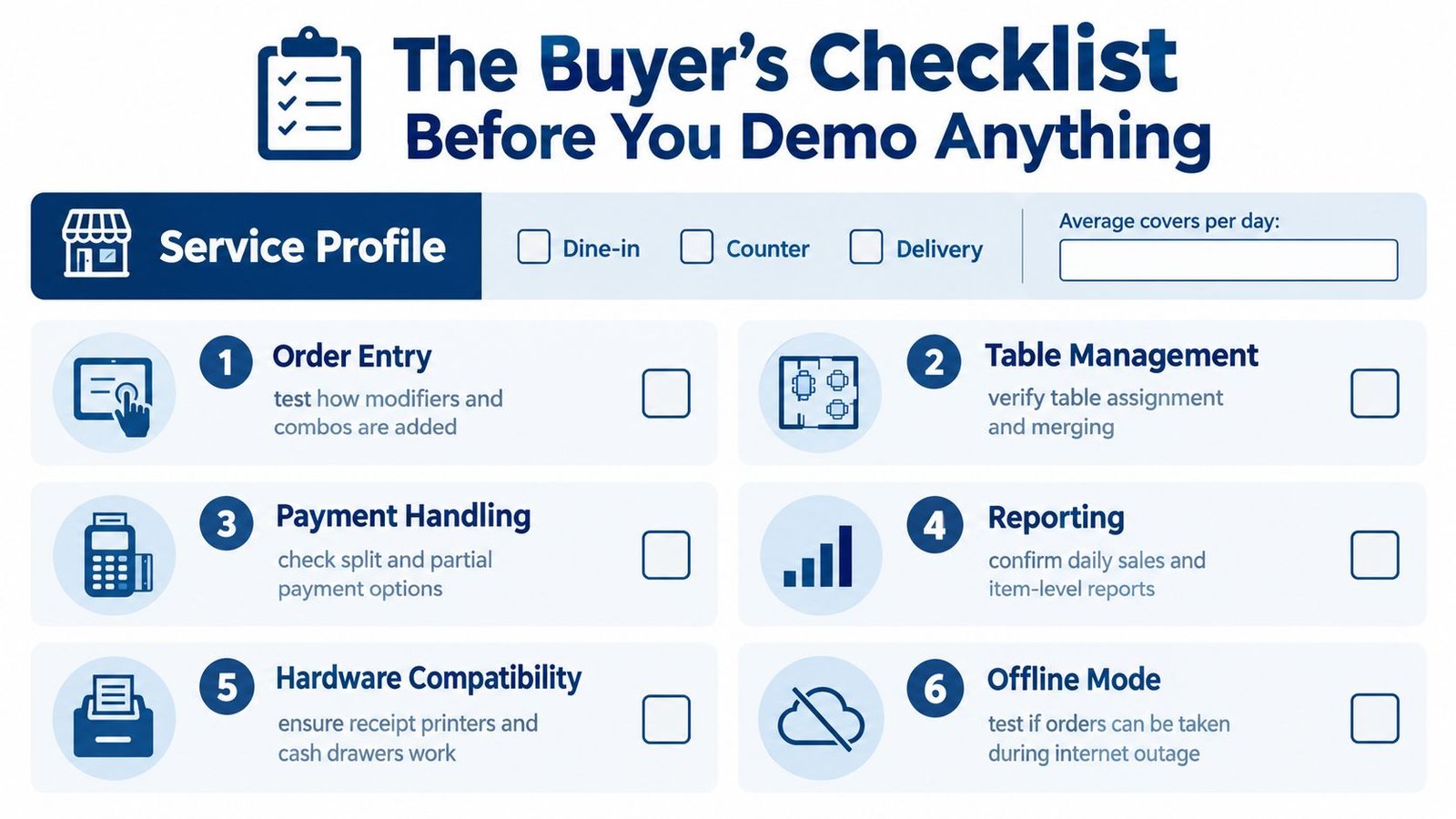
Write down your actual service before opening a demo. Include dine-in, counter sales, collection, delivery, typical covers, peak ticket load, menu complexity, and the staff who touch an order. The restaurant POS buying checklist from BPA supports evaluating the whole operating chain rather than counting headline features.
Test service before administration
Prepare 20–30 representative orders, including difficult modifier combinations and selected-course firing. Use your menu, not the vendor’s sample café menu.
- Order entry: Test combos, substitutions, unavailable items, discounts, voids, and manager approvals. Have an ordinary team member enter them, not only the salesperson.
- Tables: Verify server assignment, transfers, and the handling of open checks. Use the dedicated restaurant table management guide for the deeper evaluation.
- Payments: Request cash, card, contactless, split tender, tips, partial settlement, refunds, and closing reports. Distinguish a supported payment method from a supported physical terminal.
- Kitchen: Show station routing, bump, recall, and late-order visibility. Restart the kitchen screen and inspect what returns.
Don’t settle for a verbal assurance when a workflow matters to every shift.
Test failure and financial records
Unplug the connection during the demonstration. Capture orders, restart the till, reconnect, and inspect the resulting records. Separately test payment-provider failure, because offline order capture doesn’t prove offline card acceptance.
Ask how the system prevents duplicate orders and payments, restores open tables, reprints receipts, and resolves conflicting changes. This focus on degraded operation is supported by the failure scenarios described in Canopy’s restaurant technology report.
For the back office, follow a menu item from sale to ingredient deduction, refund, tax, and settlement. Ask who can change recipe costs and how waste gets recorded. The need for usable financial records, rather than integration badges alone, is illustrated by Digital Transactions’ coverage of restaurant financial systems.
Finish with hardware, data exports, processor restrictions, support availability, and branch requirements. Ask whether each essential module is included or separately licensed.
Treat an undemonstrated requirement as a purchasing risk, not a roadmap promise.
Also request a written payment-data boundary. PCI Security Standards Council tokenization guidance explains why replacing card numbers with tokens can reduce exposure without eliminating compliance responsibilities. Don’t assume self-hosting or outsourced checkout makes that responsibility disappear.
How Resto Covers Each Point on the Checklist
Resto is UI Lib’s own restaurant POS, one option for an owner who wants connected restaurant operations on infrastructure they control. It covers till service, kitchen production, stock, direct ordering, and administration. That’s a reason to evaluate it, not a reason to skip the service tests.
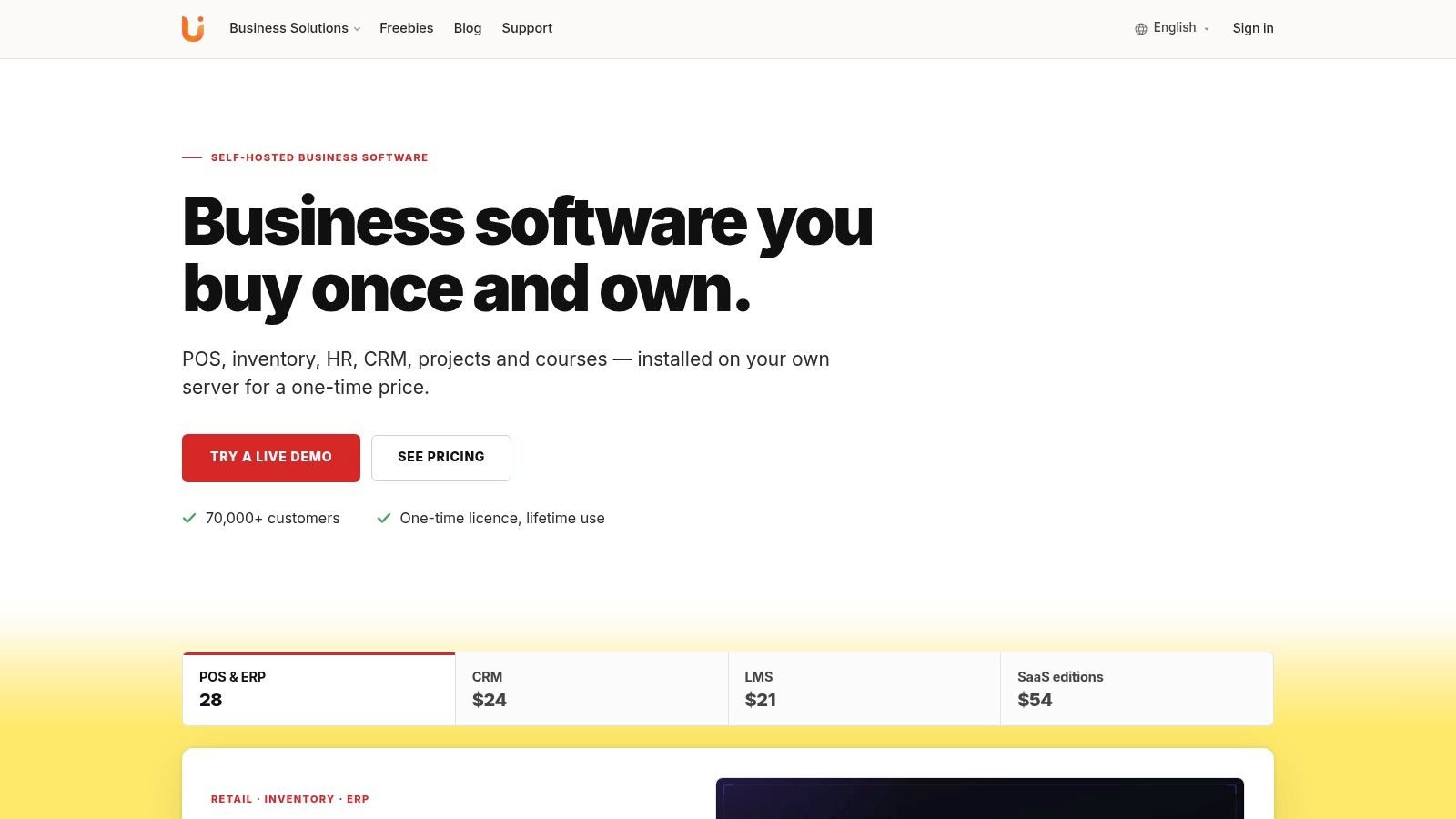
Here is Resto’s interface; inspect the controls yourself in the live demo.
At the till and on the floor
The touch-first till handles tables, modifiers, combos, split and partial payments, tips, and line-level refunds. Its offline selling queues orders on the device and synchronizes them without duplicate transactions when connectivity returns.
Those capabilities are real, but don’t infer every possible splitting rule or a full coursing workflow from the labels. If your servers routinely split by seat or fire selected courses, have those exact actions demonstrated.
The kitchen display routes tickets by station and includes bump, recall, and late-order colours. Each ticket has a timer, 15 minutes by default, turning amber at three quarters of the target and red once it is past it. If the connection drops, the till queues orders and delivers the kitchen tickets when the connection returns. A drag-and-drop floor plan shows live table status, while a phone-sized waiter app supports service away from the till. The dedicated kitchen and table guides linked earlier cover the mechanics without turning this buying guide into an interface manual.
The product walkthrough gives another view of the connected workflow.
Beyond checkout
Recipe-based stock is where the evaluation moves beyond sales totals. Recipes and sub-recipes deduct ingredients automatically, while moving-average costing supports stock valuation. Batch and expiry tracking address perishables, and the menu-engineering matrix groups items into Stars, Ploughhorses, Puzzles, and Dogs.
Check these functions with a dish that contains a prepared component, such as a sauce used across several menu items. You want to understand the deductions, not merely confirm that an inventory screen exists.
The remaining coverage includes:
- Direct ordering and delivery: QR menu ordering, an online store, delivery zones with fees and times, and a rider dispatch board.
- Reservations: A day book, waitlist, and online requests.
- Accounts and staff: Double-entry accounting, PIN clock-in, timesheets, leave, and payroll runs covering overtime, commission, and tip sharing.
- Branches and language: Separate stock, tables, staff, prices, and taxes for several branches, plus Arabic support with a right-to-left layout.
Resto warrants consideration when you want those operations in a connected, self-hosted application. If your priority is an existing external delivery or payment ecosystem, start by checking compatibility instead. Broad internal coverage doesn’t establish compatibility with tools you already use.
Buying Once Versus Paying Every Month
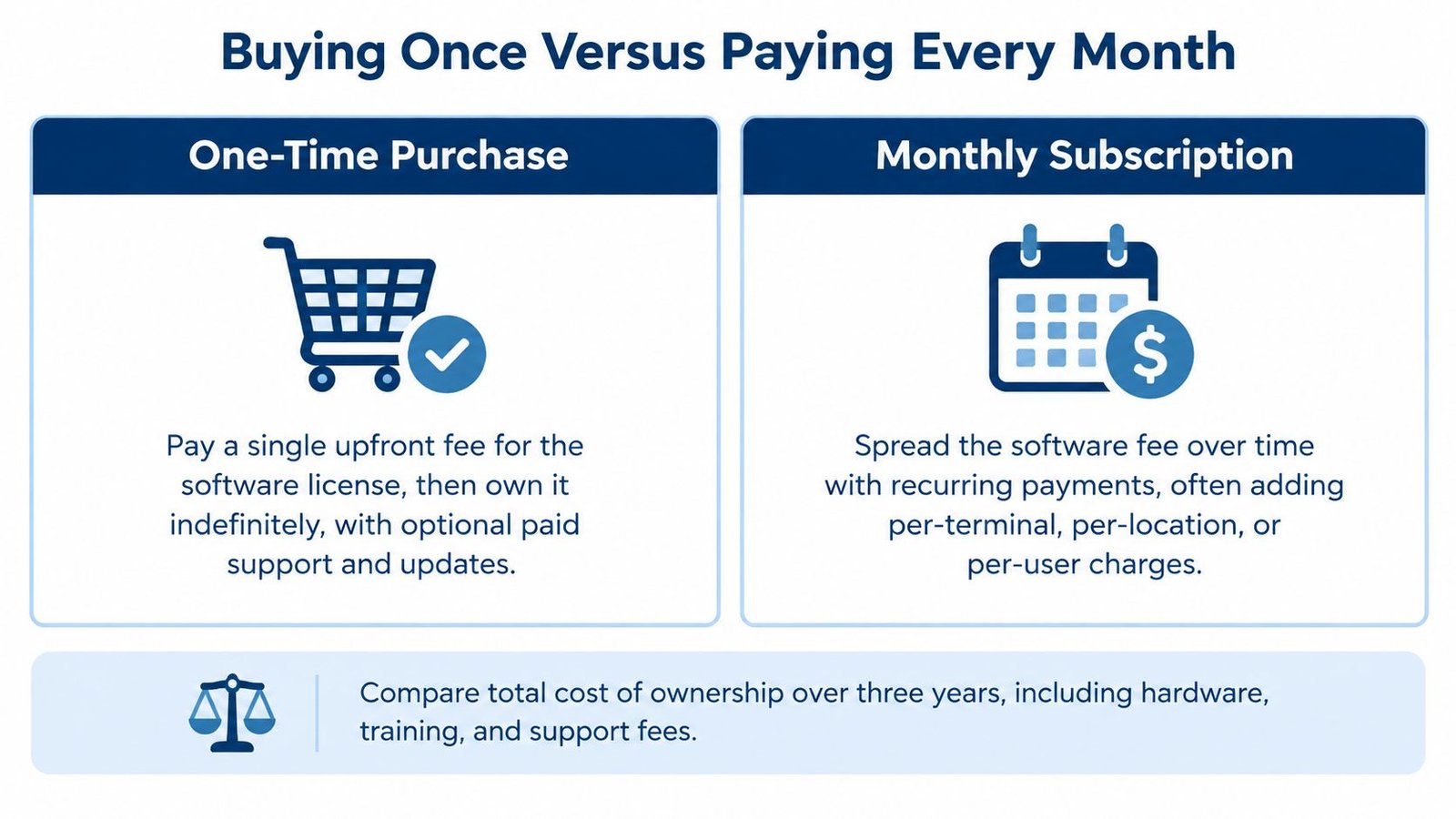
A one-time licence and a subscription are different cost structures. Neither removes hardware, payment processing, implementation, or operating work. The useful comparison is the complete cost of running a suitable system, not the first invoice.
Restaurant365’s explanation of POS costs distinguishes software charges from the other costs owners need to consider. Make each vendor separate those categories in writing.
What the licence covers
A subscription spreads the software charge over time. Depending on the contract, recurring charges may also vary with terminals, locations, or additional functions. Lower initial commitment can be useful when you’re opening a restaurant and protecting cash, but the software bill continues under the subscription terms.
Resto is self-hosted and bought once, with no per-terminal or per-seat software fees. Its licence includes unencrypted source code, lifetime updates, and six months of support with optional renewal, as described on the Resto product page. It’s a one-time purchase, see the product page for the current price.
That page also provides the route to the live demo. Use the demo access there rather than judging the licence from screenshots alone; the demo’s own login page lists the accounts to use.
| Cost question | One-time self-hosted licence | Subscription licence |
|---|---|---|
| How is software paid for? | Upfront purchase | Recurring payments |
| Who runs the infrastructure? | You, or UI Lib on managed hosting at $12 a month | Confirm the vendor’s operating model |
| What happens when support ends? | Budget for optional renewal or other assistance | Check what the recurring plan includes |
| Are extra devices charged separately? | Resto has no per-terminal software fee | Read the specific contract |
Hosting, backups and maintenance
Hosting, hardware, payment processing, backups, maintenance, and staff training don’t disappear after purchase, but some of them can be handled for you. UI Lib’s managed hosting is $12 a month: we host Resto on our dedicated servers, installation is free, regular backups and security are looked after by our team, and you only buy a domain. If you prefer your own hosting, we can do the installation for a one-time $50. Lifetime access to updates means the updates are included; they are applied by copying files and running migrations.
The own-versus-rent comparison is useful for seeing the five-year arithmetic of owning the software instead of renting it.
Ask who fixes the server during service and where that responsibility appears in the quotation.
A managed subscription suits you when its demonstrated service and support arrangements fit better than any alternative. One-time licensing suits you when ownership matters and the workflow fits, and with managed hosting the server is run for you. Don’t make either decision on software fees alone.
What a Restaurant POS Does Not Do for You
An integrated restaurant application isn’t a substitute for operational management. Staff still need training, ingredient records still need checking, and someone must own recovery when equipment fails. Resto also has specific limits that should influence the purchase.
What it does not do
Updates are applied by copying files and running migrations, and there’s no automatic updater. Managed hosting covers the server, regular backups and security, and you can ask us how updates are handled for your install.
The kitchen display updates by polling, not WebSockets. Don’t describe that as instantaneous push delivery or assume a particular delay. Observe order appearance and recovery on your intended setup.
The published Resto requirements specify PHP 8.3 and MySQL 8.0 or MariaDB 10.6, without Node, Redis, WebSockets, queue workers, or cron. A smaller list of dependencies doesn’t remove the need for backups, access control, monitoring, and restoration tests: managed hosting includes regular backups and security, and on your own hosting you plan them yourself.
Payment and delivery boundaries
Card payments are supported through Stripe Checkout, alongside cash on delivery and pay at the counter. That doesn’t establish support for your preferred countertop terminal, integrated chip reader, or offline card processing.
There are no third-party delivery platform integrations. Don’t plan on external marketplace orders automatically entering Resto. Its direct-ordering functions aren’t evidence of those connections.
- Terminal-led service: Prefer another system if it can demonstrate the payment hardware workflow your restaurant requires and Resto cannot.
- Marketplace-heavy delivery: Prefer a tool with demonstrated connections to your actual delivery platforms.
- Hands-off maintenance: Managed hosting covers the server, regular backups and security; confirm how updates are handled for your install.
Resto was released in August 2026. It’s a new product, so there’s no established track record to claim here. Test your workload and ask for support and recovery procedures rather than accepting statements about proven uptime or scale.
Restaurant infrastructure also extends beyond software. If equipment planning is part of the same project, Ring Hot Water’s guide to sizing restaurant water filters is a separate practical resource. The till won’t size equipment, maintain appliances, or make operational decisions for you.
Putting It Together and Choosing Well
Choose according to your restaurant’s hardest requirement, not the longest feature list. A full-service dining room should start with course handling, check changes, and kitchen coordination. A counter operation may place greater weight on payment speed and hardware fit.
Match the decision to the constraint
- Complex dining service: Make the difficult meal your first demonstration. Don’t let a simple takeaway sale stand in for it.
- Licence-cost control: Consider ownership, and include the hosting choice in the comparison.
- Several branches: Inspect branch separation immediately. Don’t accept future plans for stock, staff, prices, or taxes.
- No technical administrator: Managed hosting is $12 a month, or we can do the installation on your own hosting for a one-time $50.
Resto is worth testing when its restaurant workflows and ownership model match those priorities. A different tool is the better choice when you need payment devices or delivery connections it doesn’t provide.
Buy the workflow you can demonstrate and the operating arrangement you can sustain.
Your next step is to arrange a live demonstration and run the representative orders from your checklist through the till. Include an order change, a kitchen-screen restart, a refund, and a lost connection. Record what passed, what failed, and what remains unproven.
Make the decision with a server, a kitchen representative, and whoever closes the accounts involved. The person approving the invoice shouldn’t be the only person who has tried the software.
UI Lib offers Resto as one-time licensed, self-hosted restaurant software covering the till, kitchen display, and connected back-office functions, with managed hosting from $12 a month. Visit UI Lib to inspect the product details and access the demo, then test your own menu and service exceptions before buying.