The popular advice is simple: find a POS system with no monthly fee and you have found the cheapest system. That advice is wrong, or at least incomplete. It treats one line on the bill as the whole bill.
A bought once system can save you real money over five years. It can also cost you more in your own time, hosting, and downtime than a subscription would have cost. The difference is not the headline price. It's who does the work, how many tills you run, and how much you take by card.
Don't choose on the monthly fee alone. Price the whole system first, decide who maintains it, and only then pick the model that fits your team.
Table of Contents
- What No Monthly Fee Really Includes
- Five-Year Cost Method You Can Run Yourself
- Subscription and One-Time Licence Side by Side
- What You Take On When You Own the Software
- How to Set Up and Update a Self-Hosted POS
- Where Stocky POS and Resto Fit
- What Stocky POS and Resto Do Not Do
- Choose Your Path Before You Buy
What No Monthly Fee Really Includes
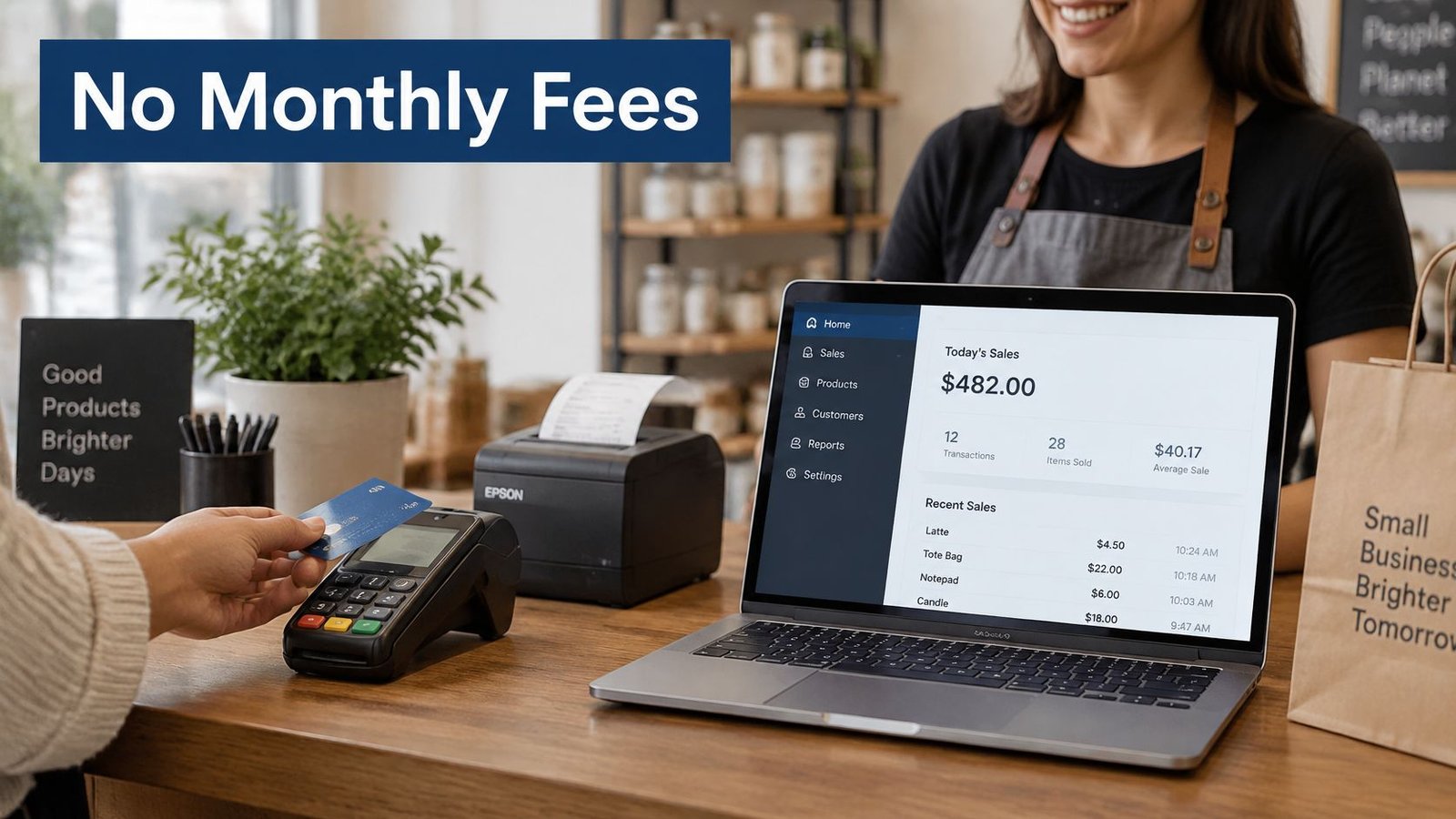
No monthly fee does not mean no cost. It means the software itself has no recurring charge per month, per till, per user, or per terminal. Everything around the software can still cost money.
Costs that remain after the licence
Card processing stays. Your processor charges a percentage plus a per transaction charge, and that total rises with your sales. The software price doesn't cover it, whichever model you buy.
Hardware stays too. You still need a tablet or terminal, a receipt printer, and usually a barcode scanner. Hosting is yours on a self hosted system, whether that's a server you control, shared hosting you pay for, or UI Lib's managed hosting. Add ons, integrations, and maintenance time sit on top of that.
Stocky POS and Resto follow this pattern. They're bought once and self hosted, with no per till, per user, or per terminal fees. You pay for hosting and your own payment processor. Each is a one-time purchase, see its product page for the current price. If you don't want to run the server yourself, UI Lib's managed hosting is $12 a month: the software runs on UI Lib's dedicated servers, UI Lib manages the server, installation is free, and you only buy a domain. If you would rather use your own hosting, the installation service is a one-time $50.
One legal point matters if you plan to pass card costs on. In the United States, the Federal Trade Commission guidance on unfair or deceptive fees says businesses may charge or pass through credit card or other payment processing fees where legally permitted, but if customers must use a payment method carrying the fee, that fee must be disclosed and included in the final price before payment.
Before you compare anything, write down these six costs:
- Licence or subscription: one figure per option
- Hardware: terminal, scanner, printer, tablet
- Hosting: your host, or managed hosting
- Card processing: rate plus fixed fee per sale
- Maintenance: your time or paid help
- Add ons: only the ones you'll switch on
Five-Year Cost Method You Can Run Yourself
Use the same categories for every option. The formula is: five-year total cost = upfront purchase and setup costs + operating, hosting, payment processing, maintenance, support, hardware, and downtime costs for years 1 to 5, minus any measurable residual value or savings. That structure follows NetSuite guidance on total cost of ownership, which identifies purchase, implementation, and operating costs across a five to ten year period as core components, with broader models also including maintenance, downtime, and disposal or residual value.
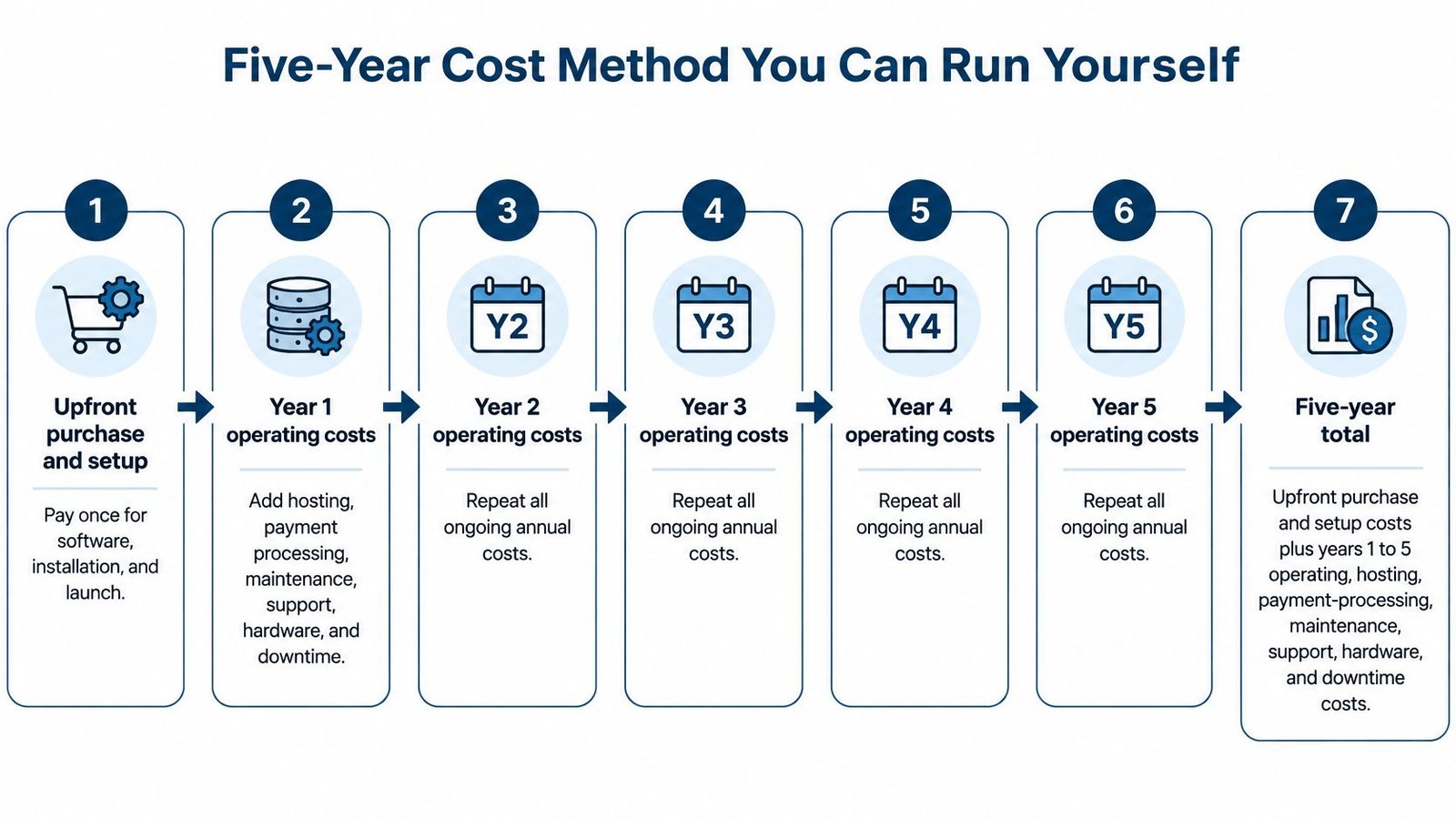
Run the worksheet in order
- Licence or subscription: Write the one time licence price from the product page. For a subscription, write the plan price times twelve for each year.
- Hardware: Get supplier quotes for terminals, scanners, and printers. Don't estimate from memory.
- Processor charges: Take the percentage and per transaction fee from your actual statement, not a sales page.
- Card sales volume: Use your last twelve months as the starting point for annual card sales.
- Hosting: Price a real host, or use UI Lib managed hosting at $12 a month, which is $720 over five years.
- Maintenance time: Estimate hours per month, then multiply by your hourly cost. Your time is a cost even when no invoice arrives.
- Downtime: Estimate hours you could not trade, then multiply by sales lost per hour.
- Add each year separately: Total each category per year, then add the five annual totals.
- Subtract residual value: Deduct only a value you can measure, such as hardware you could resell.
| Cost line | Where the figure comes from | Repeats each year |
|---|---|---|
| One-time licence | Product page, current one-time price | No |
| Subscription fee | Plan price times 12 for each year | Yes |
| Hardware | Supplier quote for terminal, scanner, printer | Only when replaced |
| Hosting | Host quote, or managed hosting at $12 a month | Yes |
| Card processing | Processor rate times card sales, plus fixed fee per transaction | Yes, scales with sales |
| Maintenance time | Hours per month times your hourly cost | Yes |
| Support | Paid help or your own time | Yes |
| Downtime | Hours closed times sales lost per hour | Only when outages happen |
Every figure in the worksheet comes from a quote, a statement, or a published plan. If you can't point to its source, leave the cell blank until you can.
Notice what changes the answer. Processing fees scale with volume, so a busy shop pays more there regardless of licence model. A one time licence doesn't scale that way. That's why the same POS system with no monthly fee can win easily for one business and lose for another once maintenance hours are priced.
Subscription and One-Time Licence Side by Side
This table compares responsibilities, not just prices. Read it as a fair summary of the two models, then check any subscription plan's own terms before you rely on a row.
| Criterion | One-time self-hosted licence | Subscription software |
|---|---|---|
| Software cost over time | Fixed one-time price; see product page | Recurring charge each month or year |
| Per-till, per-user or per-terminal charge | None for Stocky POS or Resto | Check plan limits for tills and users |
| Updates | Applied by the owner: copy files, run migrations | Usually handled by the vendor; check plan terms |
| Hosting | Owner pays own host, or UI Lib managed hosting at $12 a month | Usually included; check plan terms |
| Backups and uptime | Owner's responsibility on own hosting; on UI Lib managed hosting the team takes regular backups and looks after security | Set by vendor terms; check before buying |
| Data location | Owner's server and database, or UI Lib's dedicated servers on managed hosting | Vendor's server under the plan terms |
| Support | Confirm on the product page | Set by the plan you buy |
| Card processing | Owner's own processor, same fees in both models | Owner's own processor, same fees in both models |
Rows that usually decide it
Per till and per user pricing matters most when you add a second counter or more staff accounts. With Stocky POS and Resto there are no such charges, so adding a till doesn't raise the software bill. With a subscription, count how many tills and users you need today and in two years, then price that tier, not the entry tier.
Updates and hosting are the trade on the other side. On a self hosted licence you, or your technician, copy files and run migrations on Resto and Nexus. On a subscription the vendor usually handles updates and hosting, and you confirm the details in the plan terms. You're buying back your evenings. Sometimes that's worth more than the fee.
Data location and backups follow the same split. Self hosting keeps data in your own database, under your control. On your own hosting it also makes backups and uptime your job; on managed hosting the server side is done for you. A subscription puts those duties under the vendor's terms, which you should read before buying rather than after an outage.
Card processing doesn't decide anything here. You pay your processor in both models, so don't let a sales pitch blur software savings with card fees.
The decision is about who carries operating duties and recurring charges, not about which system takes card payments.
Support needs the same careful check in both columns. Confirm what's included on each product page or plan, in writing, before money changes hands.
What You Take On When You Own the Software
Owning self hosted software moves work from a vendor's operations team to you or your administrator, unless you hand the server side to a host. That work is predictable, but it doesn't disappear because the licence was cheap. Server configuration, access control, backups, monitoring, security testing, and timely patching all land on someone's calendar.
The NIST guide to securing public web servers puts secure configuration, frequent backups, patching, security monitoring, and environment testing on the system administrator. Regular backups, tested restores, and timely patching are the baseline duties you accept when you run your own server.
Your recurring duties
| Task | How often | Who handles it |
|---|---|---|
| Install product updates (Resto, Nexus) | At each release | Owner or technician |
| Encrypted database and file backup | On a fixed schedule, with restore tests | Owner or host |
| Apply software and server patches | When released | Owner or technician |
| Check PHP and database versions | Before each update | Owner or technician |
| Monitor server and security events | Ongoing | Owner or managed host |
You cover each row one of three ways. Do it yourself, pay a technician, or let UI Lib handle the server side. Managed hosting costs $12 a month and puts the software on dedicated servers that UI Lib runs, with the server managed, installation free, regular backups and security looked after, and a domain as the only thing you buy. Confirm with us how updates are handled for your product. What you can't do is leave a row unassigned. Unpatched software and untested backups fail without warning, then loudly on your busiest day.
The trade is genuine. You gain control over infrastructure and data, plus no per till, per user, or per terminal fees as you grow. You accept responsibility for uptime, recovery, compatibility, and change management, or you pay for managed hosting to take most of it. If your own server goes down at lunch, there's no vendor status page to watch. There's your phone ringing.
Put ownership in writing
Decide who handles each task in the table before you buy, and write it down with a name and a backup name. If you manage several tools across the business, it also helps to check licence use across your office so renewals, versions, and responsibilities sit in one register rather than in someone's memory.
Be clear about the limits. The licence for Stocky POS or Resto includes the source code, lifetime updates, and six months of support. On your own hosting, backups, uptime, and restore testing stay with you, so build your own recovery plan and test a restore before you trade on the system. A backup you have never restored is only a guess.
If you're weighing where the system should live at all, our comparison of on premise and cloud ERP deployment lays out the control and maintenance trade offs in plain terms.
Run one test before purchase. Name the person who will patch, back up, and restore. If you can't name one, price managed hosting or choose a subscription.
How to Set Up and Update a Self-Hosted POS
Setup is sequential. Skip a step and you'll debug it later in front of customers. On managed hosting, or with the $50 installation service, UI Lib does this part for you; the steps below are for doing it yourself.
Before you upload anything, confirm the current system requirements on the Stocky POS product page or in its documentation, then check them against what your host provides. Do the same for hardware. Verify your barcode scanners are listed as compatible, and if you plan to scan with a phone camera, install HTTPS first because browsers only allow camera access over a secure connection.
Initial setup
- Confirm the requirements: check the product page or documentation for the PHP version, database type, and extensions the current release needs.
- Create an empty database and a dedicated database user: the application gets only the access it needs, nothing more.
- Install HTTPS: do this now if you plan to scan barcodes with a camera.
- Upload the application files: put them in the web root your host provides.
- Run the database migrations: use the migrations included with the release so the tables match the code.
- Log in and configure: create the first user, then set up warehouses and products.
- Test before trading: make a test sale, a test refund, and a stock check, and confirm each one records correctly.
If you're choosing a host for this, our guide to shared hosting requirements and limits shows what to verify before you match a plan to the application's requirements.
The update routine
Updates are applied by you. Check the product's documentation for the exact update process for your release before you start, and for any release that ships migrations, follow the same order every time:
- Back up first: take a full database and file backup before touching anything.
- Copy the new files: copy them over the old ones, keeping your configuration file.
- Run the migrations: this brings the database in line with the new code.
- Test one sale and one report: confirm both work before staff use the system.
Keep the previous copy until the test passes. If something breaks, restore the backup and trade on the old version while you work out why. Pick a quiet hour for updates, not your busiest morning.
If that routine sounds like work you won't do, that's useful information, not a failure. Managed hosting runs $12 a month and covers hosting the software on dedicated servers plus managing the server; you only buy a domain. Ask us how updates are handled for your install. Either way, the call on when the system is ready to trade stays yours.
Where Stocky POS and Resto Fit
Stocky POS fits retail businesses that sell products and track stock. Resto fits restaurants in the same one time, self hosted model. Match the product to how you trade, not to the price.
Stocky POS for retail and inventory
Stocky POS is self hosted retail point of sale and inventory software, bought once. The licence includes the source code, free updates for life, and 6 months of support, with no per till or per user fees on top, and the current price is on the product page. Its touch first register supports offline selling, where sales queue on the device and sync when the connection returns. The retail POS page describes the retail side in more detail.
- Product types: single, variable products such as sizes and colours, service, and combo products
- Scanning: USB, Bluetooth, or camera barcode scanning
- Stock: multiple warehouses, purchases, supplier returns, and bulk import from CSV or Excel
- Tracking: serial number tracking on the units you sell
- Payments: split and multi payment sales, with partial payments saved to the customer's ledger and credit limits that stop an account going past its limit
- Loyalty and accounts: loyalty points, a customer portal for invoices and statements, and double entry accounting
- Selling online: a built in online store that syncs with WooCommerce and Shopify
- Compliance: ZATCA e-invoicing for Saudi Arabia, built in at no extra cost
That feature set suits a shop where stock accuracy matters as much as the till. An electronics shop recording serial numbers on every unit, or a wholesaler running supplier returns against purchase orders, gets those controls built in rather than bolted on.
Resto for restaurants
Resto is the restaurant option in the same self hosted, one time model, with the same source code, lifetime updates, and 6 months of support; its price is on the product page. Its full feature list is there too, so check it against your service style before deciding. If you're comparing the wider field first, this roundup of top point-of-sale options for restaurants is a useful cross check, and our guide to POS software for restaurants works through what a restaurant till needs beyond a retail register.
Before you commit, watch the workflow rather than reading about it:
Each product page links to a live demo, so run the sales your staff will make in practice and see how the flow feels at full speed. A restaurant with no one technical doesn't have to rule this model out: managed hosting runs the server for $12 a month, while a hosted subscription remains the alternative if you want the vendor to run everything.
What Stocky POS and Resto Do Not Do
Every one of these limits hands a job to you. Read them as plainly as they're written.
They don't include hosting in the licence. Neither product comes with a server. You provide your own, or you pay for help: managed hosting is $12 a month on dedicated servers, with installation free and a domain as the only thing you buy, and the installation service is a one-time $50 if you bring your own hosting. Decide which side of that line you sit on before launch day.
They don't update themselves. Applying an update is owner work: you copy the new files into your installation and run the migrations the update routine describes. Skip it, and the system stays on the old version, carrying old bugs and missing security fixes.
Backups depend on your hosting. UI Lib doesn't promise backups or support levels beyond what the product and service pages state. On your own hosting you arrange backups, you test restores, and you write the recovery plan. Do it before you trade, not after the first failure.
Offline selling leaves one question for you to close. Sales queue on the device and sync when the connection returns. Ask the vendor for its duplicate-prevention and stock reconciliation procedure before buying, and test it on a test install. Then build a routine check that synced sales match both the till total and the stock count.
Trade-ins and instalment plans aren't in the feature set. The documentation doesn't list trade-ins, buying used devices for resale, or instalment payment plans with scheduled due dates. Split and multi-payment sales are supported, with partial payments saved against the customer's ledger and a credit limit no customer can pass, but a schedule of instalment due dates is a different function.
Camera scanning doesn't work without HTTPS. A shop without a secure site can't use a phone camera for barcodes. USB and Bluetooth scanners still work, but plan the certificate into setup if camera scanning matters to you.
Features aren't identical across products and tiers. What you get depends on the product and licence tier shown on its product page. Check the specific page for the exact build you're buying rather than assuming a feature from one product appears in the other.
A one-time licence removes the subscription, but not the need for someone to keep the system running.
None of this makes the model a bad buy. It makes staffing it your job, or paying us to take the server side. If you can't cover these gaps with your own time, a technician, or managed hosting, a hosted subscription fits better, and there's no shame in that.
Choose Your Path Before You Buy
You now have three real paths: a self hosted one time licence you run yourself, the same licence on managed hosting, or a subscription where the vendor runs it. Pick by team and worksheet, not by headline.
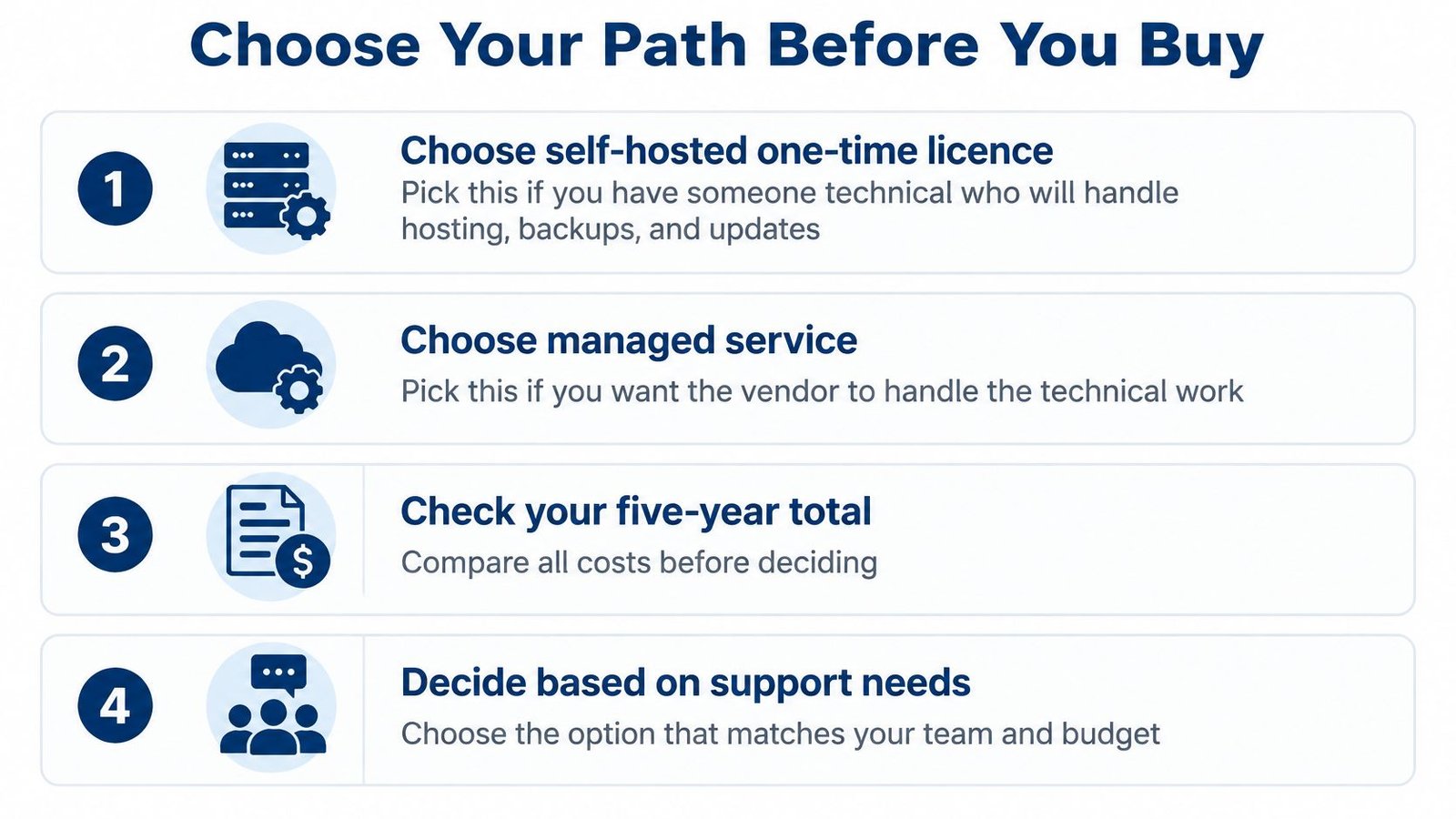
Choose a one time self hosted licence if
- You have someone technical, or you'll use managed hosting: they'll handle hosting, backups, patches, and updates, or you'll hand the server to UI Lib.
- Your worksheet supports it: recurring subscription fees outweigh your hosting and maintenance costs over five years.
- You want your data in your own database: on your own server, or on UI Lib's dedicated servers if you choose managed hosting.
- Per till pricing would multiply: UI Lib charges no monthly software fees, per-seat fees, or per-terminal fees, so extra tills don't raise the software bill.
Choose a subscription if
- You want one vendor to run everything: software, hosting and updates under a single contract.
- You want the vendor to manage uptime and updates: that convenience is exactly what the recurring fee buys.
- Predictable vendor support matters more than the fee: you'd rather call someone than restore a database yourself.
If you sit between those camps, price outside help. Some owners use local support or a firm such as an NYC managed IT provider to look after servers generally, while UI Lib's managed hosting at $12 a month covers hosting and server management for UI Lib's own software. Compare scope, not just price.
Next steps
- Complete the five year worksheet: use real quotes and statements.
- Name your maintainer: decide who handles backups, updates, and recovery.
- Match product to trade: Stocky POS for retail, Resto for restaurants.
- Check the current one time price: it's on the product page, not stated here.
- Open the live demo: test a sale, refund, and stock check on the page.
- Price managed hosting first: if you have no technical person, cost it before buying.
Remember the starting point. A POS system with no monthly fee removes one recurring charge. Your payment processor and hosting remain your own, in cost and in responsibility.
If a bought once, self hosted POS fits your team, UI Lib offers Stocky POS for retail and Resto for restaurants with no monthly, per seat, or per terminal software fees, plus managed hosting at $12 a month if you'd rather not run the server yourself. Visit the product pages, check the current one time price, and test the live demo with a real sale and refund before you decide.