It's easy to buy a nicer board and still lose money on client work. What matters is whether your software connects the whole chain, from approved scope to tasks, time, sign-off, and finally an invoice you can defend.
Table of Contents
- A Familiar Problem for Agency Project Leads
- What Agency Project Work Needs Beyond a Task Board
- Comparing Project Software Types and Hosting Models
- Must-Have Features and a Selection Matrix
- How Nexus Handles Agency Project Work
- What Nexus Does Not Do
- Migrating Projects and Choosing Your Next Step
A Familiar Problem for Agency Project Leads
It's the last working day of the month. Your board looks tidy. Cards sit in Done, a few are waiting on the client, and nothing looks badly late.
Then you try to raise the invoice.
Someone's time is in a spreadsheet. A designer logged Friday's revisions in a message thread. The client approved extra work by email, but nobody turned that approval into a billable item. You're now rebuilding the month from memory, and you're not sure whether the project made money.
Think of a kitchen whiteboard. It shows what's being cooked. It doesn't show what was served, who approved a substitution, or what the customer should pay.

That gap is common. A 2026 Hubstaff survey of agencies and outsourced work reported that 51% of agencies use project management software to manage outsourced staff, while more than 14% don't track projects or hours at all.
The real question you're choosing on
You're not really choosing the prettiest board. You're choosing whether agency project management software will keep client access, time, budgets, approvals, and billing connected, or whether your team will keep joining those parts by hand.
If you want a wider view of how agencies frame that decision, project management insights from MakeAutomation are a useful companion read. Here, we'll stay focused on projects and the path to invoicing, and leave the wider running of the agency to a separate guide.
A board tells you work moved. It doesn't, by itself, prove the work was approved or billable.
That distinction sounds small until a client questions an invoice. Then you need records, not just a column called Done.
What Agency Project Work Needs Beyond a Task Board
A task board answers one question well. Who's doing what, and what's next?
Agency work asks four more questions at the same time. Can the client see the right things? Was the time recorded against the right scope? Who approved it? And can that approved work become an invoice without retyping?
Five needs the board doesn't cover
- Client access: Clients need their projects, files, pending decisions, and invoices. They shouldn't see your internal costs, other clients, or staff admin.
- Time capture: Every entry needs a project and task, and it needs to say whether it's billable or non-billable. A total hours figure on its own doesn't help you bill.
- Budgets and scope: You need to compare work done with work quoted while there's still time to act. Finding out after delivery is accounting, not control.
- Approvals: Time, expenses, and changes need a named person to approve, reject, or send them back. A status label typed by anyone isn't approval.
- Handoff to invoicing: Approved work should move into billing with its detail intact. Copying figures into a separate invoice invites mistakes and double billing.
The thread joining those needs is the billing-ready record. Good agency project management software should keep the client, project, task, person, date, duration, description, billing status, and applicable rate together for billing, so invoices connect to the work performed instead of being rebuilt from emails or separate spreadsheets.
The board is the map, the record is the receipt
Use this simple test with any tool. Pick one invoice line and ask where it came from.
Can you trace it back to a person, a task, a date, and an approval? Can you see whether it was part of the original quote or an approved change? If you can't, you'll struggle when a client asks a fair question about the bill.
Late time creates a similar problem. If entries arrive after your billing run, the work either slips to next month or gets left off entirely. Unrecorded sign-off is worse, because you've delivered work with no proof the client accepted it.
If approved work can't be traced from task to invoice line, you don't have billing control. You have a memory test at month end.
None of this means the board is unimportant. Your team still needs clear tasks, owners, and deadlines every day. It means the board is only the visible part of a longer chain, and the links after delivery decide whether the work gets paid for cleanly.
Comparing Project Software Types and Hosting Models
Once you know the chain you need, the market gets easier to sort. Most options fall into four groups, and each one is the right choice for somebody.
Four kinds of tool
General task boards suit small teams with simple work and no hourly billing. If you charge a flat monthly fee and rarely track effort, a clean board may be enough, and extra billing features would only get in the way.
Time-tracking-first tools suit agencies that already invoice elsewhere and mainly need reliable hours. They're often simple for staff to use. The weak point is usually project context, client access, and the approval trail around scope changes.
Agency-oriented suites bundle projects with CRM, quotes, time, and billing. They suit agencies tired of entering the same client and project details in three places. The trade-off is weight. A suite can take longer to set up, and you may not use every module.
Self-hosted business applications run on a server you control. They suit agencies that want custody of their data and the option to change the code. The server work can be handed over: UI Lib's managed hosting runs it for you, so nobody on your team has to look after a server.
Hosted or on your own server
| Factor | Hosted SaaS | Self-hosted |
|---|---|---|
| Who runs it | Vendor handles servers, updates, and uptime | You, your hosting provider, or a managed host handle them |
| Data custody | Data sits on vendor infrastructure | Data sits in your own database |
| Costs over time | Recurring fees, often per user | Licence plus hosting and maintenance |
| Customisation | Limited to settings and integrations | Source code can be changed if included |
| Getting started | Usually fastest | Needs installation and setup, which can be done for you |
| Main risk | Price rises or features change | Neglected backups, updates, or security if nobody owns them |
Consolidation isn't automatically better. It can cut duplicate entry, but moving projects, clients, and history takes time, and a suite that nobody adopts is worse than two tools people use. Keep specialised tools if they work well and connect cleanly.
Self-hosting isn't free either. Someone must handle hosting, monitoring, updates, backups, and security, and that cost belongs in your comparison. For Nexus it can be as small as $12 a month for UI Lib to host and manage the server, installation included. Our guide to on-premise versus cloud ERP trade-offs walks through that ownership question in more depth.
Nexus is an example of the self-hosted suite route. It's a one-time purchase, see the product page for the current price, with no per-user fee. Every business software licence includes full unencrypted source code, lifetime free updates, and 6 months of support from purchase, which matters if you plan to adapt the software rather than rent it as it comes.
Must-Have Features and a Selection Matrix
Feature lists can mislead you. A long list of views and colour options tells you little about whether you'll bill accurately.
Start instead with the mechanics that protect money and client trust. Then score each tool against your own work.
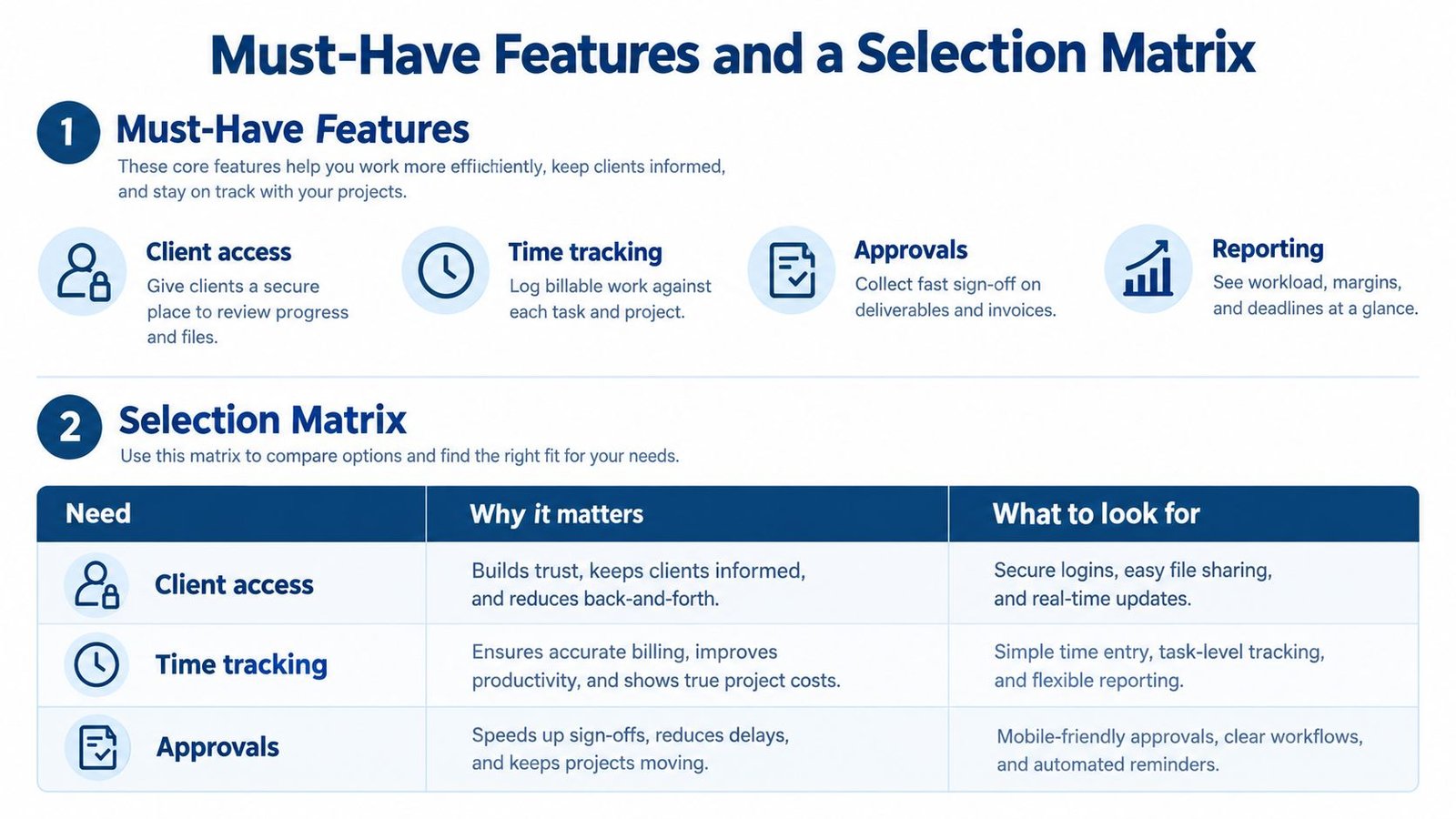
A checklist worth testing live
- Client access levels: Can a client see only their own projects, approvals, and invoices? Log in as a client during your trial and check what leaks.
- Billable and non-billable time: Can staff use a timer or add entries by hand, tied to a project and task? Look for a clear split between billable and non-billable work, with an approval history and client-only views when you test.
- Approval queue: Can a manager approve, reject, or request changes, and does the system keep that history? You'll want it when billing is questioned.
- Budget visibility: Can you compare billable and non-billable work against quoted scope before the project ends? Ask how you'd spot an overrun in week two.
- Expenses: Do approved expenses feed the same billing run as time, or do they live in a separate sheet?
- Invoice-ready records: When an entry is billed, is it marked so it can't be invoiced twice?
- Permissions and API: Are permissions enforced everywhere, not just hidden in menus? Can other tools connect through an API with limited access?
That last point connects to a bigger choice about running one system or several. Our explainer on all-in-one business software and when it fits covers the benefits and the compromises.
Building your selection matrix
Keep it simple. You don't need a spreadsheet with forty rows.
- List your requirements: Write the eight or ten things your agency can't work without.
- Score each tool: Use 0 for missing, 1 for a workaround, and 2 for built in and tested.
- Weight by pain: Multiply the score by how often a gap would hurt. Daily time capture matters more than a report you open twice a year.
- Test with real work: Run one finished project through each finalist, from quote to invoice, and note every manual step.
Permissions, approvals, and invoice-ready records matter more than the number of board layouts on offer.
Watch for confusion between looking organised and being controlled. A dashboard can show you an overrun beautifully and still do nothing to stop unapproved work entering the project. The workflow around the software, who logs time, who approves changes, and when billing closes, decides whether the numbers mean anything.
How Nexus Handles Agency Project Work
To see how one integrated system handles that chain, follow a single client project through Nexus. Say you've quoted a website refresh with design, build, and content tasks.
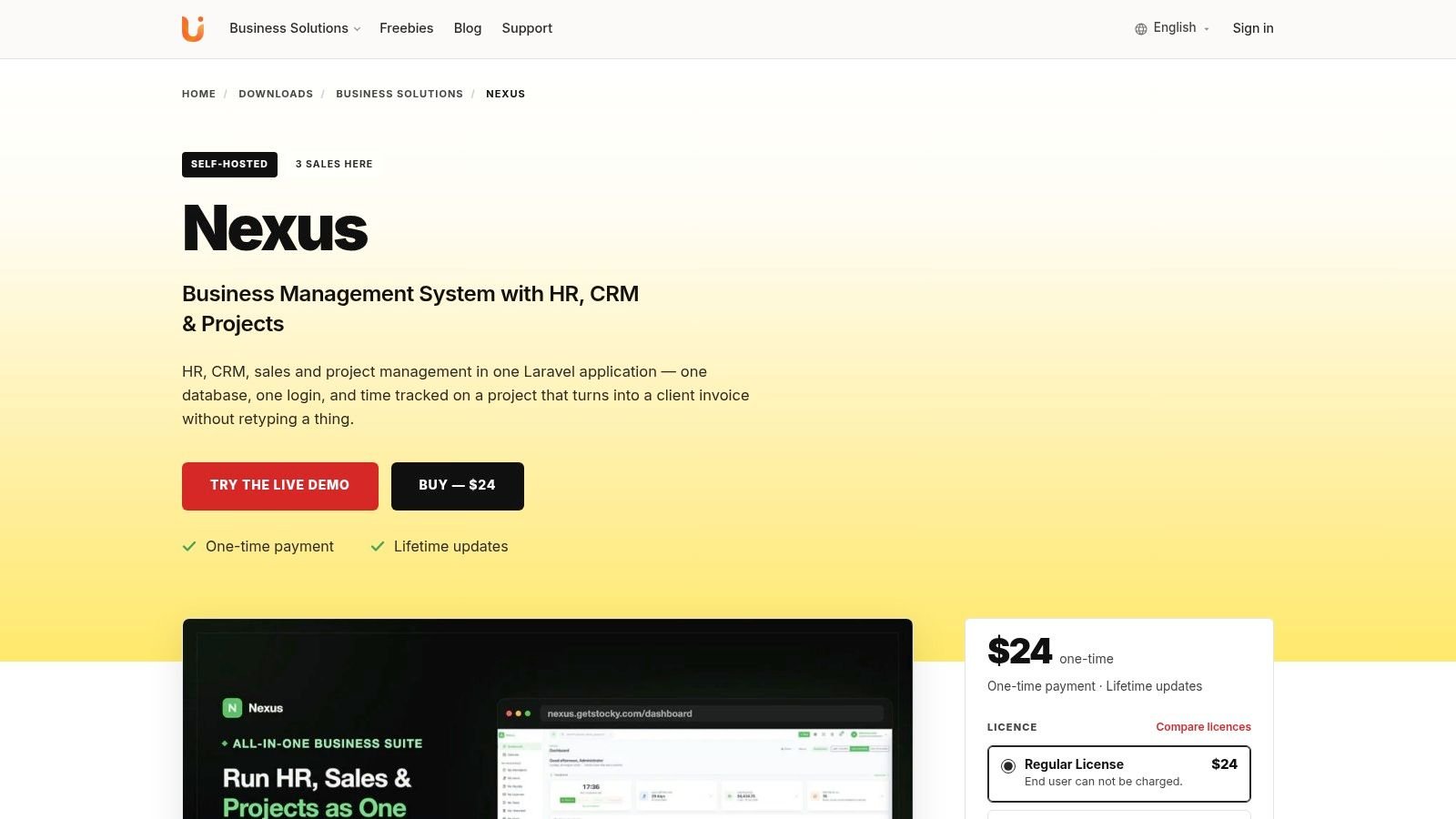
The image below is the Nexus product page on the UI Lib site, where you can see the module list and the demo link.
From quote to planned work
Nexus combines HR, CRM, sales, and project management in one Laravel application with one database and one login, and time tracked on a project turns into a client invoice without retyping. You can use only the modules you need, so a small agency doesn't have to switch on everything at once.
On the CRM side, weighted pipelines track the deal: the stages are weighted at 10, 25, 50, 75 and 100 per cent, with lost deals at 0, so the pipeline total is a forecast rather than promised revenue. Quotes convert to invoices with per-line discounts and tax. Support tickets carry SLA targets of 2, 8, 24 and 72 hours by priority, which helps when project work turns into ongoing client support.
Once the work starts, your team can view it as a list, board, Gantt, or calendar. Tasks can be set as enforced dependencies, so the build task can't be treated as ready before design is finished. A built-in timer records work against the task while it happens.
From time to draft invoice
Leave, timesheets, and expenses pass through an approval queue. That gives a project lead a checkpoint before hours become billable.
Approved billable time and unbilled expenses then collect into a draft invoice, with one line per person per task. Each source entry is marked billed, so it can't be invoiced twice. That's the billing-ready record from earlier, working in practice.
The short video below shows the product in motion, which is the quickest way to judge whether the screens suit your team.
Clients don't enter your internal admin. They use a separate client portal to view invoices, accept quotes, sign contracts, and raise tickets. Inside projects, viewer, member, and manager access levels control who can see and change work, and permissions are enforced on every route. A REST API with scoped tokens lets other tools connect with limited access rather than a master key.
The software runs on a server you choose, with your own database and your own data: your own hosting, or UI Lib's managed hosting. It needs PHP 8.3 and MySQL 8.0 or MariaDB 10.6, with no cron, queue worker, Redis, WebSockets, or Node required. It supports eight languages, including Arabic with right-to-left presentation.
What Nexus Does Not Do
An integrated tool can still leave gaps. It's better to name them before you buy than to discover them during your first billing run.
Money and signing limits
Nexus records payments against invoices, but it does not process card payments. If you need clients to pay by card inside the system, you'll need a payment service alongside it, or a hosted suite with payments built in may suit you better.
Contract signing uses a typed name that records a timestamp and IP address. That is not a legally qualified e-signature. If your clients or regulators require qualified signing, plan to use a dedicated signing service.
Payroll, budgets, and updates
Payroll taxes are set up as deduction components with your own rates. There are no built-in country tax rules, so you or your accountant still own the correctness of those figures.
There's no automatic updater. Updates are available, but applying them is a deliberate job on your server, not something that happens on its own overnight.
Recurring invoices work the same way: due ones are issued when someone presses the button, because there is no background scheduler. Put that step in your billing routine.
Be careful with two common assumptions. Resource planning and budgets are not documented, so don't buy on the basis that capacity planning or detailed project budgets are included. If forecasting team capacity is your main problem, test tools built for that job before you commit.
Honest test: Write down the three jobs you'd be angry to lose. If one of them sits on this limits list, Nexus is the wrong fit, whatever else it does well.
The documented scope is HR, CRM, sales, and project management. That's a wide system, but it isn't a complete operating model for every finance, procurement, or specialist delivery need your agency might have.
Running a server carries its own responsibility: setup, updates, backups, security, and availability need an owner. A one-time licence removes per-user software fees, but it doesn't remove the cost of running the server well. That owner can be you, your hosting provider, or UI Lib: managed hosting is $12 a month with installation free, and the installation service is $50 once if you bring your own hosting.
None of these limits make the software poor value. They define its shape. An agency that wants its own database, connected CRM and project records, and time that flows into invoices may accept them happily. An agency that wants card payments built in or qualified signatures should choose differently.
Migrating Projects and Choosing Your Next Step
Switching tools fails most often on habits, not features. A calm, staged move protects your billing while the team learns.
A sensible order for the move
- Move active work first: Bring over live projects, open tasks, and current client records. Leave closed history behind unless you need it for reporting or disputes.
- Decide what history earns its place: Old invoices and signed approvals may matter. Years of completed cards usually don't, and importing them slows everything down.
- Run both tools for one billing cycle: Keep the old system as your record for that month while the new one runs alongside. Compare the draft invoices before you trust the switch.
- Set access before inviting clients: Confirm project access levels and portal views with a test login. It's much easier to fix permissions before a client sees the wrong project.
- Review draft invoices closely: Check person, task, rate, and billed status on the first few invoices. Small setup errors show up here first.
Measure whether the change helped
Software can document overruns without preventing them. That risk is real, since PMI research on campaign challenges found 55% of surveyed marketing and advertising professionals reported budget overruns in the previous year.
So set simple checks before and after you switch.
- Estimated versus actual hours: Are quotes getting closer to reality?
- Change-request hours: Is extra work being approved and billed, or absorbed?
- Unbilled work: How much approved time is sitting uninvoiced at month end?
- Days to invoice: How long from work done to invoice sent?
- Project margin: Can you now see which clients and project types make money?
If those numbers don't move, don't buy more dashboards. Look at the workflow instead. Are scope changes approved inside the system? Does time close on a fixed day? Does one named person own the billing run?
The goal isn't more visibility for its own sake. It's fewer surprises between the work you quoted and the invoice you send.
For the wider picture beyond projects, read our guide to agency management and the systems around delivery. If Nexus looks close to your needs, the next practical step is the Nexus HR, CRM and project management download page, where you can check the current price and product details. You can also use our contact option to tell us what you're building, and we'll point you to the product that fits before you buy.
If your agency has outgrown a task board and a spreadsheet at billing time, we build self-hosted software that keeps projects, clients, time, and invoices in one place on your own server. Visit UI Lib to compare Nexus with the rest of our one-time licensed range and pick the fit for your team.