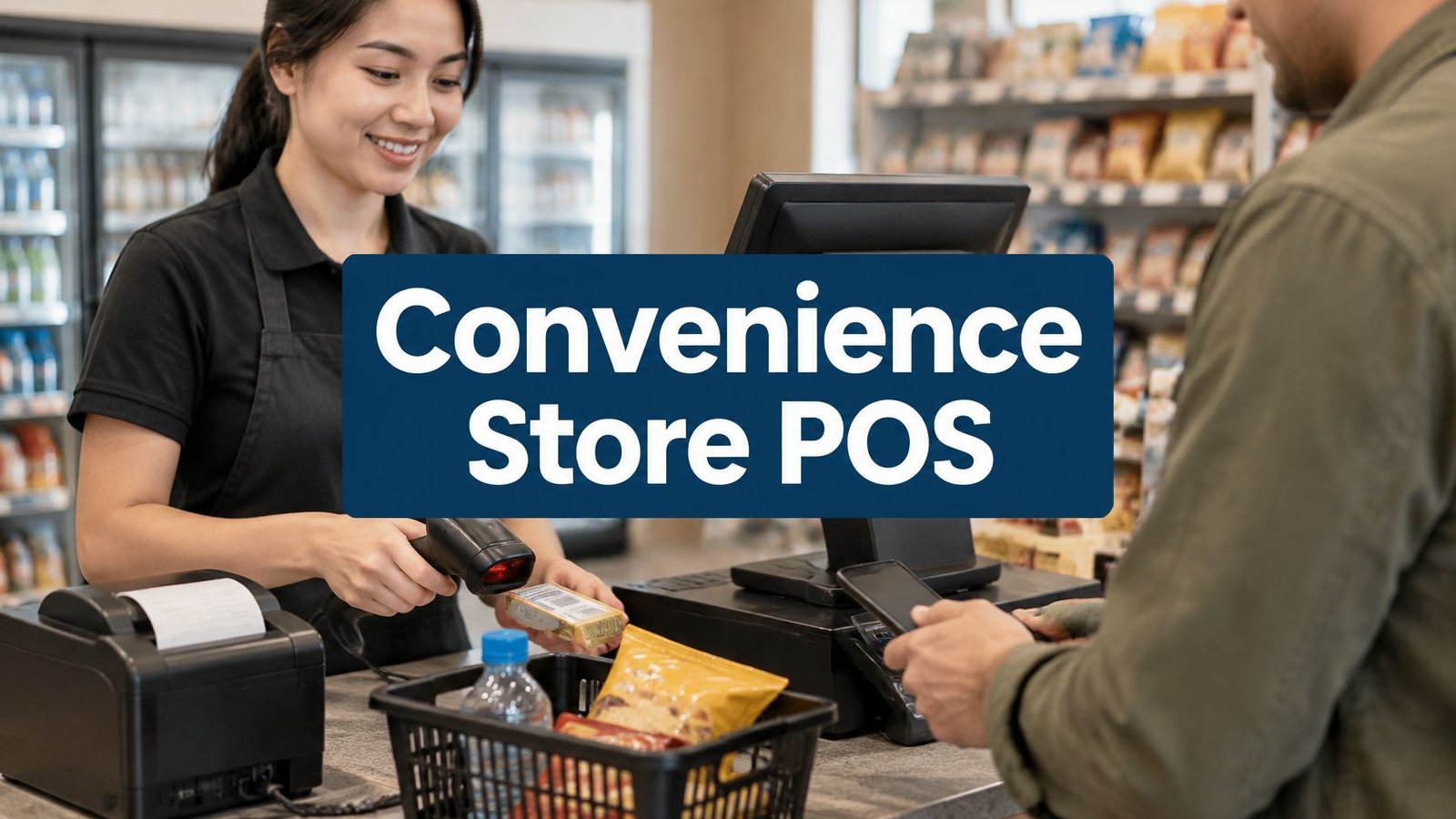
A rush-hour line puts every weak point in a convenience-store register on display. One customer has a basket of snacks and drinks, another needs a tobacco purchase handled under your store's age-check policy, and a cashier is trying to finish a shift without leaving the drawer unreconciled. The best POS software for a convenience store should make those everyday tasks straightforward, not just look impressive in a feature list.
Compare each option on barcode scanning, mixed-stock handling, age-restricted-item workflows, shift cash-up, and what happens when the internet drops. Then look at the full cost: subscription and terminal fees, hardware, payment processing, setup, and support. A one-time licence can avoid recurring software fees, but self-hosted software also means arranging suitable hosting and keeping it maintained, or paying UI Lib to do that for $12 a month.
Before switching, check whether your scanners, receipt printers, cash drawers, scales, and payment terminals will work with the new system. Plan how to import your product list and opening stock, and test the setup before relying on it for a busy shift. For payment-security planning, review Finchum Fixes IT's PCI DSS guidance.
Table of Contents
- 1. Grocery and Supermarket POS Software
- 2. NRS POS
- 3. KORONA POS
- 4. C-Store POS
- 5. Verifone Commander
- 6. Gilbarco Veeder-Root Passport
- 7. PDI Point of Sale
- 8. POS Nation C-Store POS
- 9. Square for Retail
- 10. Lightspeed Retail
- Top 10 Convenience Store POS Software Comparison
- Pick the Till That Fits Your Shop
1. Grocery and Supermarket POS Software
A store with groceries, cold drinks, tobacco, and prepared food needs more than a basic till. Foodservice made up 27.7% of U.S. convenience-store in-store sales in 2024, and accounted for 38.6% of in-store gross-margin dollars, according to NACS reporting. That mix makes inventory, pricing, and category-level reporting important alongside checkout.
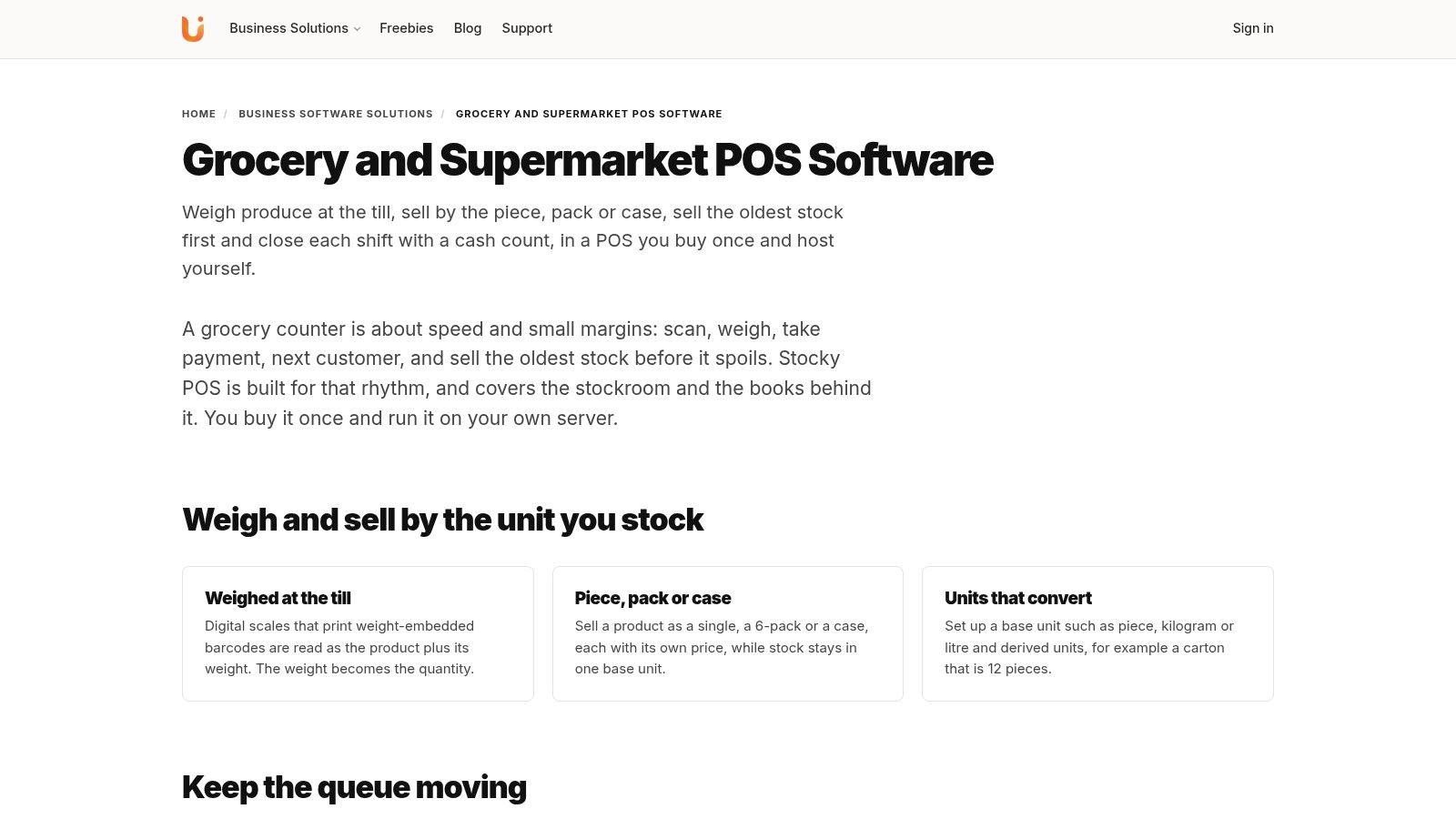
Stocky Grocery and Supermarket POS is a self-hosted option from UI Lib, built for grocery and general retail workflows. Its stated features include barcode scanning, cash-drawer support, pack-and-piece pricing, promotions, loyalty points, reorder alerts, expiry tracking, and inventory management across locations. It also supports offline sales that sync when the connection returns. See Stocky Grocery and Supermarket POS.
Where it fits, and who runs the server
Stocky is sold as a one-time licence, with unencrypted source code and lifetime updates. There are no recurring per-seat or per-terminal software fees. That model may suit an owner who wants to control the server and data rather than depend on a hosted subscription platform.
Self-hosting needs a server, and you don't have to run it yourself. UI Lib's managed hosting is $12 a month: Stocky runs on UI Lib's dedicated servers, the server is managed for you, installation is free, and you only buy a domain. If you would rather use your own hosting, the installation service is a one-time $50. UI Lib includes six months of support; continued support may require an optional renewal. Owners comparing inventory tools can also compare inventory management software options.
Ask the vendor to demonstrate your actual product mix and register routine, including the cash drawer and any existing peripherals. A feature list won't confirm that your specific hardware will work.
2. NRS POS
NRS is positioned specifically for convenience stores, with a register offering that combines checkout with pricebook and inventory tools. Its product information describes low-stock alerts, sales reporting, and remote management through a mobile app and web portal. Optional services include age-verification scanning, vendor ordering, loyalty, and e-commerce, while hardware options are available for retail and petroleum setups. Review the NRS convenience-store POS and compare its grocery capabilities with Stocky Grocery and Supermarket POS.
The c-store focus is useful if you want to discuss a packaged register setup and add services as your operation requires them. NRS publishes software pricing information, which gives owners a starting point for comparing subscription costs. But a starting figure doesn't settle the full bill: payment terms, eligibility, add-ons, hardware, and additional terminals can affect recurring costs. Fuel-site configurations require a site-specific quote.
Before signing, ask what's included in the quoted setup and whether your required services are part of the base plan or optional. Confirm how the system handles lost connectivity, how its reports support shift handovers, and which peripherals are included. This is a more natural fit for an owner seeking a c-store-oriented subscription and hardware conversation than for someone prioritizing self-hosted software with no per-till fee.
3. KORONA POS
KORONA POS is a cloud-based retail system with a convenience-store offering. Its provider describes a product database, checkout, sales reporting, and open API access. Higher plans add inventory counts, stock tracking, barcode automation, shelf labels, supplier ordering, and promotions; the Plus plan includes multi-location inventory and reporting tools. Check the KORONA convenience-store POS for current plan details.
This could suit a store that wants to add inventory controls as its needs grow, or an operator managing more than one location. KORONA says merchants can choose their payment processor and advertises in-house support and no forced contracts. Treat those as provider-stated terms and confirm how they apply to your proposed setup.
The trade-off is that monthly per-terminal costs can rise as you add registers or stores, and some inventory functions sit in higher plans. Don't assume the general convenience-store positioning guarantees support for your exact fuel, lottery, or local-program requirements. Get each integration confirmed in writing.
If prepared food is becoming a major part of your offer, consider whether you need retail checkout alone or restaurant workflows as well. UI Lib positions its restaurant product separately as Resto restaurant POS, so compare the functions you need rather than expecting one register to cover every kitchen process.
4. C-Store POS
C-Store POS presents itself as a purpose-built system for convenience retailers, with quick product lookup, grouped-item or mix-and-match pricing, employee permissions, reporting, and mobile back-office access. Its plan information lists age-verification and hardware support, while higher plans add purchase orders, mobile label printing, loyalty, and intelligent ordering. See the provider's C-Store POS solution for its current offering.
This option is worth a closer look if your priority is c-store-specific checkout and back-office functions rather than adapting a general retail platform. The provider says onboarding, inventory setup assistance, integrations, and 24/7 support are included. Ask what that means for your store: which integrations, what setup work, and which support channels are covered.
The published starting price won't necessarily represent the total cost for every plan or hardware arrangement. Growth and Premium pricing require configuration or a quote, so compare the full proposal, not just its entry point. Have the vendor confirm compatibility with your payment devices and any fuel, lottery, or back-office systems you rely on.
A product flag or register prompt can support an age-check process, but it doesn't replace your store's policy or staff training. Make sure the demonstration shows what the cashier sees and what happens if a sale needs to be stopped or escalated.
5. Verifone Commander
Verifone Commander is aimed at fuel and convenience operators that need in-store POS connected with site management, payments, and fuel operations. Its broader system includes the C18 point of sale, fuel and dispenser integrations, fleet-card workflows, remote site management, and central reporting. The provider's Commander platform information is the place to confirm the components available for a particular site.
The main reason to consider it is forecourt integration. A fuel retailer evaluating pump, fleet-payment, and specialized payment workflows may find this more relevant than a tablet-based retail system. Verifone's portfolio covers those fuel-facing needs alongside convenience retail.
That breadth comes with a more involved setup. You'll need to establish site compatibility and identify the equipment and services required, and pricing is quote-based. Local authorized service contractors are available for installation and support, but confirm who will handle each part of your rollout and ongoing service.
A small shop without pumps may not need a system built around fuel operations. If your site sells fuel, ask for a walkthrough using your exact dispenser, payment, and register setup rather than relying on a generic demo.
6. Gilbarco Veeder-Root Passport
Passport is a POS platform for convenience and petroleum retail, with an emphasis on connecting the counter to fuel operations and store controls. Gilbarco highlights integrations with dispensers, payment networks, and major oil brands, alongside cashier-facing and self-service workflows depending on configuration. Explore the provider's point-of-sale systems and ask which Passport version and integrations are available for your location.
Its clearest fit is a fuel retailer that wants to evaluate in-store checkout as part of a wider petroleum technology setup. Hardware options and industry-focused support through the provider network may also matter when you're coordinating a site installation.
The system is less straightforward to assess from a simple software plan page. Pricing and implementation are generally quote- and site-dependent, and the exact configuration matters. Get a written breakdown of the registers, payment features, dispenser connections, services, and support included in your proposal.
For a store without pumps, the fuel-oriented scope may be unnecessary complexity. Compare it against retail-focused systems based on your actual operations, not just the number of functions listed.
7. PDI Point of Sale
PDI serves convenience retail and petroleum businesses with POS and back-office software. Its offering covers convenience, fuel, and foodservice transactions, while the wider PDI portfolio includes operations, inventory, loyalty, and offers. See PDI's convenience retail solutions for the provider's current portfolio.
This may be a better conversation for operators combining fuel, retail, and foodservice, or businesses whose needs extend beyond a single-store register. The broader platform is aimed at complex convenience-store organizations, where connecting checkout with operational and customer programs may be part of the buying decision.
PDI doesn't make a straightforward public POS price easy to compare. Confirm the specific product, deployment model, hardware, and integrations included in a proposal, and distinguish POS functions from features elsewhere in the portfolio. A platform's breadth doesn't guarantee that every module comes with the POS configuration you're evaluating.
For an independent shop, ask whether the scope matches the work you need done today. A large operating platform can be valuable when its connected tools solve real problems, but it can be more than a small store needs.
8. POS Nation C-Store POS
POS Nation offers a convenience-store POS with hardware packages and vendor-assisted setup. Its C-Store POS system is a candidate for owners who'd rather discuss their register equipment and workflow with a provider than pick software on its own.
The bundled approach may simplify procurement because you can evaluate hardware and software together. A quote-based conversation can also give you a chance to raise store-specific questions about fuel, lottery, EBT, and age-restricted sales. Get clear answers on which functions are available, which require additional services, and what equipment the package includes.
The product page doesn't consistently offer simple plan pricing, so compare written proposals rather than assuming a bundle is less expensive or more complete. Confirm included setup, support, payment processing, contract terms, and any separate charges. If the store has existing scanners, printers, or payment terminals, ask whether they can be reused before agreeing to a replacement package.
This is a practical option to investigate when guided setup is important. It's not a substitute for checking that the quoted configuration matches the day-to-day transactions your staff handle.
9. Square for Retail
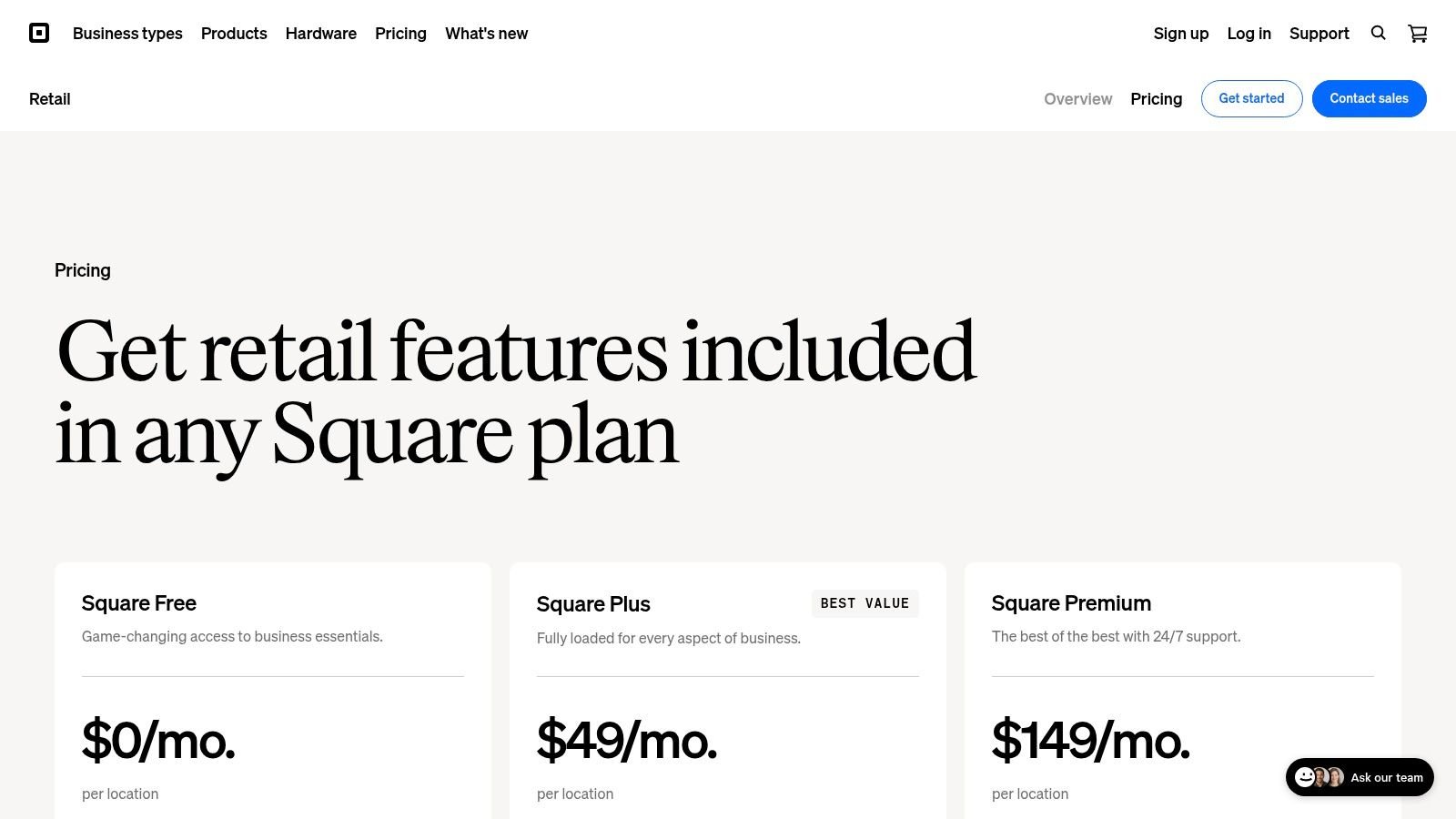
Square for Retail is a general retail POS, not a dedicated convenience-store or fuel platform. It offers retail checkout, a product catalog, and inventory tools; higher retail plans add advanced inventory, barcode label printing, and cost-of-goods reporting. Square also describes integrated payments and online selling within its ecosystem. Review Square for Retail pricing and features.
A small shop with straightforward retail needs, especially one already using Square, may find the familiar ecosystem convenient. Public plan and processing-fee information can help you estimate basic costs. But payment charges and advanced tools can change the total as the store grows, so compare the overall operating cost rather than only the entry-level plan.
Square isn't designed specifically for fuel-site operations. Confirm age-restricted-item handling, existing hardware compatibility, and every required integration before choosing it for a c-store. The provider's published retail details should be checked against your actual workflow, not treated as proof that a specialized feature is included.
If online and in-person retail need to work together, assess how that connection fits your business. For a separate look at UI Lib's retail offering, see its retail POS software. Owners using Square may also explore ways to turn Square transactions into guest insights.
10. Lightspeed Retail
Lightspeed Retail is a broader retail platform with POS, inventory management, reporting, product-management tools, integrations, and support for managing more than one store. Its retail POS product page gives owners a starting point for reviewing the current offer.
It may fit a convenience retailer whose needs lean toward general merchandise and multi-location retail management. A store with a substantial non-food catalog may value having product and reporting tools designed for conventional retail operations rather than a bare checkout app.
Lightspeed isn't a dedicated convenience-store or fuel platform. Confirm how it handles your age-restricted products and specialty integrations, and assess subscription and payment-processing costs together. If your site depends on fuel pumps or a site controller, verify those requirements directly rather than assuming a retail platform will connect to them.
The right comparison is not “more features” versus “fewer features.” It's whether the product's inventory and store-management tools match your work without leaving essential c-store processes to separate systems.
Top 10 Convenience Store POS Software Comparison
| POS solution | Core capabilities | Best suited to | Standout features | Pricing & ownership |
|---|---|---|---|---|
| Stocky Grocery and Supermarket POS | Barcode checkout, pack-and-piece pricing, promotions, loyalty, expiry tracking, reorder alerts, offline sync, multi-store inventory | Grocery stores and supermarkets needing grocery-specific stock controls | Self-hosted; unencrypted source code and lifetime updates | One-time licence; no recurring per-seat or per-terminal fees |
| NRS POS | Checkout, pricebook, inventory, reporting, remote oversight; optional age checks, loyalty and e-commerce | Independent convenience stores | C-store-focused system with optional add-ons | Subscription; extra terminals and add-ons may increase costs |
| KORONA POS | Retail checkout, product and stock management, reporting; advanced inventory and multi-location tools on higher plans | Convenience and inventory-heavy retailers | Open API; merchant payment-processor choice advertised | Monthly, per-terminal plans; advanced features require higher tiers |
| C-Store POS | Fast scanning, price updates, age checks, promotions, reporting; higher plans add purchasing and loyalty | Convenience stores seeking dedicated workflows | Vendor states onboarding, inventory setup help and 24/7 support are included | Published starting price; higher-tier and hardware costs vary |
| Verifone Commander | In-store POS, site management, payments, fuel and dispenser integrations | Gas stations and fuel retailers | Fuel, fleet-payment and remote site-management capabilities | Quote-based; varies by equipment, services and site |
| Gilbarco Veeder-Root Passport | Convenience and petroleum POS, site management, dispenser and payment integrations | Fuel retailers prioritizing forecourt compatibility | Designed for petroleum and convenience operations | Quote- and site-dependent |
| PDI Point of Sale | POS for convenience, fuel and foodservice; broader tools for inventory, loyalty and operations | Larger or more complex convenience and petroleum businesses | Broader platform spans back-office and customer programs | Public POS pricing not readily listed; confirm deployment and hardware needs |
| POS Nation C-Store POS | C-store POS with hardware packages and vendor-assisted setup | Stores preferring help selecting and configuring a bundled register system | Hardware and setup assistance available | Quote-based; confirm integrations, support and contract terms |
| Square for Retail | Retail checkout, catalog, inventory, integrated payments and online selling | Small shops with straightforward retail needs | Free entry-level plan; Square ecosystem integration | Free entry plan; paid plans and payment-processing fees may apply |
| Lightspeed Retail | Retail POS, inventory, reporting, integrations and multi-store management | Convenience retailers focused on general merchandise or multiple locations | Broader retail management tools | Subscription pricing; assess payment and processing costs |
Pick the Till That Fits Your Shop
Start with the way your store trades. A fuel site should compare Verifone Commander, Gilbarco Passport, PDI, and c-store-focused systems on their specific dispenser, payment, and site-management requirements. An independent shop focused on packaged goods and groceries may prefer a retail system with a clear stock workflow, while a business wanting a packaged register and provider-led setup can investigate NRS or POS Nation.
For mixed grocery and convenience inventory, check that products, prices, and stock can be managed in a way your staff can use at the counter and in the back office. Stocky POS supports single, variable, service, and combo products, with batch, expiry, serial, and IMEI tracking. It includes unlimited warehouses, transfers, per-warehouse reports, and user restrictions by warehouse, alongside custom roles. Those capabilities can suit retailers managing varied products or locations, but you'll need to confirm that the product configuration matches your specific c-store assortment.
Before migrating, export your current product and stock data, then check the file structure against the system's import options. Stocky supports CSV and Excel import. Test a sample import first, validate barcodes and prices, and check the opening stock before staff begin selling. Next, confirm scanner, receipt-printer, cash-drawer, and payment-terminal compatibility; don't assume a connection that works with one register will work with another.
Stocky's touch-first register supports USB and Bluetooth barcode scanners without drivers. Camera scanning requires HTTPS. Sales can be parked and recalled, split and multi-payment sales are supported, and the customer-facing second screen mirrors the cart. The cash drawer opens through the receipt printer. Registers open with a float and close with a counted cash total and a note; the Cash Register report shows the float, cash sales, counted amount, and difference per register and cashier.
Test an internet outage before launch. Offline checkout is useful, but it doesn't mean every register action or payment method will work without the server.
Stocky POS in detail
Stocky is self-hosted retail point-of-sale and inventory software sold as a one-time purchase. There are no per-till or per-user fees. It supports offline selling by queuing sales on the device and syncing them when the connection returns, and its built-in online store can sync both ways with WooCommerce, Shopify, Salla, Jumia, and PrestaShop. QuickBooks and Xero sync are available for its double-entry accounting features.
It requires PHP 8.2 or newer and MySQL 8.0 or MariaDB 10.6. The web app is responsive, but the Stocky Mobile app is sold separately. For the current licence price and software details, visit the Stocky POS and ERP product page. The product information also provides access to a live demo; use that to walk through your own register routine before committing.
What it does not do
Stocky's offline mode has important limits. Two offline tills can both sell the last unit, so stock may need reconciliation after they sync. Opening or closing a register and Stripe card payments require the server. Test these situations with your team so they know what continues working during a connection problem and what doesn't.
Age verification and licensing checks aren't documented for Stocky, so don't treat them as built-in features. The FDA's rules for covered tobacco products require retailers to sell only to customers aged 21 or older and check photo ID for customers who appear under 30, as described in its Tobacco 21 retail guidance. Keep your store's legal process and staff training in place, and confirm any required POS prompts or integrations before choosing a system.
Stocky is a retail product, not the restaurant and café option in UI Lib's lineup. UI Lib points restaurants and cafés to Resto. For Stocky, someone has to look after the server: your own team, a technical helper, or UI Lib through managed hosting at $12 a month. The product page's stated terms are a one-time purchase, see the product page for the current price.
To choose well, make each vendor demonstrate your real workflow: scan mixed items, handle a restricted product under your policy, close a register, and recover after an internet interruption. Write down any required hardware, integrations, subscriptions, support terms, and migration steps before you approve the purchase. Then trial the setup with staff and stock data before making it the only till in the shop.
UI Lib develops self-hosted business software, including Stocky POS for retail and grocery workflows. If a one-time-licence, server-controlled POS fits your store, review the Stocky POS product details and live demo, then visit UI Lib to explore its retail software.