
Your client's name is in email, the deal is in a spreadsheet, the quote is in a document, and the latest request is in chat. Agency client management software is the shared record of that relationship and its work, from the first conversation through delivery and the bill. Its value isn't just finding a phone number faster. It's knowing who asked for work, who approved it, and whether you invoiced it once.
Table of Contents
- Why Client Details Scatter Across Tools
- What the Shared Client Record Holds
- What to Check Before You Buy
- How Nexus Moves a Deal to an Invoice
- How Projects Time and Access Stay Linked
- What Nexus Does Not Do
- Choose One Record or Keep Specialists
Why Client Details Scatter Across Tools
Say you're managing a website refresh for a bakery. The owner emails the brief, you estimate the job in a spreadsheet, and a designer receives the task in chat. Each person has enough information to start, but nobody has the complete client file.
That split is normal. Agencies add tools because each solves an immediate problem: email for conversations, documents for offers, boards for tasks, and accounting software for invoices. The problem starts when someone must carry information between them from memory.
Teamwork's professional-services software guide identifies fragmented tools and weak integration as problems in client-service operations. For an owner, the practical concern isn't the number of applications. It's whether staff can follow the work without rebuilding its history.
Where the handoff breaks
A quote can remain an attachment rather than becoming the agreement everyone works against. A client's ticket can reach the account manager but never reach the designer. Completed hours can stay in a timesheet without reaching invoice preparation.
The scattered desk below captures the problem: several useful places to work, but no dependable place to check the whole job.

- Missing agreement: Staff work from a price discussion without checking what the client accepted.
- Missing request: A change stays in chat instead of reaching the person responsible.
- Missing charge: Someone completes approved extra work, but the billing person never sees it.
Useful software keeps the client's records together, provides checks before billing, and separates client access from internal administration. Nexus illustrates how those jobs can share a database and login, but its limits matter too, especially when specialist tools are the better fit.
A vendor shortlist isn't the next step. A clear picture of how your client work moves is.
What the Shared Client Record Holds
Think of an old paper client folder. It held the contact sheet, proposal, agreement, work requests, receipts, and invoice side by side. A shared digital record should preserve that context while letting approved delivery records feed billing.
For the bakery website, the folder starts with contacts: the owner who approves the work and the company you bill. Those aren't always the same person. If you need a clearer distinction between storing names and maintaining useful relationship records, the contact management basics from PostSyncer provide a helpful foundation.
From a conversation to a commitment
The possible website job becomes a deal. A weighted pipeline distinguishes an early enquiry from an opportunity closer to agreement. It helps the account manager assess likely work without treating every interested contact as a confirmed booking.
The quote sets out the offer. Its line items describe what you're selling, with any per-line discount and tax kept against the relevant charge. The contract records the agreement the client can sign, rather than leaving the promise scattered across emails.
Client management means a connected trail from conversation to cash, not simply a list of names.
Once delivery starts, tickets hold incoming requests. An SLA, or service-level agreement, sets a service target; assigning targets by priority helps distinguish an urgent issue from a routine change. A ticket records the request, but your team must still decide whether it belongs within the agreed scope.
The client's side of the file
The client portal gives the bakery owner somewhere to accept a quote, sign a contract, view invoices, and raise tickets without entering the agency's internal administration. It isn't a reason to expose every staff note or project control.
Time and expenses connect the delivery work to money. Approved hours support an hourly bill, while recorded costs help explain reimbursable expenses. On a fixed-fee job, time still helps you understand how much work the agreed price required; it doesn't automatically justify charging more.
Records in an agency client file
| Record | What it holds | Why a separate copy fails |
|---|---|---|
| Contacts | People and the company you bill | The same client is typed into several lists |
| Deals | Weighted pipelines and stages | A likely job looks the same as a cold name |
| Quotes | Line items, per-line discounts and tax | The price never becomes the invoice |
| Contracts | The agreement the client can sign | The promise lives only in email |
| Tickets | Client requests with an SLA by priority | Extra work sits in chat and is forgotten |
| Client portal | Invoices, quote acceptance, signing and tickets | The client needs an internal login to act |
| Time and expenses | Approved hours and costs ready to bill | Delivery and the invoice never meet |
Use the table to tick the records you already keep. Beside each, write its current location and who maintains it. Any record with several competing copies deserves attention before you migrate anything.
What to Check Before You Buy
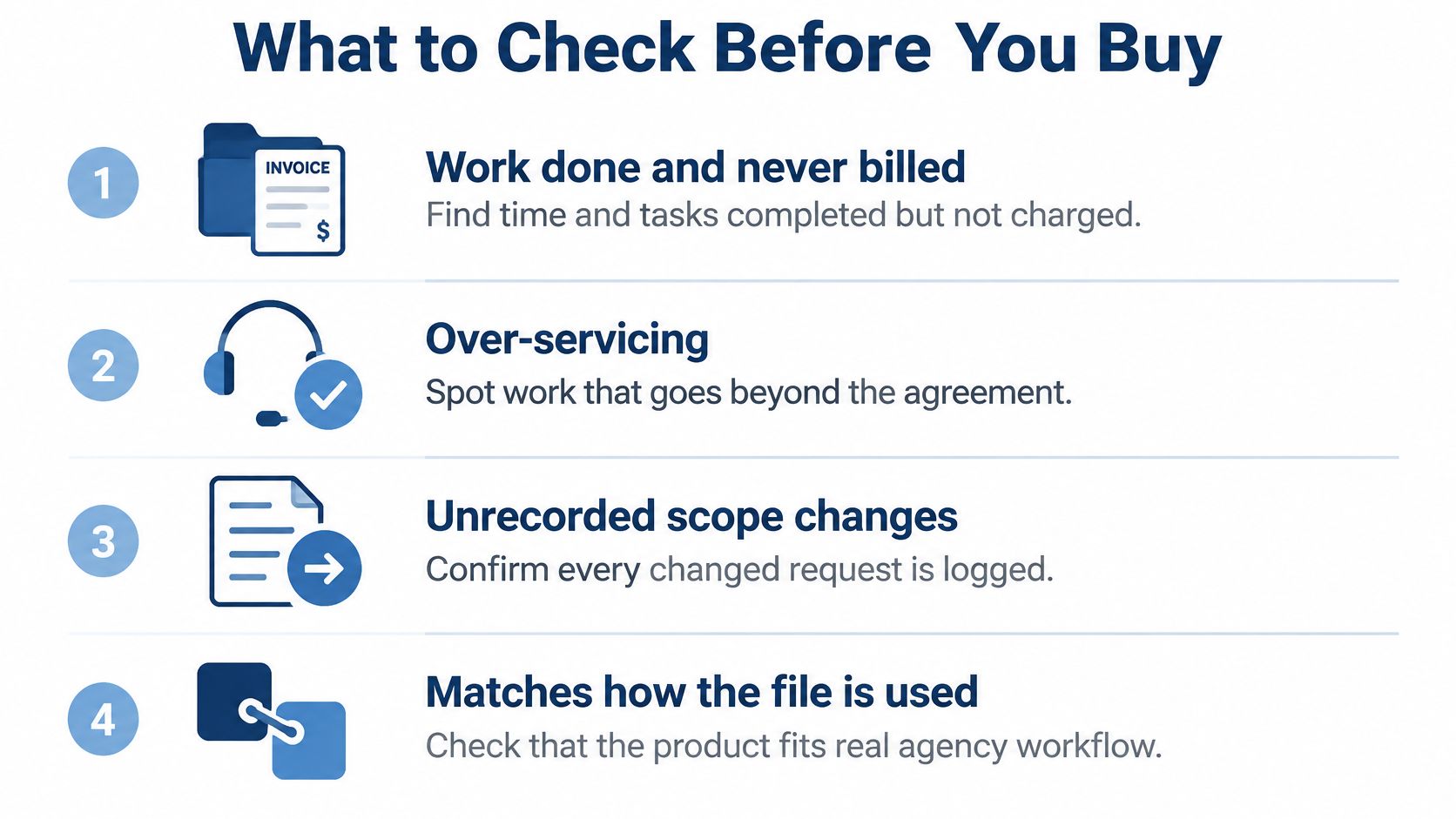
Start with the failure a polished feature list can hide: work completed but never billed. A tidy pipeline won't protect a project's margin if staff can't connect an extra request to its approval, delivery time, and eventual charge.
The FunctionFox Creative Agency Industry Report examines over-servicing, time-recording accuracy, and scope changes. Those are useful buying concerns because collaboration alone doesn't establish what your agency may fairly charge.
Use this checklist to keep the evaluation focused on the gaps between requests, work, and billing.
Ask for a complete demonstration
Bring a sample client job to the demo. Include an initial offer, an extra request, submitted time, an expense, and a draft bill. Ask the demonstrator to follow those records, rather than opening unrelated screens.
Checks before you choose
| Check | Question to ask | What goes wrong if the answer is no |
|---|---|---|
| One record | Do contacts, deals, projects and invoices share one database and one login? | Staff retype the same client |
| Quote becomes the bill | Do quote lines, per-line discounts and tax carry onto the invoice? | The price is rebuilt by hand |
| Bill once | Are approved entries marked billed? | The same hour can be invoiced twice |
| Client boundary | Can clients act without seeing the admin? | Internal notes leak, or clients cannot self-serve |
| Proof of extra work | Can you see who approved a request and whether it was billed? | Scope creep stays invisible |
| Data custody | Can you keep the database on your own server? | You cannot back up or host on your terms |
| Exit | Can you export the complete record? | Leaving depends on the vendor |
For the billing check, go beyond whether a timer exists. Ask whether only approved billable time and approved expenses reach invoice preparation. Then ask what happens when someone tries to select those entries again.
Match the checks to your commercial agreement
For hourly work, inspect the route from approved time to charges. For fixed-fee work, check how your team distinguishes included revisions from separately agreed additions. For a retainer, ask how you'll record what the agreement covers without assuming every logged hour is an extra charge.
For a broader workflow perspective, AdCrunch's guide to streamline multi-client ad agency workflows can help you frame the handoffs you want to test. Keep your own client file beside you so the evaluation stays grounded in your agency's work.
Use the accompanying video as another prompt for questions, not as a substitute for testing those handoffs.
Where the software runs is a separate decision from workflow quality. A hosted cloud suite has the vendor run everything and hold your data, while self-hosted software such as Nexus can be run for you through managed hosting. Whatever deployment you choose, reject a tool that fails the bill-once check, however polished its pipeline looks.
How Nexus Moves a Deal to an Invoice
Nexus is self-hosted HR, CRM, sales, and project-management software in one Laravel application. These parts share one database and one login, and you can use only the parts you need. It's a one-time purchase with no per-user fee, see the product page for the current price.
Nexus is UI Lib's own product. We describe it from its product page and documentation, so check each claim in the live demo with your own client file.
Take the bakery website as a hypothetical job. The account manager places it in a weighted sales pipeline, then prepares the offer when the work becomes clearer. Nexus supports multiple weighted pipelines, so different types of sales work don't have to follow an identical sequence.
Keep the offer connected to the charge
A Nexus quote can convert to an invoice with per-line discounts and tax. For the bakery, that means the agreed website line items don't need to be reconstructed by the person preparing the bill. The conversion handles the quoted offer; it doesn't decide whether later additions are chargeable.
The client-facing actions stay outside internal administration. Through the portal, the owner can accept the quote, view invoices, sign contracts, and raise support tickets. Ticket priorities can have SLA targets, giving the agency a defined service target for incoming requests.
Contract signing uses a secure link and a typed name. Nexus records a timestamp and IP address, but this is not a legally qualified e-signature. Treat that distinction as part of choosing the signing method, not as a small print detail after the agreement is sent.
The agency-management workflow shows where these client-facing and internal activities fit together. The useful point is continuity: the offer, agreement, request, and delivery records belong to the same working environment.
Build the draft from delivery records
Suppose the bakery asks for an additional page and the agency agrees it is billable. Staff record their work against the relevant project tasks, then submit it for approval. Recording time and approving a charge are separate decisions.
Once approved, billable time and approved unbilled expenses collect into a draft invoice. Time produces a line per person per task, preserving the connection between the work and the person who performed it. Each included entry is marked billed so it can't be invoiced twice.
Inspect the billing screens with that source-to-charge connection in mind.

This is the project-accounting principle described in Microsoft's project management and accounting overview: quotations establish estimated work, staff record delivery transactions, and invoices are prepared from project transactions. Microsoft's documentation explains the model, not Nexus's implementation.
The related guide to time tracking and invoicing software for freelancers explores the same handoff for individual service providers. In an agency, the additional review matters because several people may contribute to the same deliverable.
The bill is built from approved entries, not from a total someone retyped.
How Projects Time and Access Stay Linked
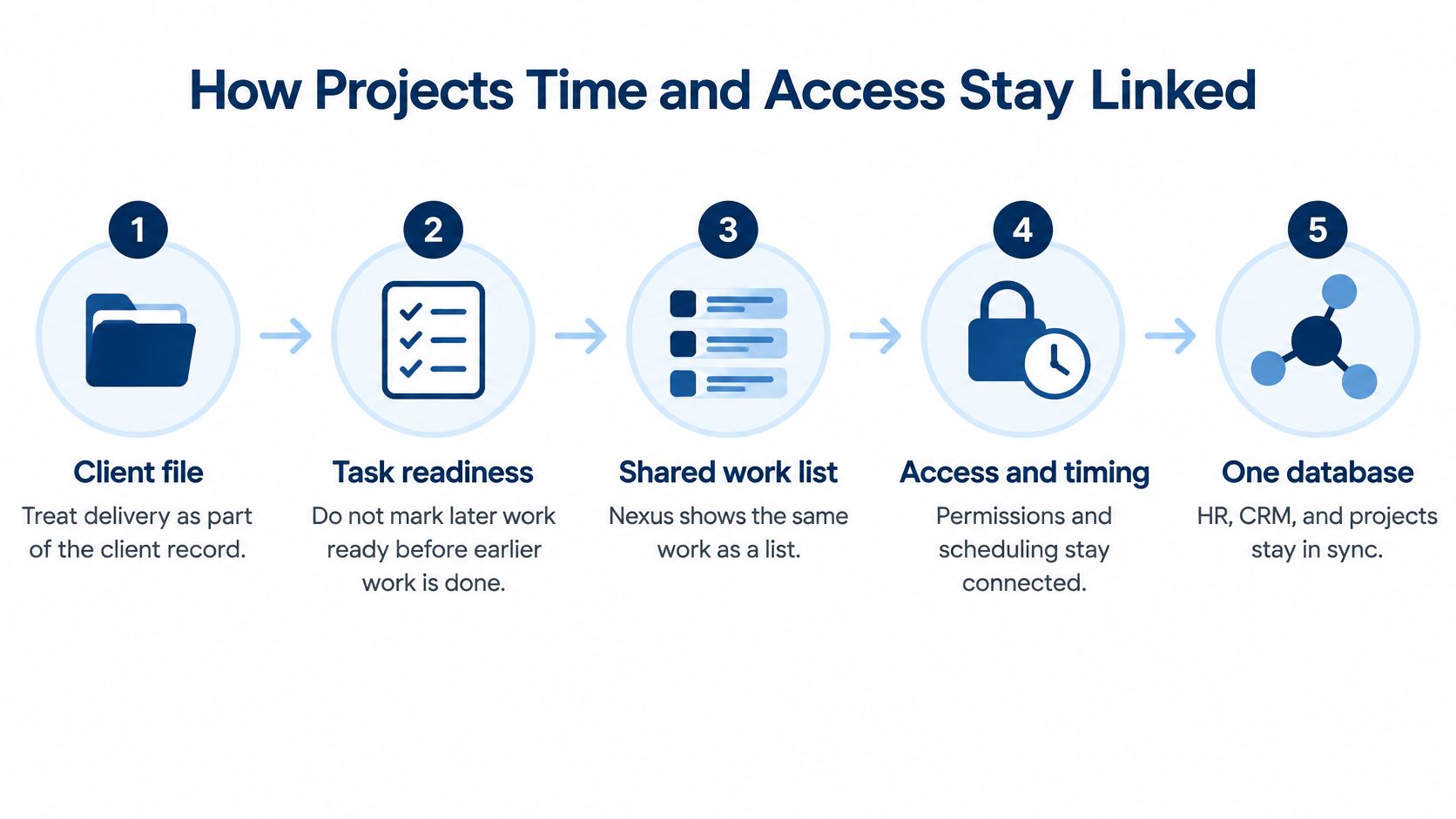
A client file is weak when it shows the sale but hides the next action. On the bakery website, the developer may need approved copy before building a page. Putting both tasks on one list names the work; it does not prove the order.
Atlassian's explanation of project dependencies describes a dependency as work relying on another task's output or information. A dependency works like a relay: the next runner starts only when the baton arrives.
Because Nexus keeps project management beside HR, CRM and sales in one Laravel application with one database and one login, the schedule, the person and the client charge can be checked against the same record instead of reconciled later.
Show the same work in the right view
A view is a lens, not a second project. Whichever screen a team prefers, it should answer a different question about the same tasks:
- List: what is assigned, and what remains?
- Board: where does each piece of work sit in delivery?
- Timeline: how does the sequence fit across dates?
- Calendar: what is planned around a particular date?
The dependency matters more than the display. If page development relies on approved copy, the team should not treat it as ready only because the planned date arrived. A linked file keeps that relationship visible beside who asked for the work and who approved it.
The agency project-management guide provides further context for assessing those delivery controls.
This diagram places scheduling and access inside the client record rather than treating them as separate administrative jobs.
Separate permission from approval
Submitted, approved, and billed are different states. Submitted means a staff member has put an entry forward for review. Approved means an authorised person has accepted it. Billed means it has been included in a client charge.
A timed entry should carry the project, the person, and the task with it. In Nexus, time tracked on a project turns into a client invoice without retyping, so the proof of work stays attached to the charge.
Permission answers a different question from approval: who may see or change the project, versus whether an entry counts. Nexus enforces permissions at the route level, with 12 permission sections across 7 roles plus viewer, member and manager access per project. Keep each connected tool limited to the records and actions it needs, and keep client-facing access separate from staff delivery work.
The useful test is concrete: can a new contractor see the assigned bakery project and nothing unrelated? Can their timed work reach an approval decision instead of ending in a separate spreadsheet? Can you tell, from the file, who requested the change, who accepted it, and whether that time was invoiced once?
What Nexus Does Not Do
A client file can prove who asked for the work, who approved it, and whether the hours were invoiced once. It cannot move money, satisfy a court, or set your payroll rates. Those jobs belong to services that focus on one task. Decide who covers each gap before Nexus becomes your operating record, so a missing specialist doesn't surface mid-engagement.
Limits and what to use instead
| Limit | What to use instead |
|---|---|
| Card checkout falls outside the application: Nexus records payments but does not connect to a card processor | A card processor, if clients must pay inside the invoice |
| No legally qualified e-signature | A qualified e-signature service, if the signature must meet a legal standard |
| Country payroll tax rules are not built in | A country payroll specialist or your accountant |
| No automatic updater: updates are applied by copying files and running migrations | Agree who applies them for your installation |
| Runs on your own database and data, on a server you choose | Managed hosting at $12 a month, or a hosted cloud suite if you would rather rent |
Keep specialist responsibilities explicit
Say a client pays a retainer by card. The invoice in Nexus shows the charge, while the money itself moves through a processor you choose separately. Agree up front how the processor's settlements get matched back to the client file, so reconciliation happens by routine rather than by memory.
Signatures work the same way. An approval inside the record shows who accepted the work internally, which answers the "who approved" question in the file. When a contract needs a signature that meets a legal standard, send it through a qualified e-signature service and store the signed copy with the client's documents.
Payroll is the third boundary. The right deduction rates and filings for your country are a question for your accountant or a payroll specialist. Any figure entered into software is only as correct as the person who supplied it.
Approval controls don't change those limits. Microsoft's project time-entry guidance separates submission, approval, and financial processing, and that separation is sound operational discipline. It is not proof that an application covers every accounting or compliance function your agency needs.
Decide where Nexus runs
Nexus is a Laravel application with your own database and your own data, so you keep custody of the client file. Where it runs is your choice, and UI Lib can do the server work:
- Managed hosting: $12 a month. We host Nexus on our dedicated servers, manage the server, take regular backups and install it for free. You only buy a domain.
- Your own hosting: the installation service is a one-time $50. Nexus needs PHP 8.3 or newer and MySQL 8.0+ or MariaDB 10.6+, with no cron, queue worker or Redis, so it runs on ordinary shared hosting. See the server requirements.
- A hosted cloud suite: the vendor runs everything and holds your data, and you pay per user for as long as you use it. The own vs rent comparison works through five years with your own numbers.
Your data stays in your own database either way, so you can move between managed hosting and your own server later. Whoever runs it, name the person who applies updates, because there is no automatic updater.
Choose One Record or Keep Specialists
Choose a shared record when your main pain is retyping between sales, delivery, and billing. It also fits when clients should handle routine actions without seeing internal administration, and you know where it will run, whether on managed hosting or a server of your own.
Start with the agency workflow and inspect the Nexus product page and its live-demo access. Open the demo from that page and test a sample client file rather than browsing screens at random. Nexus is a one-time purchase with no per-user fee; see the product page for the current price.
Choose around the work you actually sell
- Choose a shared record: Your team needs continuity between the offer, assigned work, approvals, and charges. The guide to all-in-one business software offers a broader way to assess that consolidation.
- Keep specialists beside it or instead: Your deciding requirements are card checkout, qualified signatures, or ready-made country payroll rules. Choose a hosted cloud suite if you would rather rent than own.
Software also needs an agreed service process. LiveDocument's guide to client services strategy is useful context for deciding how your agency handles requests and expectations before encoding them in a tool.
After a month, apply the original test to a client: can you find the quote, signed agreement, tickets, approved hours, and the resulting invoice, with nothing billed twice? That's a stronger basis for choosing agency client management software than the length of its feature list.
UI Lib offers Nexus, a self-hosted application that connects client management, project work, and invoicing. Visit UI Lib to explore the product, open its demo, and test the path from an agreed client request to an approved bill.