The usual advice about perpetual license software is to compare the purchase price with subscription payments and choose whichever looks cheaper. That leaves out the part that can change the answer: who will run the software after you buy it? Hosting, backups, patching and technical help still need a budget, even when the software licence is paid for.
Buying once can be a sensible choice for a small business. The key is to separate the right to use the software from the work required to keep it useful, secure and available.
Table of Contents
- What a Perpetual Licence Is and Is Not
- Perpetual Versus Subscription, Side by Side
- What Buy Once Still Costs Each Year
- Checklist for Judging Any Perpetual Licence
- Where UI Lib's Products Fit a One-Time Budget
- What It Does Not Do
- Choose Buy-Once or Subscription for Your Business
What a Perpetual Licence Is and Is Not
A printed book stays on your shelf after you pay for it. A streaming service gives you access while you keep paying. A perpetual licence is closer to the book: you pay upfront for the right to use a particular software version without a fixed end date.
TechTarget's guide to software contract structures describes this traditional model and distinguishes the initial licence purchase from separately charged maintenance. The important distinction is continued use, not a promise that every service surrounding the software will remain free.
Break the phrase into its parts:
- Licence means permission to use software within stated rules.
- Perpetual means that permission has no fixed end date.
- Version means the release covered by your purchase, not automatically every release that follows.
The comparison looks like this:
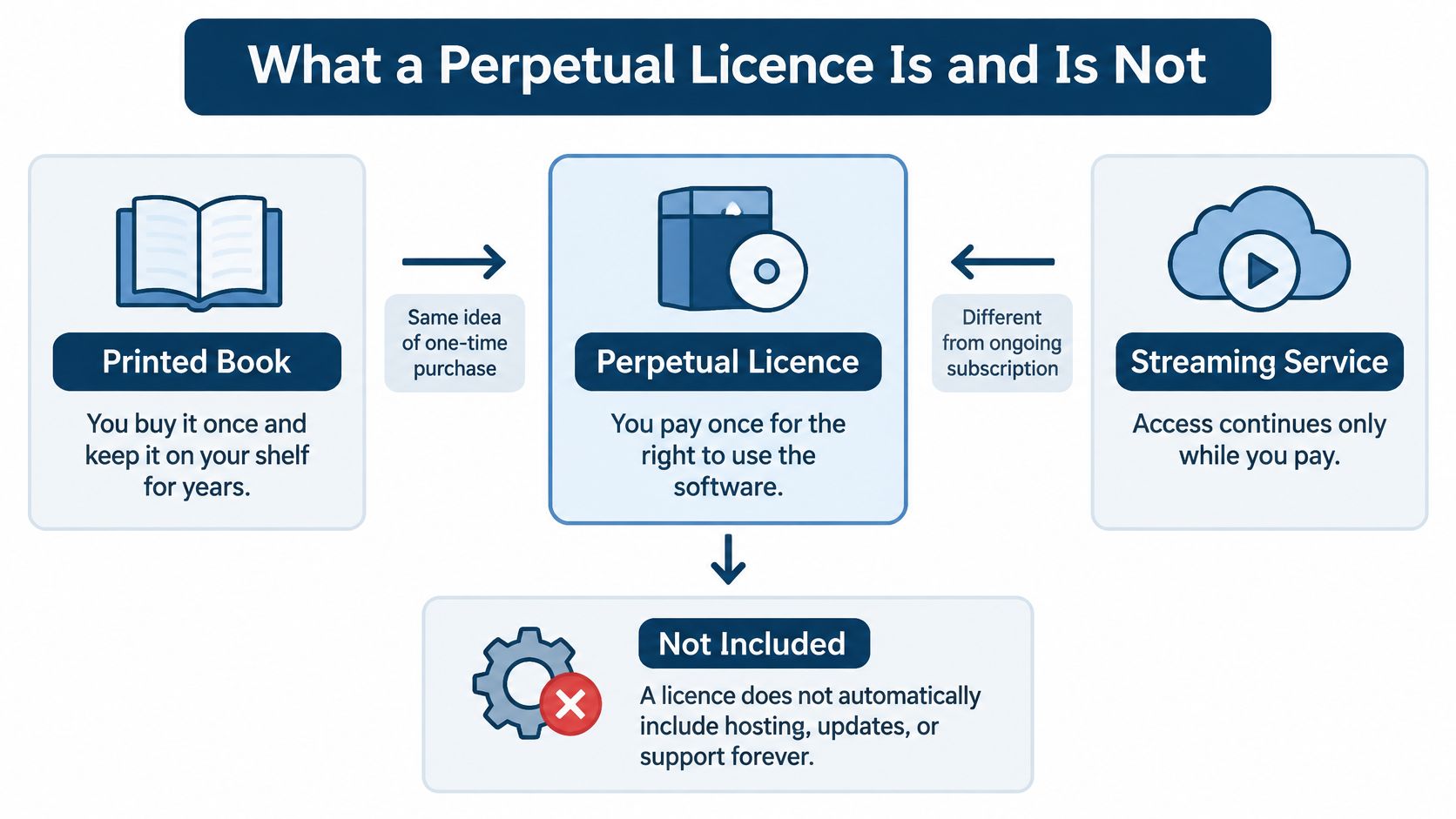
Separate the right from the extras
Put the one-time right to use the software at the centre of your decision. Branch out from it to your server, your data, the permitted use and the separate update arrangements. Those are related decisions, but they aren't the same thing.
A perpetual licence isn't a free download, unrestricted ownership of the publisher's intellectual property or permission to resell its source code. It doesn't automatically include hosting, support forever or every future upgrade.
For UI Lib's self-hosted applications, the purchase includes full, unencrypted source code that you own for life, subject to the licence's usage restrictions. You run the application on your own hosting, and your records remain in your own database. It's a one-time purchase, see the product page for the current price.
You keep the version you bought. Hosting, maintenance, assistance and future changes each need their own decision.
Perpetual Versus Subscription, Side by Side
A perpetual licence trades an upfront purchase for a version you keep, while a subscription spreads payments over continued access. For a fair comparison, separate the payment model from the hosting arrangement: subscription software isn't always hosted, and perpetual software isn't always installed in your premises.
Perpetual licence and subscription compared
| Factor | Perpetual licence | Subscription |
|---|---|---|
| Payment pattern | One payment for a version you keep | Recurring payment for continued access |
| Access if payments stop | You keep running the version you hold | Access ends when billing ends |
| Updates | Governed by each product's update terms | Usually included while subscribed |
| Hosting | Your server or managed hosting you pay for | Usually hosted by the vendor |
| Data location | Your own database when self-hosted | Vendor infrastructure in most hosted products |
| Budget treatment | One-off purchase plus ongoing hosting and labour | Regular operating expense; treatment follows accounting rules |
| Best fit | Stable workflows and someone who can run the server | Fast-changing needs and no technical help |
These are common purchasing patterns, not guarantees about every contract. In particular, check what a hosted service lets you retrieve after cancellation rather than assuming you can continue opening the application.
The rows that deserve closer attention
Access isn't the same as operation. Keeping permission to run software doesn't keep an unpaid hosting account online. You can retain the licence and still lose access to the installation if nobody maintains its infrastructure.
Updates need a separate reading. Don't infer an update entitlement from the words perpetual or subscription. Read the actual product terms, including how updates reach your installation and who applies them.
Hosting also changes the practical comparison. A hosted subscription may suit an owner who wants the provider to operate the application, while self-hosting puts infrastructure decisions with the buyer or their appointed administrator. Our buy-versus-rent software comparison helps frame that trade-off.
For an HR purchase, it can also help to compare cloud HR software for UK firms using HR Management 365's resource, then examine each shortlisted provider's contract. Compare the work you need done, not just the billing label.
Finally, ask your accountant how to treat the purchase and associated services. A one-time payment doesn't automatically determine its accounting treatment. The best-fit test is operational: can someone reliably run the system, or would you rather buy a service that includes that responsibility?
What Buy Once Still Costs Each Year
A one-time software licence can remove recurring licence fees, but it does not run the system for you. Someone still needs to provide hosting, protect the data and maintain the installation. UI Lib offers an installation and server-management service for owners who do not have technical staff; ask about the service and its costs before budgeting for it.
The work may be done by an employee, a contractor or a hosting provider. Whichever arrangement you choose, assign responsibility rather than leaving routine tasks to chance.
Hosting. Budget for the server or managed infrastructure. Existing equipment still needs upkeep and eventual replacement, so include those costs too.
Backups and restore tests. Arrange regular backups of the database and application files. Test that they can be restored; a backup that cannot recover working data offers little protection.
Security patches. Someone must maintain supporting software, including the operating system and database. Confirm who checks for fixes and applies them, since hosting alone does not make that responsibility clear.
Upgrade testing. Test changes before applying them to the live installation. Check that important records, integrations and workflows still work afterward.
Support and product updates. UI Lib business software licences include lifetime free updates and six months of support from purchase. Updates remain free after support ends. The licence terms distinguish ongoing updates from the period of included support, so allow for the time needed to assess and apply updates.
Payment processing. Payment processor fees are separate from the software purchase. Include the charges that apply to your sales arrangement.
Maintenance time. Troubleshooting and routine administration take staff or contractor time. If nobody on your team can handle them, get a quote for outside help before comparing the licence with a subscription.
Updates still need a plan
Any update to a self-hosted installation needs planned testing and a named person to apply it. That person should know how to protect the database and recover the installation if a change causes problems.
UI Lib charges no monthly, per-seat or per-terminal software fees, and Stocky POS has no per-shop fee. Those pricing terms do not cover hosting or maintenance. The guide to a POS system with no monthly fee explains why a lack of recurring software fees does not mean a shop has no ongoing costs.

A shop with suitable hosting and an administrator may have lower extra costs than one that must hire help for each task. Estimate your own annual costs by listing each task, the person responsible, the time required and who pays. Then compare that total with the subscription you are considering.
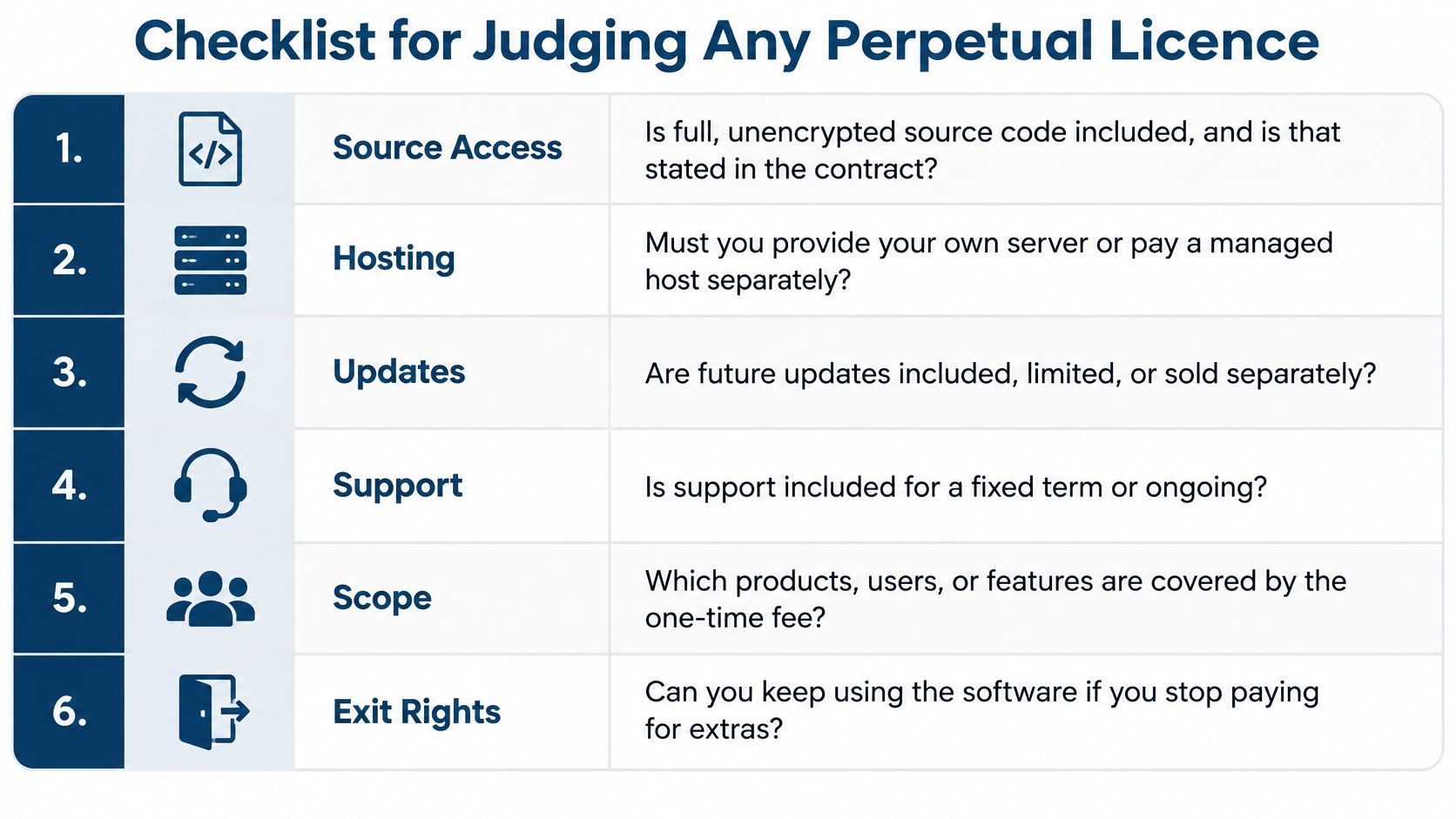
Checklist for Judging Any Perpetual Licence
Before paying, ask the questions below, plus a practical hosting question: who will provide and maintain the server? Written answers are more useful than a general assurance that you own the software.
Checklist for judging a perpetual licence
| Criterion | Question to ask | What a clear answer looks like |
|---|---|---|
| Source access | Is full, unencrypted source code included? | Stated in the licence terms |
| Update terms | How long do updates last, and do they cover security fixes? | Written on the product page, per product |
| Support | How long is support included, and what does renewal involve? | Dates and renewal terms stated plainly |
| Data export | How do I take my records out in a standard format? | A documented export or direct database access |
| Vendor disappears | Which code and steps do I keep, and who can patch it? | A direct answer on what the buyer keeps |
| Licence scope | What may I do with the licence, such as charging end users? | Regular and Extended rules stated in plain words |
Read the update answer carefully
Permission to keep using software isn't an answer about security fixes. Read the individual product page rather than applying one product's terms to the entire catalogue. Check both the entitlement and the delivery process: an available update still needs someone to install it.
Support needs the same precision. Find out what the provider helps with, how you contact them and which jobs belong to your own administrator. Product troubleshooting and operating your server aren't interchangeable services.
Plan for an exit before you need one
Source access helps a replacement developer understand the application, but they also need installation instructions, dependency details and access to the infrastructure. Keep those materials under the business's control, not solely in a contractor's personal account.
Database access isn't the same as a ready-to-import export. Ask how customer records, transactions and attachments would move into another system. A developer may need to interpret relationships between records before another application can use them.
Functional suitability deserves its own check. An education business can use Tutorbase's guide to what to look for in tutoring software to identify workflow questions, then apply the ownership and exit checklist to any shortlisted product.
Buying rule: Clear written answers make a purchase assessable. Missing answers are reasons to pause and clarify, not gaps to fill with assumptions.
Where UI Lib's Products Fit a One-Time Budget
Our self-hosted products illustrate where buying once can fit an ongoing business need. Choose by the work your business performs first, then judge whether you can support the installation.
The screenshot below shows the business-software catalogue for product selection.
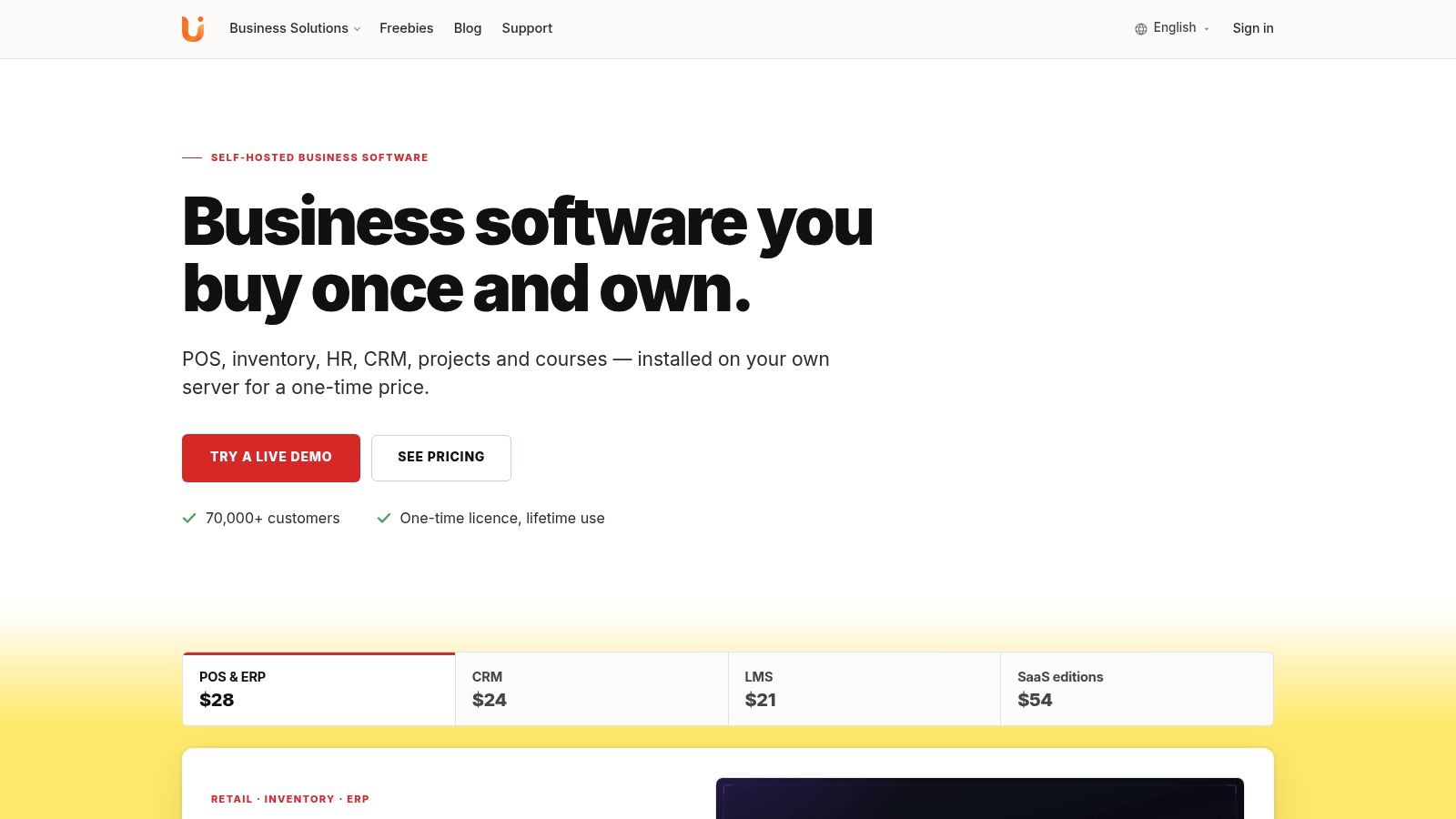
Stocky POS, Resto, Nexus and Mentor LMS product catalogue.
Match the application to the business
- Stocky POS is a self-hosted point-of-sale application for retail operations. Its product page links to a live demo, so a shop owner can examine the workflow before deciding whether to buy.
- Resto is a self-hosted restaurant application. A restaurant evaluating it should include the person responsible for technical maintenance, not only the staff who'll use it during service.
- Nexus brings HR, CRM and project-management work into a self-hosted business application. Evaluate it against the processes your team needs to carry out, rather than buying solely to replace recurring charges.
- Mentor LMS is a self-hosted learning management application for education and training. Its listed licence options include Unlimited, alongside Regular and Extended.
Find the Stocky POS, Resto, Nexus and Mentor LMS product pages through the business-software catalogue. Each is a one-time purchase, see the product page for the current price. Use the live-demo link on the Stocky POS page rather than treating a screenshot as proof that your workflow fits.
Buy the correct permission
For these standard applications, a Regular licence doesn't allow charging end users. An Extended licence covers one client project, service or subscription; a separate client project needs its own licence. Neither permits selling the source code directly.
Stocky SaaS and Nexus SaaS are distinct editions that can run under your own brand. Their purpose isn't unrestricted source-code resale, which isn't allowed under any licence. Read the licence guide and the chosen product's terms before committing.
Use the video alongside your hands-on evaluation, not as a substitute for testing.
What It Does Not Do
A perpetual licence grants permission to use software; it does not set out every update or support term. Before buying, check the product's written terms so you know what updates and support are included.
The licence also does not operate the installation for you. You still need to arrange hosting, backups and maintenance, and decide who handles recovery if a change disrupts service.
It doesn't remove technical requirements
Before buying Resto or Nexus, ask the vendor how updates are delivered and who will test and apply them to your installation.
Stocky POS has a specific deployment requirement: its camera scanner requires HTTPS. Confirm that the site meets this requirement before relying on camera scanning at the counter.
It doesn't promise every specialist workflow
Stocky POS documentation doesn't list trade-ins, buying used devices for resale, or instalment payment plans with scheduled due dates. If your shop depends on one of these workflows, check that the documented process fits your needs.
- For the business owner: Write down the transaction steps, including any returns, balances and due dates.
- For the evaluator: Use the product documentation and demo to check whether those steps are supported.
A perpetual right to use an application does not make it the right tool for every business.
A one-time licence can still leave you with recurring operating costs, such as hosting and backups, as well as responsibility for maintenance. Settle who will handle those tasks before you buy.
Choose Buy-Once or Subscription for Your Business
Choose a hosted subscription when you want a service operated for you. That's especially relevant if you have no technical help, expect frequent changes or don't want to coordinate infrastructure suppliers. Check the provider's actual service scope, because recurring billing alone doesn't guarantee that every operational task is included.
Choose a perpetual licence when you can support the installation and want long-term control. Stable workflows, access to source code and records in your own database can make buying once attractive. The decision still needs a credible maintenance arrangement, not merely a preference against subscriptions.
Decide who carries the responsibility
Managed self-hosting sits between a do-it-yourself installation and a hosted subscription. You buy the licence once and pay someone to operate the installation, with the service agreement defining what they handle. Our on-premise versus cloud ERP guide offers another way to examine deployment responsibility.
Use these actions before you commit:
- Name the operator. Identify who will host the system, maintain it and apply application updates. Confirm who covers absences and urgent problems.
- Read the product terms. Check the update and support arrangements for the exact application and licence you're buying. Save the relevant documents with your purchase records.
- Compare a three-year budget. Treat this as your planning horizon, not a promised break-even point. Include hosting, administration time, recovery arrangements and any paid assistance.
- Test before buying. Open the live demo linked from the Stocky POS product page and try your important workflows. Then check the licence guide against your intended use.
The right choice is the one your business can afford and operate reliably. A lower software bill isn't a saving if nobody can maintain the system you depend on.
UI Lib offers self-hosted business applications bought once, with source code included and your data in your own database. Visit UI Lib to explore the product pages, test the available demo and read the licence options before building your full hosting and maintenance budget.