Author: MH Rafi

  • How to Create a Angular multi level Menu

    How to Create a Angular multi level Menu

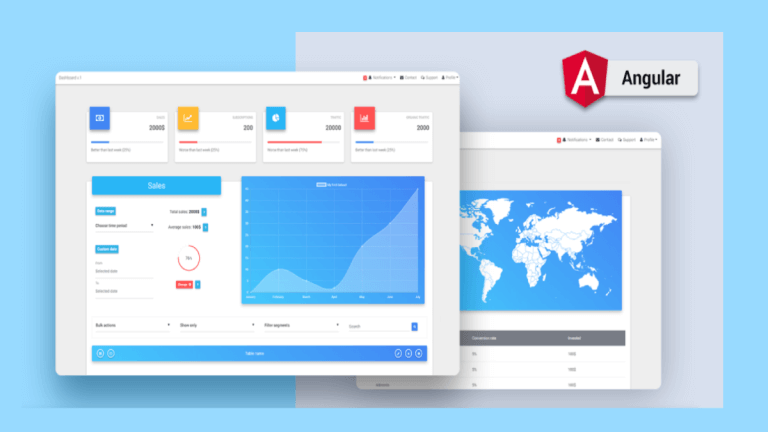
    Multi level or unlimited level menu are commonly used in admin panel. MatX Angular dashboard has unlimited level menu. MatX is a Free Angular material design admin dashboard template. This side navigation of MatX has unlimited level menu. Let’s take a look at the data structure of this menu.

    File on github: navigation.service.ts

    iconMenu: IMenuItem[] = [{
          name: 'WIZARD',
          state: 'forms/wizard',
          type: 'link',
          icon: 'grain',
        },
        {
          name: 'Multi Level',
          type: 'dropDown',
          tooltip: 'Multi Level',
          icon: 'format_align_center',
          sub: [
            { name: 'Level Two', state: 'fake-4' },
            {
              name: 'Level Two',
              type: 'dropDown',
              sub: [
                { name: 'Level Three', state: 'fake-2' },
                { 
                  name: 'Level Three', 
                  type: 'dropDown',
                  sub: [
                    { name: 'Level Four', state: 'fake-3' },
                    { 
                      name: 'Level Four', 
                      type: 'dropDown',
                      sub: [
                        { name: 'Level Five', state: 'fake-3' },
                        { name: 'Level Five', type: 'link', state: 'fake-3' }
                      ]
                    }
                  ]
                }
              ]
            },
            { name: 'Level Two', state: 'fake-5' }
          ]
        }]


    Dropdown menu has type: 'dropDown' and a sub: [] property, sub contains the child items.

    The Logic

    Inside the HTML template we have the logic. Menu items array is coming from items props of the component.

    File on github: sidenav.component.ts

    @Input('items') public menuItems: any[] = [];

    sidenav.template.html

    <div class="sidenav-hold" #sidenav>
    
      <ng-container *ngTemplateOutlet="menuTemplate; context: {menuItems: menuItems}"></ng-container>
    
    </div>
    
    <ng-template #menuTemplate let-menuItems="menuItems">
      <ul appDropdown class="sidenav">
        <li *ngFor="let item of menuItems" appDropdownLink routerLinkActive="open">
          
    
          <!-- Item -->
          <!-- MENU ITEM -->
          <div *ngIf="!item.disabled && item.type !== 'separator' && item.type !== 'icon'" class="lvl1">
            <a routerLink="/{{item.state}}" appDropdownToggle matRipple
              *ngIf="item.type !== 'extLink' && item.type !== 'dropDown'" routerLinkActive="open">
              <mat-icon *ngIf="item.icon" class="sidenav-mat-icon">{{item.icon}}</mat-icon>
              <mat-icon *ngIf="item.svgIcon" [svgIcon]="item.svgIcon" class="svgIcon"></mat-icon>
              <span class="item-name lvl1">{{item.name | translate}}</span>
              <span fxFlex></span>
              <span class="menuitem-badge mat-bg-{{ badge.color }}" [ngStyle]="{background: badge.color}"
                *ngFor="let badge of item.badges">{{ badge.value }}</span>
            </a>
    
            <!-- DropDown -->
            <a *ngIf="item.type === 'dropDown'" appDropdownToggle matRipple>
              <mat-icon *ngIf="item.icon" class="sidenav-mat-icon">{{item.icon}}</mat-icon>
              <mat-icon *ngIf="item.svgIcon" [svgIcon]="item.svgIcon" class="svgIcon"></mat-icon>
              <span class="item-name lvl1">{{item.name | translate}}</span>
              <span fxFlex></span>
              <span class="menuitem-badge mat-bg-{{ badge.color }}" [ngStyle]="{background: badge.color}"
                *ngFor="let badge of item.badges">{{ badge.value }}</span>
              <mat-icon class="menu-caret">keyboard_arrow_right</mat-icon>
            </a>
    
            <div *ngIf="item.type === 'dropDown'">
              <ng-container *ngTemplateOutlet="menuTemplate; context: {menuItems: item.sub}"></ng-container>
            </div>
    
          </div>
        </li>
      </ul>
    </ng-template>
    

    We used ng-template to render the dropdown menu. We called it #menuTemplate. We passed the array of menu items to the ng-template.


    We iterate through the array of menu items and render each item. Then we used *ngIf to conditionally render different types of menu items such as link, dropdown, extLink.
    If the item type is dropDown we render the dropdown toggle item first. Then the child menu items directly underneath of it.


    And here is the tricky part. We called ng-template #menuTemplate inside itself. Means it’s calling or referencing itself recursively. And we passed the array of submenu or child items. It renders the child items inside itself.

    And again if it finds another dropDown during rending the child items it will again call the ng-template inside child items and render grandchild items.This process will go on as long as it finds the child items.


    Expansion panel

    This is how the rendering works. Now let’s talk about how expansion panel works. We created few directives. appDropdown directive which is attached to the ul tag of menu.
    appDropdownLink which is attached to the li tag of an item
    and the appDropdownToggle toggle which is attached to the a tag of an item.
    These three directive does one job. Add and remove open class to the li tag if you click on it.


    CSS

    We need a little bit of css to make the drop down Menu actually open and close on click. By default the ul tag of child menu is set to max-height: 0, when the open class added by clicking the its parent item we set max-height to a big number like 1000px. We assumed the height of the child menu will be always less than 1000px.You can always increase this number. Here is the CSS code example

  • Convert TypeScript Project to JavaScript

    Convert TypeScript Project to JavaScript

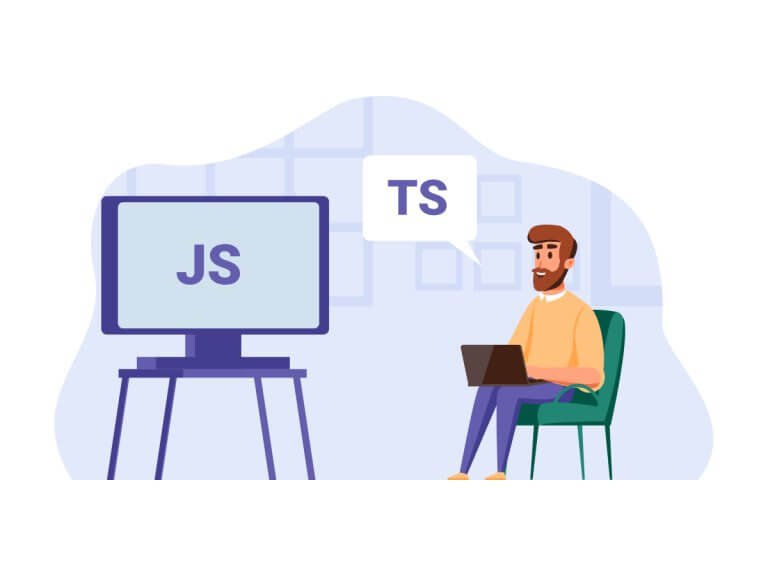
    We all know TypeScript is an amazing programming language. And we love it! But a lot of time developers still prefer to write codes and build their projects using JavaScript. Here at UI-Lib, we build templates and UI Kits for both personal and commercial purposes. And many of our UI Kits are developed with TypeScript. However, a large portion of our customers always wants JavaScript as source code.

    So, to make our customers satisfied, we built a simple tool that easily converts the whole TypeScript project to a formatted readable JavaScript project.

    How to Convert TypeScript Project to JavaScript

    TypeScript is our main codebase and this is the source of everything. And from this source, beautiful and readable JavaScript will be generated. So, without further delay, let’s dive into the task and learn how this tool works. And learn how you can create one on your own.

    Here,Babel is that magician who transforms TypeScript code to readable & editable JavaScript.

    • Create a folder called tools in your TypeScript project (which you’ll convert to JavaScript).
    • Create package.json or run npm init in tools folder and paste below content in package.json
    {
      "scripts": {
        "start": "node convert"
      },
      "dependencies": {},
      "devDependencies": {
        "@babel/cli": "^7.15.7",
        "@babel/core": "^7.15.8",
        "@babel/node": "^7.15.8",
        "@babel/plugin-transform-typescript": "^7.15.8",
        "@babel/preset-env": "^7.15.8",
        "@babel/preset-react": "^7.14.5",
        "@babel/preset-typescript": "^7.15.0",
        "fs-extra": "^10.0.0"
      }
    }
    
    • Open terminal in tools folder and run npm install.
    • Create utils.js in tools folder and past below code.
      • The buildTree function creates a tree structure of all the files in your project.
      • createJsConfig function to create jsconfig.json file.
      • The transformTsToJs function uses babel to convert whole project to js.

    utils.js

    var fs = require('fs');
    
    class TreeNode {
      path;
      children;
    
      constructor(path) {
        this.path = path;
        this.children = [];
      }
    }
    
    const buildTree = (rootPath) => {
      const root = new TreeNode(rootPath);
    
      const stack = [root];
    
      while (stack.length) {
        const currentNode = stack.pop();
    
        if (currentNode) {
          const children = fs.readdirSync(currentNode.path);
    
          for (let child of children) {
            const childPath = `${currentNode.path}/${child}`;
            const childNode = new TreeNode(childPath);
            currentNode.children.push(childNode);
    
            if (fs.statSync(childNode.path).isDirectory()) {
              stack.push(childNode);
            }
          }
        }
      }
    
      return root;
    };
    
    const transformTsToJs = (node) => {
      //   console.log(node);
      node.children.forEach((childNode) => {
        if (childNode.children && childNode.children.length) {
          transformTsToJs(childNode);
        } else {
          // transform only ts files
          if (childNode.path.includes('.js') || childNode.path.includes('.jsx')) {
            return;
          }
    
          // Transform
          let result = require('@babel/core').transformSync(
            fs.readFileSync(childNode.path),
            {
              filename: childNode.path,
              presets: ['@babel/preset-typescript'],
              plugins: ['@babel/plugin-transform-typescript'],
            }
          );
    
          // Save new file
          let newFilePath;
          if (childNode.path.includes('.ts')) {
            newFilePath = childNode.path.replace('.ts', '.js');
          }
          if (childNode.path.includes('.tsx')) {
            newFilePath = childNode.path.replace('.tsx', '.jsx');
          }
    
          fs.writeFileSync(newFilePath, result.code);
    
          // delete main ts files
          if (childNode.path.includes('.ts') || childNode.path.includes('.tsx')) {
            fs.unlinkSync(childNode.path);
          }
        }
      });
    };
    
    const createJsConfig = (outdir) => {
      fs.writeFileSync(
        outdir,
        `{
        "compilerOptions": {
            "baseUrl": "src"
        },
        "include": ["src"]
    }`
      );
    };
    
    module.exports = {
      buildTree,
      transformTsToJs,
      createJsConfig,
    };
    
    • Create a file convert.js and paste below code.
    • Inside Promise.all copy all the source files including TS, images, etc. to output folder. Your new javascript project will be saved in output folder.
      • We created jsconfig.json output folder.
      • We built tree structure of output folder and used this to convert all the typescript code to javascript.
    const utils = require('./utils');
    const fse = require('fs-extra');
    
    Promise.all([
      fse.copy('../src', 'output/src'),
      fse.copy('../.env', 'output/.env'),
      fse.copy('../.gitignore', 'output/.gitignore'),
      fse.copy('../public', 'output/public'),
      fse.copy('../package.json', 'output/package.json'),
      fse.copy('../README.md', 'output/README.md'),
    ])
      .then(() => {
        utils.createJsConfig('output/jsconfig.json');
    
        const allFiles = utils.buildTree('output/src');
        utils.transformTsToJs(allFiles);
      })
      .catch((err) => console.log(err));
    

    Finally Convert Your Project

    Lastly, run this command. It will convert your whole project to JavaScript.

    Run node convert or npm start to run the convert.js file.

    Wrapping Up

    We hope at this point, you’ll be able to convert your TypeScript Project to JavaScript. If you face a similar situation like us or just want to convert your TypeScript project to JavaScript then you can use this tool.

    About Us

    At UI-Lib, we develop fully hand-coded premium software. There are tons of templates, UI Kits, Design Systems & Management systems in our collection. And we made them with popular technologies like Angular, Vue, React, etc.

    Our Gumroad Profile

  • 15+ Best Angular Material Admin Dashboards Free and Premium 2022

    15+ Best Angular Material Admin Dashboards Free and Premium 2022

    When it comes to Angular dashboard themes, there are a lot of options available. However, there are very few “Best Dashboard Material templates”. We will see some of the best Angular Dashboard free templates that you can go with. Some of them are premium Angular Material dashboards. You can go with any of them as per your requirements. Most of them are in the same price range.

    1. MatX (Best Angular Material Dashboard)

    MatX is one of the best angular material dashboards available. It’s made using the official material component library of Angular. The best thing about the template is that here Bootstrap and jQuery are not used. Instead, the Flex layout is used.  It’s one of the themes which will catch your attention by just looking at it once.

    Here, you will get a clean and standard code. The navigation part is the most important thing that you will need to see in the angular dashboard theme. Here, you will get vertical navigation and Horizontal navigation.

    MatX Best Angular material dashboard

    The theme has all the features including JSON web token authentication and dynamic breadcrumbs. The modules also support lazy loading. So, the users can open the dashboard in no time. It also supports multiple colors and RTL. You can get this angular dashboard template free or you can get the premium version too. 

    This is one of the few Angular dashboard templates free. As most of them are only paid.

    Best Features

    • JSON Web Token Authentication
    • User Roles
    • RTL and Multi-language
    • Fast Performance and lazy loading module
    • Various components and charts
    • It supports eCommerce, TODO, inbox, Invoice builder, etc.
    • The Invoice also supports PDF and print.

    etc.

    Demo Get MatX

    2. Egret

    The next theme is also based on the angular dashboard. It’s perfectly suited for the people who are running a SaaS. There are many features available starting with JSON Authentication to different modes. It supports all the SaaS whether you want to run an ERP or a CMS project. It’s not made on bootstrap and jquery.

    For easy editing, it has an in-built customizer that you can use. It has various color options from which you can select your favorite one.

     Egret - Angular Material Dashboard

    You can select from various colors. The angular theme also has multiple layouts, you can take te advantage of that too. there is complete documentation even for any kind of help. You can select from light mode or dark mode. It includes a rich text editor, angular lazy loading, etc. All these will increase the performance of the theme and your website.

    You can also add a user tour.

    Features

    • Perfect for SaaS
    • Customizer to help you edit the look
    • Two navigations are available – vertical and horizontal
    • JWT Authentication
    • Code Splitting

    and a lot more.

    Get Egret Theme

    3. Fuse

    Fuse is an ideal admin template for its professionalism and powerfulness. It is obviously Angular-based and includes all the essential apps and pages. It can be an excellent option for your upcoming project. Also, it is a combination of TypeScript and Angular CLI. After downloading the template, you don’t have to worry too much or don’t have to spend hours designing your panel’s pages. Because it is fully ready to use.

    Fuse

    There are multiple application examples like contact, chat, mail, to-do list, scrum board, file manager, and a lot more. It has a very clean code and well documentation. All the layouts are pretty flexible. Moreover, you can use both simple and complex layouts together. Its simplicity will definitely amaze you. So, try & learn more about the Fuse Angular admin template from the buttons below.

    Features

    • Completely built with TailwindCSS
    • Modular design
    • Ability to set a different layout per route
    • Custom components for admin panel-specific use cases
    • Starter project included for faster development
    • Full Angular Material theming support with customizable colors
    • Dark and Light color schemes support

    and more.

    More Info Demo

    4. Primer

    Another Angular material dashboard that you can surely go with is Primer. It’s made with Angular and React material. The look and the features of the themes are common. One advantage you will get is the React Router. It also includes JSS styling which enhances the look of the dashboard template. It supports dark mode and light mode.

    The modes are very much important in today’s world as users would surely want to switch from one mode to another. Therefore, you can use it anywhere. It has an AoT compilation and is fully compatible with all devices.

    Primer - Angular Material Admin Dashboard

    Talking about compatibility, it supports language translation and RTL. So, even if your CMS or SaaS is in any other language, you can use this dashboard template. Unfortunately, it’s not an Angular dashboard template free. So, you will have to pay for it.

    Features

    • Language translation and RTL
    • AOT Compilation
    • Support to all the devices
    • React Support

    and more.

    Get Primer Here

    5. Lorax – Angular 13+ Material Design Admin Template

    Angular 13 and the Angular-CLI were used to create Lorax, a modern material design admin dashboard template. For rich styles and design, Lorax comes with Angular Material UI. The template is built with Bootstrap 5.0.1, and there is no jQuery in it, so you will have a pure angular experience with it.

    Lorax

    To speed up your project, Lorax fully supports AOT and lazy loading. SASS is used by Lorax to make it easier to edit the styles. Moreover, all of the styles were created using SASS and are simple to understand. also, it contains a large number of ready-to-use components that allow you to develop quickly and easily.

    Features

    • Angular 13+
    • Angular Material UI 13.0.3
    • AOT Compatible
    • Bootstrap 5.0.1
    • No jQuery
    • Dynamic JS import at components
    • Light, Dark & RTL Full Templates
    • Multi-Language Integration (English, German, Spanish)

    and a lot more.

    Details / Download

    6. MDB – Angular Admin Dashboard Template

    For an Angular-built template that followed the material design, Angular Admin Dashboard is also another great option. It is also a free admin dashboard with full responsiveness and well-documentation. There are approximately 400 UI Components, 600 Material Icons, tutorials, and templates added. So, you can do your job pretty quickly and comfortably.

    MDB Angular Admin Dashboard Template

    Also, there are various sorts of dashboard examples and a fine data visualization. With all these facilities, the developers decided to keep it free of charge for both personal and commercial usage. Moreover, it supports all the major browsers and gets updated with modern requirements. Most importantly, it didn’t use JQuery, all the scripts were rewritten in TypeScript.

    Features

    • Bootstrap 4 & Angular 5
    • Material Design for Bootstrap
    • Free for personal and commercial use
    • Fully responsive
    • jQuery-free
    • Cross-browser compatibility

    and more.

    More Info Demo

    7. Annular (Powerful Angular material dashboard)

    If you are looking for an Angular material dashboard that includes TS and the latest version, you should have a look at the Annular template. It is built on Angular 10 with Angular CLI. It supports the Angular Flex layout. The template also uses a nested routing and dynamic menu. This makes it a lot easier and makes the look more awesome. If you are somehow who cares about the features more than looks, this template is for you.

    However, if you also want fancy looks, you might not like the overall look of the theme. As seen in the image, the theme looks pretty simple. Not to mention, it has more than 8 color schemes or theme options that you can choose from.

    Annular

    For the content, it has ngx charts and databases. You will get an Angular perfect scrollbar along with the drag and drop. Overall, there are many more features compared to a regular Angular theme. If you want to display your user address, you can also use the maps feature. It supports Google maps and Leaflet.

    Other features such as AoT compilation and lazy loading are also present in this theme.

    Features

    • Angular 10 and Angular CLII
    • Flex layout
    • Forms, Calendars, Charts, and many more things for content
    • Angular perfect scrollbar along with the drag and drop feature.
    • It has a responsive design and supports high resolution
    • LTR and RTL support is also available
    • Regular updates are another reason to get this template

    etc.

    Buy Annual Theme

    8. Vex – Angular Material Design Admin Template

    Vex is a great template that comes with a variety of features. Also, it offers full support, documentation, and lifetime updates. Here, you’ll have the option to choose from different styles and approaches. It has modern, clean, light, dark, and contrast styles.

    Customizing the template is very easy, it is a great relief that with almost no effort you can start creating with the template. Vex comes in Apollo, Hermes, Zeus, Ikaros, and Ares styles. Moreover, you can add and remove components, pages, etc as you prefer.

    Vex Angular Material Admin Template

    The template has over 4000 icons, charts, widgets, notifications, Google Maps, Calendar, Chat, and a lot more. This has a huge collection of widgets, pre-built apps, and ready-to-use pages. Make sure to check out Vex.

    Features

    • Blazing fast and lightweight!
    • Incredibly small bundle size
    • Material Design with Angular Material
    • Latest Angular version
    • Global SCSS and per component-specific SCSS (modular!)
    • Built with Angular-CLI to easily generate components
    • Angular Flex-Layout – fast & flexible Flexbox layout library
    • Nested Routing

    and a lot more.

    More Info Demo

    9. Gradus

    The next theme is based on Angular 10 and comes with TypeScript. Few reasons to select Grauds as your Angular material dashboard are, because of the easy customization and maintenance. You can easily customize the template however you want.

    Further, it’s really easy to maintain a fully responsive template. Here, all the pages have their modules. So, if you want to add more pages to it, you can easily do it. There won’t be any compactible issues here. It comes with the Flex layout.

    Gradus - angular dashboard template free

    Further, it has all the features needed for the dashboard theme such as AoT companion, and nested views, and it also has lazy loading routes for faster speed. You can select from six different themes and colors which will surely suit your brand’s theme. Unlike most templates, it has an awesome landing page included.

    You will get the ngx-data table and charts here. Just like the previous theme, it has Angular Perfect Scrollbar and Angular Drag and drops.

    Features

    • Landing page
    • Responsive, RTL, and LTR support.
    • Google and Leaflet Maps along with forms and a full calendar
    • Flex layout
    • Ngx-data table
    • Ngx-charts
    • Easy to maintain and all the options given to customize the theme

    and more.

    Buy Gradus Template

    10. Optima (Best Looking Angular material dashboard)

    Optima is a theme with a gradient. So, the overall dashboard look is awesome. There are more than 10 color options given for which you can choose your favorite one as per your need. You can also set dark mode. The user’s profile picture can be shown in the horizontal menu. It’s based on Angular 10.

    The Angular material dashboard was recently launched. So, it is made according to the new requirements. You will surely get regular updates.

    Optima -  angular material admin dashboard

    There are many important pages given such as the user list, eCommerce section, pricing page, etc. In the same way, there are various charts and maps given such as ngx charts, pie charts, bar charts, line charts, etc. For maps, it has Google and Leaflets like all the other dashboard templates.

    Features

    • Various components, pages, and charts are given
    • Angular 10 and Angular CLI
    • Nested Routing and Lazy loading along with responsive design.
    • Color pickers, date pickets, maps, forms, calendars, etc are some of the small but useful features
    • Flex layout with a horizontal menu also works great.

    and a lot more.

    Buy Optima Dashboard

    11. Atrio

    Atrio is a theme available in Angular 10+. It uses the latest version of all the things. It has Angular Material UI 10.0.0 with Bootstrap 4.5.0and every 3.51. Yes, most of the Angular material dashboards that we discussed didn’t use Bootstrap or jquery. However, this one surely uses both. There are lots of features available here. First, let’s talk about the looks of the template Here, you will get Bootstrap and jquery.

    So, the looks are awesome. It has more than 7 predefined color schemes. You can select from 3 different dashboards. It includes font awesome 5. Like every other template, you can select from dark or light them.

    Atrio

    It has a material table and W3C validated code. Manging code is super easy. The code is built with gulp and package management with NPM. Further, it has a dynamic JS import. You can easily create a task app and calendar app by just using the theme. Both of these things are already done for you.

    Therefore, you will have to spend the least time doing all these.

    Features

    • Bootstrap and jQuery
    • Package management with NPM and build code with a gulp
    • Clean code with proper comments. Further, it also has documentation
    • Material table and forms
    • Further, there is Nested routing and lazy loading
    • The chat application is already ready along with the task management and calendar app.
    • Moreover, Email, support ticket, contact list, and grid are already there.

    etc.

    Buy Atrio Angular Dashboard

    12. Ngx Admin

    The next theme that you can go with is the ngx admin theme. As soon as you can go to the website, it will ask you to choose one of the themes. There are four options available from which you can choose. They are Material Dark, Material Light, Light, and Dark. Soon as you select the theme, you will see the live preview of the theme.

    Unlike most of the themes, here all the information is not given. Now, this could be taken as an advantage or it can be taken as a disadvantage.

    Ngx Admin

    Further, the features are awesome. There are various options for backend authentication. You can select any language. There are various layout options. There are various forms, UI components, etc. Further, there are many Modal and overlays. There are maps, charts, and all the other regular things available.

    Features

    • Various layouts
    • There are many Modals and overlays
    • Ngx-datatable and ngx-charts
    • Editors

    and many more.

    Get ngx Theme

    13. Stbui (Chinese Angular material dashboard)

    Stbui’s Angular material dashboard is a theme that is pretty different than the previous ones. Here, the default language is Chinese. So, you will have to adjust a little bit but there are more features that you will get here. For example, here, you will get exclusive features.

    There is a PWA available. PWA stands for the Progressive web app. With this, your users can simply create a home screen app for the admin dashboard.

    Stbui - Angular Material

    You can get his Angular dashboard template free. It has firebase authentication along with docket integration. Moreover, it also has electron integration. If you are from China or want to use this template for Chinese people, this theme is the best as you will not have to set the language on your own. Everything is already given to you.

    You can start using this Angular material dashboard. You can get this angular dashboard template free.

    Features

    • Chart features
    • Docker integration
    • Electron Integration
    • PWA is also available
    • Lastly, The Chinese language supported

    and more.

    Get Stbui Theme

    14. MaterialPro Angular 13 Admin Template

    MaterialPro is an admin template for Angular 13 and CLI WebApps. It’s a fully responsive template built with the Angular Material framework in mind. Multiple dashboards, six demos, six predefined color skins, and other features and components are included. As a result, you can easily customize the admin panel to your liking. You also have the option of changing the theme to Dark mode.

    MaterialPro

    Features

    • Material Angular 13 / CLI
    • Clean and Creative Landing Page Included
    • Main Dashboards PSD & XD Files Included
    • Fully Responsive pages
    • SaSS Base CSS

    and a lot more.

    Get MaterialPro

    15. Triangular – Material Design Admin Template AngularJS

    The triangular material design admin template is built with AngularJS 1. For beginners who need templates to learn and understand AngularJS. You can definitely choose this one for study purposes. However, the code this solid and it is easy to understand the structure of this template. All of it is very well-organized.

    triangular

    You will find everything here for starters. Also, it comes with 5 dashboards, example applications, and page designs, and it has 6 template layouts.

    Features

    • Unlimited Menu Levels
    • Uses SASS Stylesheets
    • Automatic Breadcrumb Headings (based on menu hierarchy)
    • ESlint & ESlint AngularJS plugin checks built-in
    • AngularJS Speed profiler
    • Uses ARIA attributes that convey information about the application for users of assistive technologies.

    and many more.

    Get Triangular

    Final Words

    To conclude, these are some of the best angular dashboard templates free and premium ones. You can surely use any of the angular material dashboard templates. If you are new and want to learn Angular, we recommend you go with the best angular dashboard template for free instead of the paid ones. Once you are familiar with the concept, you can head over to the paid ones.

    You Might Also Like These Articles

    1. React Boilerplates You Should Not Miss
    2. Convert TypeScript Project to JavaScript
    3. Best Open Source React Chart Libraries
    4. Free Best React Date Picker Components to use
    5. TypeScript & JavaScript – Which One to Choose
    6. Best Free Tailwind CSS UI Kits and Components
    7. Web3 – The Decentralized Web of Future
    8. Why & How to Get Started with Open-Source Software?

    Our Angular Products

    Gull – Angular 13+ Bootstrap Admin Template

    Egret – Angular 13+ Material Design Admin Template

    https://ui-lib.com/downloads/egret-angular-material-design-admin-template/
  • React Techniques with Performance

    React Techniques with Performance

    Are you a React developer looking forward to knowing about React Techniques with Performance. Don’t worry. Here, we are going to give you exactly what you’re looking for.

    React Techniques with Performance

    I prefer using Visual Studio. For React development you can use the Simple React Snippet extension in VsCode (Visual Studio). To use this extension facilities like autosuggestion or pre-built snippet you have to save your file as .jsx (eg. MyFile.jsx). Follow the above link to get snippet shortcuts to code faster.

    Important: If you are using any secret key/client key in your app, then it’s better not to use them inside your source folder or in the index.html file. Because this can easily expose to others. So, what you can do is add a file with the name .env and put your secret/client keys there.

    .env file will look like below

    CLIENT_KEY = AIzaSyAYdp6JWy6aD-2Jiil3ggePxDSBDIMpD-KF

    To use these keys inside your app you have to use process.env.CLIENT_KEY. Don’t forget to add this .env file in .gitignore to avoid sharing these keys in Github.

    Invoke child function from parent:

    We may face situations where we need to invoke a child function from parent. Suppose, we have two components named Parent.jsx and Child.jsx. In our Child component, we have a function name triggerChild() which will invoke from the Parent component. Let’s have a look at the files/components below

    import React, { Component } from 'react';
    import Child from './Child';
    class Parent extends Component {
        childFunction;
      
        setChildFunction = functionRef => {
            this.childFunction = functionRef;
        }
        
        render() {
            return (
              <div>
                 <Child setChildFunction={this.setChildFunction}></Child>
                <button onClick={this.childFunction}>Trigger Child</button>
              </div>
            );     
        } 
    } 
    export default Parent;

    First we created a variable called childFunction that would hold the child function passed from Child component through setChildFunction().
    Then we make a function name setChildFunction() which will pass to Child as props.
    This setChildFunction() receives a parameter (function) and set  it to childFunction variable which we created earlier.

    import React, { Component } from 'react';
    class Child extends Component {
      
        triggerChild = () => {
            console.log("child triggered from parent");
        }
        
        componentDidMount() {
            let {setChildFunction} = this.props;
            setChildFunction(this.triggerChild);
        }
        render() {
            return (
              <div>                
                <div>Child</div>
              </div>
           );
        }
    }
    export default Child;

    In this Child component, We passed the triggerChild function to Parent through setChildFunction when the component is rendered.  That’s why inside componentDidMount() we grabbed the setChildFunction from props and invoked this function with this.triggerChild parameter which set this triggerChild function to our parent variable (childFunction). Now, when we nee

    Performance Issues:

    1. If any async function that will update the state of the component is called anywhere in the component then it must be unsubscribed or destroyed inside componentWillUnmount() function before the component unmounts.

    2. It’s better to use invoke any async function inside componentDidMount(). Because, if async function updates state before the component mounts, this will create an error, that is not in your expectation.

    3. If you want to render a list, you can use a unique key for each item in the list. Here you might want to use index as key from map of a list. But this will cause performance issues when you want to delete or edit certain items in that list. You can use shortId for generating the short unique keys.

    4. When rendering a long list it’s better to use an infinite scroll or load more mechanisms to increase performance. Because they render items based on user interaction.

    Our React Products

    https://ui-lib.com/downloads/bazar-pro-react-nextjs-ecommerce-template/

    Gull – React Bootstrap 5 Admin Dashboard Template

    Learn more about us HERE.

  • 15+ Free Design Systems For Web 2022

    15+ Free Design Systems For Web 2022

    Designing can be a tough part especially if you do not have access to all the beautiful libraries and modules. That’s when you need free design systems for the web that you can use to create an amazing webpage.

    For those who don’t know, a design system consists of numerous components and libraries that you can use in your web design. You can share it with your team so that even they can enjoy the libraries and directly add them to the design itself. We have gathered here some of the coolest web design systems that you can take a look at.

    Some of them might include a premium version but the basic version is free to use and you can upgrade if you like the free version too much. So, here we go we the list, make sure you check the live preview or the demo before you go with any of the designs. 

    1. Uko – Free Figma Dashboards & Design System

    Uko Free Figma Dashboards & Design System

    Uko is a new Figma design system. As it is going trending in Figma Community, you can now easily find it there. Though the design system is promising still we believe there is a lot we can improve in the upcoming months. Now, what it is like to duplicate this design system and work with it? We would simply say, this is a pretty solid package.

    Here you will find all the essential things that you need to create a web app. For example, it has features like auto layout, component-based, and smart-scalable typography system. Also, 5 Dashboards, more than 150 pre-built components, 50 widgets, over 20 charts, 8+ app pages, and a lot more.

    if you just starting your web app or admin dashboard designing journey, then this is going to guide you. It is because we have several admin templates in the marketplaces that got a lot of appreciation from developers. Thus, we learned how to maintain the highest industry standards while making one.

    Therefore, we would strongly recommend you to try this design system. All it needs is to click the duplicate button and it will open on your Figma software. And, if you find it useful, leave an upvote on Producthunt. That will give us the energy to make more of these for the web designers community.

    Visit Website Live Figma Preview Duplicate

    2. Done Design System – Best Free Design Systems for web

    best free design system

    The Done Design System is the best free design system for the web. It totally stands by its name, more than 80% of the work will be done when you use this web design system. There are many components available here starting from pricing tables, buttons, checkboxes, Dropbox, cards, etc. You will also find other elements and components that you need for making awesome designs. Moreover, the system is open source and there is proper documentation for every place. 

    The best part of the design system is the number of variations available. No doubt, there are hundreds of components available in the design system but here you will get many different versions of each component. This will help you out if you already have a theme for your website and want the components to fit in with that.

    Along with this, even if you think you know all about designing, documentation is an important part that you should not miss. It is one of the best design systems on the list whether it is about the components or it is about the complete documentation. Therefore, all these make it one of the unique and free design systems for the web.

    Visit Website Demo

    3. Webflow Design System Template

    Webflow Design System Template

    Webflow Design System template has everything that as a designer you can look for. if you want to make your web design to be modern and clean, you should give it a try. There is a lot of component section and useful UI Patterns. For example, accordions, buttons, tabs, and blocks for embedding videos.

    All of them share the same sensibilities. That makes them perfect for the people who are positive about putting a web design with a contemporary aesthetic. To be honest you’ll get a comfy vibe about the typography section they have. Another thing to mention is there are flexboxes. These flexboxes make it pretty easy to incorporate them into your personal work.

    Visit Website Demo

    4. Carbon Design System

    best free design system

    It is IBM’s design system for designers and developers. The design system is following IBM’s language making it the core part of this free design system for the web. It consists of all the components, tools, and other things you need to create your best web design experience.

    Moreover, it has human interface guidelines and there is a whole community of designers and developers who are always ready to help you out whenever you need it. You can work on this with React and there are various versions available that you can take a look at at your convenience. You can easily migrate from one version to another. 

    Moreover, here each of the tabs has perfect designs on their official website itself. You will get all the proper information on how to install the Carbon design system and how you can use it further. The components include a date picker, table, link, loading list, slider, and many more.

    All of them are on a separate web page which makes it easy to check out for the user. You can use the resources available and also there is enough information for the patterns. Above all, they update it frequently, so, you will have t migrate the changes.

    Visit Website Demo

    5. Eva Design System Sketch

    eva design system sketch

    Eva Design System is a highly customizable free Sketch design system. There are implementations with both mobile and web. it can adapt and integrate with your ideas of brand marketing which is a great achievement. Thus, you can consider it ideal for any sort of product.

    In the latest version of this design system (1.3.0), you will find Sketch 61 with a smart layout. The symbols are more organized and updated. Here, you will find Eva icons that were not part of the Eva design system – Light Sketch before. Radio buttons, cards, toggle, checkbox components, everything is in there. And guess what! All of them are available in both light & dark modes.

    To be exact, Eva Design System Includes, more than 300 text and 250+ layer styles. It includes a unique color system, these pallets make it interesting and easy to choose a color scheme of your choice.

    Lastly, the design system is implemented with UI Kitten (React Native) and Nebular (Angular) which are both component libraries.

    Visit Website Gumroad

    6. Lightning Design system – Free Design system for Salesforce

    Lightning free design system

    Every free design system for the web is made for different purposes, here the main focus is on the enterprise level. However, you can surely use it for you won the desired purpose without any issues. It works well on Visualforce, Android, windows, and IOS devices. Moreover, you can also use it with Heroku and lightning.

    You can use this design system if you are creating or having a system native to Salesforce as it is specially designed for such purposes. For enterprise-level applications, it is always hard to find the design system that suits their needs. That’s why you can use this design system for an enterprise-level solution. 

    Moreover, talking about the components, you will here get all the components necessary for enterprise-level and business apps. The components include but are not limited to icons, alerts, badges, checkboxes, dynamic menu, global notifications, etc. You can check more of the components from the official website itself.

    You will also get the icons, and design tokens, and there are various tools and utilities to help you out. The system has complete documentation to help you out and there are also various articles out there on the official website itself that you can check out to know more about the system.

    Visit Website Demo

    7. Liquid – Free Design System

    UX Platform Design System

    Liquid provides a set of tools, guidelines, and elements for making outstanding tech products for both UX/UI experts and non-technical people. The use of a variety of colors, illustrations, typography, grids, and components allows for a consistent UI and high-quality appearance across all devices.

    It currently contains over 42 elements, 18 components, 14 modules, 1,500 user interface assets, and 9 templates. Using the design and development kits, you can create amazing digital solutions that are fully customized to your brand in a fraction of the time.

    Visit Website GitHub

    8. Shopify Polaris – Outstanding Free designs system for Shopify

    Polaris free design system

    How can we forget the best platform for all the e-commerce platforms, Shopify?  Shopify Polaris is the design system for all Shopify users who want to create amazing Shopify designs for their website. The design system is available in React as well as in HTML, you can use any of them as per your requirements.

    Talking about the things inside the system, you will also get the APIs, UI Kits, as well as all the content along with the components. This makes it the best system for your e-commerce business. 

    Moreover, the components include structure, overlays, list, title, icons, forms, actions, etc. There is a perfect guide for the pattern and how you can it with your Shopify design. So, you don’t need to worry about anything here. You will have all the information that you need for your e-commerce business.

    If you are a Shopify user and want the design system, you should not think twice and go for it. There are various resources available. This is one of the few free design systems for the web that has all the things perfectly added, it is way easier to find all the things and the resources for the same. The guide is there from the start to the end to help you out. 

    Visit Website Demo (HTML) Demo (React)

    9. Pluralsight Design system

    Pluralsight Design System

    There might be many Pluralsight users out there who are looking for a design system to help you out with their product. This is the perfect and the best choice for all of them. Here, you will get all the basic features that a design system needs, and along with that, there are many advanced components to make your design even more beautiful It consists of all the core colors, typography and not to mention all spacing options to guide you.

    In other words, the system has a basic set of modules using which you can easily boost your design production with ease. The components include all the action blocks, badge, code, circular progress, dropdown, theme, linear progress, tooltip, etc. Moreover, there are themes to make your work even easier and faster.

    The resources are given with proper documentation and if you are still facing any issue, you can open an issue via Github. In short, the components have everything starting from the common modules or the elements to some of the coolest Bootstrap elements. There are various design assets and you will also find the roadmap to get started with the system. 

    Visit Website Demo

    10. Fluent Design system – Microsoft’s free design systems for web

    Fluent Design System

    The next choice is the Microsoft design system which goes by the name of Fluent Design system. Built specially for Microsoft products, this free design system makes sure that everything is taken care of properly while you’re designing the best system. They have a lot of extensions and add-ons to make everything work.

    Microsoft apps have an amazing look and feel when it comes to design and navigation. If you want the same kind of look and feel on your own programs and apps, you can use this design system to make your work fast and easy. It will also help you in rapidly building what you need. 

    Moreover, talking about the components and elements, they have all the components you need to get started. They have styles, controls, and all the resources you need to get started. Moreover, it includes their design system (Fabric web) even on React. You can easily enhance your current apps with this design system or you can create a new one with the help of this. You will not only get this on the web and Windows but you will also get it for Android and Ios.

    Visit Website Demo

    11. United States web Design system – Official free design system for web

    United States Web Design System

    With this name, you might think that it is one of the official free design systems for the web for the United States or the government. Yes, you are right here. The system is the official system for the government of the USA. The design system helps you in creating amazing websites for government and special agencies also. You can see their showcase where some of the coolest and the most amazing websites with this design system are shown.

    The USWDS does not only focus on government websites but also there many different agencies that use the US web design system. If you are looking for numbers, there are nearly 200 websites that use this web design system for their websites. The components are set to make government websites simple and easy. The components include buttons, footer, alert, search, tags, typography, etc.

    There are many other components present and along with this, you will get proper documentation. Moreover, there are page templates and design tokens also available that you can use to make your website even more attractive.

    Visit Website Demo

    12. Argon Design System Angular – Free design systems for Angular

    Argon Design System free

    No matter how much hard you try to make your website beautiful and outstanding, no one can ever compete with the design made with Bootstrap and Angular. So, if you are looking for something cool created using these technologies, here is the choice for you.

    Argon is perfect for anyone who is looking to create smooth and beautiful designs. It is more like an all-in-one kit available for anyone who wants to work with it. The components include various kinds of buttons, navbar, tabs, alerts, etc. You can see more of them from the demo link given below. 

    You will get various tools that you can integrate, and some of the third-party apps are also supported. Above all, various bundles include everything you want in the design. The components include all the important things that you need and the license of the system is MIT. Therefore, we can say that it is one of the design systems that include all the things that you need to make the best website with all the features and easy navigation.

    The documentation is there to help you out if you feel like you have lost somewhere or need help with quick fixes. However, it is only available on the premium version. Moreover, it has 5-star ratings as of now. So, it is one of the best design systems out there for Bootstrap and Angular. 

    Visit Website Demo

    13. BLK Design system

    BLK OpenSource Design System

    It is the design system by the same creator as the previous one. Here, you will get the components and the design tools to help you out. There are more than 70 components that you can use on your website. Along with that, you will also get 4 customizable plugins with the 3 example pages.

    If you are having problems thinking about how a web page should be or how you can use the components more effectively, the example pages will turn out to be the most useful page you will get. You can directly take the reference from them and create the page accordingly. 

    Moreover, there is a pro version available if you want more same kind of features. You should first try the free version and see if all your design requirements are completed or not. If you still want to make it more beautiful and amazing with the same kind of components, you can go with the pro version and integrate it with your design.

    There is complete documentation given only in the premium version so that you don’t face any issues in implementing this design system in your code.

    Visit Website Demo

    14. Spectrum – Adobe’s Design System

    Spectrum Design System

    Spectrum is an Adobe project that contains all of the tools, components, and guidelines needed to develop Adobe applications and services. It also allows development teams to ensure a natural look across all screens and platforms, just like other leading software design systems.

    Spectrum gives you access to a variety of resources (UI kits, fonts, icons), components (data visualization elements, buttons, typography, navigation, and more), patterns (cards, headers, tables), and other items to help you create truly amazing products.

    On Adobe’s platforms, the spectrum design language has a CSS implementation β€” Spectrum CSS β€” that can be used internally or by third parties. It’s an open-source, fully customizable solution with extensive documentation and the ability to create fully interactive components.

    By December 2021, Spectrum CSS has received about 800+ stars on GitHub.

    15. Now UI Kit

    Now UI Kit

    The next design system that we are going to talk about is the Now UI Kit. It is more like a UI kit that you can use anywhere starting from the static web pages to your entire website. Just like we discussed in the previous design systems, here you will get two versions.

    Among these one is premium and offers more features overall. In the free version, you will get 50 components that are way too amazing. Most of the users won’t need to go with the premium version. In other words, it includes all the necessary components you need these days. 

    Moreover, the free version will also include 3 example pages along with the three fully customizable plugins. You can use all of these to create or enhance the current project. Whereas the premium version will include more of these components, plugins, and example pages, and will also include the SaaS files, photoshop files, and documentation.

    You can surely try this out and see if it fits your need and requirements. If it is perfect for you, you can surely upgrade to the premium version later on.

    Visit Website Demo

    16. Ant Design

    Ant Design

    If you are still looking for a design system, we suggest you go with this one. It is only for React, so not for some people. It is the whole package that you can use with any of the React apps. However, it is more focused on enterprise-level applications. So, if you are having any of those, you should use them there. You can use it with typescript and you can use it with React. 

    Moreover, you can customize the existing theme and there is also support for extra third-party libraries which is not present in many of the design systems. You can use it for React. As it is mainly for a single platform and does not allow all the platforms. The components and designs here are the best.

    The best part is that the components have various categories so that you can easily find the one that you are looking for. It includes categories such as Navigation, layout, general, data display, feedback, etc. In this way, you can easily find the one that you are looking for.

    Visit Website Demo

    Final words

    Design systems allow businesses and individuals to automate software development, release apps more quickly, and launch branded apps and websites, among other things. The design system must include a certain set of features to truly perform and do all of these things.

    You Might Also Like These Articles

    1. Free Figma Design Systems for UI/UX Designers
    2. Free Figma Icon Library for Web & App Developers
    3. Figma Plugins For Web & App Designers
    4. Tailwind CSS UI Kits and Component (Free)
    5. Free & Premium Bootstrap UI Kits
    6. Figma UI Kits for Web App Designers (Free)
  • 20+ SaaS & Software Company Free & Premium Landing Page Templates for 2022

    20+ SaaS & Software Company Free & Premium Landing Page Templates for 2022

    Whether you are running a software company or SaaS, your landing page is the first impression among your visitors. Whenever someone visits your website, the landing page is the first thing that they notice. Therefore, it is necessary to have an amazing landing page.

    We know it’s hard to find the best landing page theme and therefore, we have handpicked the 20+ Best SaaS & software company landing page templates free and premium.

    For the people who want to use it a couple of times, you can go with a free one else if you are planning to use it for a longer time, we suggest you go with the premium one instead. Just take a look at these and you will surely love one of them.

    Bulkit – Unique SaaS & Software Company Landing Page Templates

    SaaS & software company website templates

    For the people who want to try something new and unique other than Bootstrap, you can try this template. It works on Bulma Framework. It is one of the best alternatives you can use and has the best design as well as the code is also great. The Bulma framework makes the best and the easiest manageable desktop.

    If you are familiar with Bootstrap, you will surely love the Bulma framework. Therefore, this theme is using the same framework for a change and to get rid of the same old templates.

    There are many ready-made templates that you can use directly without any coding. There are more than 47 demo pages and approx 45 component pages. Moreover, there are many UI kits available inside the template. In this way, the website is easy to theme. The template is responsive and there are 36 demos for the dashboard.

    The pricing for the template is $22 for a regular license. There are almost 3,000 sales and the item is rated 4.92 stats. Therefore, you can trust the template and proceed to download it.

    Demo / Download

    Proton – Startup, Agency, SaaS & WebApp Template

    Proton – Startup, Agency, SaaS & WebApp Template

    Just recently, UIdeck updated Proton. It is a super-quality Bootstrap 4, HTML 5 template available in both free & premium versions. The main purpose of this template is to help businesses to create a solid bond between the product/services with the customers. So, the template works for SaaS, App landing pages Startup, Agency, WebAppp, etc.

    It is a trendy product from UIdeck that has all the essential features. For example, it has 4 different homepage variations, so there is an option for you to choose from multiple styles & approaches. Also, this will allow you to free yourself from working extra hours on building the structure of your project.

    It has a lot of sections and elements for multi-purpose websites, such as a hero area, two different sliders, team, pricing, services, tabs, counter, scroller, gallery, blog, contact form, and so on. Proton was created with a block-based coding structure and CSS generated with Sass, allowing you to easily and extensively customize this template.

    Demo / Download

    SaaS – Tailwind CSS Template for SaaS Software Site

    SaaS - Tailwind CSS Template for SaaS Software Site

    If you want a high-quality Tailwind CSS template that works on projects like Saas, WebApp, Software, and Similar Websites. This is the template, you’re looking for. SaaS is a feature-rich Saas website, that has all the essential sections, components, and pages.

    There are Blog Grids, Single Blog, Sign In, Sign Up (Authentication), About, Contact, 404 page, and a lot more. It can give you a pixel-perfect, clean design and create complete flawless user interaction. Also, it is highly customizable so that you can give priority to your desires.

    This template loads quickly and meets all of Google’s performance, accessibility, best practice, and SEO requirements. Therefore, give it a go, if this matches your criteria.

    Demo / Download

    Bootsland – Creative Bootstrap5 Landing Page

    tsland - Creative Bootstrap5 Landing Page

    Bootsland is a highly-customizable creative Bootstrap 5 landing page template. With it, you’ll find it easy to use to create a professional site. It is entirely on the Bootstrap HTML and CSS framework. The template includes 10 home pages, over 45 HTML pages, and a shop section with inner pages.

    The template is both creative and powerful. It will be a great landing page for agencies, startups, businesses, Saas, Sass, app, Marketing, and a lot more. And, it supports all major browsers from Opera to Chrome.

    It’s fully responsive and looks great on all devices. Also, it is clean, modern, and well documented. It provides them with a unique UX. Furthermore, it has an attractive design. There are a lot more interesting features. And guess what! All this comes in only 19$. They will give you a lifetime update and 12 months of technical support.

    Demo / Download

    Play – HTML Free Startup Landing page Template

    Play - HTML Free Startup Landing page Template

    Play is a free & open-source landing page template made with HTML and Bootstrap 5. The template is specially created for serving startup businesses, apps, and Saas. It has everything that you could want in a landing page template. Its design is pretty minimal and sorted in a way that you can easily get started.

    Also, the pixel-perfect layouts and well-responsive will surely give you comfort. Though this is a free template, it also has a premium version available. You can find that here. As it is an open-source template, you can also support the project by starring the GitHub repository below.

    Another thing we need to mention is that, with the purchase of its premium version, you will get one-year-long technical support and lifetime free updates. Moreover, it includes the SCSS Files and Documentation.

    Demo / Download

    Fusion – App, Business, SaaS & Product Landing Page

    Fusion – App, Business, SaaS & Product Landing Page

    Fusion is a free Bootstrap 4 landing page/website template that also has a premium version available. It is a template specially created for App, SaaS, Business, and Product Landing Pages. There is a refreshing design and includes every essential UI element and section. If you want to create a complete website, you’ll find everything there.

    Also, it is a well-responsive template, so, you don’t need to worry & waste your time on making it responsive for different devices. With the purchase of its premium version, you’ll get a commercial license with all the elements & features displayed on the demo.

    Demo / Download

    Start – Landing Page for Startup and SaaS Business

    Start – Landing Page for Startup & SaaS

    The start is another Bootstrap 4 business & startup-centered landing page template. It has a refreshing design that is both highly customizable and well-responsive. Moreover, when it comes to customization, this is going to give you ease. It includes all the UI elements to get your SaaS landing page complete.

    As it is a starting point template, this is the pillow for your worries, and going to take you to close your project’s launching. This fast-loading template also includes well-optimization, SCSS files, coded in a block-based structure. For both easy and extensive customization this is going to help.

    To achieve this template its creators used Bootstrap 4-based AyroUI (startup) and a SaaS-focused web UI Kit. Make sure to view the demos from the button below.

    Demo / Download

    Sprout – Simple SaaS and Software Landing Page

    Sprout Simple SaaS and Software Landing Page

    Sprout is a minimal design landing page template for SaaS apps. The combination of Bootstrap 4 & HTML5 made this possible to create this beauty. All the UI elements are from Ayro UI. For a simple, minimal, yet comprehensive SaaS app landing page template, Sprout is a good option.

    However, if you ask us to mention one important thing which makes it more efficient for SaaS, it’s the highly-focused download button on the nav and subscription form on the hero area. Also, it has working ajax contact form.

    For personal use, you can download it for free. But if you want to for a commercial purpose, it will cost you 14-24$. With 14$, you’ll get 1 site license, and with 24$, you’ll get 10 site licenses. Otherwise, all the features, elements, and services are just the same for both.

    Demo / Download

    Foton – Software and App Landing Page Theme

    Foton - Software and App Landing Page Theme

    With Foton, you’ll have everything you need to build a cutting-edge software company website or an online presentation for your startup, SaaS, mobile app business, or app landing page. It’s a theme nicely done to meet the needs of everyone in the software industry, from web app developers to digital marketing firms.

    Foton ensures that every aspect of your business is covered with an assortment of fully adaptable templates for your startup, app landing page, SaaS, and all types of software showcases. Simply put, Foton is perfect for any app landing page, startup, software, or dedicated mobile app website.

    It does not end here. You can use Elementor/WPBakery Page Builder to create your website! Furthermore, there are themes for amazing tech blogs, and they are all ready to use.

    Demo / Download

    Fastland – Landing Page Template for SaaS, Startup & Agency

    Fastland - Landing Page Template for SaaS, Startup & Agency

    Fastland is an HTML5 landing page template built with Bootstrap 5. It is for a variety of SaaS products, software, startups, apps, and so on. It is completely responsive on all devices and looks stunning on all of them. Your users will appreciate your site because it provides a unique user experience (UX), as well as a clean, modern, and beautiful design. They’re also simple to personalize and combine with other components.

    Please keep in mind that this is a static HTML5 template rather than a WordPress theme. Here images are only examples. So, you’ll not find them in the download files.

    Demo / Download

    Poko – App & Saas Landing Page HTML Template

    Poko – App & Saas Landing Page HTML Template

    Poko is an HTML5 responsive app landing template. It works as a digital app landing page and digital app showcase template. Also, it is a fantastic Responsive Landing Page. Especially for the type of digital app marketing that wants to present themselves professionally and in an exceptional way.

    Poko can help you present and promote your startup. For example, mobile apps, SaaS apps, software, digital products, and even books & magazines. This is highly customizable, and it looks great on tablets and smartphones. They have included the best web development practices. So, you can make a fantastic website layout using Bootstrap or Grid 1320px.

    Also, all of the files are well-organized. Thus, it will be easy for you to customize quickly. If you find any issues or face trouble while working on this, you can contact them from the link button below.

    Demo / Download

    Shine – Free Tailwind CSS Template

    Shine – Free Tailwind CSS Template

    The Shine is a free-of-cost Tailwind CSS landing page template. Like all of these templates here, this also serves the same purpose. However, we’ve found it interesting because its design is very professional and at the same time it is free of cost too. So, why not give it a try? If you’re bored with Bootstrap, we would recommend you to try Tailwind CSS. Both have their pros & cons.

    It’s a free one-page template that includes all of the necessary sections and elements to launch a variety of one-page websites using Tailwind’s mighty power. Shine has a fresh and uncomplicated design for any type of website, with rich typography, refreshing design, and good UX. 

    You can customize the designs and get a clean designed template ready for your next web project using TailwindCSS and other cutting-edge frontend tools. Shine is a highly responsive template that works flawlessly on any device. It’s all sections and elements have been coded and built using Tailwind CSS best practices for high, easy, and extensive customization. It also includes a fully functional ajax-based contact form, 500+ free icons, and useful add-ons to enhance the functionality of your website.

    Demo / Download

    DashCore – Affordable SaaS & Software Company Landing Page Templates

    DashCore

    DashCore is a new theme that comes in the category of SaaS & software company landing page templates you can use. It is an HTML-based template and your work on Bootstrap version 5. Therefore, it will not only look great but will also have all the features that you need. There is a MailChimp API given to collect emails in order to increase the overall visitors and the customers you are getting. Basically, it is 3 in one template which consists of an HTML template, Angular 8, a starter kit, and the admin panel of Jquery.

    If you are using Joomla, the template is also available in the Joomla version and the react-native version is coming soon. Coming back to the HTML theme, it is specially made for SaaS and thus includes all the code that is necessary. You don’t have to worry about any of the missing code or any missing functionality, the template has everything covered in it. Moreover, you can simply upload it and start using it after the basic customization. Therefore, you will get a unique style look and overall experience of the template.

    The template is not available for free and will cost you $19 to buy. The price is affordable and only a bit more than the one we discussed above. Therefore, you can surely go for it.

    Demo / Download

    SaaS

    SaaS

    No, we are not defining the template category, it is the name of the templated. ColorLib has this cool landing page that you can check out if you are looking for the best free SaaS & software company landing page templates.

    Specially designed by keeping in mind the requirement of SaaS, this template has all the unique features you need. You can use the same template to create a website using it further. Moreover, it is responsive and supports all browsers. You can add extra pages if you need more features or pages.

    The template is not free anymore, it will cost you 19$ (Single). And after the purchase, you will have support & updates for one year.

    Demo / Download

    SaasLand – Creative HTML5 Template for Saas, Startup & Agency

    SaasLand

    SaasLand is a flat, modern as well as Clean design landing page. For those who are still on Bootstrap 4, it will only work for them, and it is retina-ready. And, it is a 100% responsive template, as your website will support each and every device out there as well as all the browsers.

    The template is SEO optimized and UX ready. Therefore, there are good chances that your website will rank on Google as well as when a visitor will enter your website, they won’t leave as the design is very appealing. You can get unlimited color combinations as it has all the SASS files. Moreover, you can simply choose the color that you want to set and you will be all set to go. The landing page is unique and will give your website a totally new look along with the features it has.

    Talking about the pricing, you can easily purchase the theme from Themeforest at as low as $23.

    Demo / Download

    Startup

    Startup - No-Code Website Builder

    This is not exactly a template, that we are talking about. Although, we thought to include it as most of the people will love it. It is a Bootstrap website builder. Yes, we all love bootstrap for many reasons and this is the main reason why we are not using any of the CMS for our work. This particular software solves all of our problems as it is a website builder using which you can build a Bootstrap website.

    There are a lot of designs available for everyone to choose from, you can either go with the designs that are already available or as an alternative, you can create a design of your own. You might be thinking if you have to code the design then what is the use of builder? Well, you won’t have to code. The Startup comes with a drag-and-drop builder through which you can create the landing page or home page in just a couple of minutes.

    Starting from retina display to responsive design, they have everything a landing page or a website should have. Moreover, if you are thinking the price will be too much. You are wrong again, you can start with the software for free. Later on, you can upgrade to the paid plan if you want. The free plan has only demo components whereas the paid plan will include everything and also the support. Talking about the pricing, the premium plan will cost you $29 per month, for an agency.

    Check Out

    Final Words On SaaS & Software Company Landing Page Templates

    To conclude, these are some of the best SaaS & software company landing page templates you can take a look at. It is up to you which one you like the most. Whichever you choose, make sure you change all the logos and the images from the templates. Also, there might be a few services that provide some of the services where they will customize the entire template for you. You can even order them if you like. However, it is optional and not required at all if you know what you are doing.

    You need to test different templates, if you think of them converting the most, use them. When you are developing your home page or the landing page, you should not let your users go to 404 pages just in case they click on the link. Nobody likes to see a page under construction, that’s why you should use any of the  Free Under Construction and Coming Soon HTML Page Templates. In this way, you will convert more visitors into your subscribers and later on, you can convert them into your customers. That’s all. So, what are you waiting for? Download one of the SaaS templates today itself and upload it on your website without wasting your time.

    You Might Also Like These Articles

    1. React Boilerplates You Should Not Miss
    2. Convert TypeScript Project to JavaScript
    3. Best Open Source React Chart Libraries
    4. Free Best React Date Picker Components
    5. TypeScript & JavaScript – Which One to Choose?
    6. Best Free Tailwind CSS UI Kits and Components
    7. Web3 – The Decentralized Web of Future
    8. Why & How to Get Started with Open-Source Software?
  • 40+ Creative Free Bootstrap templates & HTML5 templates 2019

    40+ Creative Free Bootstrap templates & HTML5 templates 2019

    Bootstrap is a free and powerful CSS framework designed to make the development of responsive, mobile-first webpages much faster, and more productive. It has enjoyed overwhelming popularity since its release, and millions of developers around the world utilize it for building their web apps today.

    The key reason for this popularity is the flexibility and productivity it offers. Bootstrap, now in its 4th major release, features an enormous number of prebuilt. And, free templates built on top of HTML5. Developers create these templates to wield their web skills and increase their reputation in the open-source community.

    This opens up a new horizon for people like you and me, who do not want to re-invent the wheel each time they build something new. We can take these pre-built templates and customize them to fit our requirements. You can also choose only components of a template and use them for your application. We’ll outline a substantial amount of such modern-day creative and free Bootstrap templates. And, also HTML5 templates that you can use for your next web project are below.

    Find Out the Best Free Bootstrap templates & HTML5 templates in 2019


    1. Triangle

    triangle free bootstrap template

    Triangle is an awe-inspiring Bootstrap template built on top of HTML. And offers a compelling set of modern-day features right out of the box. This responsive Bootstrap template is free to use and employs creative implementations of everyday functionalities such as a solid contact form, beautifully laid out blog pages, portfolio layouts, and many more.

    The design is simple yet elegant, and the devs put a lot of effort to curate the interface as clean as possible. Triangle also ships with an impressive collection of over 500 vector icons that are highly scalable and can be customized quite easily.

    Download

    2. Hestia

    hestia Best Bootstrap templates

    Hestia is a modern-day, responsive Bootstrap template that offers a comprehensive set of innovative features. It is also based on popular Material design and implements gorgeous design elements to grab the attention of audiences. This stylish Bootstrap template is a one-pager and alongside a stunning visual, aims at providing a great user experience by making the build as lightweight as possible, resulting in lightning-fast loading time. Moreover, the excellent documentation enables users to modify the template to accommodate their requirements quite easily.

    Download

    3. Alchem

    Alchem

    Alchem is an extremely flexible multipurpose theme based on Bootstrap that can power a wide range of modern-day businesses. It features a diverse set of innovative features, making it a perfect choice for both new and established businesses alike.

    We really liked the minimalistic design approach Alchem took, and it also gives it a performance edge over many of its competitors. Alchem allows users to modify the design of its sections quite easily, thanks to proper comments. If you want to build your business website on top of a minimalist, responsive Bootstrap template with impressive design, Alchem is undoubtedly worth a try.

    Download

    4. Royale News

    Royale news creative bootstrap template

    Royale News is an excellent option for magazine websites or trending news portals. It is built using Bootstrap 4 and combines many modern-day features to provide an eclectic user interface for its viewers. It features just the right amount of whitespaces you’d expect from a modern Bootstrap template.

    The interface is totally responsive and scales accurately to devices of every shape, and size. It is arguably an excellent choice for people looking for neat Bootstrap templates for their latest magazine website. Moreover, it’s one of those few news templates that load fast irrespective of network speed or bandwidth factor.

    Download

    5. Landing

    Landing Best Bootstrap templates

    Landing is a Bootstrap4-based landing page template that features a component-first design. It is one of the cleanest Bootstrap templates we’ve seen in some time and offers a blazing fast loading time due to its lightweight build. It is a perfect fit for web app developers or people who deal with corporate consumer products.

    The landing comes with excellent documentation that helps users to understand and modify the template very easily. It takes a rather minimalist approach to design and incorporates loads of whitespaces that give its audiences a much more neutral outlook.

    Download

    6. Sneaky

    Sneaky bootstrap free template

    Sneaky is a special purpose Bootstrap template aimed at restaurant owners or people who are exclusively in the food business. With its clean, concise, and whitespace-heavy design, Sneaky offers the perfect option for business owners looking for minimal yet vibrant Bootstrap templates.

    It is a fantastic template that combines modern design approaches quite smartly with an aim to cater to the fast-changing requirements of present-day restaurant owners. Sneaky is best suited to you if you want to build a quick website for your homecooked food items or are a food critic.

    Download

    7. Foundation

    Foundation in Best Bootstrap templates

    Foundation is an inspiring Bootstrap template aimed at fundraisers, charity, and non-profit websites that deal with social causes worldwide. Built on the latest version of Bootstrap, Foundation provides an enigmatic front page that will attract the eyes of people as soon as they set them on your website.

    The responsive pages are extendable and scale accurately on devices of every shape and ratio perfectly well. It features a full-width slider that acts as the cornerstone of your non-profit website and allows intuitive call-to-action buttons for increasing user engagement with your institution.

    Download

    8. Kanox

    Kanox template free

    Kanox is a sophisticated Bootstrap template for creative agencies and features a plethora of advanced functionalities for increasing your business outcomes. It can act as a compelling portfolio for freelance business owners who are looking for comprehensive Bootstrap solutions to boost their careers.

    Kanox is contemporary in visual appeal, thanks to its minimal design approaches and fresh interface that gives audiences a sense of innovation. Moreover, it loads fast and comes with excellent documentation that helps users in customizing the template with relative ease.

    Download

    9. Shutter

    Shutter

    Shutter is one of the best Bootstrap templates for photographers – both professionals and hobbyists. It features an exceptionally gorgeous grid layout that houses photographs you select to showcase to viewers. This creative, modern, and stylish Bootstrap template can be the starting point for newbie photography enthusiasts looking for establishing their presence on the world wide web.

    The shutter is entirely responsive and scales a hundred percent accurately to devices of any size, shape, and aspect ratio. It also offers a pre-select set of standard social media integration icons that allows viewers to share your photo very easily.

    Download

    10. Edustage

    Edustage

    Edustage is the perfect Bootstrap template for people who’d like to build an education platform for the rest of the world. It features a beautiful layout with vibrant colors and images that you can modify pretty quickly, thanks to its well-crafted documentation. Any type of educational institute can leverage this creative Bootstrap layout and use it as an inspiration to build their education platform. Edustage is minimal in design and mobile-ready right out of the box.

    Download

    11. Initial

    initial

    Initial is a creative Bootstrap template with minimal design elements and elegant, modern-day outlooks. It is a perfect choice for creative people who are looking for a starting point for their web journey. The design looks very basic, and it is totally intentional by the developers.

    If you’re a professional looking for rewarding yet straightforward Bootstrap and HTML5 templates for personal blog designs or are simply browsing for a minimal web template that features lots of whitespace to play with and noticeable call-to-action buttons, Initial is a must-try for you.

    Download

    12. New Age

    New Age Best Bootstrap templates

    New Age is an exceptionally modern and creative Bootstrap template built for use in the promotion of web apps or other enterprise products. It is an elegant theme that uses bold and colorful components for providing a vibrant yet eye-pleasing interface for Coming Soon products.

    Thanks to its stylish design, it attracts audiences as soon as they visit your site. The compiled SCSS/SASS files come with proper documentation and are thus quite easy to modify. Moreover, customizing the navigation bar is easy and allows developers to utilize robust scrolling animations.

    Download

    13. Corlate

    Best Bootstrap templates for business

    Corlate is an enigmatic business template built on top of Bootstrap and HTML5 that offers a plethora of innovative functionalities to kickstart your business prospects to a totally new dimension. It can be the perfect choice for anyone looking for a stable, modern, and responsive Bootstrap template for their existing or new business website.

    Corlate features a gorgeous set of pre-built icons, animations, galleries, and sliders to help you make the most out of your corporate website. It offers a premium look and feels, and thanks to its lightweight build, does exceptionally well in regards to performance.

    Download

    14. Bell

    creative Bootstrap templates for firms

    Bell is a modern-day lightweight theme built with Bootstrap 4 and HTML5 with in-built support for a considerable amount of noteworthy functionalities. This is a totally responsive theme that has multi-purpose use cases and can be deployed for different types of business websites such as startups, businesses, Real Estate, Construction firms, Finance, Consultancy, and many more.

    It comes with great documentation for the SASS files which allows business owners to customize the theme as per their requirements pretty easily. If you’re one of those public looking for multipurpose Bootstrap themes with Parallax blocks, Bell is a must-check for you.

    Download

    15. Fitness

    Best Bootstrap templates for health and fitness website

    Fitness is a special purpose Bootstrap theme aimed at health and fitness professionals looking for free, responsive, and robust Bootstrap templates. It is a single-page website template built with HTML5 and Bootstrap and can be used for health, gym, and fitness center websites without any hassle at all.

    Fitness comes with vibrant, colorful sections with the ability to feature images within text blocks. The header is static and takes up the entire screen for establishing pleasing aesthetics. This is a very mobile-friendly website that loads immensely fast, owing to its gratitude for the lightweight built.

    Download

    16. Creative

    create Bootstrap and HTML5 templates

    Creative is an attractive single-page Bootstrap template geared towards small businesses, starting entrepreneurs, and portfolio websites. It utilizes a flat style design works and implements modern-day features that make it a perfectly viable solution for people looking for minimal yet elegant Bootstrap templates. Creative provides a very reliable and flexible boilerplate that you can use to build your next website on top.

    You can customize this responsive template quite easily, thanks to the excellent documentation it comes with. If you’re looking for clean, concise, and performance-oriented Bootstrap themes, Creative is arguably a good option for you.

    Download

    17. Oxygen

    Best Bootstrap templates for landing pages

    Oxygen is a vigorous, innovative, and reliable single-page Bootstrap template that can be used both as Coming Soon pages for web apps or corporate products and personal portfolios. It takes a somewhat minimal design approach and delivers a stunningly beautiful theme that will attract the eyes of your audience as soon as they set them on your website.

    Also, it allows each of its components to be customized without any extra hassle and aims to be a top contender for the best multipurpose single-page themes. If you’re browsing for futuristic Bootstrap templates with the scope for unlimited customization abilities, Oxygen is a must-try for you.

    Download

    18. Resume

    Best Bootstrap templates for CV or Resume

    Resume is an excellent special-purpose Bootstrap layout with a fully responsive interface and clean design materials. It is the perfect choice for people who are looking for elegant Bootstrap themes for building their personal resume websites. If you’re a freelance business owner or opensource enthusiast browsing for robust Bootstrap themes.

    It is to showcase your skills to clients around the world, the Resume can be a pretty smart choice for you. This responsive Bootstrap theme features fixed-side navigation with scrolling page anchors and provides multiple options for clients to reach you.

    Download

    19. Coming Soon – Free Bootstrap Template

    Best Bootstrap templates for coming soon pages

    Coming Soon is a free Bootstrap theme for the promotion of web apps or other enterprise products. This is a hundred percent responsive Bootstrap template that allows you to use a video background for capturing the eyes of your audiences and packs an overall stylish, and clean-cut design.

    You’ll be able to leverage the smartly designed newsletter subscription for pulling in potential customers and a compelling set of social media icons lets you stay connected to your prospects on a variety of social media platforms at relative ease.

    Download

    20. AppUI – Free Bootstrap Template

    APP UI Admin for app developers

    AppUI is a full-fledged admin dashboard panel built on top of Vue.JS, and Bootstrap. It offers a comprehensive set of rewarding functionalities to help you manage your web businesses easily and combines simple yet gorgeous design elements that convey a sense of premium professionalism.

    Based on Bootstrap 4, it utilizes Bootstrap-Vue, Vue Chart.js, Vue Tables2, Vue Forms, Vue Datepicker, and many more modern-day, innovative web components that make it a rock-solid admin dashboard. If you’re trying to find the perfect admin panel dashboard for managing your business stats effectively, we suggest you give AppUI a try.

    Download

    21. Lavaland – Free Bootstrap Template

    lavaland for landing pages

    Lavaland is a stunning landing page for enterprise products built with Bootstrap and offers a plethora of flexible features that make it a suitable choice for web app developers. The design is fully responsive and full of modern, innovative, and elegant design components. Lavaland utilizes HTML5 as a skeleton and incorporates the powerful Bootstrap principle for achieving its goal.

    The home page has in total of three variations and contains pages for a supplementary blog. The form elements are quite beautiful in visual and leverage Ajax for dynamic submission. Moreover, Lavaland also comes with a substantial list of Font Awesome icons and a handy Mailchimp subscription.

    Download

    22. Material Landing – Free Bootstrap Template

    Material Landing

    Material Landing is another landing page template utilizing Bootstrap and HTML. It is based on the popular Material design and incorporates a substantial number of exciting features that make it an excellent choice for business owners. This modern-day app landing page is fully responsive and offers features like a full-screen background image with a gradient overlay, a working contact form, and engaging animations, among others.

    It is built using the MDB(Material Design for Bootstrap) framework and is the perfect choice for people who like their website to be minimal yet eye-pleasing.

    Download

    23. One Page Wonder – Free Bootstrap Template

    best Best Bootstrap and HTML5 templates

    One Page Wonder is a simple yet reliable Bootstrap theme template for people looking to build their website quickly. It is fully responsive and features only the bare minimum of functionalities you’d require when developing your site. The navigation panel is situated at the top of the screen and is fixed.

    It’s possible to combine images within the text section of this creative Bootstrap template. Thanks to the reduced amount of boilerplate code One Page Wonder uses, customizing this theme is like child’s play.

    Download

    24. Landing Page – Free Bootstrap Template

    Best Bootstrap templates for Landing pages

    Landing Page is a clean, concise, and point, landing page template built using Bootstrap. You can use this fully responsive Bootstrap template in many ways, including lead generation, and web projects. What we like the most about Landing Page is how easy it is to use and modify.

    You can customize this free bootstrap template to accommodate your requirements easily. Landing Page offers the ability to use colorful, vibrant, or informative images as the background of your website. Additionally, the testimonials section provides you with the ability to showcase others’ appreciation for your work.

    Download

    25. Modern Business – Free Bootstrap Template

    free bootstrap template for business

    Modern Business is a simple yet reliable modern-day Bootstrap theme offering high-quality features without any cost. This fully responsive, loaded Bootstrap template utilizes cards for its design aspects and offers 17 working HTML pages right out of the box. The homepage allows you to use slideshows for attracting the eyes of your audience and maximize your chance of conversions.

    Modern Business is a multipurpose business theme that has potential applications in a number of businesses including Retails, Agency, and Consulting, to say a few. It also offers a pricing table, sidebar page, FAQ page, and a 404 page as an added bonus.

    Download

    26. Awesome App

    Awesome App templates for applications

    If you’re an app developer looking for professional app landing pages, Awesome App is a pretty quality choice for you. Built on top of the MDB UI Kit, Awesome App provides a vibrant, colorful, yet minimal interface that guarantees to attract the eyes of your potential customers.

    This fully responsive, modern-day Bootstrap template also offers a plethora of innovative features to make sure you get the most out of your app landing page. The codebase is very easy to understand and makes customization a breeze for people who want to be able to modify their website as per their requirements.

    Download

    27. Mobirise – Free Bootstrap Template

    Best Bootstrap and HTML5 templates

    Mobirise is arguably one of our favorite free Bootstrap templates. It is an awe-inspiringly creative, futuristic template that emphasizes minimal design principles. You can use this responsive Bootstrap template for resume websites, mobile app landing pages, Coming Soon pages, or as a photography portfolio.

    Mobirise is exceptionally mobile-friendly and scales perfectly to devices with virtually any aspect ratio. It features flexible dropdown menus, parallax blocks, video backgrounds, image galleries, testimonials, icon boxes, subscription forms, and many more exciting functionalities right out of the box.

    Download

    28. Coral – Free Bootstrap Template

    Coral template for portfolios

    Coral is an attractive Bootstrap template for portfolio websites that aims to present your skills in a simplistic yet creative manner. This responsive Bootstrap template is one of its kind and takes a minimalistic approach to website design. It is for professionals who like to stay on top of their game and want to present them in an innovative way to future clients.

    Coral comes with excellent documentation that helps individuals to customize it as they like without any added restrictions whatsoever. The contact forms leverage Ajax and work great right out of the box.

    Download

    29. Impact – Free Bootstrap Template

    Impact Bootstrap and HTML5 templates for businesses

    Impact is a modern-day, responsive, multipurpose Bootstrap theme with a stunning interface that emphasizes a clean, concise, and creative design. It offers a compelling set of pre-built features to make your website stand out from everyday sites. If you are looking for modern and innovative Bootstrap templates to base your personal or business website, Impact can be a viable solution for you without any doubt.

    It features a full-screen header that houses a full-screen image slider to showcase your projects. Impact offers the ability to choose from either a single page or multi-page layout and can cater to different requirements with relative ease.

    Download

    30. Dope – Free Bootstrap Template

    Dope free and creative Bootstrap and HTML5 templates

    Dope is an exceptionally amazing multipurpose Bootstrap layout that emphasizes a clean design with loads of whitespaces. It offers several stunning templates to choose from and can cater to different tasks pretty easily. This responsive and creative Bootstrap template utilizes many modern-day design elements and provides you with the ability to tweak your website as you deem fit.

    The SASS files come with excellent documentation to facilitate personalized customization, and the contact forms leverage PHP to achieve dynamic loading and submission. Dope is W3C validated and supports every major browser for greater accessibility.

    Download

    31. Philosophy – Free Bootstrap Template

    Philosophy html5 & Bootstrap template for entertainment sites

    Philosophy is an elegant, modern-day Bootstrap template developed for fashion, entertainment, or celebrity blogs. It features a stunning visual supplemented by innovative functionalities that make it suitable for people who like vibrant outlooks on their websites.

    Philosophy allows you to make use of heavy animations and can suit well for people who want to add regular photographs to their blog posts. If you are a fan of colorful blog designs, then you will appreciate this responsive Bootstrap template. The grid layout is also something that makes Philosophy a top contender for the best Bootstrap blog theme.

    Download

    32. Multi  –  Free Bootstrap Template

    multipurpose bootstrap templates

    Multi is a multipurpose responsive template built with Bootstrap and HTML5 that offers a rock-solid single-page layout for professionals. It comes with a diverse set of potentials and can be used for different types of websites reasonably easily.

    It offers a relatively unique and elegant interface that can cater to the requirements of modern enterprises without any trouble. This single-page Bootstrap template is especially suited for portfolios, and Coming Soon pages for corporate products. Moreover, its smart implementation of semantic light HTML5 structure makes this layout very SEO friendly.

    Download

    33. Agency – Free Bootstrap Template

    Best Bootstrap and HTML5 templates for businesses

    If you’re looking for a clean and concise Bootstrap template for your agency, this might be the one for you. Agency, as described by the name itself, is a creative and stylish one-page Bootstrap theme for small businesses. It combines a plethora of modern-day features that include custom collapsing navigation, smooth page scrolling, portfolio grid with modal window, robust PHP-based contact forms, and lots more.

    Customizing this eclectic Bootstrap template is also very easy, thanks to the high level of documentation provided through the fewer files.

    Download

    34. SB Admin 2

    SB Admin 2

    The pinnacle of modern-day admin templates, SB Admin 2 is a perfect choice for entrepreneurs looking for highly-functional and creative Bootstrap and HTML5 templates. This free theme is built using the most recent version of Bootstrap and features some of the most sought-after features you’d look for in a modern admin template.

    It can be a pretty good starting point for people who want to build customized admin dashboards for managing their web-based businesses more efficiently. The layout is inspired by the material design and focuses on minimizing design-related redundancies as much as possible.

    Download

    35. Stylish Portfolio – Free Bootstrap Template

    Best Bootstrap and HTML5 templates for stylish portfolios

    Stylish Portfolio is a beautiful Bootstrap theme aimed at portfolio websites and includes many modern-day features for catching the eyes of your audiences. It is a one-page theme that utilizes canvas navigation and smooth scrolling functionalities to provide an intuitive yet elegant interface for your viewers.

    The design consists of two custom button styles and off-canvas navigation with a custom toggle button with an advanced call-to-action section. If you’re an artist or a freelancer, this is a pretty great layout that will enable you to showcase your skills to potential customers.

    Download

    36. eShopper – Free Bootstrap Template

    eshopper

    eShopper is an amazing free Bootstrap template for eCommerce owners looking for stable and reliable full-fledged themes. This layout is aimed at making your eCommerce management as easy as you can imagine. Thanks to the plethora of powerful and flexible functionalities eShopper come with, anybody dealing with internet-based businesses can leverage it to manage their businesses effectively.

    It features a fully responsive design fueled by a compelling set of modern-day functionalities, including integrated support for eCommerce platforms such as WooCommerce, Magento, and VirtueMart. The contact form is built on top of Ajax and supports dynamic submission.

    Download

    37. Grayscale – Free Bootstrap Template

    grayscale

    Grayscale is arguably one of the best multipurpose Bootstrap layouts we’ve witnessed for some time. This free and responsive theme features some remarkable features that make it suitable for a diverse range of websites, including portfolios, blogs, and Coming Soon pages for upcoming business products. The layout features a dark tone and is undoubtedly one of the most vivid examples of single-page Bootstrap templates.

    Thanks to the proper documentation of SCSS/SASS files, customizing Grayscale is a breeze for even the newest of developers. The top navigation panel collapses smoothly during scrolling and allows for custom button styles.

    Download

    38. BizPage – Free Bootstrap Template

    bizpage

    BizPage is an excellent free Bootstrap template developed, keeping specifically business people in mind. It offers a substantial list of exciting features including animated scrolling, an off-canvas mobile menu, lightbox support for portfolios, and many more. It leverages Bootstrap 4 and fits displays of any size, and dimension perfectly.

    The one-pager design of this creative Bootstrap template is something we grew sincerely fond of. If you’re a new entrepreneur looking for the perfect Bootstrap template to base your business website on, we suggest you take a look at BizPage right now.

    Download

    39. Clean Blog – Jekyll

    clean blog

    Jekyll has been a huge success since it hit the mainstream market. Clean Blog – Jekyll is a rock-solid free Bootstrap template developed specifically for this innovative static site generator. It features a great list of rewarding functionalities that can cater to the need of modern web-o-philes’ pretty quickly. Clean Blog implements a minimal yet eye-pleasing visual that will bring awes to audiences each time they visit your personal blog.

    Moreover, it comes with excellent documentation to help you adapt and modify the visuals as you see fit. So, if you utilize Jekyll to power your personal blog, Clean Blog is a must-try for you.

    Download

    40. Flat Theme Lite – Free Bootstrap Template

    flat_theme_lite

    If you are a fan of minimal and lightweight themes, you are going to enjoy this free Bootstrap template very much. Flat Theme Lite is a unique take on futuristic business theme designs and offers quite a comprehensive set of pre-built features that makes it suitable for almost any type of business website.

    It features a hundred percent responsive build, with a clean and concise visual appearance that also accelerates its performance to a whole new level. You can also leverage this innovative Bootstrap theme for building personal portfolios, thanks to its integrated support for isotope portfolios, and video-supported sliders.

    Download

    41. Digital Agency – Free Bootstrap Template

    digital agency

    Business owners often look for rewarding free Bootstrap templates that they can use as a base for their corporate website. Digital Agency is one such robust Bootstrap theme that can cater to the need of almost every type of business. It is fully responsive, with extra emphasis on providing a clean yet vibrant visual outlook, which makes it a perfect choice for lovers of minimal template designs.

    Digital Agency incorporates a substantial number of animated components that helps your site in engaging more with the audiences. Thanks to its helpful documentation, it’s also fairly straightforward to customize this theme as you require.

    Download

    Learn more about us HERE.

  • 20+ Free Under Construction Coming Soon HTML Page Templates That You Can Not Miss

    20+ Free Under Construction Coming Soon HTML Page Templates That You Can Not Miss

    When it comes to new businesses or startups, gaining some traction even before your product hits the market is essential. Most serious companies use some form of pre-advertisement to ensure they have got some keen eyes focused upon them. Use of the Under Construction or Coming Soon HTML template as the landing page has become the foremost tool to help companies reach out to their potential customers in a modern and resource-friendly way. When utilized properly, an innovative simple Under Construction page will allow you to network with future clients, while curating an effective presence on the web.

    In this guide, we’ll be outlining 20+ of the best Coming Soon HTML page templates you need to check out this year. All of these pages are responsive, so you won’t have to worry about missing small-screen devices like smartphones and tablets. On the plus side, you can use any of them for free. So, pick one that suits your company, if things don’t work that great, change to another. It’s that easy!

    Continue Reading to Discover The Best Coming Soon Page for Your Company.

    1. Jaximus

    Jaximus coming soon template

    Our top pick is Jaximus, a full-fledged Coming Soon template, suited best for software development companies, or other business solution providers. It’s the only layout in this list that you can use as a homepage after your service opens to consumers.

    With different sections for the about page, and contact page; this template bundles segments for showcasing your achievements, provide a gist of your services, and an exquisite subscription form. Jaximus blends MailChimp integration with its form field, aimed at maximizing potential conversions.

    Besides, Jaximus also features the classic countdown timer. It can be revoked after your business launches. Social media connectivities have been ensured through icons located in the right-top corner.

    Live Preview Download

    2. Petals

    petals html coming soon template

    Petals is a Bootstrap 4 HTML Coming Soon Page template for announcing an imminent launch. Examples can be projects like a launch of a website, products, services, online courses, etc. There is an existing count-down timer that is pretty easy to customize. Also, it includes images (colorful background SVG files) from Svgbackgrounds.com. The images will grab your visitors’ interest and make sure they draw attention to your message.

    Keep in mind that the template is HTML-based where you need good HTML/CSS coding skills. Also, you need to have good image editing knowledge for customization. Here, the forms are interactive, and these should be in perfect order to function correctly.

    Live Preview Download

    3. Coming Soon Template by Colorlib V01

    coming soon template by colorlib v01

    This template utilizes a trapezium-style split-screen, which provides an eye-catching first look with a lot of free space. It’s a perfect example of minimal yet modern coming soon layouts. The neat and clean design of this template features an immaculate full-screen-width view.

    On the left-hand side of the split, you’ll find the subscription form. The tone of the form message is casual, and it gives an excellent impression. At the bottom of this side, there are the social media icons for you to link with.

    On the right portion of the divider, this template employs a countdown timer. The design of the timer is classic and consists of two pairs of circular dials. The dials are interactive to mouse hovers and provide a modern animatic vibe.

    Live Preview Download

    4. Advent

    Advent is a fresh, modern, and well-crafted HTML5 coming soon template. It’s the ideal template for informing your visitors about the official website launch. The template includes a countdown timer, a Google map section, an about section where you can add information about your website, and an ajax subscription form that is Mailchimp ready. The template is highly customizable and simple to use.

    Live Preview Download

    5. Soon – HTML5 Bootstrap Coming Soon Template

    Soon is a free HTML5 Bootstrap Coming Soon page template. When it comes to developing your website before launching it, this template is crucial. It has a countdown feature that allows you to specify an exact launch date for your website. Download and spread the word!

    It also has a premium version available. Make sure to check that out too.

    Live Preview Download Premium Version Demo

    6. Season – HTML Comming Soon Template

    Season - HTML Comming Soon Template

    The season is a responsive Coming Soon Bootstrap template that is free to use. Bootstrap 3, HTML5, CSS3, jQuery, and love were used to create this. This is a beautiful coming soon bootstrap template with a responsive design. It has a full-width slider with subtle effects and royalty-free images in the top section. This is a free template that can be used for both personal and commercial purposes.

    This HTML5 template is free for personal and commercial use; however, you must keep the ThemeWagon credit link until you donate.

    Live Preview Download

    7. Imminent – 3D Parallax HTML5 CSS3 Coming Soon Template

    Imminent is a free HTML5 and CSS3-based 3D Parallax Responsive Coming Soon Website Template. There is no free responsive coming soon template with a 3D parallax effect that is as unique and creative as this one! This is a premium responsive coming soon template that we’re giving away for free.

    Make use of this fantastic 3D Parallax Responsive Coming Soon Landing Page and tell your friends about it!

    Live Preview Download

    8. Coming Soon Template by Colorlib V02

    Coming Soon Template by Colorlib V02

    This is an ideal Coming Soon template for newly-founded business enterprises. The primary feature of this layout is its image slideshow. The background images will change after a regular interval and give you an attractive functionality to display essential insights of your startup to your potential customers.

    The slideshow feature also makes this template suitable for photographers. You can showcase awe-inspiring photographic elements to hook your viewers. The use of up-to-date HTML5 and CSS3 frameworks will let you personalize the layout and form elements with total ease.

    Live Preview Download

    9. Get Ready Template

    Get Ready Template

    This is an HTML Coming Soon page with a countdown timer and a full-page pop-up main menu. The Zoom Image slider adds to its allure. Anyone can download the Get Ready Template for free. You may download, edit, and use this Get Ready HTML CSS layout for commercial or non-commercial purposes. Spread the word about the Get Ready Template.

    Live Preview Download

    10. Coming Soon Template by Colorlib V05

    Coming Soon Template by Colorlib V05

    If you own an eCommerce business, you’d likely organize flash sales annually. This is a perfect layout for these types of needs. You can use it as a landing page for upcoming apps from your startups.

    It utilizes a modern vibrant pink Coming Soon page, with a digital timer. The form is minimal yet proficient and uses a mouse-hover effect for proactive user interaction. You’d not receive invalidated user data as the form validates them for you. You can customize the background easily and change the color or set up an image according to your liking.

    Live Preview Download

    11. Alive – Responsive HTML Coming Soon Template

    alive coming soon html template

    Alive is a Bootstrap 3.2.0 minimal, responsive business coming soon / landing page / one page HTML5 template. This Coming Soon HTML template is clean and fast, multipurpose, and easy to customize. It includes a Services and Contact form, more than 400 Font Awesome icons, custom backgrounds, and much more.

    Live Preview Download

    12. Coming Soon Template by Colorlib V06

    Coming Soon Template by Colorlib V06

    It is another example of a generic yet eye-catching Under Construction page. It suits the best travel and tourism niches and, you can easily customize it by changing images and color gradients.

    The timer uses a splendid card-flipping animation that makes it one of our favorite countdown timers. The newsletter is sublime and resides on the right-hand side. You have the option of integrating your social media accounts with this template.

    Live Preview Download

    13. Coming Soon Template by Colorlib V07

    oming Soon Template by Colorlib V07

    When waiting for your product to hit the market, you need to emphasize getting enough user emails. With the right emails, you can significantly increase your conversion rates in no time.

    The above template tries to exploit this idea to its advantage. It features a simple yet supreme design. A lot of white space, to provide a smooth user experience. The color palettes here are genuinely amazing, and users would be tempted to leave behind their emails.

    Live Preview Download

    14. Coming Soon Template by Colorlib V09

    Coming Soon Template by Colorlib V09

    It is yet another template that relies heavily on image slideshows. It’s very minimal, and apart from the image slides and digital timer, you won’t get many elements to customize.

    The lack of form fields establishes the notion that this layout is not intended for the marketing of your products. Instead, it can be correctly utilized when your site is under maintenance, or you’re trying to bring the latest updates.

    Live Preview Download

    15. HTML5 Coming Soon Template

    This HTML5 + CSS3 “Coming Soon” template was designed to act as a placeholder web page while a client’s or your website is being developed. It allows you to update the template with your project’s progress so far, as well as count down to the launch date. It conveys progress information to users who visit your site before it is ready using a beautiful progress bar and status indicator.

    For gracefully degrading styles, this template employs HTML5 and CSS3. IE7/8/9, Firefox, Chrome, and Opera have all been tested cross-browser. All of the codings are elegant and straightforward, making design tweaks and customizations a breeze!

    Live Preview Download

    16. Coming Soon Template by Colorlib V14

    Coming Soon Template by Colorlib V14

    If you’re a travel and tourism organization, then this template can be the perfect coming soon HTML page for you. What we like most about this particular layout is its use of high-quality fonts, with sublime blank spaces.

    Although it doesn’t feature a countdown timer, the form field design is wise, and the social media icons allow your customers to link with your social media at ease.

    Live Preview Download

    17. Coming Soon Template by Colorlib V16

    Coming Soon Template by Colorlib V16


    It can be the perfect pre-launch page for online fashion stores. This template features a static image on the right-hand side, and the left portion is for blending texts and notices.

    The timer sits on top of the image and is one of the most elegant on this list. Its colored rings fill according to the remaining time. The subscription form is materialistic, and the social media icons allow your customers to follow your organization on several platforms.

    Live Preview Download

    18. Coming Soon Template by Colorlib V17

    template v17

    This template is identical to the previous one concerning design ideology. The images and texts portions are tweaked to give you the choice of choosing the appropriate one according to your personal opinion.

    The timer is slightly different from the earlier version. However, the form fields and social media icons accommodate the same philosophy. It’s for professionals and aims at providing a neat and clean pre-launch page.

    Live Preview Download

    19. Coming Soon Html Template by Colorlib V19

    Html Template by Colorlib V19

    This pick of our list will be best for personal websites or celebrity blogs. It’s the only pre-launch template that solely emphasizes a dark tone, which gives them a different outlook among all those white-space heavy coming soon pages.

    A static image on the left side and a form field with notices on the right-hand side are featured in this layout. It’s also free from timers, which some people tend to find a bit common. The social media icons resemble a rich visual treat.

    Live Preview Download

    20. Matrix – HTML5 Responsive Coming Soon Page

    Matrix

    Matrix is an HTML5 Coming Soon page template. It is modern and flat looking. Also, it feels clean in design. It has a responsive web compatible with multiple devices. It includes an unlimited number of background colors and patterns.

    Moreover, the countdown is by a custom jQuery plugin. To achieve that, you just need to enter your launch date into the script. This theme is ideal for your upcoming projects. However, there is a problem with accessing the live preview.

    Download

    21. Coming Soon Page

    Do you intend to create a landing page or a coming soon HTML template for a project that is still in the works? Please take a look at this free Coming Soon template. It’s a free HTML Coming Soon page that comes in two different layouts. Both layouts feature appealing background images, social media icons, and a lovely design.

    It is also has a premium version available. Take a look at that as well!

    Live Preview Download Premium Version

    Wrapping Up

    These are the best free and responsive Coming Soon pages according to our editors, who’ve gone through all the popular and even some unorthodox options currently available. You should choose one that suits your niche best, and provide the perfect mechanism for bringing in future clients. We found our top pick Jaximus, to be effective for both short and long-term usage. Other viable options can also be beneficial, given they’re here for the right services.

    You Might Also Like These Products

    Uko UI – Free Figma Dashboards & Design System

    AatroX Vue Lite – Open source VueJS 3 & TailwindCss Admin Dashboard Template

    MatX React Material Dashboard – Free React Material UI admin dashboard

    Kalista – Free Bootstrap Business Template