
Professional-services billable utilization fell to 66.4% in 2025, below SPI Research's 75% benchmark, according to figures cited in the Avaza agency project management guide. That gap isn't mainly a creativity problem. It's often a records problem. Hours go unlogged, revisions go unapproved, and work that should become revenue stays buried in chat threads and memory.
Marketing agency project management software earns its place when it closes that gap. It should connect what was sold, what was approved, what your team delivered, and what you can invoice, without anyone retyping the same information three times.
Table of Contents
- What Marketing Agencies Need From Project Software
- What to Look for in Agency Project Software
- How Time, Approvals and Invoices Connect
- How Nexus Handles Agency Work
- What Nexus Does Not Do for Agencies
- Confirm Nexus Fits Your Agency Before You Buy
What Marketing Agencies Need From Project Software
Say you sell a fixed-fee landing page campaign. The quote covers strategy, copy, design, build, and two rounds of revisions. Your designer does four rounds because the client asked in a call. Your copywriter logs time a week later from memory. The page launches on time, the client is happy, and the invoice goes out for the agreed fee. The project looks successful until you compare the fee with the hours your team spent.
That's the difference between a task board and a business record. A task board shows who's doing what. Agency software must also show what was agreed, what was approved, how much time your team spent, and what can be invoiced.

Four Kinds of Work, One Record
Most agencies run several billing models at once. Retainers bill monthly, campaigns carry a fixed fee, some clients pay hourly, and one-off projects sit between those patterns. Each model needs the same basic chain: a client record, a scope, tasks, time, approvals, and an invoice.
A typical campaign starts with a brief and a quote. Your team then produces creative work, the client reviews it, someone approves any extra revision, and the work launches. If each step lives in a different place, your project manager becomes the connection between systems, copying details and chasing missing hours.
Setbacks are normal in this work. In 2025, 97% of campaign professionals surveyed in the United States reported experiencing at least one major setback during the previous year, according to the PMI-commissioned PSB Insights survey of 130 advertising, marketing, creative, PR, and in-house professionals. Software can't remove setbacks, but it can make their cost visible early.
Practical rule: If a revision isn't recorded as approved scope or extra billable work, treat it as a margin leak until proven otherwise.
The hand-offs are where money slips. An unclear brief creates rework. A revision nobody approved becomes free labor. Hours reconstructed at month end are usually rounded down because nobody wants to guess upward and defend the guess to a client.
Team habits matter as much as screens and fields. Owners who want a broader view of capacity and follow-through may find Jan Kutschera's approach to team performance useful alongside the operational choices covered in this guide to agency management software.
Keep the scope clear in your own mind. A general project, CRM, and HR system handles clients, work, time, and billing. It isn't a marketing platform for planning campaigns, buying ads, or running content calendars, and you shouldn't judge it as one.
What to Look for in Agency Project Software
Don't judge a demo by feature count. Run one small client job through it, from quote to invoice, and watch where details get retyped, where approvals happen, and where a freelancer might see something they shouldn't.
Demo checks for agency project software
| Criterion | Why an agency needs it | What to check in a demo |
|---|---|---|
| Time capture against client, project and task | Makes billable time traceable before it reaches an invoice | Start a timer on a task and confirm the entry shows client and project |
| Approval before billing | Stops unreviewed hours and expenses reaching clients | Approve a time entry and confirm it appears in the invoice draft only after approval |
| Quote to invoice | Removes retyping between accepted work and billing | Convert a quote with a discount and tax line into an invoice |
| Task dependencies | Shows when a client review must finish before production starts | Set a finish-to-start link and confirm the dependent task stays blocked |
| Per-project permissions | Keeps freelancers and clients inside their own work | Check that viewer, member and manager accounts see different projects |
| Client portal | Lets clients accept and sign without internal access | Log in as a client and confirm the internal admin is hidden |
| Running cost | Setup and admin effort decide whether the tool pays back | Ask how long setup, updates and daily time entry take per person |
Start With Time and Approval
Time entries need a client, project, and task attached every time. A timer that starts from the task helps because the person doesn't have to choose those labels later. You also need a clean split between billable, non-billable, and write-off time, so an over-serviced account doesn't hide behind a busy-looking timesheet.
Approvals protect both sides. A manager should review time and expenses before they reach an invoice. A client should accept a quote or sign a contract in a portal that doesn't expose internal admin, staffing notes, or other clients.
Admin load is already heavy enough. PAC research cited by Unit4's report on administration drain in professional services found that 28% of client-facing specialists spend more than 30% of their working week on administrative tasks, while 30% of firms experience frequent or regular project-delivery delays caused by operational inefficiency. A tool that adds duplicate entry makes both problems worse.
Then Test Scope, Money, and Access
Dependencies should stop production starting before the review that feeds it is done. The record should also show whether a revision was inside the quoted scope. Without that, every scope dispute becomes a memory contest.
Check the money path next. Quotes should convert to invoices with per-line discounts and tax, and payments should be recorded against the right invoice. Readers comparing broader workflow categories can use marketing workflow software comparisons to see which tools focus on content flow rather than billing flow.
Finally, ask where the data lives, who maintains the server, and how updates happen. A low licence price doesn't help if your team won't enter time daily or if nobody owns the setup. Those running costs decide whether the software pays back.
How Time, Approvals and Invoices Connect
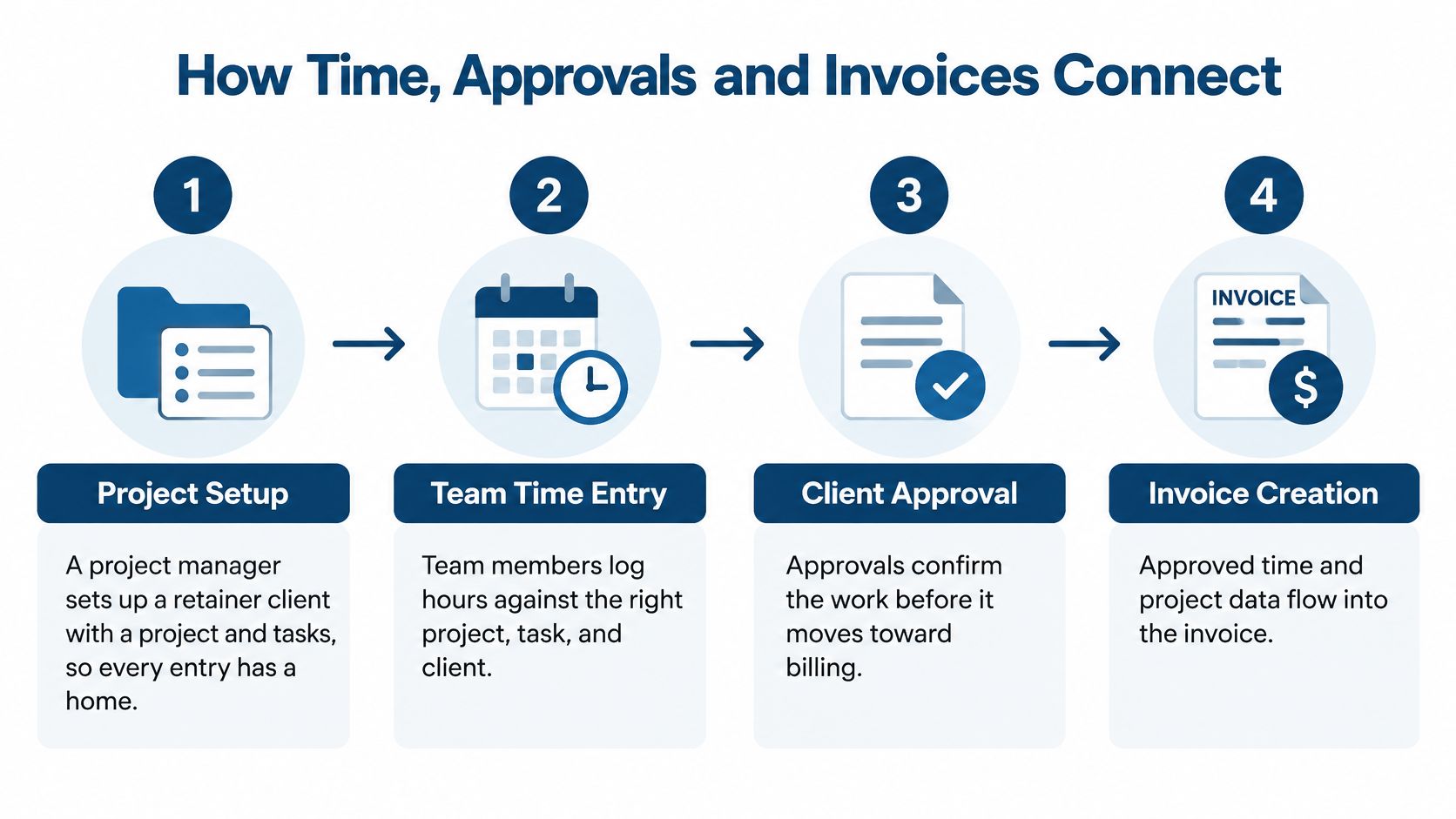
The useful test for any system is simple. Follow one campaign from its first task to its final invoice and check that each step hands clean data to the next. You're looking for one linked record, not four tools that roughly agree at month end.
Five Steps From Task to Invoice
- Set up the project first. Your project manager creates the client, project, and tasks before work starts. That gives every time entry and expense a home, and it stops people inventing labels as they go.
- Log time on the task. Each person starts a timer from the task or enters time afterward, and adds billable expenses against the same project. Logging it the same day matters because a Friday reconstruction of Monday's work is guesswork.
- Approve before billing. Leave, timesheets, and expenses go through an approval queue. A manager checks the entries, queries anything unclear, and approves only what's ready. Unapproved time shouldn't reach a client invoice.
- Collect approved work into a draft. Approved billable time and unbilled expenses gather into a draft invoice, with one line per person per task. Six hours of landing page design by one designer reads as one clear line, not a pile of fragments.
- Mark entries as billed. Once an entry is invoiced, it's marked billed so it can't be invoiced twice. That sounds basic until you've tried to reconcile a spreadsheet against last month's invoice under deadline pressure.
If you manage solo or freelance billing as well, this overview of time tracking and invoicing software for freelancers covers the same chain at a smaller scale.
Approvals Are Delivery Controls
Approvals don't only guard invoices. They guard sequence. As the Wrike guide to professional services delivery and financial visibility explains, an approval dependency means work can't proceed until a review, decision, sign-off, or policy confirmation occurs, and a finish-to-start hand-off should define what the predecessor delivers before the successor begins.
In agency terms, creative review finishes before production starts. The client accepts the work before launch. Extra scope gets approved before your team does it. A recorded approval also settles whether a revision sits inside the quote or counts as separately billable work.
An approval you can't find later is only slightly better than an approval that never happened.
Two limits stay with you. A manager still needs to read the draft invoice before it goes out, because software can gather entries without knowing whether the client conversation promised a goodwill write-off. And collecting approved time into an invoice isn't the same as collecting payment, which is a separate step your finance process still owns.
How Nexus Handles Agency Work
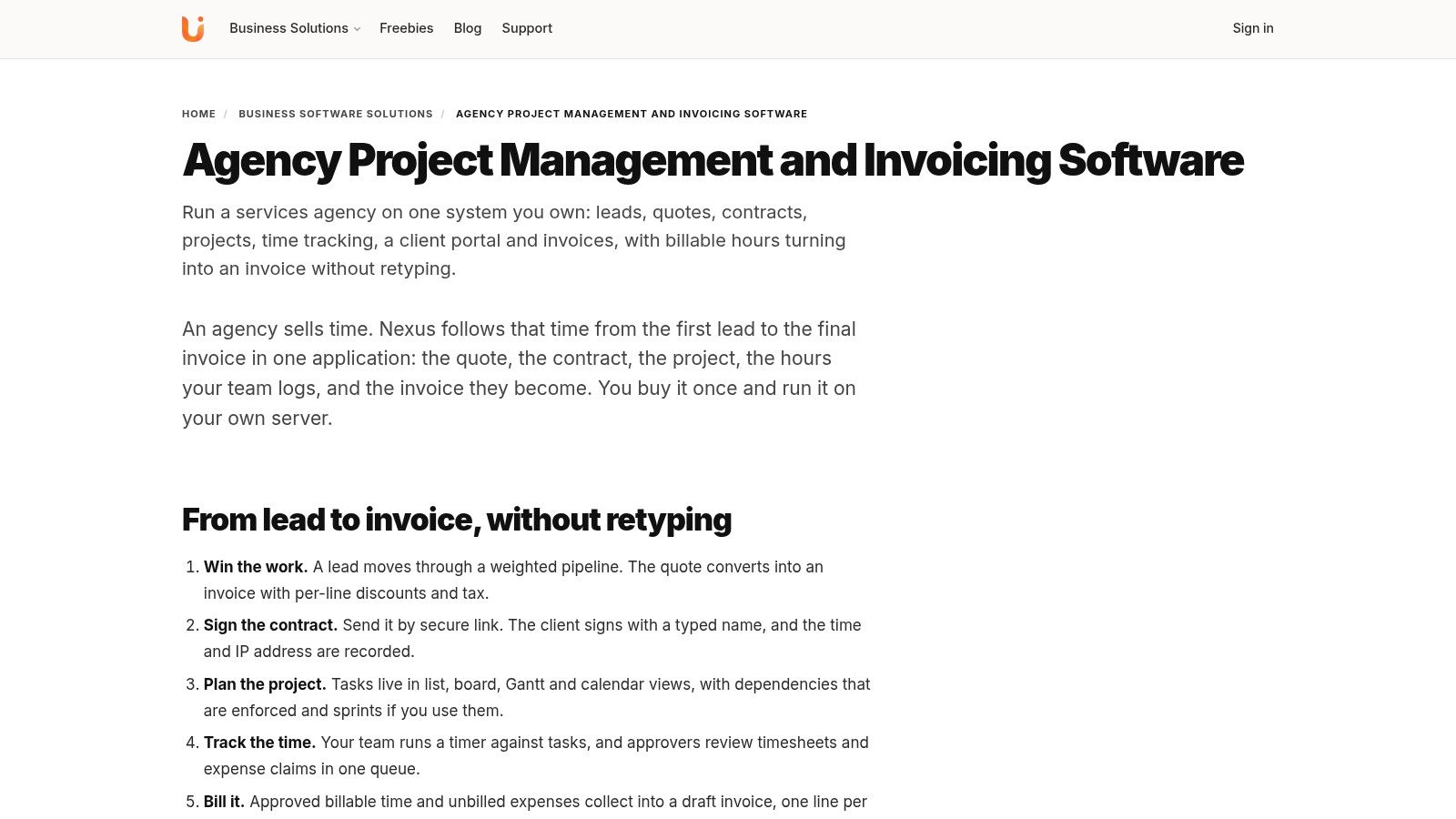
Nexus is a general self-hosted business system rather than a dedicated marketing platform. It combines HR, CRM, sales, and project management in one Laravel application with one database and one login, lets you use only the modules you need, and applies viewer, member, and manager permissions per project.
That structure matters for an agency because the client record, the project, and the time entries are the same underlying data. One database works like a single job folder for the whole agency: whatever stage the work reaches, everyone opens the same file. Time tracked on a project turns into a client invoice without retyping, so nothing gets exported, copied, or re-keyed between tools.
From Pipeline to Project
The CRM side tracks a weighted pipeline and converts accepted quotes to invoices with per-line discounts and tax. Support tickets sit on the same client record, which suits retained clients who raise requests between campaigns. For a closer look at the client side, see this guide to agency client management software.
The client portal lets clients view invoices, accept quotes, sign contracts, and raise tickets without seeing your internal admin. Contract signing records a typed name, a timestamp, and an IP address, which gives you a clear audit trail for routine agreements.
Projects offer list, board, Gantt, and calendar views, plus enforced task dependencies and a timer. Permissions are enforced on every route, with access set per project. A freelancer can work inside one client's project without browsing the rest of your agency.
A Short Worked Example
Walk the commercial chain end to end:
- Open the client account in the CRM and send a quote for a campaign.
- The client accepts it in the portal and signs the contract there.
- You open the project and set a creative review task to block production until it's marked done.
- Your team logs time against those tasks, and a manager approves the entries.
- Approved hours and expenses collect into the draft invoice, one line per person per task.
Each step writes to the same account.
That is the test worth applying to any agency tool: every commercial step, from scope and approval to logged time and invoice, sits in one linked record. A REST API with scoped tokens then lets you connect other tools with limited, purpose-specific access.
You can also run only part of the system. An agency that already has HR covered can use projects, CRM, and invoicing and leave the HR module alone. That flexibility matters because forcing every module on a small team creates setup work nobody asked for.
What Nexus Does Not Do for Agencies
Judge Nexus by the commercial chain it keeps in one record. It combines HR, CRM, sales, and project management in one Laravel application with one database and one login, and time tracked on a project turns into a client invoice without retyping. That is the spine. The edges stop earlier: campaign planning, social posting, advertising tools, and content calendars are not documented, so buy it for scope to invoice control, not for running the marketing calendar.
Nexus limits and where a specialist tool fits
| Need | What Nexus does | Where a specialist tool fits better |
|---|---|---|
| Campaign planning and social posting | Not documented | A dedicated campaign or social planner |
| Ad buying and ad reporting | Not documented | Advertising platform tools |
| Document and creative proofing | Not documented | Proofing or review software for artwork |
| Card payments | Records payments against invoices | A payment provider or gateway for collection |
| Qualified e-signature requirements | Client acceptance can stay inside the project record | A qualified e-signature service when that standard is required |
| Payroll tax calculations | You set deduction components and rates | A payroll provider when local tax rules should be handled for you |
Where the Gaps Bite
Creative proofing is the gap agencies notice first. A campaign can move from quote to accepted work to tracked time, then stall while artwork versions travel through comments elsewhere. If artwork review is daily work, keep proofing software for comments and version sign-off and let Nexus hold the client, project, time, and invoice record.
Money collection has a similar boundary. Nexus records payments against invoices, while the collection method stays with your payment provider or gateway. Contracts that must meet a formal e-signature standard also belong in a service built for that requirement, not stretched into routine portal acceptance.
Payroll follows a do-it-yourself pattern: you define deduction components and rates, and a payroll provider fits better when local tax rules should be calculated for you. Updates are part of ownership too. Licences include lifetime free updates, so assign update responsibility clearly instead of assuming it happens by itself.
Honest trade-off: One system for clients, time, and invoices, plus specialist tools for campaigns and proofing, usually beats one system that claims to do everything and does billing badly.
If campaign planning or proofing is your main pain, a specialist marketing platform is likely the better first purchase. Nexus fits when your pain is commercial control: scattered client records, unlogged time, and invoices built from memory.
Confirm Nexus Fits Your Agency Before You Buy

Demos reward casual clicking, so run yours like a real engagement instead: scope a sample campaign, send it for approval, log time against it, and turn that time into an invoice. Five questions tell you what to watch while you work through that pass.
- How do you bill? Hourly, fixed fee, retainer, or a mix, and can one project record hold that mix?
- Do clients need online acceptance? Must they accept quotes and sign contracts without email attachments?
- Will staff enter time daily? If not, no invoicing feature will save your margins, so fix the habit first.
- Do you want HR in the same system? Leave and timesheets in one place help some agencies and duplicate tools for others.
- Where do campaigns and proofing live? If another tool handles them well, Nexus only needs to cover the commercial side.
Check Your Hosting
Hosting requirements to check before buying
| Requirement | Nexus needs | Check with your host |
|---|---|---|
| PHP | PHP 8.3 | PHP 8.3 is available and selectable |
| Database | MySQL 8.0 or MariaDB 10.6 | The listed database version is available |
| Background services | No cron, queue worker, Redis, WebSockets or Node | Confirm the host runs without these services |
The requirements are modest by self-hosted standards. Nothing runs in the background, which keeps ordinary hosting in play. Confirm the PHP and database versions before you buy, not after. If nobody on your team wants to run a server, UI Lib offers managed hosting at $12 a month, where it hosts the software on dedicated servers and manages the server for you; your only purchase is a domain.
Nexus is a one-time purchase with no per-user fee. See the product page for the current price. Every business software licence includes full unencrypted source code, lifetime free updates, and 6 months of support from purchase.
Run your demo test on the Nexus download page, which links to the live demo, and compare it with the agency management solution page before you decide. Work through the quote-to-invoice pass described above rather than clicking through screens at random.
The decision rule is simple. If your answers point to clients, time, approvals, and invoicing in one self-hosted system, shortlist Nexus. If they point to campaign planning, social scheduling, or creative proofing, pair it with a specialist tool or choose a different product altogether.
If your agency needs clients, projects, time, and invoices in one self-hosted system you own outright, UI Lib builds Nexus for exactly that kind of commercial control, sold once with no per-user fee. Visit UI Lib to try the live demo and run the quote-to-invoice test with your own sample campaign before you commit.