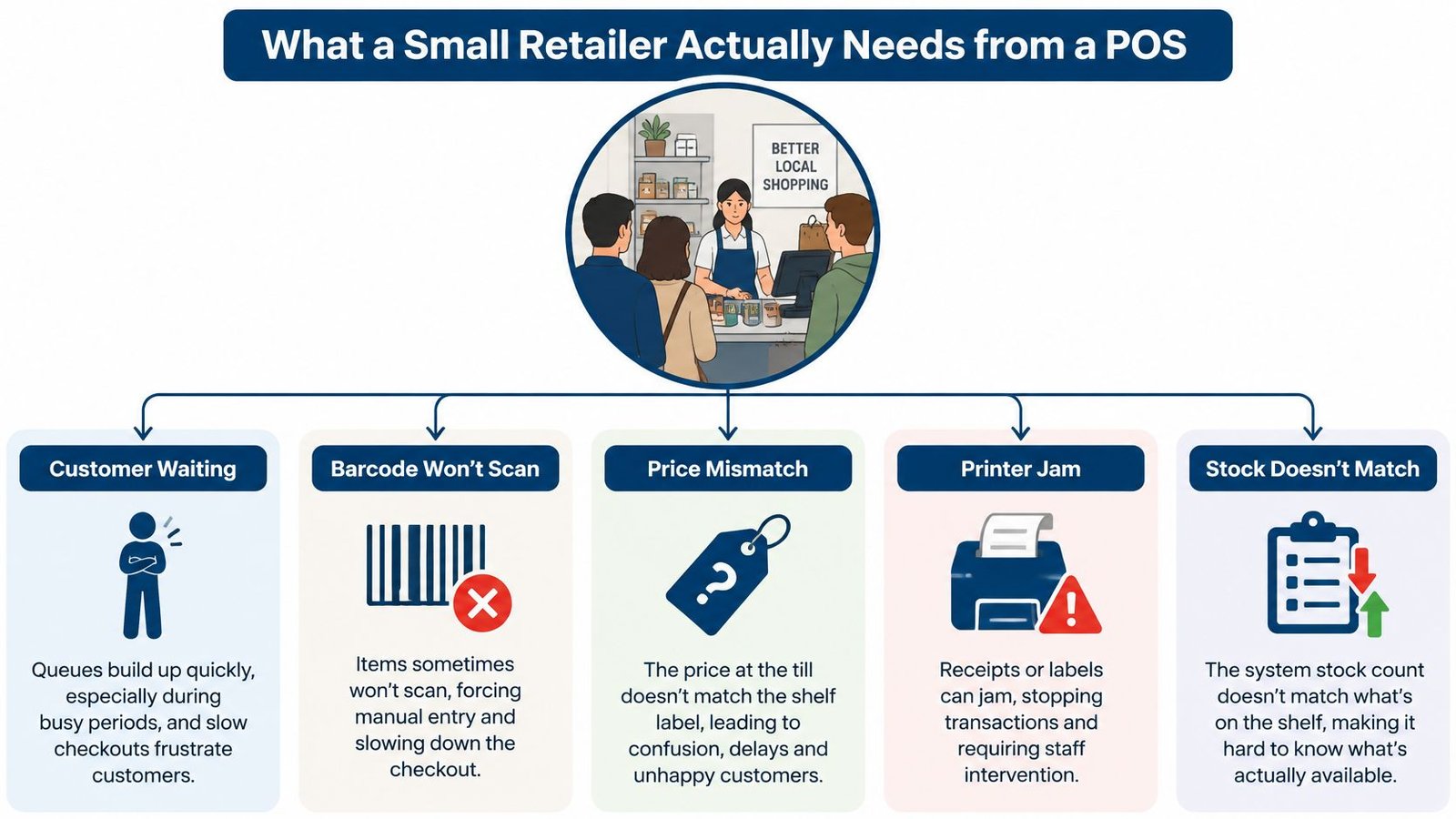
A customer is waiting while you try the barcode again. The shelf says an item is in stock, but the register says otherwise. Someone wants to return a product, and you need to know whether it can go straight back on the shelf. These aren't unusual edge cases. They're the everyday moments that show whether your POS fits the way your shop runs.
Choosing POS software for retail means looking beyond the checkout screen. You need to know how it handles products, stock, payments, returns, locations, and the occasional internet outage, as well as who takes responsibility for the system itself. A clear way to compare options is to start with the work your team does every day, then test each vendor against it.
Table of Contents
- What a Small Retailer Actually Needs from a POS
- The Buyer's Checklist of Questions to Ask Any Vendor
- How Stocky POS Answers Each Point on the Checklist
- Owning the Software Versus Renting It
- What This Kind of POS Does Not Do
- Your Next Step and Where to Go from Here
What a Small Retailer Actually Needs from a POS
At a busy counter, a useful POS keeps the sale moving and records what happened accurately. It connects the item scanned to its price and inventory record, then ties the transaction to a payment and a report. That basic idea goes back to the development of retail barcode systems: the UPC was formally adopted by the U.S. grocery industry on April 1, 1973, and IBM's 3660 Supermarket System linked scanned products to stored descriptions and prices. On June 26, 1974, a pack of Wrigley's Juicy Fruit gum became the first retail product scanned with a UPC at Marsh Supermarket in Troy, Ohio (IBM's history of the UPC).
A retailer still needs more than a scanner and a total. A shirt might come in several sizes and colours, each with its own barcode and quantity. A pharmacy or electronics shop may need to identify stock by batch, expiry date, serial number, or IMEI. A stock count that only reports a product family total can hide the fact that the particular item a customer wants is unavailable.
Follow the transaction beyond the counter
When staff receive goods, sell them, process a return, record damage, or transfer stock, the system should keep the inventory record current. Returns need an audit trail too. The shop should be able to see which item came back, why it was returned, whether it was restocked or quarantined, and what refund, credit, or exchange followed.
Suppliers and purchasing matter because stock has to get into the shop before it can be sold. Reports should help you distinguish what is moving from what is sitting, and show stock by location where that applies. If your operation includes deliveries, Routelink's delivery software guide offers a separate perspective on coordinating the delivery side of retail.
Treat offline selling as a real operating condition
If your internet connection drops, what can staff still do? Some systems queue sales on a device and sync them when the connection returns. Others may depend on a live server for certain actions. Those differences matter at the counter, so ask vendors to demonstrate what happens rather than relying on a broad “offline” claim.
For shops that also manage stock for wholesale customers, it can help to compare the retail workflow with wholesale inventory management. With these jobs in view, you can take more useful questions into a product demo.
The Buyer's Checklist of Questions to Ask Any Vendor
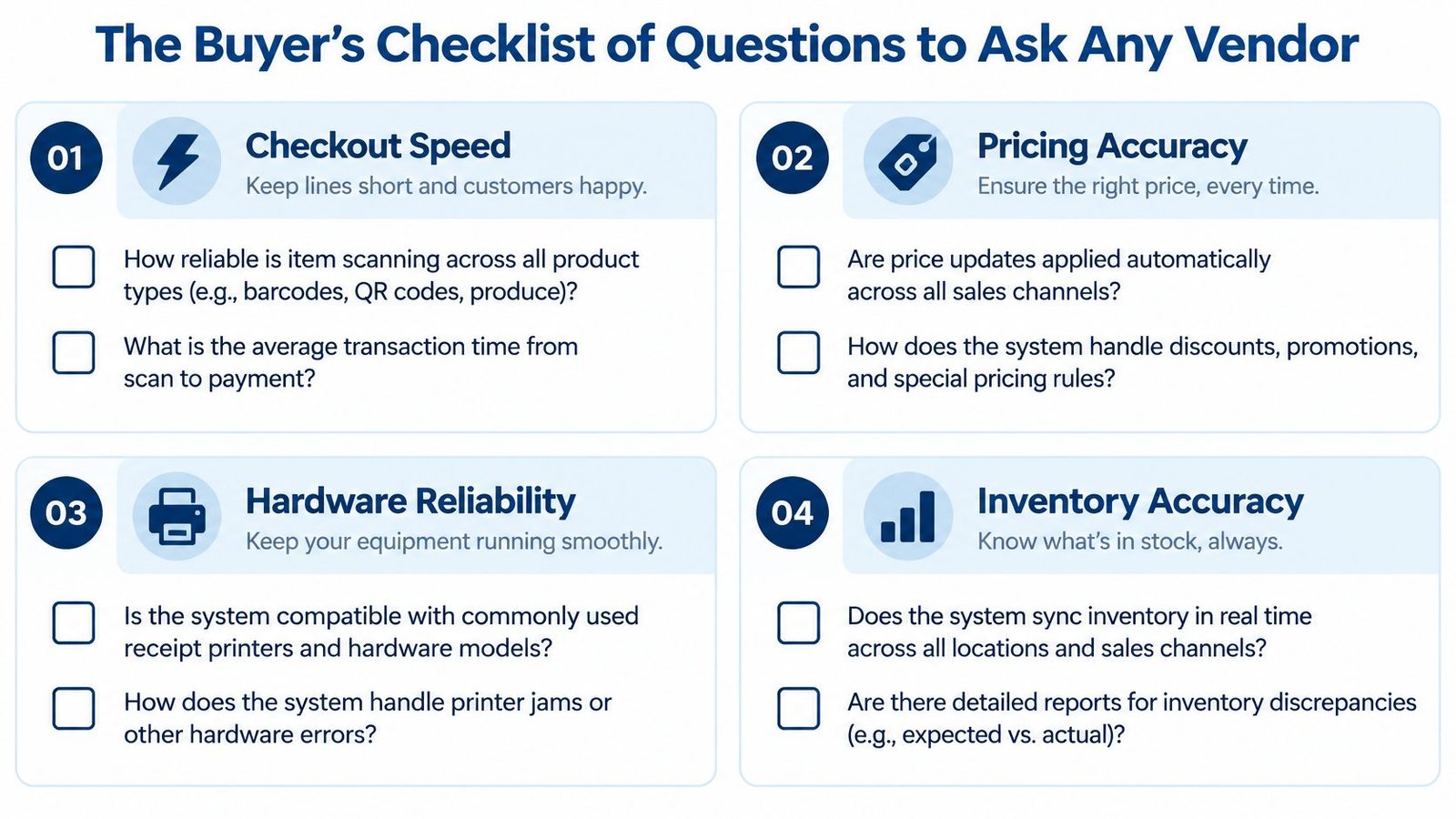
A vendor demo can look smooth when the salesperson controls the products and the network. Bring your own scenarios, and ask the person demonstrating the software to complete them without skipping steps. Keep notes on what the system does, what depends on an integration, and what requires a separate service.
Ask about checkout and products
- Scanning and hardware: Will the POS work with your USB or Bluetooth scanner, printer, tablet, and existing checkout setup? Ask the vendor to scan a product from your own range, then show what happens when a barcode is missing or malformed.
- Variants and identifiers: Can one product record distinguish each sellable size, colour, pack size, or capacity? If you handle serialised, expiry-dated, or batch-controlled goods, ask how those details are captured at checkout and retained in the transaction.
- Price changes: Who updates prices, and how does the register apply discounts or tax rules? Test a price change and a return instead of accepting a description of the workflow.
A retailer selling jewellery may have different needs for product attributes and stock control than a shop selling everyday packaged goods. To explore that distinction, compare the practical considerations in jewelry stock management options.
Ask about stock, payments, and reporting
- Inventory movement: Ask the vendor to receive stock, sell an item, record a return, and adjust damaged goods. Check whether each action updates the right location and leaves a record staff can review.
- Locations and permissions: Can managers see stock across shops while limiting a cashier to their assigned location? Ask the vendor to demonstrate a transfer and a location-specific report.
- Payments and outages: What happens to a sale if the internet fails? Can a customer split a payment or pay part of a balance later? Ask which functions need a connection to the server or payment processor.
- Reports and accounting: Which reports come with the system, and can data sync with the accounting software you use? Ask what the sync includes and whether your accountant can review the resulting records.
Ask who owns the work
Find out where the data is stored, who maintains the server, how backups are managed, and what the licence allows you to do. If the system handles card payments, ask how the payment terminal and POS application are separated and what security work remains yours. PCI guidance discusses isolating IP-connected payment devices through network segmentation and using approved devices and point-to-point encryption solutions (PCI Security Standards Council document library).
Score each answer against your actual needs. “Yes” is less useful than a demonstration that shows the whole task, including the report or stock change that follows. If you sell online through WooCommerce, ask how the POS and store keep their product and stock records aligned; the WooCommerce POS sync overview is another way to frame that conversation.
How Stocky POS Answers Each Point on the Checklist
Stocky POS is self-hosted retail point-of-sale and inventory software, bought once with no per-till or per-user fees. Its register is touch-first, and offline sales queue on the device and sync when the connection returns. That makes it a useful worked example for testing the questions above, not a substitute for checking whether a product fits your own shop.
Checkout and product records
Stocky POS supports USB and Bluetooth barcode scanners without drivers. Camera scanning needs HTTPS, so check that requirement if you plan to use a device camera rather than a scanner. Product records can be single items, variable products such as sizes and colours, services, or combos.
For controlled stock, it supports batch, expiry, serial, and IMEI tracking. Those capabilities are relevant to shops where two otherwise similar items must remain distinguishable, such as electronics identified by IMEI or products with expiry dates. The system also supports CSV and Excel import, which can help when setting up product records from existing files.
Stock, payments, and integrations
Stocky POS supports unlimited warehouses, stock transfers, and per-warehouse reports. Users can be limited to specific warehouses, and the system supports unlimited custom roles. In a demo, check how those permissions apply to the people and locations in your business rather than assuming the setting works as you expect.
Sales can use split and multiple payments. Partial payments go to a customer ledger with credit limits. Tax rates can be customised and grouped, and the system supports loyalty points. Its built-in online store connects through two-way sync with WooCommerce, Shopify, Salla, Jumia, and PrestaShop. For accounts, it offers double-entry accounting with QuickBooks and Xero sync.
Check the operating fit: Self-hosted software still needs a suitable server. Stocky POS requires PHP 8.2 or newer and MySQL 8.0 or MariaDB 10.6.
For product details, see the Stocky retail POS page and the Stocky POS downloads page. Use the live demo linked from the product materials to test your own products and routines, without relying only on a feature description.
Owning the Software Versus Renting It
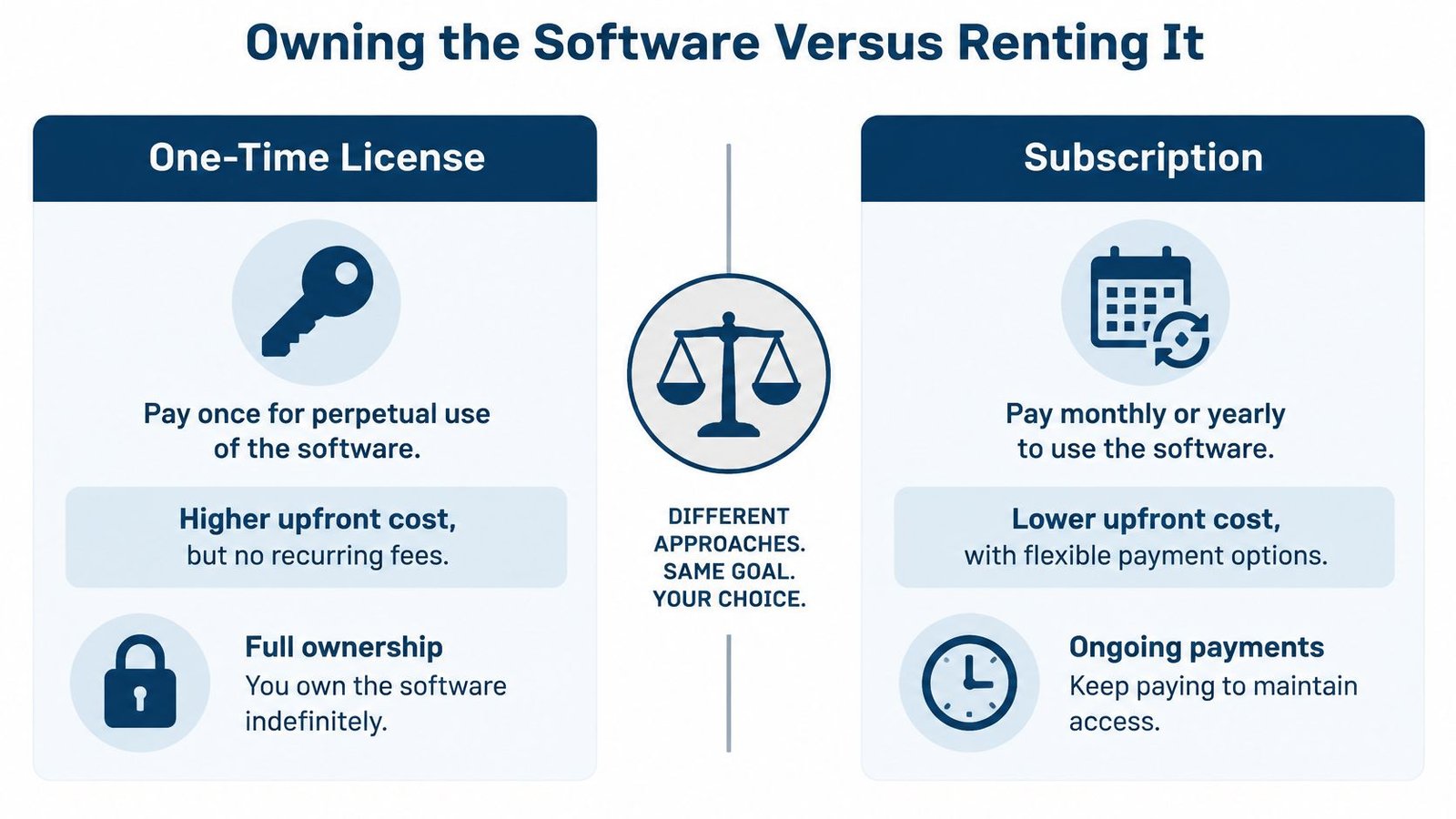
The licensing model changes more than how a bill arrives. It affects who operates the system, who holds the data, and who is responsible for keeping the underlying infrastructure available. A one-time licence and a subscription can both be sensible choices, depending on what your shop can maintain and how you prefer to budget.
Compare the responsibilities, not just the payment pattern
With a self-hosted licence, you buy the software and run it on infrastructure you control or arrange for someone to manage. That gives you direct responsibility for server upkeep, access, backups, and updates. A subscription commonly means ongoing payments for use of a service operated by the provider, but the exact division of work depends on the vendor's terms.
Before signing, ask how the arrangement works across the measures that affect a small shop:
- Long-term cost: Compare the licence or subscription with hosting, payment fees, support, hardware, upgrades, and downtime. Don't judge the cost by the software line alone.
- Data and continuity: Ask where records are held, how you can access them, and what happens to your data if you stop using the service or the provider changes its terms.
- Maintenance: Find out who applies updates, checks backups, and responds when a server or device has a problem.
- Customisation and integrations: Ask whether changes or connections to accounting and online stores are included, supported, or left to your own developer.
- Cash flow and workload: Consider whether paying upfront fits your budget, and whether your team has the time or support to manage a self-hosted setup.
A managed installation can bridge the gap
Some retailers want control over where their software runs but don't want to manage the installation themselves. A managed self-hosted service can place that work with a provider while keeping the software model distinct from a conventional hosted subscription. Ask exactly what “managed” covers, including maintenance, backups, and support, before comparing offers.
Stocky POS is sold as a one-time purchase with no per-till or per-user fees. The current price and licence options are on its product page, and a managed self-hosted service is described as starting from $20 a month. Treat those as different arrangements: the service cost and the licence terms are not the same question.
The right choice depends on how much control you want and who can handle the operational work. Use this guide to owning versus renting software to structure the comparison, then ask every vendor to explain its responsibilities in writing.
What This Kind of POS Does Not Do
A feature list can make offline selling sound absolute. In Stocky POS, a device can queue sales while disconnected, but two offline tills could each sell the last unit because neither can see the other's queued sale. Opening or closing a register and Stripe card payments need the server. If your shop relies on shared stock at a busy counter, test how this limitation affects your own routines before deciding.
Camera scanning also has a specific requirement: it needs HTTPS. The web app is responsive, but the Stocky Mobile app is a separate purchase. If staff need a native mobile app for their work, include that cost and distinction in your evaluation instead of assuming it comes with the web interface.
Match the tool to the shop
Stocky POS is for retail workflows. Restaurants and cafes are pointed to Resto, a separate product for that kind of operation. A restaurant that depends on table service or kitchen workflows should assess a restaurant-focused POS rather than stretch a retail register to cover a different service model.
A shop whose business is mainly driven by a complex online storefront should test the online order, product, and inventory workflow carefully. A retailer needing advanced CRM or a multi-tenant SaaS resale platform should also check whether the system covers those requirements; don't infer them from the presence of loyalty points or online-store sync.
Self-hosting can give a retailer more direct control over its system, but it also leaves someone responsible for security and maintenance. Payment architecture deserves particular attention: PCI guidance recommends isolating payment devices from other merchant systems and using approved devices and point-to-point encryption solutions. A POS purchase alone doesn't settle who will segment the network, manage access, patch devices, test backups, or document compliance.
Be precise about “offline”: Ask the vendor to show which tasks work without the server, which wait in a queue, and what happens when devices reconnect.
Your Next Step and Where to Go from Here
Before comparing products, answer three questions for your own shop. Does the system handle your daily work, including variants, returns, stock movement, and interruptions? Can you afford the full operating cost over the years you expect to use it? And who will control the data and take responsibility for security and compliance?
Then follow the needs of your business. A grocery or supermarket owner should look for guidance focused on those workflows, while a pharmacy should assess its own product and compliance requirements. A mobile shop should test IMEI and serial tracking against its stock processes; an electronics or repair shop should do the same with the identifiers it uses. A restaurant or cafe should evaluate a restaurant POS such as Resto rather than assume a retail system will fit.
For a closer look at Stocky POS, visit the retail POS page and its downloads page to find the available product materials and demo.
UI Lib develops self-hosted business software, including Stocky POS for retail point-of-sale and inventory workflows. Visit UI Lib to review its products and decide whether a self-hosted system fits the way your shop operates.