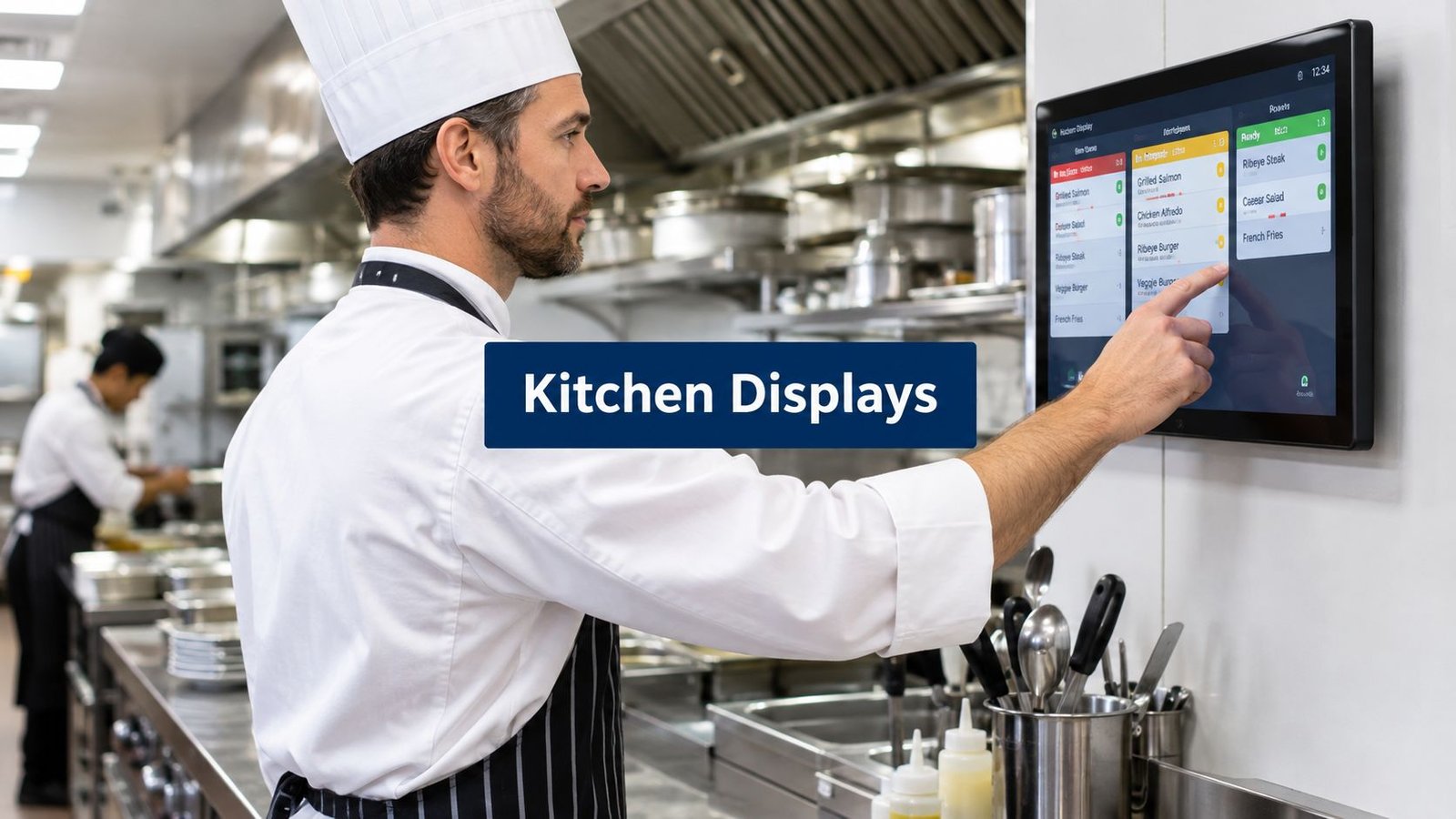
A busy Friday lunch exposes every weakness in a paper-ticket workflow. Orders print at the till, one slip gets buried under the others, and the grill cook calls across the line for a table that’s already late. A kitchen display system replaces that paper and printer chain with live digital tickets, routed to the right preparation station.
That change isn’t automatically better in every restaurant. Paper is simple and can keep working with little infrastructure, but tickets can be lost, smudged, misread, or separated from the order they belong to. A screen gives the team clearer status and timing, but it depends on devices, software, power, and a functioning connection.
Before you buy, check six things: routing by station, bump and recall controls, late-order alerts, suitable hardware, what happens when the connection drops, and the ongoing hosting cost. A KDS should match the way your kitchen works in practice, not just look modern on a sales page. For practical ideas beyond software selection, see these ways to improve kitchen efficiency during peak service.
The list starts with Resto, UI Lib’s own self-hosted restaurant POS, so it comes first by design and not because it wins every comparison. Nine alternatives follow, each described by fit, strengths and limitations.
Table of Contents
- 1. Resto, our own restaurant POS with a kitchen display
- 2. Toast KDS
- 3. Square KDS
- 4. Lightspeed Kitchen Display System
- 5. ConnectSmart Kitchen
- 6. Oracle MICROS Simphony KDS
- 7. Revel KDS
- 8. TouchBistro KDS Powered by Fresh
- 9. Fresh KDS
- 10. Clover KDS
- Top 10 Kitchen Display Systems, Feature Comparison
- What Resto does not do, and your next step
1. Resto, our own restaurant POS with a kitchen display
Resto is a self-hosted restaurant suite: a touch POS, a kitchen display system, a waiter app for phones, recipe-level inventory, delivery, reservations and online ordering. It’s sold as a one-time purchase, with the current price shown on the Resto product page.
The kitchen display takes orders from the till, the phone-sized waiter app and online ordering. Every menu item carries a kitchen station, and an item with none takes the default station of its category. A screen shows only its own station’s tickets, or one screen can watch several stations, which is how a one-screen kitchen works. Printed kitchen tickets use the same routing, so a kitchen can run a screen at the grill and a printer at the pass.
What happens during service
Every ticket carries a timer. The target defaults to 15 minutes and is a setting, and an item can have its own prep time. A ticket turns amber at three quarters of the target and red once it is past it, so with the default it goes amber at about 11 minutes. Tickets are listed oldest first.
Tapping a line marks that item ready, and tapping the ticket bumps it off the board. A bumped ticket can be recalled, because a wrong bump is the most common mistake on a kitchen screen and it should not cost anybody a plate.
Two details competitors’ pages rarely mention. A customer’s allergy note is printed on every kitchen ticket for that customer. And when the kitchen is drowning, Busy mode adds minutes to every quoted online time without closing ordering, while a separate switch pauses new online orders and lets existing ones carry on. Marking an item as out (“86”) removes it from the till and the online menu immediately, per branch.
Deployment is the main trade-off
Resto runs in a web browser on devices you already have, and it doesn’t require printer drivers. Its technical requirements are PHP 8.3 with MySQL 8.0 or MariaDB 10.6. It needs no Node, Redis, WebSockets, queue workers, or cron, so it can run on ordinary shared hosting.
That makes it a practical choice for an independent restaurant, café, cloud kitchen, or small chain that wants control over its server and database. It also means the operator, hosting provider, or implementation partner owns more of the deployment responsibility than with a fully managed POS service. Choose Resto when self-hosting and owning the software matter as much as the KDS itself.
If the connection drops, the till keeps taking orders, holds them in the browser, and delivers the kitchen tickets when the connection comes back. The kitchen board checks for new tickets every few seconds instead of holding a connection open, so during an outage nothing new appears on it until the connection returns. Decide in advance what the kitchen does for those minutes.
Resto is a new product, released in August 2026. Updates are applied by copying files and running migrations, with no automatic updater. That is manageable for an owner with technical support, but it’s a real maintenance task.
2. Toast KDS
Toast KDS is the natural starting point for restaurants already committed to the Toast platform. Its strength is the depth of its native connection to Toast POS and online and third-party orders, so the kitchen doesn’t have to be assembled around loosely connected systems.
The workflow includes station and expediter modes, ticket recall, all-day item counts, and prep-time-based automatic firing. Device management and the newer KDS interface are also part of the platform’s current direction. For a busy kitchen with multiple stations, prep timing and an expediter view can be more useful than a simple wall of incoming tickets.
The main limitation is platform dependence. Toast KDS makes the most sense when front of house and online order handling already run on Toast. If you want a standalone KDS that can stay with you after changing POS providers, this isn’t the obvious fit.
Toast pricing isn’t published publicly, and reported per-device fees can add up. That makes the buying conversation less straightforward than a product with a visible one-time licence. Compare the full cost of the Toast stack, not just the screen in the kitchen.
For a broader look at the product and its positioning, see UI Lib’s Toast alternative. Toast is the better choice when you want a mature, tightly integrated commercial platform and don’t mind keeping the restaurant on that ecosystem. Resto is the more relevant comparison when server ownership and a one-time purchase matter more than a managed vendor stack.
3. Square KDS
Square KDS suits cafés, food trucks, and quick-service operators that already use Square for Restaurants. It centralizes Square POS, online orders, and supported delivery-channel orders on Android-based kitchen displays.
The practical features are station routing, an expediter mode, timers, alerts, and customizable ticket layouts. Those are the controls a small kitchen needs when one screen must make the next task obvious without forcing cooks to decode a crowded ticket queue.
Setup is a strong point. Square presents clear per-screen pricing and a quick deployment path for operators who already understand the Square environment. That can matter more than having every enterprise workflow, especially when the owner is installing the system without a dedicated technology team.
The hardware boundary matters
Square KDS is Android-only, with no iPad KDS option. If your kitchen already uses iPads or you want to standardize on Apple hardware, that restriction can create unnecessary replacement work. It also requires a Square Plus or Premium subscription, so the software decision is tied to the plan you choose.
UI Lib’s Square for Restaurants alternative is worth comparing if you want a self-hosted restaurant platform rather than a subscription-led Square setup. Square is the better choice for a quick-service operator already invested in Square and looking for a simple Android deployment. Resto is better aligned with an owner who wants a browser-based system on existing devices and ordinary shared hosting.
4. Lightspeed Kitchen Display System
Lightspeed Kitchen Display System is an add-on for Lightspeed Restaurant, particularly useful when the whole operation already runs on Lightspeed. It supports several screen styles, including kitchen, expo, and tile views, so the display can reflect different jobs rather than forcing every station into the same layout.
The displays run on iPads and use connection codes, with routing configured by station. Centralized setup is useful for operators rolling out the same workflow across more than one location or standardizing the back and front of house around Lightspeed.
Lightspeed publishes per-screen pricing, which helps during initial comparison. Still, the add-on cost can grow as the number of stations grows. A kitchen with grill, fry, pantry, expo, and a separate drinks area needs a different cost calculation from a single-screen café.
The trade-off is ecosystem fit. Lightspeed is the better option if you already use Lightspeed Restaurant and want a native extension with centralized configuration. It’s less compelling if you’re starting from paper and want to keep your POS, hosting, and data under your own control. For that case, see Resto’s restaurant POS and KDS solution, which runs in a browser instead of on iPads.
5. ConnectSmart Kitchen
ConnectSmart Kitchen is aimed at high-volume kitchens, large groups, and operators managing complex station workflows across different POS environments. It’s an enterprise-grade, vendor-agnostic KDS rather than a small restaurant add-on.
Its feature set includes capacity-aware routing, delayed firing, configurable screens, and item-level formatting. Those controls matter when the kitchen needs to hold part of an order until another station can keep pace, or when different brands and locations need distinct preparation rules.
The advantage is depth. A multi-brand group with several POS platforms may prefer a KDS that sits across those systems instead of forcing every location to adopt one POS vendor. High-volume operations can also justify the implementation work if the kitchen needs detailed routing and capacity management.
That same depth makes ConnectSmart a poor fit for many small operators. Pricing is sales-led and typically higher than a POS-bundled KDS. Implementation can also require substantial planning, configuration, and training. An independent café with one preparation area won’t gain much from enterprise controls it doesn’t use. It fits a franchised or multi-brand operation that needs broad POS support and complex routing.
6. Oracle MICROS Simphony KDS
Oracle MICROS Simphony KDS is designed for large operations using Oracle MICROS Simphony POS and the wider Oracle Hospitality ecosystem. Hotels, casinos, stadiums, and multi-venue groups are the clearest fit because they often need centralized operations, formal device management, and enterprise support.
The system provides real-time order prioritization and routing through kitchen controllers. It can run on Oracle Linux for MICROS and supports enterprise device options. Its position inside Oracle’s broader reporting and operations ecosystem is important for organizations that need more than a standalone kitchen queue.
This is not usually the first system to evaluate for a small restaurant replacing a printer. Procurement is sales-led, pricing isn’t publicly listed, and implementation is typically more involved than with an SMB-focused product. The value comes from enterprise control and compatibility with an existing Oracle estate, not from a lightweight installation.
Who should choose it
Oracle is the better choice when the restaurant is part of a hotel, casino, stadium, or multi-venue organization already standardized on Oracle Hospitality. The software and hardware approach is built for that environment. Resto doesn’t try to replace Oracle’s global support model or large-organization governance.
7. Revel KDS
Revel KDS is an iPad-focused kitchen display option integrated with Revel’s iPad POS. It offers four display styles, filtering by dining option, item claiming, color coding, and handling for combos and voids.
That combination gives a standardized iPad kitchen a configurable workflow without asking cooks to learn a separate POS and KDS environment. Item claiming can help a station show who has taken responsibility for a task, while colour coding makes status easier to scan during a rush.
Revel also documents an Android option through the Revel KDS app, but the strongest fit remains an operation already standardized on Revel POS and its surrounding workflow. Pricing isn’t listed publicly and is sales-led, so operators need to ask for the complete cost of the POS and KDS setup.
The trade-off is flexibility. If you later change POS platforms, Revel KDS is less useful as an independent display layer than a POS-agnostic product. It suits a restaurant already running Revel end to end and wanting granular iPad configuration.
8. TouchBistro KDS Powered by Fresh
TouchBistro’s KDS is powered by Fresh KDS and built around TouchBistro POS. It uses iPad-based screens, instant order synchronization from TouchBistro, ticket recall, and colour-coded timing.
For a TouchBistro restaurant, the appeal is straightforward. The kitchen gets the Fresh KDS workflow without the owner having to arrange a separate integration between two unrelated vendors. That can reduce training and simplify responsibility when a ticket doesn’t appear as expected.
The limitation is just as clear. The KDS is tied to TouchBistro POS, and pricing isn’t listed publicly. It’s sold as an add-on through sales, so the owner needs to evaluate the combined POS and KDS arrangement rather than treating the display as an independent purchase. A restaurant changing POS soon may want a more independent option instead.
9. Fresh KDS
Fresh KDS is a POS-agnostic option for operators who don’t want their kitchen display locked to the same vendor as their POS. It supports iPad and Android devices and connects with a broad range of POS and ordering partners, including Square, Clover, TouchBistro, Lightspeed K-Series, Oracle, and Olo.
The station workflow includes crossing off items, ticket recall, and timers. Its On The Fly mobile app provides a live kitchen score and metrics, which can help an operator review service activity away from the main screen. Per-screen workflows also make it possible to configure different stations around different responsibilities.
Fresh is easy to consider when the restaurant already has a POS it likes but needs a stronger kitchen workflow. Hardware flexibility is useful if one station has an iPad while another uses Android. Transparent per-screen plans and a free trial make the initial evaluation more direct than a sales-only process.
Premium features, including ingredient all-day counts and printing, require a higher tier. The other trade-off is vendor management. Adding Fresh KDS beside an existing POS can improve the kitchen while also creating another support relationship and another system to maintain.
10. Clover KDS
Clover KDS combines proprietary KDS software with purpose-built Clover hardware. The public product information describes displays in two sizes, expo mode, item-level routing, multi-level fulfilment, runner ticket printing, high heat-tolerance hardware, and an optional bump bar.
That hardware focus is the main differentiator. A kitchen near heat, grease, and constant handling may prefer a purpose-built display and accessory rather than placing a standard tablet wherever it fits. A bump bar can also make ticket completion practical when cooks don’t want to touch a screen with wet or gloved hands.
Clover publishes device and software pricing on its public page, which helps an operator build an initial equipment list. The downside is platform dependence. Clover KDS requires specific Clover plans and isn’t POS-agnostic, so changing POS later can make the hardware and workflow less useful.
Clover is the better choice for a Clover merchant who wants hardened equipment and a dedicated bump-bar workflow. It’s less suitable for an owner who wants to use existing browser-capable devices, choose ordinary shared hosting, or keep the KDS independent from a proprietary POS.
Top 10 Kitchen Display Systems, Feature Comparison
| Product | Core features | Pricing model | Best for | Standout |
|---|---|---|---|---|
| Resto (UI Lib) | Touch POS, KDS with station routing and timers, recipe inventory, delivery, reservations, online ordering; runs on shared hosting | One-time licence; price on the product page | Independent restaurants, cafés, cloud kitchens, small chains | Unencrypted source code; one self-hosted application for POS, kitchen and online ordering |
| Toast KDS | Multi-station routing, auto-firing, station and expediter modes, device management | Per-device, sales-led pricing | Operators on Toast or adopting the Toast stack | Deep native integration with Toast POS |
| Square KDS | Android KDS, prep-station routing, timers, customizable tickets | Per-screen pricing, requires Square Plus or Premium | Quick-service restaurants, cafés, food trucks on Square | Transparent pricing and quick setup |
| Lightspeed KDS | iPad displays, kitchen, expo and tile screen styles, centralized configuration | Per-screen pricing, add-on | Restaurants standardized on Lightspeed | Native add-on with centralized rollout |
| ConnectSmart Kitchen | Capacity-aware routing, delayed firing, POS-agnostic integrations | Sales-led, premium | Large chains, high-volume kitchens, mixed POS estates | Highly configurable at scale |
| Oracle MICROS Simphony KDS | Real-time prioritization, kitchen controllers, Oracle ecosystem | Sales-led enterprise pricing | Hotels, casinos, stadiums, multi-outlet groups | Part of Oracle Hospitality, with enterprise support |
| Revel KDS | Multiple display styles, item claiming, colour coding, deep POS integration | Sales-led, bundled with Revel | iPad-centric restaurants using Revel POS | Granular KDS controls |
| TouchBistro KDS (powered by Fresh) | Instant sync from TouchBistro POS, iPad screens, ticket recall | Add-on pricing through sales | TouchBistro customers who want minimal training | Fresh KDS engine integrated with TouchBistro |
| Fresh KDS | POS-agnostic iPad and Android KDS, broad integrations, On The Fly app | Per-screen tiers (Essentials, Premium) and a free trial | Businesses that want a POS-independent KDS | Wide POS integrations |
| Clover KDS | Purpose-built displays in two sizes, expo mode, runner tickets, bump bar | Published device and software pricing | Clover merchants who need hardened hardware | Kitchen-hardened displays and accessories |
What Resto does not do, and your next step
Resto’s kitchen display suits a restaurant, café, or cloud kitchen that wants to run on shared hosting and keep its data on its own server. The limits deserve equal attention:
- There is no integration with third-party delivery platforms. Resto has its own online ordering, delivery zones, and rider dispatch board instead.
- The kitchen display and dispatch board refresh by polling every few seconds, not over WebSockets.
- There is no card-terminal integration, and printing goes through the browser rather than printer drivers.
- There is no automatic updater. You copy the new files and run the migrations, so backups and a tested restore need an owner.
- It is a new product, released in August 2026, with a shorter track record than an established enterprise platform.
Use the checklist in your own kitchen
Test a realistic rush rather than only clicking through a demo. Send orders from the till, the phone-sized waiter app, and online ordering. Confirm that each item reaches the right station, that cooks can bump and recall tickets, and that tickets change colour when they pass their service targets.
Also test the operational details that feature lists often skip:
- Station routing: Verify that grill, fry, pantry, expo, and other stations receive only the work assigned to them.
- Ticket recovery: Bump a ticket by mistake and recall it. Check what the team does with a ticket that needs review.
- Connection failure: Unplug the network for a minute during the test. Note which orders queue and when their tickets reach the kitchen screen.
- Hosting responsibility: Confirm who handles PHP, database backups, file updates, migrations, and restore testing.
- Hardware placement: Use devices that staff can read and operate safely in the actual kitchen environment.
Try the Resto live demo from the product page; the demo’s own login page lists the accounts to use. Check the one-time purchase price on the product page, then compare the complete ownership cost with the recurring fees and hardware requirements of the alternatives.
If you already run Toast, Square, Lightspeed, Revel, TouchBistro, or Clover, compare that system’s KDS first. Each is built for its own POS, and staying within an existing platform may be simpler than changing the entire restaurant stack. Choose Resto when the browser-based workflow, self-hosted data, ordinary shared hosting, and one-time purchase fit your operation, and when you’re prepared to manage the deployment.
Resto is one of the self-hosted business applications on UI Lib. The product page has the demo, the requirements and the current price.