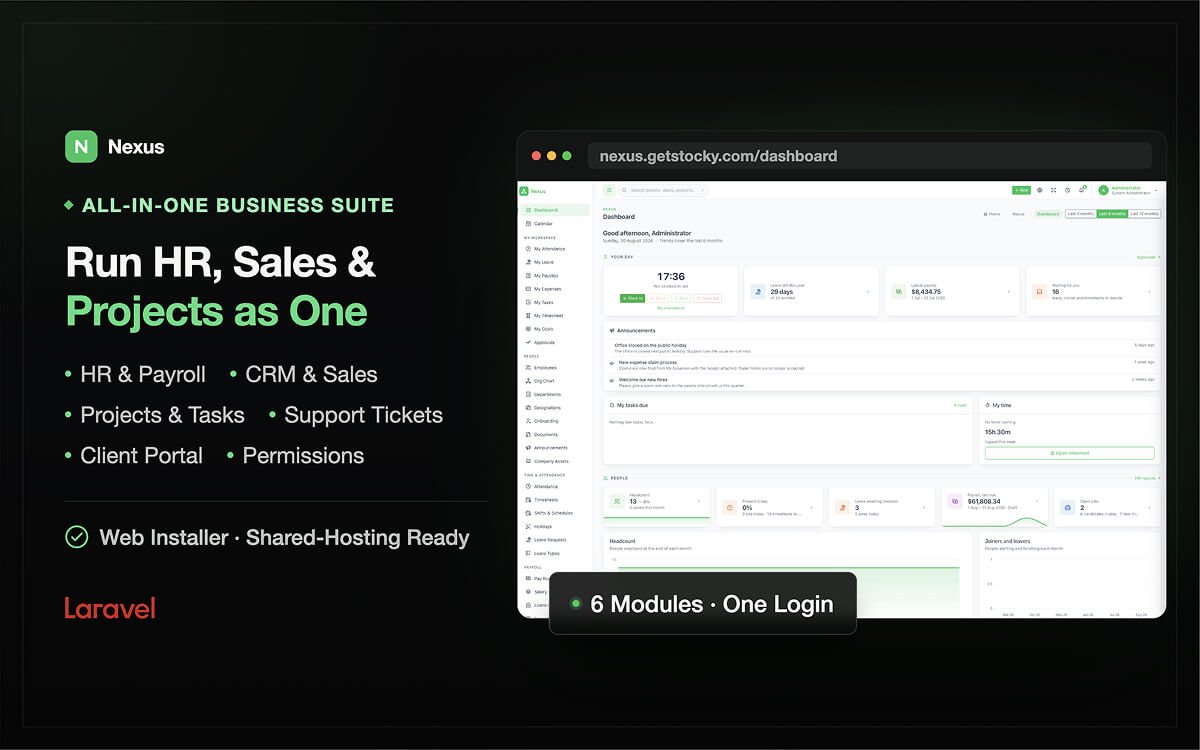
Nexus – HR, CRM & Project Management System

Business Management System with HR, CRM & Projects
1

Purchases

No reviews yet
Released:
September 2, 2026
Well documented
Lifetime update

Nexus – All-in-One HR, CRM & Project Management Software

Nexus brings HR, CRM, Sales, Project Management, Time Tracking, Payroll and Client Management together in one powerful Laravel application.

Manage your employees, attendance, leave, payroll, recruitment and performance. Manage leads, deals, customers, quotes, invoices, contracts and support tickets. Plan projects, assign tasks, track time, manage sprints and turn approved billable hours into client invoices — all from one application, one database and one login.

Built for businesses that want complete control, Nexus is self-hosted, easy to install and designed to run on standard PHP hosting without cron jobs, queue workers, Redis, WebSockets or Node.js on the server.

Nexus - HR, CRM & Project Management Features


Why Choose Nexus?

All-in-One Business Management

Instead of managing separate HR, CRM and project management systems, Nexus connects everything through a shared employee and user system.

  • HR & Employee Management
  • Attendance & Timesheets
  • Leave Management
  • Payroll
  • Recruitment
  • Performance Management
  • CRM & Lead Management
  • Sales Pipelines & Deals
  • Quotes & Invoices
  • Contracts & Online Signing
  • Customer Support & Tickets
  • Project Management
  • Tasks, Gantt & Sprints
  • Time Tracking & Workload
  • Reports & Analytics
  • Client Portal
  • REST API

Because everything is connected, time tracked by an employee can become a client invoice without re-entering data, and the same employee account can participate in HR, sales and project workflows.

Self-Hosted & Shared-Hosting Friendly

Nexus is designed specifically for straightforward deployment.

No cron. No queue worker. No Redis. No WebSockets. No Node.js runtime required on the server.

If your server can run Laravel and MySQL, you can run Nexus.

Simple Browser-Based Installation

The built-in six-step installer checks your server requirements, tests the database connection, configures the application, runs migrations, optionally installs demo data and creates your administrator account.

No SSH or manual configuration is required.

Powerful Permissions

Nexus includes a complete permission system covering HR, attendance, leave, payroll, recruitment, performance, CRM, sales, support, projects, reports and settings.

It also includes seven ready-to-use roles:

  • Administrator
  • HR
  • Manager
  • Sales
  • Project Manager
  • Accountant
  • Employee

Permissions are enforced at the application level — not simply by hiding menu items.

Dedicated Client Portal

Give customers their own secure portal where they can:

  • View and accept quotes
  • View and print invoices
  • Sign contracts
  • Create and reply to support tickets
  • View projects
  • Manage their profile

Clients never need access to your internal administration area.

Multilingual & RTL Support

Nexus includes 8 complete languages out of the box:

  • English
  • French
  • Spanish
  • German
  • Portuguese
  • Turkish
  • Hindi
  • Arabic with full RTL support

The built-in translation editor makes it easy to add additional languages without editing template files.


HR & Employee Management

Employee Management

Create a centralized employee directory containing:

  • Employee profiles
  • Employee codes
  • Departments
  • Designations
  • Managers
  • Locations
  • Employment types
  • Hire dates
  • Probation periods
  • Salary information
  • Contact details
  • Bank information
  • Documents
  • Assets
  • Goals
  • Performance reviews

Every employee is connected to the rest of the system, eliminating duplicate employee records.

Organization Management

  • Departments with optional managers and parent departments
  • Designations and job titles
  • Organizational chart
  • Employee locations
  • Employee status and employment history
  • Employee onboarding and offboarding

Onboarding

Create reusable onboarding checklists and automatically assign tasks to new employees.

Candidates hired through recruitment can be converted directly into employees and assigned an onboarding checklist.

Documents

Store employee documents such as:

  • Contracts
  • Certificates
  • Identification documents
  • Work permits
  • Other HR documents

Set expiry dates and quickly identify documents that are expired or approaching expiration.

Company Assets

Track company-owned:

  • Laptops
  • Phones
  • Keys
  • Vehicles
  • Equipment
  • Other assets

Maintain complete assignment history for every asset.

Announcements

Publish company announcements and optionally target them to specific departments or locations.


Attendance & Timesheets

Manage employee attendance with a convenient monthly attendance grid.

Attendance Features

  • Clock in / clock out
  • Break start / break end
  • Manual attendance
  • API-based attendance
  • Late detection
  • Half-day tracking
  • Absence tracking
  • Leave integration
  • Holiday integration
  • Overtime tracking
  • CSV import
  • CSV export
  • Attendance source tracking

Attendance can be recorded manually, through the application or through an external device/application using the REST API.

Weekly Timesheets

Generate weekly timesheets from recorded attendance.

Employees can edit and submit timesheets, while managers can approve or reject them.

Only approved timesheets can contribute overtime to payroll or approved billable project time.


Shifts, Rosters & Holidays

Create custom shifts with:

  • Start and end times
  • Break duration
  • Working days

Assign employees to weekly rosters so attendance calculations correctly reflect different schedules and shift patterns.

Manage holidays by:

  • Year
  • Location
  • Office
  • Company

Holidays automatically affect attendance, leave calculations, payroll and workload planning.


Leave Management

Create flexible leave policies with:

  • Annual allocation
  • Monthly accrual
  • Paid or unpaid leave
  • Carry-over limits
  • Attachment requirements
  • Minimum notice periods

The system automatically calculates working days while excluding weekends and location-specific holidays.

Leave Workflow

Request → Pending → Approved / Rejected

When leave is approved:

  • Employee balance is updated
  • Attendance is updated
  • Shared calendar is updated
  • Relevant users are notified

Employees can manage their own leave requests while managers receive an approval queue for their direct reports.


Payroll Management

Run payroll using actual attendance and employee salary information.

Payroll Includes

  • Basic salary
  • Salary components
  • Percentage or fixed deductions
  • Overtime
  • Unpaid leave
  • Absence deductions
  • Expense reimbursements
  • Loan installments
  • Advances

Payroll follows a clear workflow:

Draft → Approved → Paid

Generate professional A4 payslips, print them or email them directly to employees.

Flexible Salary Components

Create custom earnings and deductions for your organization, including:

  • Housing allowance
  • Transport allowance
  • Pension
  • Insurance
  • Tax
  • Other deductions

Nexus does not include a country-specific tax engine. Tax rules vary by country and change frequently, so taxes and contributions can be configured as salary deduction components using the rates applicable to your organization.


Loans, Advances & Expenses

Employee Loans

Track:

  • Loan amount
  • Installments
  • Start date
  • Remaining balance
  • Payroll deductions

Advances

Manage employee advances using the same installment-based workflow.

Expense Claims

Employees can submit expenses with:

  • Category
  • Amount
  • Date
  • Description
  • Receipt

Track expenses from:

Pending → Approved / Declined → Paid

Approved expenses can automatically be reimbursed through payroll.


Recruitment & Careers

Manage your complete hiring process from a centralized recruitment system.

Job Openings

Create job openings with:

  • Job title
  • Department
  • Location
  • Employment type
  • Description
  • Number of positions
  • Status

Candidate Kanban

Move candidates through customizable stages such as:

New → Screening → Interview → Offer → Hired / Rejected

Attach CVs and other candidate documents and rate candidates directly from the pipeline.

Recruitment Sources

Track where candidates come from:

  • Careers page
  • Referral
  • LinkedIn
  • Job boards
  • Agencies
  • Other sources

Interviews

Schedule interviews with:

  • Date and time
  • Duration
  • Location or meeting link
  • Interview panel

Interviewers can submit individual ratings, comments and recommendations.

Hire Candidates

Convert a candidate into an employee with a single workflow.

The candidate history remains connected to the employee record.

Public Careers Page

Publish open positions on a public /careers page with an online application form.


Performance Management

Help employees and managers track performance through structured goals, reviews and training.

Goals & OKRs

Create company, team and individual goals with measurable key results.

Track progress using actual values instead of manually entering percentages.

Performance Reviews

Create review cycles with customizable questions.

Employees can complete self-reviews while managers complete manager reviews.

Training

Track:

  • Courses
  • Trainers
  • Dates
  • Locations
  • Costs
  • Attendees
  • Completion

Employee Warnings

Record verbal, written and final warnings with supporting details and employee acknowledgement.


CRM & Sales Management

Leads

Capture and manage leads with:

  • Name
  • Company
  • Email
  • Phone
  • Source
  • Status
  • Value
  • Owner

Import and export leads through CSV.

Convert leads into:

Contact + Company + Deal

while preserving their original source and campaign information.

Deals & Sales Pipelines

Create multiple sales pipelines with customizable stages and probabilities.

Example:

New → Qualified → Proposal → Negotiation → Won / Lost

Use weighted pipeline forecasting based on deal value and stage probability.

Deal Management

Each deal can include:

  • Activities
  • Quotes
  • Comments
  • Files
  • Owner
  • Pipeline stage
  • Win/loss reason

Drag and drop deals between pipeline stages and automatically keep the activity history.


Contacts, Companies & Activities

Manage customers and business contacts in one place.

Companies

Store:

  • Company name
  • Industry
  • Website
  • Phone
  • Address
  • Owner

Contacts

Store:

  • Name
  • Company
  • Job title
  • Email
  • Phone

Connect customers with their:

  • Deals
  • Quotes
  • Invoices
  • Contracts
  • Support tickets
  • Projects

Activities

Track:

  • Calls
  • Meetings
  • Emails
  • To-dos

Activities appear on the shared calendar and customer timelines.


Campaigns, Email Templates & Web Forms

Marketing Campaigns

Track:

  • Campaign type
  • Campaign period
  • Budget
  • Actual cost
  • Owner
  • Status
  • Leads
  • Deals
  • Revenue

Measure campaign performance from lead generation through closed revenue.

Email Templates

Create reusable templates with dynamic variables for:

  • Contacts
  • Companies
  • Deals
  • Users
  • Application information

Preview emails using real data before sending.

Web-to-Lead Forms

Create public lead forms and embed them on your website using a URL or iframe.

Configure:

  • Form fields
  • Lead source
  • Lead owner

Products, Quotes & Invoices

Products & Services

Create reusable products and services with:

  • Name
  • SKU
  • Unit
  • Selling price
  • Cost
  • Tax

Products can be used directly in quotes and invoices.

Quotes

Create professional quotes with:

  • Products and services
  • Discounts
  • Taxes
  • Terms
  • Validity dates
  • Company branding

Customers can accept or decline quotes through a public link or client portal.

Quote Workflow

Draft → Sent → Accepted / Declined / Expired

Accepted quotes can be converted directly into invoices.

Invoices

Manage:

  • Draft invoices
  • Sent invoices
  • Partial payments
  • Paid invoices
  • Overdue invoices
  • Cancelled invoices

Automatic due-date and overdue calculations make invoice tracking simple.

Recurring Invoices

Mark invoices as recurring and issue due invoices with a single action.

No scheduler or cron job is required.


Payments & Contracts

Payments

Record payments received against invoices, including:

  • Amount
  • Date
  • Payment method
  • Reference

Support partial payments and automatically update invoice status.

Contracts

Create contracts for:

  • Services
  • Maintenance
  • Subscriptions
  • NDAs
  • Other agreements

Track contract value, dates, status and client information.

Online Contract Signing

Send clients a secure signing link where they can review and sign contracts online.

The system records:

  • Signer name
  • Timestamp
  • IP address

Customer Support & Help Desk

Manage customer support using a complete ticketing system.

Support Tickets

Track:

  • Ticket number
  • Subject
  • Category
  • Priority
  • Customer
  • Assignee
  • Status

Ticket workflow:

Open → Pending → Resolved → Closed

SLA Management

Configure response targets by priority.

Default SLA:

  • Urgent — 2 hours
  • High — 8 hours
  • Medium — 24 hours
  • Low — 72 hours

Track response times, breached tickets and SLA performance.

Internal Notes & Public Replies

Keep internal team discussions separate from customer-facing replies.

Canned Replies

Create reusable support responses and automatically merge customer information into them.

Multiple Ticket Sources

Tickets can be created:

  • From the administration panel
  • From the client portal
  • Through the REST API

Client Portal

Give customers a dedicated portal at /portal.

Clients can:

  • View invoices
  • View payment history
  • Accept or decline quotes
  • Sign contracts
  • Create support tickets
  • Reply to tickets
  • View projects
  • Manage their profile

Customers only see information belonging to their own company.


Project Management

Manage projects from planning through delivery and billing.

Each project includes:

  • Project name
  • Project code
  • Client
  • Category
  • Owner
  • Start and end dates
  • Status
  • Priority
  • Budget
  • Billable settings
  • Hourly rates
  • Project members

Project Permissions

Add users to individual projects as:

  • Viewer
  • Member
  • Manager

This allows contractors and employees to access only the projects they are assigned to.

Automatic Progress

Project progress is calculated automatically from completed tasks.


Tasks & Project Planning

Manage tasks through multiple views:

List View

Filter, search and manage tasks efficiently.

Kanban Board

Drag and drop tasks between customizable statuses.

Gantt Chart

Visualize project timelines, dates and dependencies.

Calendar

See upcoming task deadlines in a calendar view.

Task Features

  • Assignees
  • Priorities
  • Labels
  • Categories
  • Milestones
  • Estimates
  • Start dates
  • Due dates
  • Subtasks
  • Dependencies
  • Recurring tasks
  • Comments
  • Attachments

Task dependencies are enforced — a blocked task cannot be completed until its blocker is finished.


Milestones, Sprints & Issues

Milestones

Create important project delivery points and connect tasks to them.

Sprints

Plan development work using:

  • Sprint periods
  • Sprint goals
  • Assigned tasks
  • Burndown charts

Issues

Track bugs and project problems separately from planned tasks.

Record:

  • Severity
  • Reporter
  • Assignee
  • Reproduction steps
  • Environment
  • Related task

Time Tracking & Workload Management

Track time directly against project tasks.

Time Tracking

Two methods are supported:

  • Start/stop timer
  • Manual time entries

Only one active timer can run per employee.

Time Rounding

Configure time rounding, such as 15-minute blocks, for consistent billing.

Billable Time

Mark time entries as billable or non-billable.

If time approval is enabled, only approved time can be invoiced.

Workload Planning

See estimated open work against each employee’s available capacity.

Workload calculations consider:

  • Working days
  • Holidays
  • Employee capacity
  • Task estimates
  • Multiple assignees

Identify overloaded employees before assigning more work.


Project Billing

Turn tracked project work into invoices without manual data entry.

Nexus collects:

  • Approved billable time
  • Unbilled billable expenses

and generates a draft invoice for the client.

Billing includes:

  • Person
  • Task
  • Hours
  • Applicable rate
  • Expenses

Once invoiced, time entries and expenses are marked as billed so the same work cannot accidentally be invoiced twice.


Project Templates

Create reusable project templates containing:

  • Milestones
  • Tasks
  • Task dependencies
  • Relative dates

Create a new project from a template and Nexus automatically calculates dates based on the project’s start date.

Perfect for agencies and service businesses that repeatedly deliver similar projects.


Reports & Analytics

Get business insights across HR, Sales and Projects.

HR Reports

  • Headcount
  • Departments
  • Employment types
  • Employee tenure
  • Joiners and leavers
  • Attendance
  • Overtime
  • Leave
  • Payroll
  • Recruitment
  • Candidate sources
  • Expense claims

Sales Reports

  • Leads by status
  • Deals by stage
  • Weighted pipeline
  • Conversion rates
  • Won/lost deals
  • Revenue
  • Accounts receivable
  • Aging receivables
  • Top customers
  • Sales performance
  • Support tickets
  • SLA performance
  • Campaign performance

Project Reports

  • Projects by status
  • Task completion
  • On-time delivery
  • Hours by project
  • Hours by employee
  • Billable vs non-billable time
  • Estimated vs actual hours
  • Workload
  • Sprint velocity
  • Issues by severity

Reports can be filtered by date and exported as CSV.


Dashboard

The dashboard adapts to the user’s permissions and role.

Employee Dashboard

  • Today’s attendance
  • Leave balance
  • Tasks
  • Pending approvals

HR Dashboard

  • Headcount
  • Attendance
  • Leave
  • Payroll
  • Recruitment
  • Upcoming expirations

Sales Dashboard

  • Pipeline
  • Weighted revenue
  • Activities
  • Deals won/lost
  • Invoices
  • Receivables
  • Support tickets

Project Dashboard

  • Active projects
  • Task progress
  • Overdue tasks
  • Logged hours
  • Unbilled hours
  • Issues
  • Upcoming milestones

Global Search, Calendar & Notifications

Global Search

Search across:

  • Employees
  • Candidates
  • Leads
  • Deals
  • Contacts
  • Companies
  • Invoices
  • Tickets
  • Projects
  • Tasks

Search results respect user permissions.

Shared Calendar

One calendar brings together:

  • Leave
  • Holidays
  • Training
  • Interviews
  • Birthdays
  • CRM activities
  • Invoice due dates
  • Tasks
  • Milestones

Notifications

Receive in-app and optional email notifications for important events such as:

  • Leave requests
  • Leave decisions
  • Payslips
  • Expenses
  • Task assignments
  • Task comments
  • Deal assignments
  • Invoice and quote notifications
  • Ticket replies
  • Interviews

REST API

Build integrations and external applications using the versioned /api/v1 REST API.

Available endpoints cover:

  • Employees
  • Attendance
  • Holidays
  • Leave
  • Leads
  • Deals
  • Contacts
  • Companies
  • Invoices
  • Tickets
  • Projects
  • Tasks
  • Time entries

Secure API Tokens

API tokens support scoped permissions and follow the same access rules as the main application.

Use Nexus to power:

  • Mobile attendance applications
  • Website lead forms
  • Support integrations
  • External dashboards
  • Custom business applications

API requests are rate limited per token and recorded in the activity log.


Languages, RTL & Theming

Nexus includes 8 languages with complete Arabic RTL support.

The built-in translation editor allows administrators to:

  • Edit translations
  • Find untranslated strings
  • Import translations
  • Export translations
  • Remove unused strings
  • Enable or disable languages

Personal Themes

Users can choose:

  • Light mode
  • Dark mode
  • System mode
  • Accent colors
  • Corner radius

Customize your company logo, favicon, legal name and address throughout the application and printed documents.


Backup, Demo Mode & Updates

Database Backup

Create downloadable SQL database backups directly from the application.

Backups are generated using PHP rather than requiring mysqldump, making the feature suitable for many shared-hosting environments.

Demo Mode

Enable demo mode to provide:

  • One-click demo accounts
  • Pre-populated sample data
  • Demo data reset functionality

The included demo data provides a complete sample company with employees, CRM records, invoices, tickets, projects and historical data.

Easy Updates

Updates are designed around file replacement and database migrations, without requiring complex deployment infrastructure.


Security & Permissions

Nexus is built with application-level access control.

Features include:

  • Role-based permissions
  • Per-project permissions
  • API token permissions
  • Protected client portal
  • Login rate limiting
  • Permission-aware search
  • Activity logging
  • Token hashing
  • Employee deactivation
  • Secure public links

Every protected route checks permissions at the application level.


What Nexus Deliberately Does Not Include

Nexus focuses on being a practical self-hosted business management platform rather than trying to replace every specialized service.

No Cron or Queue Worker

Nexus does not require background workers or scheduled tasks, allowing it to run on shared hosting.

No Payroll Tax Engine

Tax rules differ by country and change frequently. Configure applicable taxes and contributions as payroll deduction components.

No Payment Gateway

Nexus records payments received against invoices. It does not process card payments or connect directly to specific payment providers.

No Bulk Email Marketing System

Nexus provides campaigns and email templates for CRM workflows, but it is not designed to send thousands of marketing emails from your server.

No Qualified E-Signature

Nexus provides online contract signing with signer information, timestamp and IP address. For legally qualified signatures where required, use a dedicated e-signature provider.

No Double-Entry Accounting

Nexus manages invoices, payments and receivables but is not a complete accounting or bookkeeping system.


Technical Specifications

Framework: Laravel 13
PHP: 8.3+
Database: MySQL 8.0+ / MariaDB 10.6+
UI: Tabler 1.4 + Tabler Icons
JavaScript: Alpine.js 3, Chart.js 4, SweetAlert2
Build: Vite 8
Architecture: Laravel monolith with modular HR, CRM, Sales and Project Management functionality
API: REST API with versioned endpoints and scoped bearer tokens
Import/Export: CSV
Documents: Printable A4 documents
Installer: Browser-based installation wizard
Testing: Feature tests covering permissions, workflows and calculations

No Server-Side Runtime Dependencies

Nexus does not require:

  • Cron
  • Queue workers
  • Redis
  • WebSockets
  • Node.js
  • exec()
  • Storage symlink

Compiled frontend assets are included in the package and ready to deploy.


Server Requirements

  • PHP 8.3 or newer
  • MySQL 8.0+ or MariaDB 10.6+
  • Apache or Nginx
  • URL rewriting enabled
  • OpenSSL
  • PDO
  • PDO MySQL
  • Mbstring
  • Tokenizer
  • XML
  • Ctype
  • JSON
  • BCMath
  • Fileinfo
  • cURL
  • GD

The following directories must be writable:

  • .env
  • storage/
  • bootstrap/cache/
  • public/uploads/

The included installer checks the server requirements before installation.


What You Get

  • Full unencrypted source code
  • Compiled frontend assets
  • Browser-based installer
  • Demo data
  • 8 languages
  • Full Arabic RTL support
  • Translation editor
  • HR management
  • Attendance & timesheets
  • Leave management
  • Payroll
  • Recruitment
  • Performance management
  • CRM & Sales
  • Leads & deals
  • Quotes & invoices
  • Contracts
  • Support tickets
  • Client portal
  • Project management
  • Tasks, Gantt & sprints
  • Time tracking
  • Workload management
  • Project billing
  • Reports & analytics
  • REST API
  • CSV import/export
  • Database backups
  • Full HTML documentation
  • Free lifetime updates
  • 6 months of included support

Perfect For

Nexus is ideal for:

  • Small and medium-sized businesses
  • Agencies
  • Software companies
  • Marketing agencies
  • Design studios
  • IT service companies
  • MSPs
  • Consultancies
  • Recruitment agencies
  • Construction companies
  • Engineering companies
  • Field service businesses
  • Startups
  • NGOs
  • Schools
  • Clinics
  • Internal business management systems
  • Developers building custom business solutions for clients

One Platform. Three Core Systems. Complete Business Management.

Nexus brings your people, customers, sales and projects together in one self-hosted Laravel application.

Manage your workforce, grow your pipeline, deliver projects and bill clients — without maintaining multiple disconnected systems.

Nexus — HR, CRM & Project Management, all in one place.

You must log in and be a buyer of this download to submit a review.

Frequently Asked Questions - FAQs

Product

Is it possible to white label or customize your template?

You certainly can! Feel free to change the template branding, such as the name and logo, and customize it as needed. There is no need to attribute UI Lib.

What does the purchased package include?

Depending on the technology/framework, the purchased package includes a full source code that includes SASS, JavaScript/TypeScript, HTML, media, compiled assets, and build config files.

All of the demos, apps, pages, components, and plugins shown in the preview will also be included.

Payment

What payment methods are available?

We use Paddle for processing payments. You can pay using following methods

  • Cards (including Mastercard, Visa, Maestro, American Express, Discover, Diners Club, JCB, UnionPay, and Mada)
  • PayPal
  • Google Pay (Chrome only)*
  • Apple Pay (Safari only)*
What if I have a problem making the payment?

It is possible that your bank/card has a limitation; please contact your respective authority.

If you are still unsuccessful, please contact us at support@ui-lib.com

License

What does "End users can be charged" mean?

End users are the individuals or organizations who will be using the software that you'll build using our template. If you purchase Extended or Unlimited license then your end users can be charged.

How long are licenses valid?

A license is valid for lifetime. That is, once bought, you can use the item forever.

You can download the updated version from our website for 12 months. If you purchase unlimited license you can download the updated version for lifetime.

Support

What does Support Include?

When you purchase our item, you can contact our Support Team, where you can submit tickets/issues about product functionality, usage, and bug fixes.

Within 24-48 hours, you will receive responses directly from the product's creators (during business days).

How can I contact UI Lib

Simply mail us at support@ui-lib.com. Mention your issue and the product you've bought. Our support team will reach you.

© 2025 UI Lib. A product of Peak Pulse LLC.