Tag: Figma Design System

  • Top 10+ Best Free Figma UI Kits for Web App Designers in 2023

    Top 10+ Best Free Figma UI Kits for Web App Designers in 2023

    If you’re a web app designer looking for free Figma UI Kits then you’re absolutely on the right page. In this blog, we will be looking at the top 10 best free Figma UI Kits for web designers in 2023.

    Free Figma UI Kits for Web App

    Figma is an amazing web-based interface design tool for web designers. Recently, more and more people from the industry have shifted towards Figma from other design tools. The reason why Figma is so popular now is that this design tool not only made web design easier. But also, you can collaborate and share interactive prototypes for your projects.

    Let us learn a little about ‘What is a UI Kit?’ before diving into the collection of the best Figma UI Kits for 2023.

    What is a UI Kit?

    A user interface kit aka UI Kit is a collection of files that includes essential user interface elements such as fonts, layered design files, icons, documentation, and HTML/CSS files. UI kits can be as simple as a few buttons and design elements or as complex as toggles that change fonts, colors, and shapes in real-time.

    Top 10 Best Free Figma UI Kits

    Now, without further delay let’s jump straight into the realm of Figma UI Kits. Let’s find out which unique ones can bolster your web app development projects.

    Uko – Free Figma Dashboards & Design System

    uko dashboard and design system ui kits

    Uko is a mega-collection of useful UI Kits that includes dashboards. It was downloaded over 100 times in a single day on the first day of release. It’s a design system with a plethora of features, pre-built pages, and highly customizable components.

    As a result, creating a web app or an admin dashboard will be a breeze. You can create your desired product with almost no effort. Auto layout, component-based, smart-scalable typography system, and many other features are included in the design system.

    The design system includes over 5 dashboards, 8+ application pages, over 150 pre-made components, 50+ pre-built widgets, 20+ charts, and more. So, don’t forget to look into Uko. Don’t forget to give it an upvote on Producthunt, if you find it useful.

    Demo / Download

    Strapi – Free Figma UI Kit

    Strapi - Free Figma UI Kit

    Strapi UI Kit is a design library. It is a library of components that can easily make your web app making project smoother and faster. These pre-built components are very useful and essential. Also, the UI Kit is very well-organized.

    It offers everything that you are looking for to design your user interface. It includes a large set of colors, sub-navigation, icons of different purposes, a responsive grid, and a lot more. Make sure to check out Strapi.

    Demo / Download

    Moja UI – FREE Top UI Kit & Design System

    Moja UI

    Moja UI is a user-friendly and robust UI library and design system that will help you power up your designs. It is free and will remain so in perpetuity, regardless of what it grows into. This simple UI kit & Design System contains over 8500 components & variants, 1000+ function icons with size variants ready, 258 flag icons with 2 size variants, popular brand 200+ logos and 500+ icons, responsive typography, and a lot more.

    Also, it offers an auto layout and has a slim and adequate set of color styles to get you started on your UI project quickly.

    Demo / Download

    Tableau – Free Figma UI Kit

    Tableau - Free Figma UI Kit

    Tableau is a free Figma UI Kit that can help you prototype Tableau Dashboards using Figma. It will lead you in the right direction through every obstacle that you face with guidelines, color combination, typography, etc. This product contains everything from dashboard example pages to charts, icons, tooltips, tables, footers, and more.

    Most importantly, along with all the essential UI components, you’ll get a ‘how to video’ for helping you to take full advantage of this UI Kit. So, without delay, experience Tableau Figma UI Kit for free and make your work hours peaceful.

    Demo / Download

    Design Components – Free Figma UI Kit

    Design Components - Free Figma UI Kit

    NativeBase is a Figma component library with modular and accessible components for designing and building React and React Native applications. This UI Kit includes a large number of typographic and color styles. Auto Layout also powers dynamic layers. It has a lot of themeable components and responsive designs that work on a variety of platforms. Last but not least, it comes in both light and dark modes.

    Most Importantly, all of the components are open source and can be used in production-ready React and React Native apps.

    Demo / Download

    Building Blox – Free Figma UI Kit

    Building Blox - UI Kit

    Blox was created as a personal project to gain a better understanding of best practices for building a system of styles and nested components in Figma. The UI Kit contains necessary typographies, color system, spacings, elevation, fluid grids, etc.

    It has icons and other important UI components such as buttons, pagination, selection, sliders, tooltip progress bar, and everything else that you need inside a UI Kit.

    You can check out Blox from the button below and easily duplicate it into your Figma design tool.

    Demo / Download

    Creatt UI Wireframe Kit – Modern & Clean Design Wireframe

    Creatt UI Wireframe Kit - Modern & Clean Design Wireframe

    Creatt UI Wireframe Kit is one of the largest free Figma WireFrame Kit with all the essential components. The product offers 500+ blocks, predesigned pages, auto layout, icons, brand color variations, and whatnot!

    Creatt Wire makes designing landing pages easier with over 17 different categories and 500+ frames. The possibilities for what you can make are limitless. It has stackable frames and a modern design. A Design Kit that will not let you or your clients down. This Framework is designed to support websites that use the 1120 Grid.

    So, they carefully selected some of the best Blocks and converted them into frames that are as clean as they are modern. This brief description is not enough, you must go and have a look at Creatt by yourself.

    Demo / Download

    Untitled UI (FREE Version) – Figma UI Kit

    Untitled UI

    Untitled UI is the largest Figma UI Kit and Design System in the industry. With the help of Untitled UI, you can level up your skills and also save thousands of your working time. This way is bigger than any UI Kit and Design system with over 350 global styles with smart, scalable typography system, useful, and accessible color system.

    Moreover, there are 10,000+ components and variants available which are beautifully crafted with a full Auto layout 3.0 and smart variants. Also, it offers you 420+ ready-to-go desktop and mobile page examples.

    Demo / Download

    Inertia – UI Kit

    Inertia

    Inertia is a powerful Figma UI Web Design System template. This template was created to teach you how a real prototype of a web page works. Though you can have free access to this product using it for personal or commercial benefit is not allowed. It has a color palette, typographies, grids, footer sections, and more.

    This is completely a product for scaling up your web app design-based skills.

    Demo / Download

    Bulma – CSS UI Kit v1.05

    Bulma

    Bluma is a CSS UI Kit that has recently been updated to version 1.05. It includes all of the necessary assets, such as icons, color palettes, buttons, typography, components, grids, input, pagination, text area, navbar, and much more, as does any large design system or UI Kit.

    The new version included a few minor fixes, such as fixed color styles, added button states, minor component fixes, and so on.

    Demo / Download

    Trim – Task Management Web App UI Kit

    Trim Task Management Web App

    Trim is a web app UI kit for task management that allows you to easily create and monetize all of your work. It has over 210 pages. And with an unlimited number of projects and collaborators, this product gives you complete control over your team. Trim allows you to easily organize teamwork, manage to-dos and tasks, assign projects to clients and staff, and track workflow progress. Trim has proven to be an effective and powerful task management web app for new businesses.

    You can easily access your team’s daily, monthly, and weekly work reports from this page. This Design file is easily customizable. Your users will appreciate your site because it provides a unique user experience (UX), as well as a clean, modern, and beautiful design. Layered and organized, responsive resize, global color and text styles, and with a free Google Fonts font family (Inter).

    Demo / Download

    Similar Blogs From UI-Lib

    1. Free Figma Design Systems for UI/UX Designers
    2. Best Free Figma Icon Library for Web & App Developers
    3. Figma Plugins For Web & App Designers
    4. Tailwind CSS UI Kits and Components (Free)
    5. Top Free & Premium Bootstrap UI Kits
  • Top 20+ Best Free Figma Design Systems for UI/UX Designers in 2022

    Top 20+ Best Free Figma Design Systems for UI/UX Designers in 2022

    Are you a UI/UX designer/enthusiast looking for the best Figma Design Systems? Here they are. In this blog, we’ve handpicked some of the best free Figma Design Systems dedicatedly created for UI/UX designers. But first, let’s understand what is a design system.

    free figma design system

    Design has now become of the topmost priorities for everyone. Whether you are a designer/developer, or an app/website user. You are always looking for designs that can make your work easier. Also, you need a design that can make everything look interesting and easy. Thus, you need design systems for creating better designs because they have everything gathered in an organized manner.

    Design systems have grown to be an important component of what makes a company or product successful. Particularly in the hyper-competitive global software market. Historically, these companies have relied solely on user experience as a key differentiator.

    https://ui-lib.com/downloads/figtify-figma-uikits-and-design-system-for-vuetify/

    This demand for better experiences places enormous strain on designers all over the world. They are pushed to take on more projects and work faster while producing higher-quality results. If there is no standardized design language to draw from, this can cause issues.

    What is a Design System?

    A Design System is a coherently organized set of interconnected patterns and shared practices. Design systems aid in the design and development of digital products such as apps and websites. So, by downloading/duplicating a design system to your Figma software you can produce UI/UX designs for different software. Design systems will empower you and give you ideas about constructing a design. These are all organized in a manner that you don’t have to wander around and get a headache for thinking about innovative designs.

    20+ Best Figma design Systems for UI/UX Designers

    The design systems which got the most downloads from the Figma community and have high-quality features are listed in this article. As everything in the Figma Community is charge-free, you don’t have to worry about spending money. Here, you will find almost every design system from the Figma community that is worth mentioning. However, the list is in no particular order.

    1. Uko – Free Figma Dashboards & Design System

    Uko Free Figma Dashboards & Design System

    Uko is an exceptionally good free Figma design system with dashboards in it. After its release, just within a single day, it hit 100 sales. It is a design system with tons of useful features, pre-built pages, and highly customizable components. So, making a web app or an admin dashboard will be very easy for you. With almost no effort, you can build your desired product.

    The design system has features like auto layout, component-based, smart-scalable typography system, and a lot more. Most importantly, the design system contains more than 5 dashboards, 8+ application pages, over 150 pre-made components, 50+ pre-built widgets, 20+ charts, and more.

    So, make sure to check out Uko. And, if you find it useful, don’t forget to give it an upvote on Producthunt.

    Demo / Download

    2. iOS Design System — Free UI kit

    iOS design system

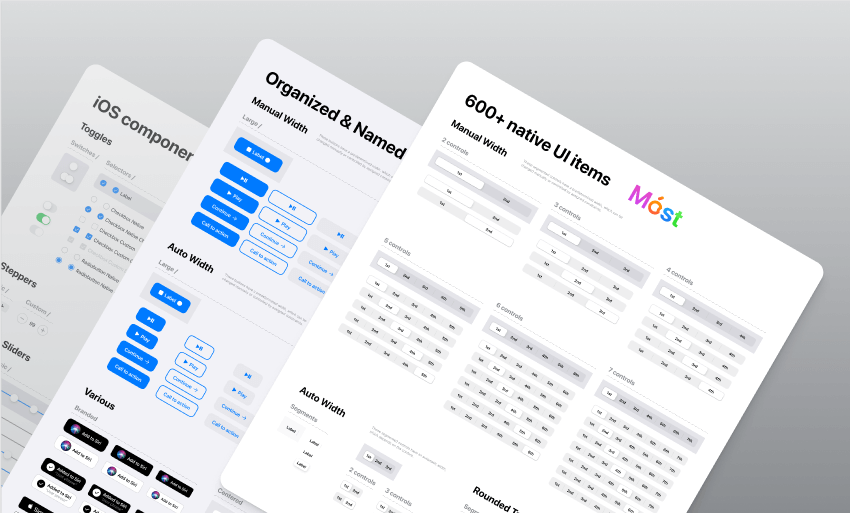
    Native iOS components and app templates are organized into a “Most Design System” that is fully compatible with Human Interface guidelines. It’s named, limited, and based on the experience of native iOS apps. This iOS design system is from Setproduct.

    This free UI Kit includes amazing styles, typography, templates, design system, and icons. Currently, it has over 1k react and more than 57k downloads.

    Demo / Duplicate

    3. Built-in Figma Design System

    Built-in Figma design

    This is an outstanding project idea from designer Rogie King. It contains minimal style components. The project is done while he was making a live stream of this design system. So, comparatively, it is less organized. However, it is a pretty good design system option with great components. At present, it has 2k love react and over 29k downloads.

    Demo / Duplicate

    4. Core Design System

    Core Design System

    Core Design System is a design package designed by Ryan Sael. It can supercharge your workflow. It is a design system UI kit for Sketch, Figma, AdobeXD, and Studio. Besides, it can fit into any project and keep visual consistency. No doubt, it will work faster. Now, it has over 300 love react and 7k downloads.

    Demo / Duplicate

    5. Basic Design System

    Basic design System

    The basic design system is from designer Andrew Coyle. For the community, he built this simple design system where you can find the basic UI elements. For example, there are typography, buttons, tabs, forms, labels, sign up, etc. If you need basic UI elements, this can be your go-to package. Currently, it has over 4.7k downloads and over 100 love react.

    Demo / Duplicate

    6. Design System Ver 2.0

    Design System Ver 2.0

    This design system is designed from the ID Design System. This package has been updated to Version 2.0. It offers 3 Grid Styles (mobile, tablet, and desktop), 16 color types, 30 types of styles, icon component structure, multiple button styles with full-width options, and a lot more. Currently, it has over 2.5k downloads and 46 love react.

    Demo / Duplicate

    7. Voog

    Voog

    Voog Design System is from designer Stefan Heiinurm and Voog. They offered it publicly to help other designers. It has got everything from multiple examples of the style, colors, typography, layout, and grid. Also, there are a ton of examples of components like forms, buttons, tables, modal, popover, editor, placeholder, navigation, eCommerce, dashboard, and container. Now, it has over 8k downloads and over 350 love reactions.

    Demo / Duplicate

    8. Material-X

    Material-X

    Material-X design System UI Kit is another design package from Setproduct. it is a huge collection of UI kits, containing over 1100 components and 40 app templates beyond Material Design. The design system is powered by top-notch shapes and Manrope font. Among a hundred different amazing facts about this design system, its customizable and adjustable options are the best. You can easily change its shape and swap around colors. Currently, it has more than 37K downloads and over 800 love reactions.

    Besides, the templates will save your time and human resources. Suit your mobile or desktop app with Material X.

    Demo / Duplicate

    9. May

    May Design System

    May is an open-source design system from Micah Lanier. It is a design system with great consistency. It has multiple shape options, typography, more than 30 colors, directional and utility icons, spacing scales and elevation options, and more. This is the first published version of this product. Make sure to check out!

    This file now has over 2.7k downloads and 100+ love reactions.

    Demo / Duplicate

    10. Design System Starter

    Design System Starter

    This design system was designed by Moe Amaya. They launched a simple design system as part of designsystems.com. It is complete with inputs, buttons, tabs, dropdowns, type, and color. Also, a slew of examples to get you started. There are multiple color choices, typography, buttons, and forms and with these options here are web and app examples to give you an idea. At present, it has almost 5k downloads and over 100 love reactions.

    Demo / Duplicate

    11. RevKit Design System

    RevKit Design System

    RevKit design system UI Kit is from Webkul Design. It is a pretty solid Design system UI Kit for designers who are busy and have lots of projects going on. This can quickly get your job done. You can build flexible web prototypes with RevKit. It offers you over 50 web components and more than 200 symbols (there will be more soon). Whether it is a one-page website or a vast dashboard, it can easily handle the demand. RevKit got 8.1k downloads and over 300 Reacts.

    Moreover, it is also available for Sketch and AdobeXD. Experience RevKit and build a quick prototype.

    Demo / Duplicate

    12. Vaadin

    Vaadin

    Vaadin is the official design system for Vaadin Design System. It is used for Vaadin web components and framework. You can create amazing web apps for users with Vaadin Design System. The library offers color styles, typographies, and customizable web components. Try Vaadin for your next web app project. Vaadin has 3K+ downloads and 150 Reacts.

    Demo / Duplicate

    13. Dimension 4 Design System

    Dimension 4 Design System

    Dimension 4 Design System is by Somesh kesarla Suresh. the design system offers you very configurable components. There are a large number of styles, icons, illustrations, thumbnails, and components. Moreover, the details in the Dimension 4 design system will amaze you. Currently, this got 2k downloads and 100 Love Reacts.

    Demo / Duplicate

    14. Free Starter Design System

    Free Starter Design System

    Starter Design System by Gleb has some rich styles and components. It provides inputs, buttons, texts, multiple colors, dropdown menus, tabs, and more. Also, it has fine web and app examples ready for you to quickstart your project. One interesting thing about this design system is that you can contribute your designs to it. This has more than 8.5k downloads and over 350 reactions.

    Demo / Duplicate

    15. UI – Design System – Sunrise

    UI - Design System - Sunrise

    This is another good option for your next application project. The title suits this design system. Although it has multiple color options, it has a very sunrise look to it. There are a large number of icons, buttons, inputs, typography, and web app examples made with the design system. Now, it has 4k downloads and 200+ reactions.

    Demo / Duplicate

    16. Orbit Design System

    Orbit

    Orbit Design System is a unique design system packed with flags of 63 countries. It is a library of flags where you can find flags of different countries that you might need while designing the UI.

    This has 2.2k downloads and 40+ reactions.

    Demo / Duplicate

    17. Capsule Design System v1.0

    Capsule Design System v1.0

    Capsule Design System V1.0 is from designer Matt. It is a mini component kit with usage guidelines and accessible and customizable components. The file contains everything from color, buttons, spacing, and cards to usage guidelines, suggested typography pairing, and color contrast recommendations. You’ll love this simple design system. So far, it got 2.7k downloads and 90+ reactions.

    Demo / Duplicate

    18. Core Light – Design System Starter Kit

    Core Light

    Core Light Design System Starter Kit is from designer Maxime Rabot. It offers you no 100+ useless predefined components, rather, a set of solid foundations, components, and tokens. It has a pretty straightforward approach to your app design. But in some cases, it can be too limited for your project. Make sure to check out Core-Light. At this point, it has 3.8k downloads and 190+ love Reacts.

    Demo / Duplicate

    19. Flamingo

    Flamingo

    Flamingo is designed system-oriented for web usage. This designed system is from designer Juan, specially created for their company. But now it is open-source as they have decided to share their design system with others too. So, that they can get inspired by it.

    The file provides example templates, high-quality components, multiple color choices, UI elements, typography, shadows, spacers, input, buttons, text areas, toggles, tables, cards, checkboxes, and more. Experience Flamingo from the button below. Experience Flamingo and experiment with it. Up until now, it has 9.1k downloads and 487 Love Reacts.

    Demo / Duplicate

    20. Brainstorming

    Brainstorming

    Designer Rusmir Arnautovic created this design system and component library. You can save hundreds of hours by using this file. The system includes 291 components, 246 distinct styles, 504 variations, 6 distinct grids, and 6 bonus mockup devices.

    Moreover, you can save time by using their pre-built customizable buttons, dropdowns, calendars, and other elements. Figma’s components and styles are fully customizable. Also, they are extremely simple to use, and meticulously layered and grouped. Design, that’s all you need for a quick prototype. So far, it has 9.2k downloads and over 400 Love Reacts.

    Demo / Duplicate

    21. Ant Design System for Figma 2.0 (Free Demo)

    Ant Design System for Figma 2.0

    Ant Design System for Figma 2.0 is a package rich with a large number of icons, buttons, checkboxes, input, tooltip, and alert examples. Designer Matt Wierzbicki designed this beautifully crafted lightweight design system. In the UI Kit, you’ll find more than 150 styles. Also, with text style, you can quickly apply your typography rules. Besides the color styles, you can easily swap between default UI kit colors. So far, it got over 62k duplicates and 1.5k love react.

    Demo / Duplicate

    Wrapping Up

    Now, it seems like your journey for the best Figma Design System has come to an end. These are the finest free examples that are available on the internet. Maybe you don’t need all of them, here are design systems for different works and motifs but we’re sure that you will find the ones that you need for your project. Thus, wishing you all the best for your next design project. Thank you for reading the article. If you are not a designer, you can share this article with your designer friends. They will surely get benefited.

    About Us

    We are UI-Lib, a software company focused on clients in need of design systems, UI kits, and templates. UI-Lib used all of the popular technologies and design tools to create high-quality products that are rich in features and components.

    We have an open-source design system for Bootstrap 4 available on our website. Click the button below to check out.

    Done! – Open Source Design System for Bootstrap 4

  • 15+ Free Design Systems For Web 2022

    15+ Free Design Systems For Web 2022

    Designing can be a tough part especially if you do not have access to all the beautiful libraries and modules. That’s when you need free design systems for the web that you can use to create an amazing webpage.

    For those who don’t know, a design system consists of numerous components and libraries that you can use in your web design. You can share it with your team so that even they can enjoy the libraries and directly add them to the design itself. We have gathered here some of the coolest web design systems that you can take a look at.

    Some of them might include a premium version but the basic version is free to use and you can upgrade if you like the free version too much. So, here we go we the list, make sure you check the live preview or the demo before you go with any of the designs. 

    1. Uko – Free Figma Dashboards & Design System

    Uko Free Figma Dashboards & Design System

    Uko is a new Figma design system. As it is going trending in Figma Community, you can now easily find it there. Though the design system is promising still we believe there is a lot we can improve in the upcoming months. Now, what it is like to duplicate this design system and work with it? We would simply say, this is a pretty solid package.

    Here you will find all the essential things that you need to create a web app. For example, it has features like auto layout, component-based, and smart-scalable typography system. Also, 5 Dashboards, more than 150 pre-built components, 50 widgets, over 20 charts, 8+ app pages, and a lot more.

    if you just starting your web app or admin dashboard designing journey, then this is going to guide you. It is because we have several admin templates in the marketplaces that got a lot of appreciation from developers. Thus, we learned how to maintain the highest industry standards while making one.

    Therefore, we would strongly recommend you to try this design system. All it needs is to click the duplicate button and it will open on your Figma software. And, if you find it useful, leave an upvote on Producthunt. That will give us the energy to make more of these for the web designers community.

    Visit Website Live Figma Preview Duplicate

    2. Done Design System – Best Free Design Systems for web

    best free design system

    The Done Design System is the best free design system for the web. It totally stands by its name, more than 80% of the work will be done when you use this web design system. There are many components available here starting from pricing tables, buttons, checkboxes, Dropbox, cards, etc. You will also find other elements and components that you need for making awesome designs. Moreover, the system is open source and there is proper documentation for every place. 

    The best part of the design system is the number of variations available. No doubt, there are hundreds of components available in the design system but here you will get many different versions of each component. This will help you out if you already have a theme for your website and want the components to fit in with that.

    Along with this, even if you think you know all about designing, documentation is an important part that you should not miss. It is one of the best design systems on the list whether it is about the components or it is about the complete documentation. Therefore, all these make it one of the unique and free design systems for the web.

    Visit Website Demo

    3. Webflow Design System Template

    Webflow Design System Template

    Webflow Design System template has everything that as a designer you can look for. if you want to make your web design to be modern and clean, you should give it a try. There is a lot of component section and useful UI Patterns. For example, accordions, buttons, tabs, and blocks for embedding videos.

    All of them share the same sensibilities. That makes them perfect for the people who are positive about putting a web design with a contemporary aesthetic. To be honest you’ll get a comfy vibe about the typography section they have. Another thing to mention is there are flexboxes. These flexboxes make it pretty easy to incorporate them into your personal work.

    Visit Website Demo

    4. Carbon Design System

    best free design system

    It is IBM’s design system for designers and developers. The design system is following IBM’s language making it the core part of this free design system for the web. It consists of all the components, tools, and other things you need to create your best web design experience.

    Moreover, it has human interface guidelines and there is a whole community of designers and developers who are always ready to help you out whenever you need it. You can work on this with React and there are various versions available that you can take a look at at your convenience. You can easily migrate from one version to another. 

    Moreover, here each of the tabs has perfect designs on their official website itself. You will get all the proper information on how to install the Carbon design system and how you can use it further. The components include a date picker, table, link, loading list, slider, and many more.

    All of them are on a separate web page which makes it easy to check out for the user. You can use the resources available and also there is enough information for the patterns. Above all, they update it frequently, so, you will have t migrate the changes.

    Visit Website Demo

    5. Eva Design System Sketch

    eva design system sketch

    Eva Design System is a highly customizable free Sketch design system. There are implementations with both mobile and web. it can adapt and integrate with your ideas of brand marketing which is a great achievement. Thus, you can consider it ideal for any sort of product.

    In the latest version of this design system (1.3.0), you will find Sketch 61 with a smart layout. The symbols are more organized and updated. Here, you will find Eva icons that were not part of the Eva design system – Light Sketch before. Radio buttons, cards, toggle, checkbox components, everything is in there. And guess what! All of them are available in both light & dark modes.

    To be exact, Eva Design System Includes, more than 300 text and 250+ layer styles. It includes a unique color system, these pallets make it interesting and easy to choose a color scheme of your choice.

    Lastly, the design system is implemented with UI Kitten (React Native) and Nebular (Angular) which are both component libraries.

    Visit Website Gumroad

    6. Lightning Design system – Free Design system for Salesforce

    Lightning free design system

    Every free design system for the web is made for different purposes, here the main focus is on the enterprise level. However, you can surely use it for you won the desired purpose without any issues. It works well on Visualforce, Android, windows, and IOS devices. Moreover, you can also use it with Heroku and lightning.

    You can use this design system if you are creating or having a system native to Salesforce as it is specially designed for such purposes. For enterprise-level applications, it is always hard to find the design system that suits their needs. That’s why you can use this design system for an enterprise-level solution. 

    Moreover, talking about the components, you will here get all the components necessary for enterprise-level and business apps. The components include but are not limited to icons, alerts, badges, checkboxes, dynamic menu, global notifications, etc. You can check more of the components from the official website itself.

    You will also get the icons, and design tokens, and there are various tools and utilities to help you out. The system has complete documentation to help you out and there are also various articles out there on the official website itself that you can check out to know more about the system.

    Visit Website Demo

    7. Liquid – Free Design System

    UX Platform Design System

    Liquid provides a set of tools, guidelines, and elements for making outstanding tech products for both UX/UI experts and non-technical people. The use of a variety of colors, illustrations, typography, grids, and components allows for a consistent UI and high-quality appearance across all devices.

    It currently contains over 42 elements, 18 components, 14 modules, 1,500 user interface assets, and 9 templates. Using the design and development kits, you can create amazing digital solutions that are fully customized to your brand in a fraction of the time.

    Visit Website GitHub

    8. Shopify Polaris – Outstanding Free designs system for Shopify

    Polaris free design system

    How can we forget the best platform for all the e-commerce platforms, Shopify?  Shopify Polaris is the design system for all Shopify users who want to create amazing Shopify designs for their website. The design system is available in React as well as in HTML, you can use any of them as per your requirements.

    Talking about the things inside the system, you will also get the APIs, UI Kits, as well as all the content along with the components. This makes it the best system for your e-commerce business. 

    Moreover, the components include structure, overlays, list, title, icons, forms, actions, etc. There is a perfect guide for the pattern and how you can it with your Shopify design. So, you don’t need to worry about anything here. You will have all the information that you need for your e-commerce business.

    If you are a Shopify user and want the design system, you should not think twice and go for it. There are various resources available. This is one of the few free design systems for the web that has all the things perfectly added, it is way easier to find all the things and the resources for the same. The guide is there from the start to the end to help you out. 

    Visit Website Demo (HTML) Demo (React)

    9. Pluralsight Design system

    Pluralsight Design System

    There might be many Pluralsight users out there who are looking for a design system to help you out with their product. This is the perfect and the best choice for all of them. Here, you will get all the basic features that a design system needs, and along with that, there are many advanced components to make your design even more beautiful It consists of all the core colors, typography and not to mention all spacing options to guide you.

    In other words, the system has a basic set of modules using which you can easily boost your design production with ease. The components include all the action blocks, badge, code, circular progress, dropdown, theme, linear progress, tooltip, etc. Moreover, there are themes to make your work even easier and faster.

    The resources are given with proper documentation and if you are still facing any issue, you can open an issue via Github. In short, the components have everything starting from the common modules or the elements to some of the coolest Bootstrap elements. There are various design assets and you will also find the roadmap to get started with the system. 

    Visit Website Demo

    10. Fluent Design system – Microsoft’s free design systems for web

    Fluent Design System

    The next choice is the Microsoft design system which goes by the name of Fluent Design system. Built specially for Microsoft products, this free design system makes sure that everything is taken care of properly while you’re designing the best system. They have a lot of extensions and add-ons to make everything work.

    Microsoft apps have an amazing look and feel when it comes to design and navigation. If you want the same kind of look and feel on your own programs and apps, you can use this design system to make your work fast and easy. It will also help you in rapidly building what you need. 

    Moreover, talking about the components and elements, they have all the components you need to get started. They have styles, controls, and all the resources you need to get started. Moreover, it includes their design system (Fabric web) even on React. You can easily enhance your current apps with this design system or you can create a new one with the help of this. You will not only get this on the web and Windows but you will also get it for Android and Ios.

    Visit Website Demo

    11. United States web Design system – Official free design system for web

    United States Web Design System

    With this name, you might think that it is one of the official free design systems for the web for the United States or the government. Yes, you are right here. The system is the official system for the government of the USA. The design system helps you in creating amazing websites for government and special agencies also. You can see their showcase where some of the coolest and the most amazing websites with this design system are shown.

    The USWDS does not only focus on government websites but also there many different agencies that use the US web design system. If you are looking for numbers, there are nearly 200 websites that use this web design system for their websites. The components are set to make government websites simple and easy. The components include buttons, footer, alert, search, tags, typography, etc.

    There are many other components present and along with this, you will get proper documentation. Moreover, there are page templates and design tokens also available that you can use to make your website even more attractive.

    Visit Website Demo

    12. Argon Design System Angular – Free design systems for Angular

    Argon Design System free

    No matter how much hard you try to make your website beautiful and outstanding, no one can ever compete with the design made with Bootstrap and Angular. So, if you are looking for something cool created using these technologies, here is the choice for you.

    Argon is perfect for anyone who is looking to create smooth and beautiful designs. It is more like an all-in-one kit available for anyone who wants to work with it. The components include various kinds of buttons, navbar, tabs, alerts, etc. You can see more of them from the demo link given below. 

    You will get various tools that you can integrate, and some of the third-party apps are also supported. Above all, various bundles include everything you want in the design. The components include all the important things that you need and the license of the system is MIT. Therefore, we can say that it is one of the design systems that include all the things that you need to make the best website with all the features and easy navigation.

    The documentation is there to help you out if you feel like you have lost somewhere or need help with quick fixes. However, it is only available on the premium version. Moreover, it has 5-star ratings as of now. So, it is one of the best design systems out there for Bootstrap and Angular. 

    Visit Website Demo

    13. BLK Design system

    BLK OpenSource Design System

    It is the design system by the same creator as the previous one. Here, you will get the components and the design tools to help you out. There are more than 70 components that you can use on your website. Along with that, you will also get 4 customizable plugins with the 3 example pages.

    If you are having problems thinking about how a web page should be or how you can use the components more effectively, the example pages will turn out to be the most useful page you will get. You can directly take the reference from them and create the page accordingly. 

    Moreover, there is a pro version available if you want more same kind of features. You should first try the free version and see if all your design requirements are completed or not. If you still want to make it more beautiful and amazing with the same kind of components, you can go with the pro version and integrate it with your design.

    There is complete documentation given only in the premium version so that you don’t face any issues in implementing this design system in your code.

    Visit Website Demo

    14. Spectrum – Adobe’s Design System

    Spectrum Design System

    Spectrum is an Adobe project that contains all of the tools, components, and guidelines needed to develop Adobe applications and services. It also allows development teams to ensure a natural look across all screens and platforms, just like other leading software design systems.

    Spectrum gives you access to a variety of resources (UI kits, fonts, icons), components (data visualization elements, buttons, typography, navigation, and more), patterns (cards, headers, tables), and other items to help you create truly amazing products.

    On Adobe’s platforms, the spectrum design language has a CSS implementation — Spectrum CSS — that can be used internally or by third parties. It’s an open-source, fully customizable solution with extensive documentation and the ability to create fully interactive components.

    By December 2021, Spectrum CSS has received about 800+ stars on GitHub.

    15. Now UI Kit

    Now UI Kit

    The next design system that we are going to talk about is the Now UI Kit. It is more like a UI kit that you can use anywhere starting from the static web pages to your entire website. Just like we discussed in the previous design systems, here you will get two versions.

    Among these one is premium and offers more features overall. In the free version, you will get 50 components that are way too amazing. Most of the users won’t need to go with the premium version. In other words, it includes all the necessary components you need these days. 

    Moreover, the free version will also include 3 example pages along with the three fully customizable plugins. You can use all of these to create or enhance the current project. Whereas the premium version will include more of these components, plugins, and example pages, and will also include the SaaS files, photoshop files, and documentation.

    You can surely try this out and see if it fits your need and requirements. If it is perfect for you, you can surely upgrade to the premium version later on.

    Visit Website Demo

    16. Ant Design

    Ant Design

    If you are still looking for a design system, we suggest you go with this one. It is only for React, so not for some people. It is the whole package that you can use with any of the React apps. However, it is more focused on enterprise-level applications. So, if you are having any of those, you should use them there. You can use it with typescript and you can use it with React. 

    Moreover, you can customize the existing theme and there is also support for extra third-party libraries which is not present in many of the design systems. You can use it for React. As it is mainly for a single platform and does not allow all the platforms. The components and designs here are the best.

    The best part is that the components have various categories so that you can easily find the one that you are looking for. It includes categories such as Navigation, layout, general, data display, feedback, etc. In this way, you can easily find the one that you are looking for.

    Visit Website Demo

    Final words

    Design systems allow businesses and individuals to automate software development, release apps more quickly, and launch branded apps and websites, among other things. The design system must include a certain set of features to truly perform and do all of these things.

    You Might Also Like These Articles

    1. Free Figma Design Systems for UI/UX Designers
    2. Free Figma Icon Library for Web & App Developers
    3. Figma Plugins For Web & App Designers
    4. Tailwind CSS UI Kits and Component (Free)
    5. Free & Premium Bootstrap UI Kits
    6. Figma UI Kits for Web App Designers (Free)