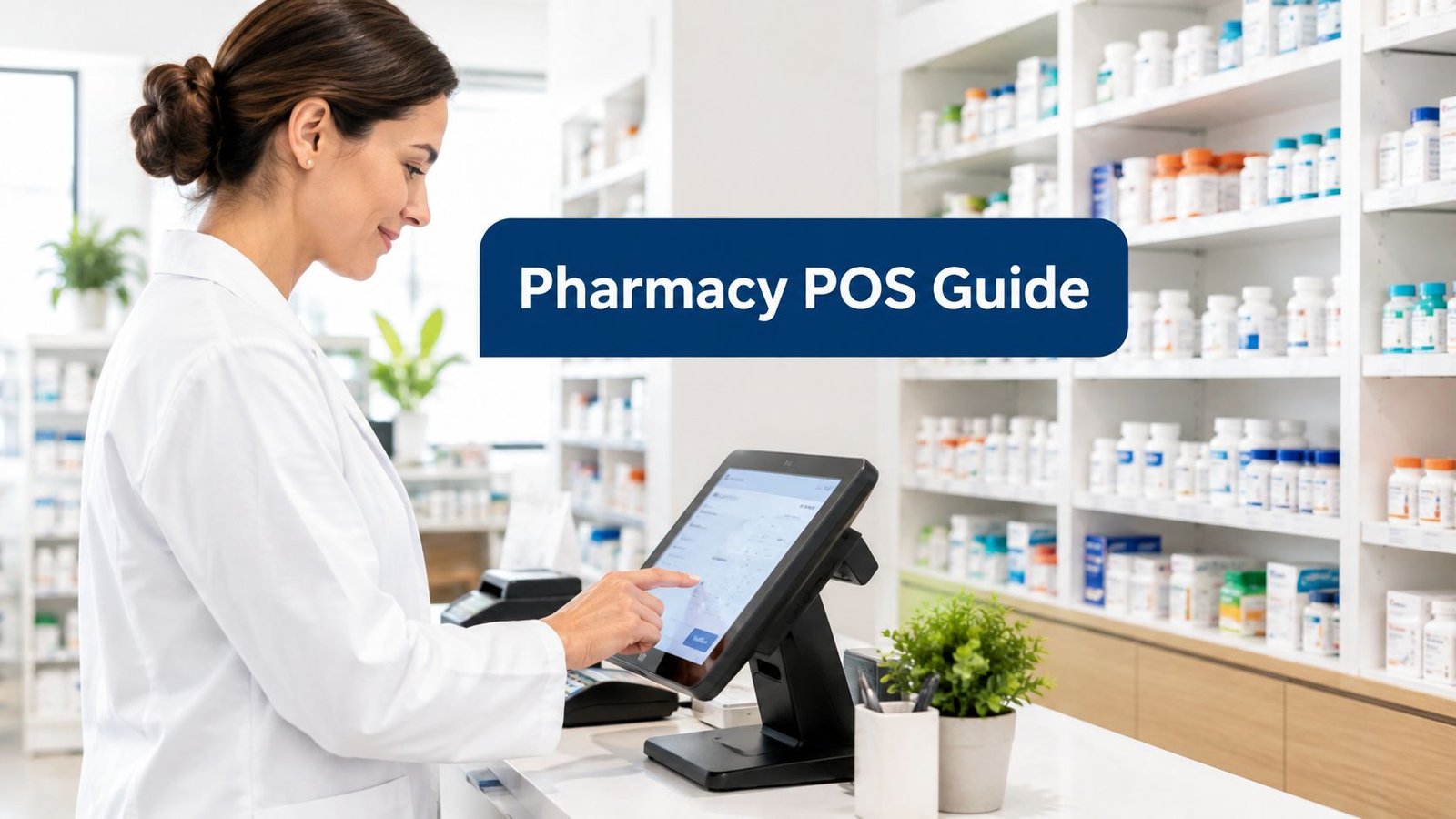
You're standing at a pharmacy counter with people waiting, stock moving, suppliers chasing payment, and one wrong scan turning into a mess nobody wants to explain later. A decent retail till can ring up a sale, but pos software for pharmacy has to protect batch traceability, expiry control, branch stock, and customer credit at the same time. That's the difference between a cash register and a system you can trust in daily operations.
A pharmacy owner doesn't need more software noise. They need a POS that keeps retail moving while preserving the stock trail behind every sale, return, transfer, and credit transaction. If a system can't do that, it's not a pharmacy-ready choice, no matter how polished the demo looks.
Table of Contents
- Why a Pharmacy Needs More Than a Cash Register
- The Questions Every Pharmacy Owner Should Ask a Vendor
- Batch, Expiry, Purchasing, and Customer Credit in Practice
- Running Several Counters, Roles, Tax, and Offline Selling
- How Stocky POS Fits the Retail and Stock Side
- What a General Retail POS Does Not Do for a Pharmacy
- Your Regulator Decides the Records You Must Keep
Why a Pharmacy Needs More Than a Cash Register
The moment a sale starts, the software has to know more than price and quantity. It needs to know which batch is leaving the shelf, whether that batch is close to expiry, where the item came from, and whether the stock should be deducted from one branch or another. A plain retail till sees a product. A pharmacy sees a traceable unit of inventory with business consequences attached.
Four jobs sit behind the counter
First, there's batch and expiry control. If a pharmacy sells from the wrong pack, the issue isn't just accounting. It can become a stock traceability problem, a recall problem, or a wasted-inventory problem.
Second, there's supplier purchasing and returns. Stock doesn't arrive as a vague total. It arrives through purchase lines, with cost and batch details that should remain readable later when a supplier credit note or return needs review.
Third, there's multiple branches or storage locations. A single counter might hide what a pharmacy is juggling back-room stock, a second branch, or a central store. If the software can't separate those locations, staff end up guessing which shelf owns what.
Fourth, there are credit customers, including local clinics or institutional accounts. If the POS can't record partial payments and enforce credit limits, the owner loses control over receivables very quickly.
Practical rule: if a product can move between receiving, storage, sale, return, and transfer, the software needs to track each stage as evidence, not just as a total.
A generic retail system can still look clean in a demo while hiding weak stock controls behind the interface. That's why the true test is never "Can it sell?" The test is, "Can it explain where the stock came from, where it went, and what happened if something was returned or quarantined?"
The Questions Every Pharmacy Owner Should Ask a Vendor
A vendor demo should feel like an audit of the workflow, not a tour of buttons. Ask the questions in the same order every time, write the answers down, and compare them side by side after the call. If the rep won't answer clearly in writing, treat that as a warning sign.
Retail questions
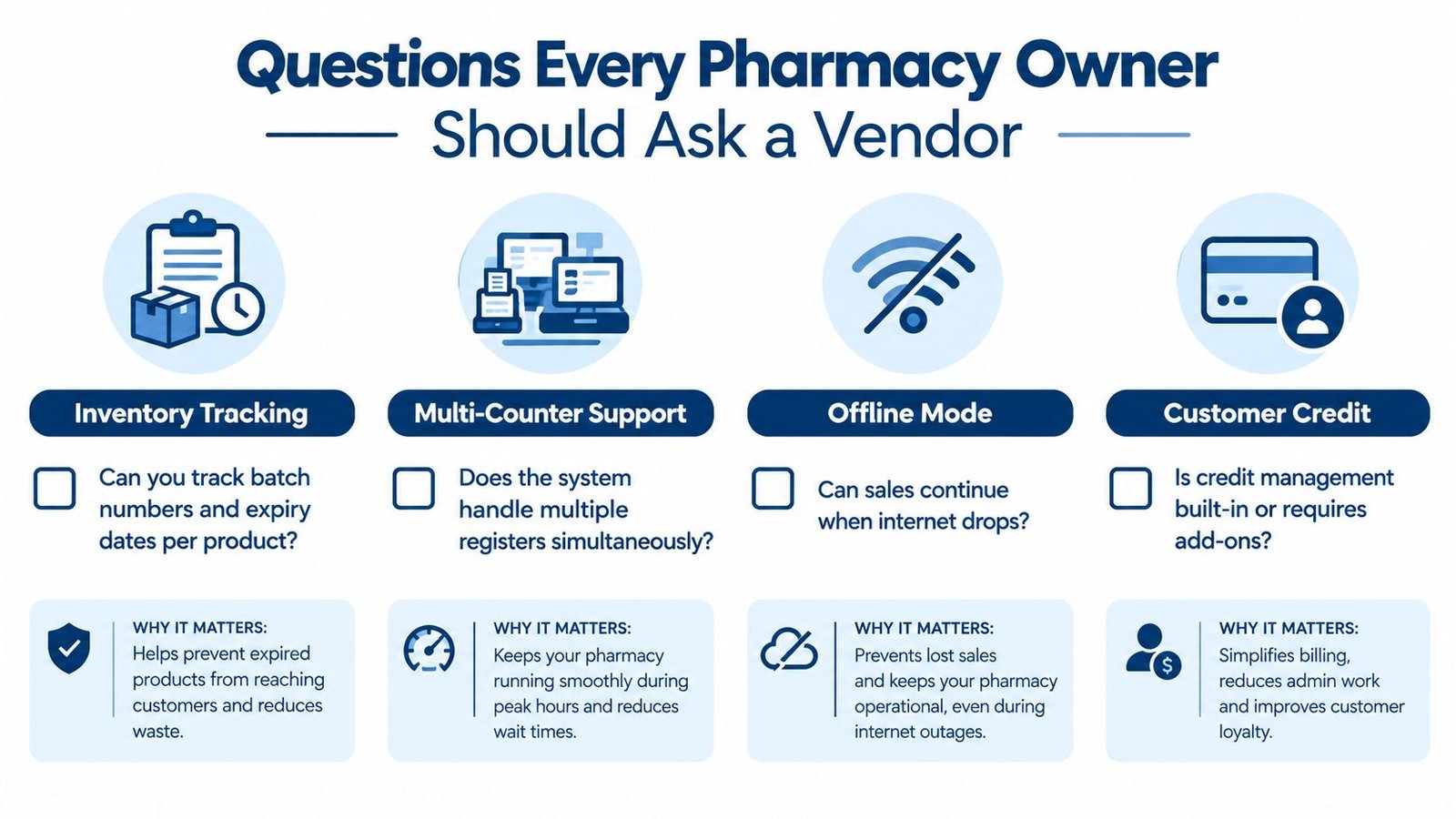
Start with the front counter. Ask whether the system handles multiple registers simultaneously, whether sales can continue when the internet drops, and whether credit management is built in or depends on add-ons. If the answer is vague, you're not dealing with a serious retail workflow.
Stock questions
Then move to the stock trail. Ask if batch numbers and expiry dates are tracked per product, whether purchase lines require those fields on receiving, whether the system selects the nearest-expiry batch automatically, and whether quarantined or expired stock can be blocked. That matters because the stock trail is what keeps the pharmacy from selling the wrong item or losing sight of unusable stock.
Branch questions
After that, ask about warehouses and transfers. Can the system run several branches? Can stock move between them? Can one branch's staff be blocked from another branch's inventory and reports? The wrong answer here usually means one location can accidentally contaminate another location's numbers.
Regulatory questions
Finally, ask what the software does not cover. Does it manage prescriptions? Does it maintain a controlled-drug register? Does it support the record set your local authority requires, or does it stop at retail and stock control? These are not awkward questions. They're the questions that save you from buying the wrong category of system.
| Area | Question to ask | Why it matters | Answer that is a red flag |
|---|---|---|---|
| Retail | Can sales continue if the connection drops? | Counters need continuity, not just a pretty interface | “The internet is required for every sale” |
| Stock | Do you track batch numbers and expiry dates per product? | Batch-level traceability is the point | “We only track total quantity” |
| Branches | Can you transfer stock between warehouses with access limits? | Multi-site control depends on location separation | “Everyone sees all locations” |
| Regulation | Do you handle prescriptions or controlled-drug registers? | A pharmacy can't assume those records exist | “We think so, but it's not documented” |
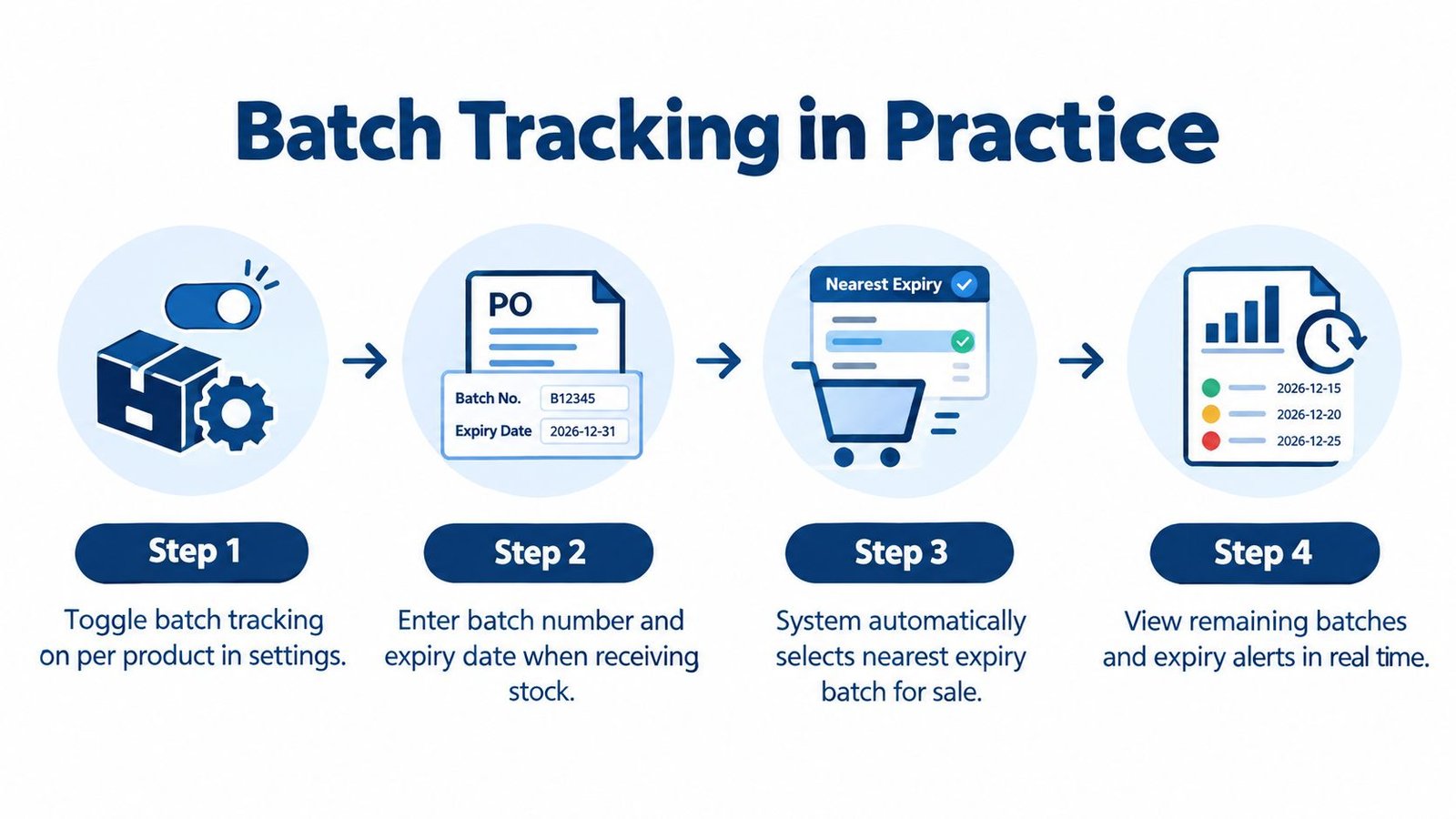
Batch, Expiry, Purchasing, and Customer Credit in Practice
Batch control only matters if it changes what staff do at the counter and in receiving. With Stocky POS, batch tracking is switched on per product. Once it's enabled, purchase lines require a batch number and expiry date, and sales take from the batch that expires soonest. That's a real FEFO-style control, not a decorative inventory label.
Receiving stock the right way
When a shipment arrives, the batch details need to be entered before the stock is treated as usable. That keeps the purchase record tied to the actual item that entered the pharmacy. If a batch is later written off, quarantined, or traced in a transfer, the movement history stays attached to that batch instead of disappearing into a lumped stock total.
Selling and blocking unusable stock
At checkout, the system should favor the batch that expires first. If a batch is expired or quarantined, it should be blocked unless the user has the override permission. That permission matters because the exception should be controlled, not casually available to every cashier who happens to be logged in.
Purchases also record the supplier, cost, and batch details per line, and purchase returns link back to the original purchase. That is what keeps supplier reconciliation clean when a delivery needs to be partially returned or corrected.
If a purchase, sale, and return can't be traced through the same batch record, the inventory file is already weaker than it looks.
Credit customers without losing control
Customer-credit handling is another place where a generic POS usually falls short. In Stocky POS, partial payments are posted to the customer ledger and credit limits are enforced. That's the right behavior for clinics, institutions, or repeat customers who don't settle every transaction at the counter.
The practical picture is simple. A pharmacy receives a batch, sells from the batch closest to expiry, returns part of a purchase to the supplier if needed, and records a partial customer payment without losing the ledger trail. That's the workflow a stock-aware pharmacy POS should preserve.
For a deeper look at the inventory side in a broader wholesale context, this wholesale inventory page is useful because it shows how stock logic changes once a business stops thinking like a simple till and starts thinking like a controlled inventory operation.
Running Several Counters, Roles, Tax, and Offline Selling
A multi-counter pharmacy should not depend on one shared stock bucket with everybody seeing everything. The software needs to separate locations, permissions, and tax treatment cleanly so one branch doesn't blur into another. That's where many general retail systems get sloppy.

Branch control and movement
Stocky POS supports unlimited warehouses, warehouse-to-warehouse transfers, custom roles, and user access limited to specified warehouses. That means a small chain can keep branch staff inside their own location instead of handing every employee the keys to every store. Transfers are the point where many systems weaken, so ask whether the transfer history stays visible and whether batch ownership remains clear after movement.
Roles and tax grouping
Custom roles matter because not every user should be able to do the same thing. A cashier, a pharmacist, and an administrator shouldn't all have the same access to stock changes or record edits. Stocky POS also supports grouped tax rates, which matters when product categories need different tax handling and the business can't afford guesswork at billing time.
Offline selling and sync
Offline selling is the other feature owners underestimate until a connection fails. Stocky POS can keep selling and then sync when the connection returns. That's good continuity, but buyers should still ask how conflicting offline transactions are handled if two counters were disconnected at once and both touched the same stock.
Vendor question that matters: when the connection returns, which transaction wins if two terminals adjusted the same item offline?
For a practical look at how automation changes retail operations day to day, see how Matil helps retailers. It's a helpful reminder that the right system is the one that keeps operations coherent when the counter gets busy, not the one that looks good in a brochure.
How Stocky POS Fits the Retail and Stock Side
Stocky POS fits the retail and stock-control side of a pharmacy, not the regulated dispensing side. The documentation shows batch tracking, expiry handling, supplier purchasing, customer credit, multiple warehouses, offline selling, and role-based access. That makes it a serious general retail POS with stock control, but it does not make it a pharmacy management system.

What the documented features cover
The batch and expiry tools answer the receiving and shelf-life questions from the vendor checklist. The purchasing and return records answer the supplier trail question. The warehouse controls answer the branch question. The customer ledger and credit-limit rules answer the account-customer question.
That's the right fit if you want a controlled retail engine that understands stock movement. It's not the right fit if you're shopping for a full clinical or dispensing stack.
Deployment and licensing
Stocky POS is a self-hosted retail POS and ERP sold as a one-time licence with no per-branch or per-user licence fees. It requires PHP 8.2 or newer and MySQL 8.0 or MariaDB 10.6, and camera scanning requires HTTPS. Those are practical deployment details, not minor footnotes, because a pharmacy shouldn't discover them after the purchase.
If you want to review the product directly, start with the pharmacy POS page and the Stocky POS ERP download page. You can also open the live demo from the product pages and test the workflow yourself without relying on a sales script.
The key point is simple. Stocky POS covers the retail operations that keep a pharmacy's stock accurate. It doesn't pretend to be the whole pharmacy.
What a General Retail POS Does Not Do for a Pharmacy
The documentation does not list prescription management or a controlled-drug register. That alone should stop anyone from assuming this is a regulated pharmacy system. If a vendor can't point to those functions in writing, you should treat them as out of scope.
That gap matters because pharmacies often need more than retail stock control. Some businesses need insurance or claims workflows, patient records, clinical checks, wholesaler ordering, or discipline-specific reconciliation processes. A general retail POS may sit beside those systems, but it shouldn't be mistaken for them.
Where the risk shows up
The biggest risk is not that the software looks weak on day one. The risk is that the buyer assumes the missing functions are there and only discovers the gap during a recall, an inspection, or a controlled-drug reconciliation. That's when “we thought it did that” stops being a harmless misunderstanding.
A clean retail POS can still be the right purchase if you want stock accuracy, batch control, branch separation, and customer-credit handling. It just has to be understood for what it is, not inflated into a regulated pharmacy platform it doesn't document.
For a broader retail-only comparison, the retail POS page is the right place to sanity-check where a general counter system ends and pharmacy-specific requirements begin.
This is not legal or regulatory advice. It's a buying filter. Use it to keep the conversation honest before you commit money to the wrong category of software.
Your Regulator Decides the Records You Must Keep
Your local regulator decides which pharmacy records must be kept, how they must be retained, and what belongs in a compliant workflow. Put each requirement into one of three buckets, a POS function, a documented gap, or a separate regulated system.
Retention rules vary by jurisdiction. Ireland's PSI guidance says prescriptions and controlled-drug supply records generally have a two-year retention period. Ontario guidance requires patient-related pharmacy records for at least ten years in specified circumstances. Those examples show why a pharmacy owner should not trust generic assumptions when choosing software. For practical context on retention obligations in a different sector, the EndureGo Tax record keeping guide is a useful reminder that recordkeeping rules are policy-specific, not universal.
Ask the vendor to show where your required records live, how long they are kept, and what happens if an inspector asks for them. Then check your local pharmacy authority before you buy. If the software cannot show those records in writing or in the live demo, it is not the right system yet.