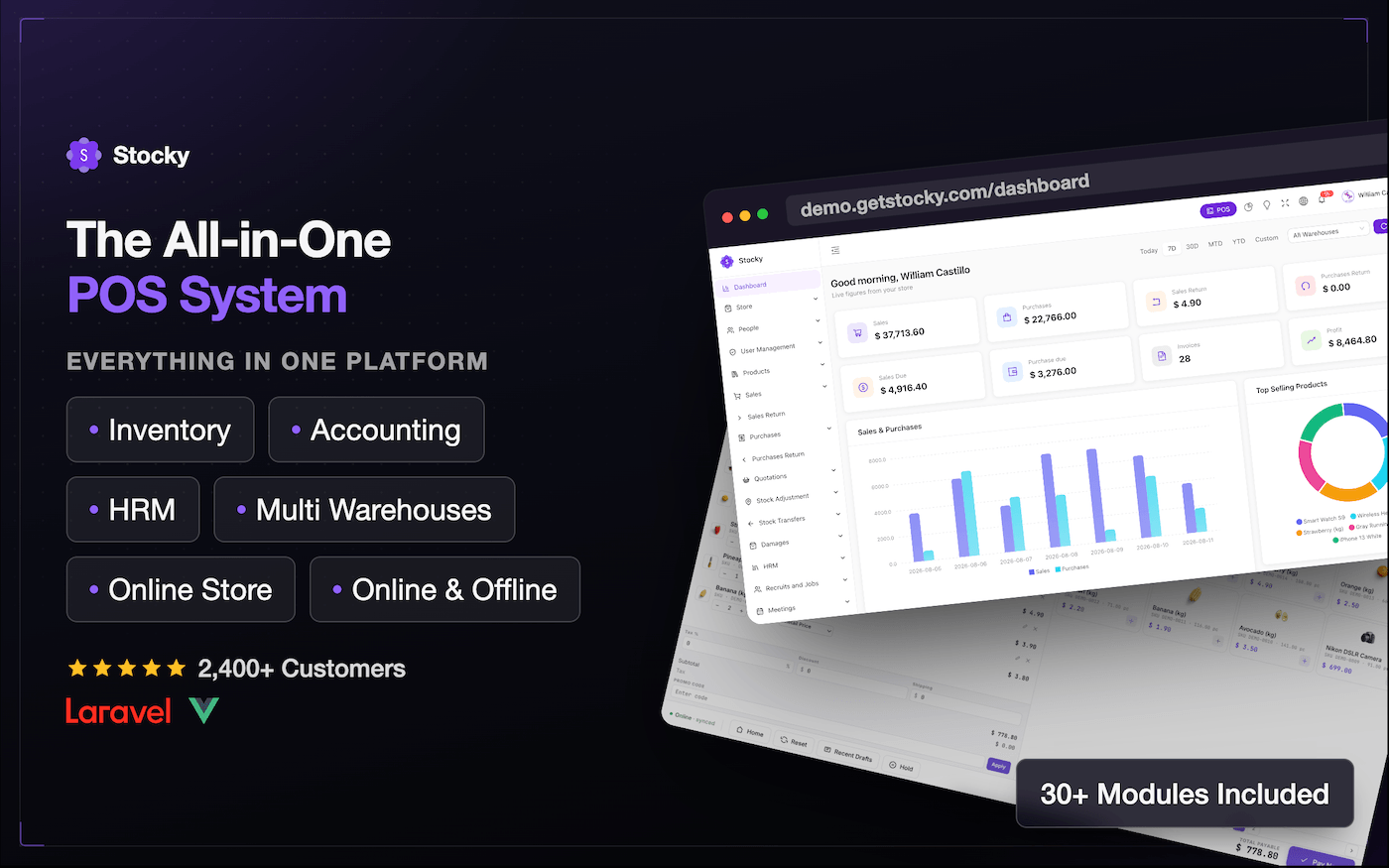
Stocky POS – ERP, Inventory Management, Point of Sale & Invoicing

Stocky POS — Complete Point of Sale, Inventory & ERP System
  • End user can not be charged. Only for one personal project

  • End user can be charged. Only for one personal or client project.

25

Purchases

No reviews yet
Updated:
August 10, 2026
Version:
5.7
Well documented
Lifetime


Trusted by 2,400+ businesses worldwide since 2021 | 4.90/5 Rating on CodeCanyon

Stocky POS is a complete point of sale, inventory management, and ERP system built for real-world retail and service businesses — supermarkets, pharmacies, electronics shops, repair centers, boutiques, and multi-location warehouses. Whether you’re pricing clothing by size and color, tracking electronics by serial number, weighing fresh produce at checkout, managing repair tickets, or monitoring medicine expiry dates and batch numbers, Stocky adapts to your workflow instead of forcing you into one.

Install it once on your own server and it’s yours for life — no monthly subscription fees, no per-terminal charges, and no core features locked behind paid upgrades.

Point of sale, inventory management, ERP, invoicing, accounting, purchase orders, HR management, WooCommerce sync, offline capability, and a full online store — all included in a single purchase price.

  • Laravel + Vue.js Single Page Application (SPA)
  • Built-in WooCommerce Bi-Directional Sync — no paid add-on required
  • AI-Powered Reports and Analytics
  • Integrated Online Store — sell offline and online from one dashboard
  • 24+ Languages with Full RTL Support
  • Setup in Under 5 Minutes
  • Lifetime Free Updates Included

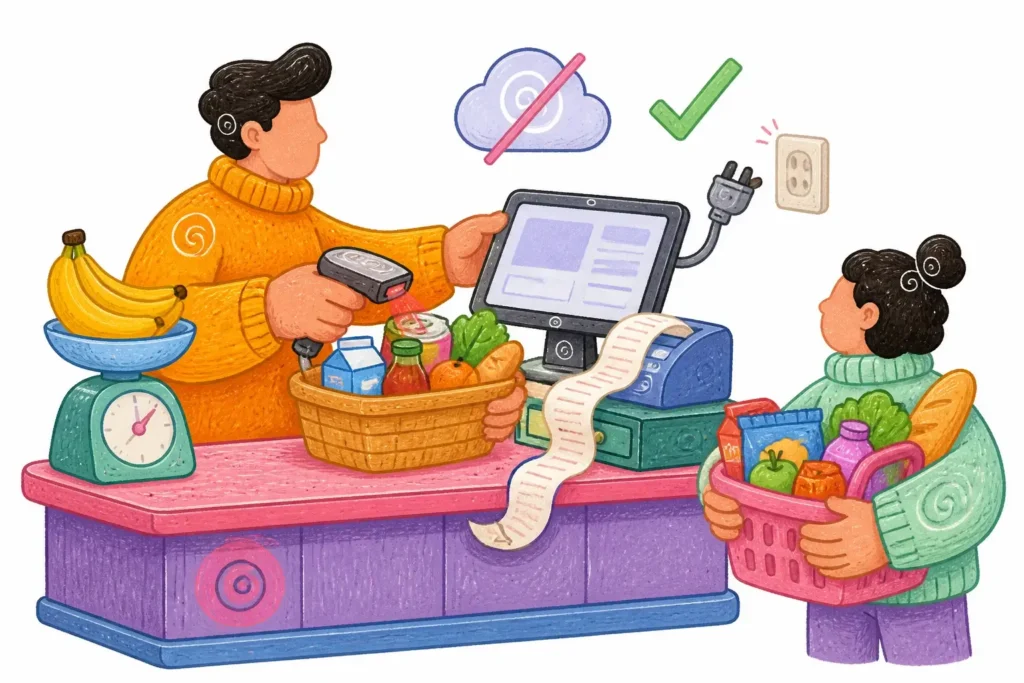
Stocky offline POS
Stocky POS features
What customers say about Stocky

Who Is Stocky POS Software Built For?

Stocky’s POS and inventory management system scales to fit businesses of every size and industry:

  • Retail stores and supermarkets
  • Wholesale and distribution businesses
  • Pharmacies and medicine shops
  • Electronics and mobile phone shops
  • Fashion boutiques and clothing stores
  • Warehouses and multi-location businesses
  • Service centers and repair shops
  • Restaurants and cafes with inventory needs
  • Online + offline hybrid stores
  • Jewelry, furniture, and specialty retail
  • Automotive parts and construction material suppliers

Why Businesses Choose Stocky Over Other POS Systems

Built on Laravel and Vue.js as a Single Page Application (SPA) with a robust REST API backend, Stocky combines enterprise-grade architecture with small-business simplicity.

  • Highest rated on CodeCanyon: 4.90 out of 5 stars — the top-rated POS and inventory system in its category
  • AI-powered insights: Built-in AI reports for intelligent sales analysis, with no external tools needed
  • Native WooCommerce sync: Full bi-directional sync included at no extra cost — competitors charge extra for this as an add-on
  • Built-in online store: Run retail and eCommerce operations from a single unified dashboard
  • Modern architecture: Vue.js SPA with Vuex and Vue Router for lightning-fast performance with no page reloads
  • Dark mode: Full dark mode support for a modern, eye-friendly interface
  • Full RTL support: Right-to-left language compatibility built in
  • 24+ languages: Add and manage languages from the admin panel with zero coding required
  • Multi-warehouse management: Unlimited warehouses with stock transfers and per-warehouse reporting
  • Clean, documented codebase: Well-structured and scalable, ready for customization
  • Responsive support: A dedicated customer support team with fast response times
  • 6 months of support included with every purchase, extendable to 12 months
  • Lifetime updates: Every future update is free, forever

AI-Powered Reports and Business Analytics

Stocky includes built-in AI-powered reporting — an advanced capability rarely found in competing POS software at this price point. Get intelligent, automated insights from your sales and inventory data without paying for external analytics tools or subscriptions.

  • AI-powered sales trend analysis and business performance insights
  • Smart analytics reports for data-driven decision-making
  • Stock inventory valuation by cost and selling price
  • Warranty and guarantee tracking for sold items
  • Top-selling products and best-performing customer analysis
  • Profit and loss analysis with detailed breakdowns

WooCommerce Integration With Bi-Directional Sync

Stocky includes native WooCommerce integration with full bi-directional sync out of the box — while many competitors charge $20–$30 for a separate WooCommerce add-on, it’s built in at no extra cost.

  • Products sync automatically between WooCommerce and Stocky in both directions
  • Real-time stock level updates across your online store and physical location
  • Manage all orders and inventory from a single Stocky dashboard
  • Configurable overselling rules — allow or prevent overselling per product
  • Automatically hide out-of-stock products from your WooCommerce storefront

A Complete Online Store, Built In

Stocky includes a full eCommerce storefront module, so you can launch and manage an online store alongside your physical inventory — no third-party platform required.

  • Full online store included in the base product at no extra cost
  • Manage online and in-store sales from one unified dashboard
  • Control overselling rules and stock visibility per product
  • Email notifications for order and booking confirmations
  • Import products, including service-type products, via Excel
  • Multi-screen customer display support at POS checkout

Stocky — The Complete Inventory and POS System

Stocky is an all-in-one solution for managing inventory, sales, purchase orders, staff, accounting, and your online store. Whether you run a retail shop, warehouse, or multi-location business, Stocky gives you everything needed to keep operations running smoothly.

Dashboard Overview

  • Live snapshot of today’s sales, purchases, and returns
  • Weekly trends in sales and purchases
  • Best-selling products (monthly and annual)
  • Top 5 customers by revenue
  • Payment activity (incoming and outgoing)
  • Latest sales transactions

Point of Sale (POS) Features

  • Intuitive, easy-to-use POS interface
  • Responsive POS screen for tablet and mobile
  • Built-in camera scanner for seamless transactions
  • Digital scale integration with auto-detect weight capture
  • Multi-payment options in a single sale
  • Professional invoice design
  • Full support for discounts, tax calculations, and shipping fees
  • Fast product search by name or code
  • Auto-send sales receipts via email or SMS
  • Filter products by category or brand
  • Multi-screen customer display support
  • Flexible multi-payment method handling

Product Management

  • Full control to add, edit, view, and delete products
  • Export product data to PDF and Excel
  • Bulk import products via CSV or Excel
  • Support for variants, combo products, and services
  • IMEI and serial number tracking
  • Option to disable products from sale
  • Manual stock quantity adjustments
  • Smooth stock transfers between warehouses
  • Barcode label printing support
  • Import opening stock per warehouse via Excel
  • Warranty and guarantee information tracking
  • Physical stock counting functionality
  • Product dimensions: length, width, and height
  • Update product cost and price via Excel for existing products

Quotations Management

  • Create, edit, delete, and manage quotations
  • Convert quotations directly into sales orders
  • Export quotation data to PDF and Excel
  • Download quotations in PDF format
  • Send quotation notifications via email, SMS, or WhatsApp

Sales Management

  • Complete sales control: add, edit, delete, and view sales
  • Import sales via CSV file
  • Flexible payment handling: add, edit, and delete payments
  • Export sales data to PDF and Excel
  • Download individual sales in PDF format
  • Send sales notifications via email, SMS, or WhatsApp
  • Warranty and guarantee dates on sales

Purchase Management

  • Complete purchase workflow: create, edit, view, and delete purchases
  • Manage payment transactions: add, edit, and delete payments
  • Export purchase records to PDF and Excel
  • Download purchase invoices in PDF format
  • Email and SMS purchase documents directly from the system
  • Bulk import purchases using Excel files

Returns Management (Sales and Purchases)

  • Efficient handling of return requests: add, edit, delete, and view
  • Manage return payments: add, edit, and delete adjustments
  • Export return records to PDF and Excel
  • Download return documents in PDF format
  • Send return PDFs via email instantly

HRM — Human Resource Management

  • Company profile and structure management
  • Department and designation management
  • Office shift scheduling
  • Employee management and records
  • Attendance tracking system
  • Leave request management
  • Holiday management
  • Payroll management

Accounting Management

  • Transfer funds between accounts
  • Record and track expenses
  • Manage deposits efficiently
  • Balance sheet and cash flow overview

Recurring Invoices

  • Automatically generate and send invoices at scheduled intervals

User, Customer, and Supplier Management

  • Add, edit, delete, and view users with role-based access control
  • Manage customer and supplier profiles
  • Export user, customer, and supplier data to PDF and Excel
  • Bulk import customers and suppliers via CSV files
  • Opening balance and due tracking for customers and suppliers

Comprehensive Reporting

  • Warehouse stock charts and real-time overview
  • Product quantity alerts and low stock notifications
  • Payment summary and reconciliation reports
  • In-depth profit and loss analysis
  • Detailed sales and purchase reports
  • Customer and supplier performance reports
  • Sales by brand, category, and payment method
  • Error logs for system monitoring
  • Transaction history reports
  • Expenses and deposits reporting
  • Inventory valuation by cost and selling price
  • Top-selling products and best-performing customers
  • Warranty and guarantee report for sold items
  • AI analytics report for intelligent business insights
  • Print option available on all reports

Projects and Tasks Management

  • Create, edit, and organize projects
  • Assign tasks to specific employees or teams
  • Set deadlines and track task progress
  • Prioritize tasks with status labels

System Settings

  • Customize branding: logo, company name, email, and more
  • Update logo, favicon, and page title without any coding
  • Configure SMTP server for reliable email notifications
  • Manage user profiles and password security
  • Create and assign custom user roles with granular permissions
  • Manage currencies, warehouses, brands, categories, and units
  • Add and edit payment methods directly from the admin panel
  • Enable automated backup for data security
  • Manage and customize SMS templates
  • Design and edit email templates with dynamic placeholders
  • Set default templates for sales, purchases, returns, and quotations

Additional Features

  • Multilingual support: 24+ languages available
  • Language management: add languages from the admin panel — no coding needed
  • Data export: export any table to PDF or Excel
  • Smart notifications: built-in email and SMS system
  • Camera scanner: instantly scan products using a device camera
  • Weight scale integration: automatically capture weight from digital scales
  • Multi-payment support: accept multiple payment methods per transaction
  • Quick installation: fully set up in under 5 minutes
  • Comprehensive documentation included for all features

Frequently Asked Questions About Stocky POS

Are future updates free? Yes — all future updates are included for lifetime, free of charge.

Does Stocky POS work offline? Stocky is a web-based application. It can be run on a local server (e.g., Laragon, XAMPP) for offline environments.

Does it support GST, VAT, or other tax types? Yes — tax rates are fully customizable. You can define GST, VAT, group taxes (such as CGST + SGST), and view detailed tax reports by period.

What hardware does Stocky support? Stocky supports barcode scanners, thermal and receipt printers (ESC/POS), and digital weight scales with auto-detection.

Does it support multiple currencies? Yes — all currencies are supported with configurable symbols, decimal precision, and placement.

Can I import products, customers, and suppliers in bulk? Yes — bulk CSV and Excel import is available for products, customers, suppliers, opening stock, purchases, and sales.

Does it support multiple warehouses? Yes — unlimited warehouses are supported with stock transfers, per-warehouse reporting, and opening stock import per warehouse.

Is there a multi-language admin panel? Yes — 24+ languages are included, and you can add custom languages directly from the admin panel without editing any code.

Does it integrate with WooCommerce? Yes — full bi-directional WooCommerce sync is built in. Products and stock levels sync automatically in both directions, with no paid add-on needed.

What is the technology stack? Stocky is built on a Laravel (PHP 8.x) backend with a Vue.js frontend as a Single Page Application (SPA), using Vuex for state management and Vue Router for navigation.

Does it support role-based access control? Yes — you can create unlimited custom user roles with granular permissions for each module and action.

Is there an online store included? Yes — a complete eCommerce storefront module is included in the base product at no additional cost.

Technology Stack

  • Backend: Laravel (PHP 8.x)
  • Frontend: Vue.js — Single Page Application (SPA)
  • State management: Vuex
  • Routing: Vue Router
  • API: RESTful API architecture
  • Database: MySQL
  • Browsers: Chrome, Firefox, Safari, Edge

Documentation & Support

Documentation | Get Support

Live Demo

https://demo.getstocky.com/

Email: admin@example.com Password: 123456

You must log in and be a buyer of this download to submit a review.

Frequently Asked Questions - FAQs

Product

Is it possible to white label or customize your template?

You certainly can! Feel free to change the template branding, such as the name and logo, and customize it as needed. There is no need to attribute UI Lib.

What does the purchased package include?

Depending on the technology/framework, the purchased package includes a full source code that includes SASS, JavaScript/TypeScript, HTML, media, compiled assets, and build config files.

All of the demos, apps, pages, components, and plugins shown in the preview will also be included.

Payment

What payment methods are available?

We use Paddle for processing payments. You can pay using following methods

  • Cards (including Mastercard, Visa, Maestro, American Express, Discover, Diners Club, JCB, UnionPay, and Mada)
  • PayPal
  • Google Pay (Chrome only)*
  • Apple Pay (Safari only)*
What if I have a problem making the payment?

It is possible that your bank/card has a limitation; please contact your respective authority.

If you are still unsuccessful, please contact us at support@ui-lib.com

License

What does "End users can be charged" mean?

End users are the individuals or organizations who will be using the software that you'll build using our template. If you purchase Extended or Unlimited license then your end users can be charged.

How long are licenses valid?

A license is valid for lifetime. That is, once bought, you can use the item forever.

You can download the updated version from our website for 12 months. If you purchase unlimited license you can download the updated version for lifetime.

Support

What does Support Include?

When you purchase our item, you can contact our Support Team, where you can submit tickets/issues about product functionality, usage, and bug fixes.

Within 24-48 hours, you will receive responses directly from the product's creators (during business days).

How can I contact UI Lib

Simply mail us at support@ui-lib.com. Mention your issue and the product you've bought. Our support team will reach you.

© 2025 UI Lib. A product of Peak Pulse LLC.